
1. 소개 및 이상view
구매해주셔서 감사합니다asing the CIO SMARTCOBY SLIM II Wireless 2.0 8K mobile battery. This device is designed to provide convenient and efficient power on the go, featuring Qi2 wireless charging, a slim profile, and versatile wired charging capabilities. Please read this manual carefully before use to ensure proper operation and safety.

The CIO SMARTCOBY SLIM II Wireless 2.0 8K mobile battery, shown in black.
Official product video demonstrating the thinness, magnetic attachment, and wireless charging capabilities of the CIO SMARTCOBY SLIM II Wireless 2.0 8K mobile battery.
2. 제품 특징
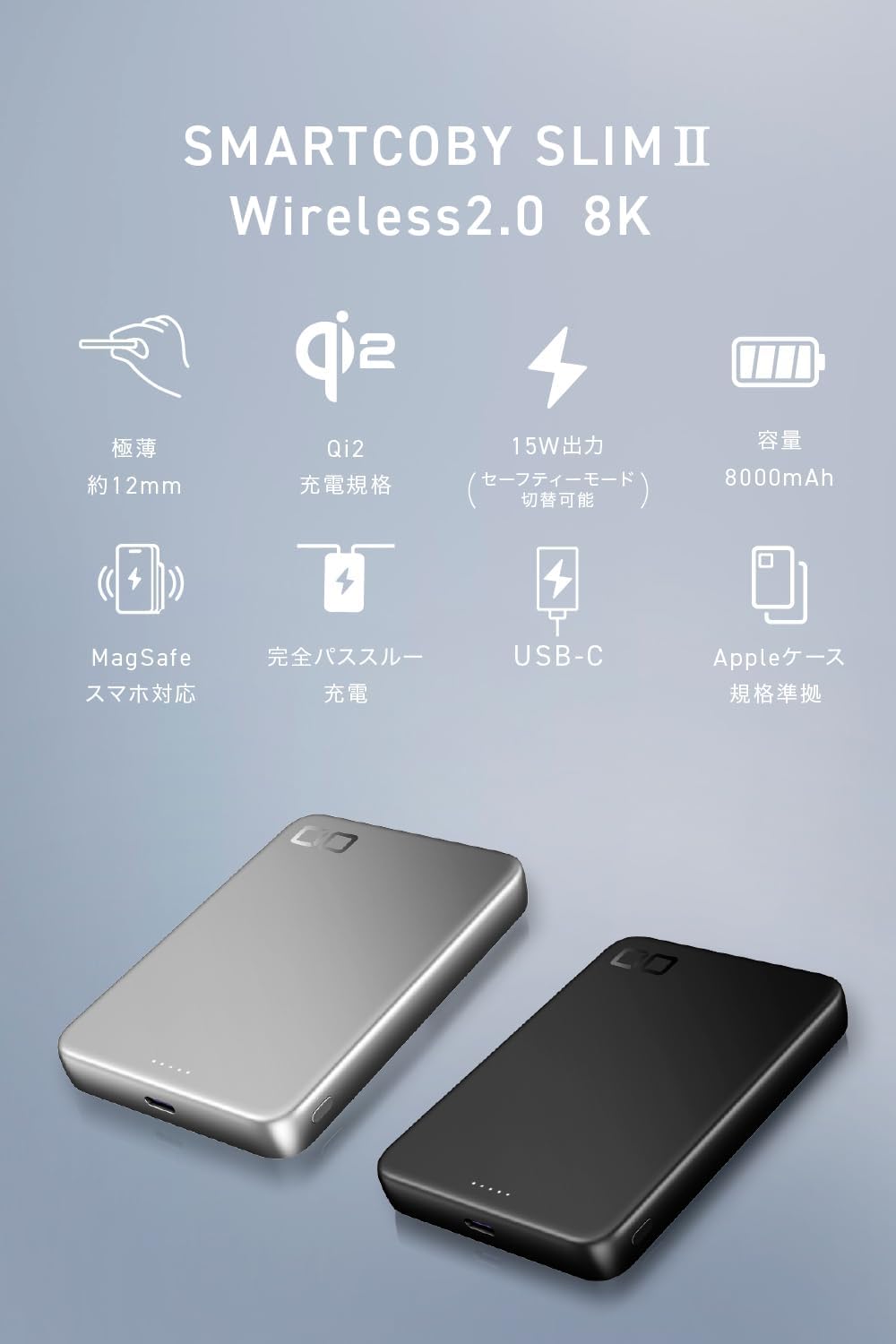
- 최적 용량: 8000mAh battery, providing approximately one full iPhone charge via both wired and wireless methods.
- 초박형 & 경량: Measures approximately 12mm thick and weighs around 162g for maximum portability.
- Qi2 인증 무선 충전: Supports up to 15W Qi2 wireless charging with magnetic alignment, ensuring compatibility and safety.
- Dual Wireless Charging Modes: Switch between 'High Performance Mode' for faster charging and 'Safety Mode' for stable charging with reduced heat generation.
- Powerful Wired Charging: USB-C port offers up to 20W input and up to 33W output for fast charging various devices.
- NovaSafety 2.0: Advanced temperature monitoring and power adjustment system for enhanced safety and battery longevity.
- 통과 충전: Charge the power bank and a connected device simultaneously.
- Liquid Silicone Finish: Provides a smooth and comfortable tactile experience.
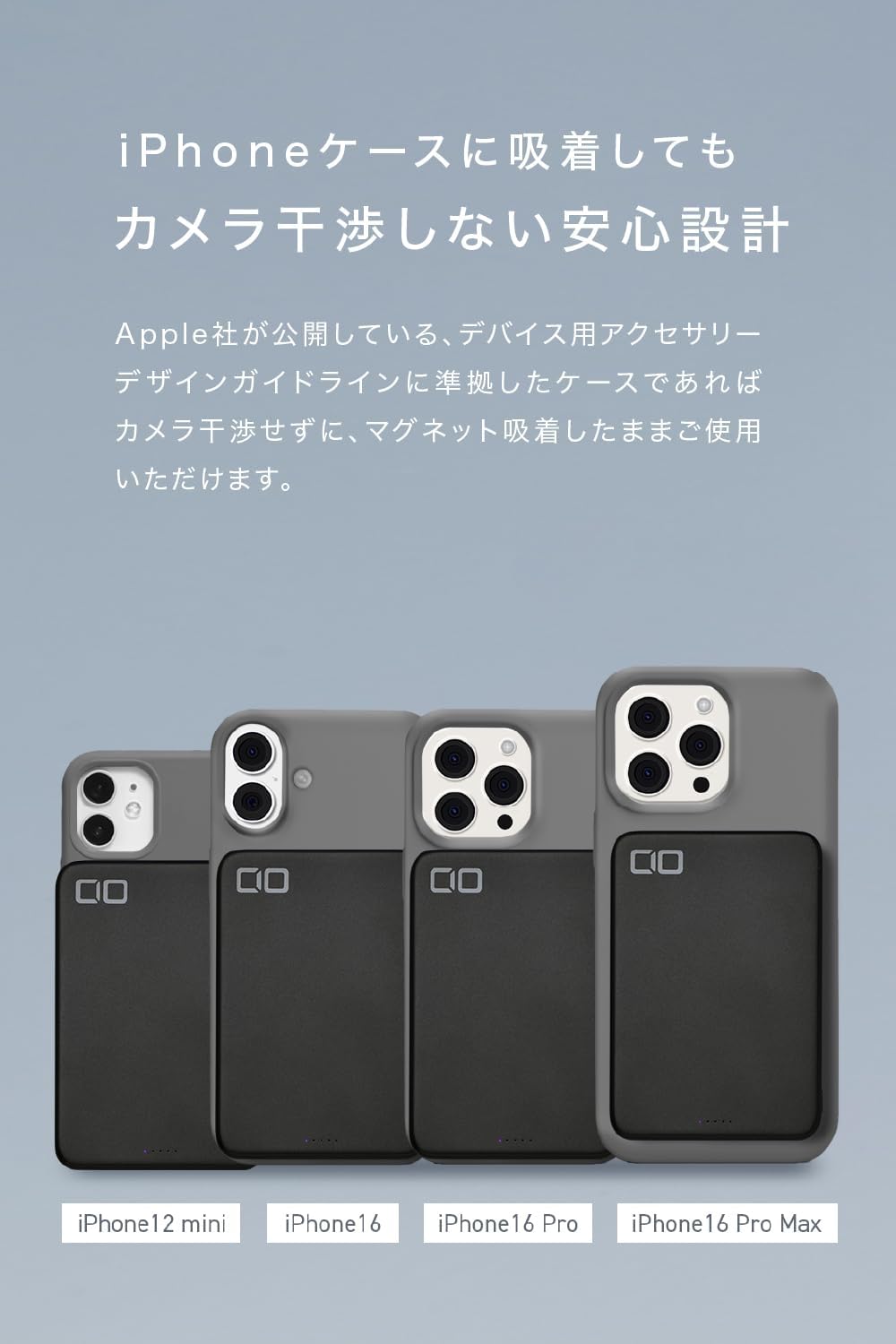
- Camera Interference-Free Design: Compatible with Apple's accessory guidelines, allowing magnetic attachment without obstructing the camera.

The device is designed to be extremely thin (approx. 12mm) and lightweight (approx. 162g), making it highly portable.

With an 8000mAh capacity, the battery can provide approximately 1.1 charges via Qi2 and 1.2 charges via USB-C for an iPhone 16 Pro.
3. 설정 및 시작하기
3.1 초기 충전
Before first use, it is recommended to fully charge the mobile battery. Connect the included USB-C to USB-C cable to the power bank's USB-C port and to a compatible USB power adapter (20W or higher recommended for fastest charging).

The mobile battery itself can be fully recharged in approximately 120 minutes using a 20W fast charger connected to its USB-C port.
3.2 배터리 잔량 확인
The LED indicator lights on the side of the power bank show the remaining battery capacity in 25% increments. Press the power button briefly to check the current charge level.

The LED lights indicate the remaining battery capacity in 25% increments. The leftmost light illuminates during Qi2.2 charging.
4. 사용 설명서
4.1 Wireless Charging (Qi2)
- Ensure the mobile battery is sufficiently charged.
- Press the power button on the side of the power bank to activate wireless charging. The product is shipped in sleep mode, which is deactivated by pressing the power button.
- Align your MagSafe-compatible device (e.g., iPhone 12 series or later) with the magnetic charging area on the power bank. The magnets will snap into place.
- Charging will begin automatically. The leftmost LED light will illuminate during Qi2.2 charging.

To begin wireless charging, press the power button. The product is shipped in sleep mode, which is deactivated by pressing the power button.
The mobile battery supports Qi2 wireless charging, allowing magnetic attachment and up to 15W output.
4.2 Switching Wireless Charging Modes
The power bank offers two wireless charging modes: 'High Performance Mode' and 'Safety Mode'.
- High Performance Mode: Prioritizes charging speed (up to 15W). Ideal for quick charges or in cold environments. Indicated by a solid left LED light.
- 안전 모드: Prioritizes heat suppression for stable charging. Best for warmer environments or when charging overnight. Indicated by a blinking left LED light.
To switch between modes, press and hold the power button for approximately 5 seconds. The LED indicator will change to confirm the mode selection.
Note for Google Pixel devices: Pixel series devices are not compatible with Safety Mode (low output). Please use only High Performance Mode. If you accidentally switch to Safety Mode, please detach the device once and then re-charge after returning the main unit's mode to High Performance.

To switch between modes, press and hold the power button for 5 seconds. A blinking left LED indicates Safety Mode, while a solid left LED indicates High Performance Mode.

Choose between 'Safety Mode' for stable charging with suppressed heat, ideal for high temperatures or overnight charging, and 'High Performance Mode' for faster charging, suitable for quick power-ups or colder environments.
4.3 유선 충전(USB-C)
- USB-C-USB-C 케이블의 한쪽 끝을 보조 배터리의 USB-C 포트에 연결하세요.
- 케이블의 다른 쪽 끝을 기기의 USB-C 충전 포트에 연결하세요.
- Charging will begin automatically. The power bank supports up to 33W output via USB-C.
메모: When a cable is inserted into the USB-C port, the power bank automatically switches to wired charging. Simultaneous wireless and wired charging is not possible. The mode switching function is not available for wired charging.
4.4 패스스루 충전
The power bank supports pass-through charging. You can charge the power bank itself while it simultaneously charges a connected device.
- Connect the power bank to a power adapter using the USB-C cable to charge the power bank.
- Connect your device to the power bank (either wirelessly or via USB-C cable).
- Both the power bank and your device will charge. When the power bank is fully charged, it will automatically switch to direct charging for your device.

This product supports pass-through charging, allowing you to charge both the mobile battery and your device simultaneously. When fully charged, it automatically switches to direct charging for the device.
5. 안전 정보 및 예방 조치
To ensure safe operation and prolong the life of your mobile battery, please observe the following precautions:
- 온도: Avoid placing the product in high-temperature environments such as inside a car, in direct sunlight, or near windows. High temperatures can degrade the battery and cause overheating. Charging is recommended at an ambient temperature of 25°C.
- 물 노출: 제품을 물이나 기타 액체에 노출시키지 마십시오.
- 물리적 손상: Do not drop, disassemble, or attempt to repair the product yourself.
- 이물질: Do not place metal objects or foreign materials between the charging surface and your device during wireless charging.
- 어린이들: 어린이의 손이 닿지 않는 곳에 보관하세요.
- 처분: 해당 지역의 전자 폐기물 처리 규정에 따라 제품을 폐기하십시오.
Avoid placing the product in high-temperature environments such as inside a car, in direct sunlight, or near windows, as this can degrade the battery and cause overheating. Charging is recommended at an ambient temperature of 25°C.
5.1 NovaSafety 2.0
This product incorporates CIO's proprietary NovaSafety 2.0 technology. This system continuously monitors the product's temperature and automatically adjusts power output during high loads to control heat generation. This feature aims to provide a safer and longer-lasting user experience.

The integrated NovaSafety 2.0 system continuously monitors product temperature and automatically adjusts power output to control heat generation, ensuring safe and prolonged use.
6. 사양
| 모델 번호 | CIO-MB30W1C-8K-S2W25 |
| 배터리 용량 | 8000mAh |
| 무게 | 약 162g |
| 치수 | 약 102 x 70 x 12mm |
| 포트 | 1 x USB-C |
| Power Bank Charging Time | 약 120분 (20W 고속 충전기 사용 시) |
| USB-C 입력 | Max 20W (5V/3A, 9V/2.22A, 12V/1.67A) |
| USB-C 출력 | Max 33W (5V/3A, 9V/3A, 12V/2.5A, 15V/2A, 20V/1.5A; PPS 5-11V/3A) |
| 무선 출력 | Max 15W (Qi2 certified), up to 25W (Qi2.2 compatible) |
| Compatible Fast Charging Standards | Qi2.2 (25W), USB Power Delivery 3.0 |
| 배터리 사이클 수명 | 약 300회 주기 |
| 사용 가능한 색상 | 블랙, 실버 |
| 포함된 액세서리 | Instruction Manual (Japanese/English), USB-C to USB-C cable |

A comprehensive table outlining the model, battery capacity, weight, dimensions, ports, charging times, input/output specifications, compatible standards, cycle life, colors, and included accessories.
7. 문제 해결
7.1 기기가 무선으로 충전되지 않음
- Ensure the power bank is turned on by pressing the power button.
- Verify your device is Qi2/MagSafe compatible.
- Check for proper alignment between your device and the power bank's charging surface.
- 무선 충전을 방해할 수 있는 두꺼운 케이스나 금속 물체를 제거하십시오.
- 모바일 배터리가 충분히 충전되어 있는지 확인하세요.
7.2 Slow Charging or Overheating
- Switch to 'Safety Mode' if you experience excessive heat during wireless charging.
- Ensure the charging environment is not too hot (ambient temperature of 25°C is recommended).
- For wired charging, ensure you are using a compatible cable and power adapter that supports fast charging.
- Avoid using the device in direct sunlight or enclosed spaces.
7.3 파워뱅크 충전 안됨
- Check that the USB-C cable is securely connected to both the power bank and the power adapter.
- Ensure the power adapter is functioning correctly and plugged into a live power outlet.
- 다른 USB-C 케이블과 전원 어댑터를 사용해 보세요.
8. 보증 및 지원
This product comes with a standard manufacturer's warranty. Please refer to the warranty card included in the packaging for specific terms and conditions.
For technical support, troubleshooting assistance, or warranty claims, please contact CIO customer service through their official website or the retailer where you purchased the product. Please have your model number (CIO-MB30W1C-8K-S2W25) and proof of purchase ready.