
소개
This manual provides essential information for the safe and efficient use of your Google Pixel 9 Pro 5G smartphone. Please read these instructions carefully before operating your device.
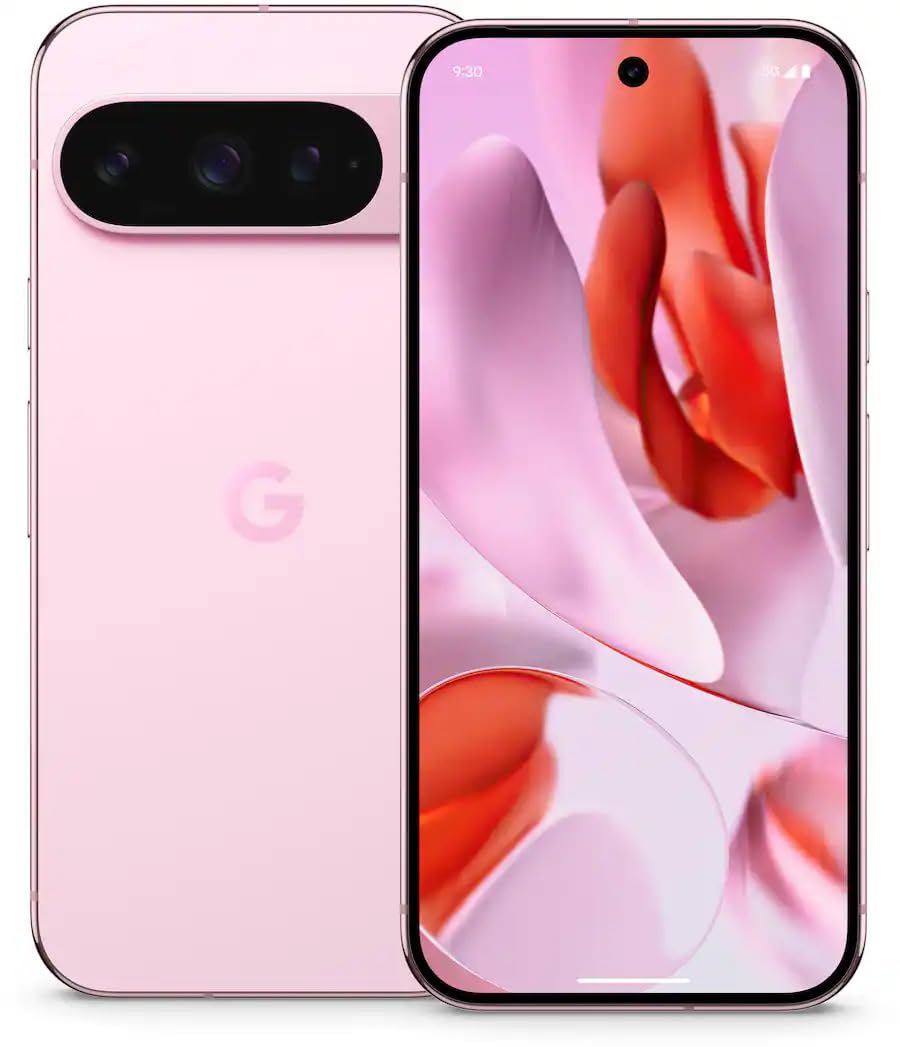
그림 1: 전면 view of the Google Pixel 9 Pro 5G.
상자 안에 무엇이 들어있나요?
모든 품목이 포장에 들어 있는지 확인하세요.
- 구글 픽셀 9 프로 스마트폰
- USB-C to USB-C 케이블(1m, USB 2.0)
- SIM 트레이 꺼내기 도구
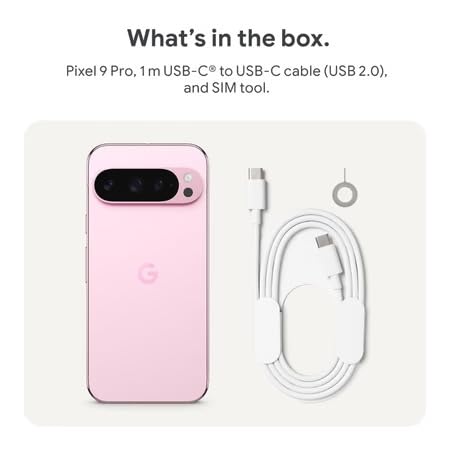
Figure 2: Included items in the Pixel 9 Pro packaging.
설정
1. SIM 카드 삽입
- Locate the SIM tray on the side of your Pixel 9 Pro.
- 제공된 SIM 트레이 분리 도구를 SIM 트레이의 작은 구멍에 넣고 트레이가 튀어나올 때까지 부드럽게 누르십시오.
- Place your Nano-SIM card into the tray with the gold contacts facing down. Ensure it is seated correctly.
- SIM 트레이를 기기 안쪽으로 조심스럽게 밀어 넣어 완전히 밀착되도록 하십시오.
2. 초기 충전
처음 사용하기 전에 기기를 완전히 충전하는 것이 좋습니다.
- USB-C 케이블을 휴대폰 하단의 충전 포트에 연결합니다.
- Connect the other end of the cable to a compatible USB power adapter (sold separately) and plug it into a power outlet.
- 화면의 배터리 아이콘은 충전 상태를 나타냅니다.
3. 전원 켜기 / 끄기
- 전원을 켜려면: Press and hold the Power button (located on the right side) until the Google logo appears on the screen.
- 전원을 끄려면: 전원 버튼을 길게 누른 다음, 화면에서 '전원 끄기'를 탭합니다.
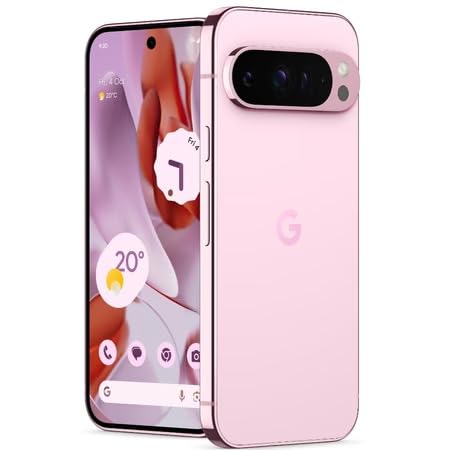
Figure 3: Power and volume buttons on the side of the device.
4. 최초 설치 마법사
Upon powering on for the first time, follow the on-screen instructions to:
- 언어와 지역을 선택하세요.
- Wi-Fi 네트워크에 연결합니다.
- Google 계정으로 로그인하거나 새 계정을 만드세요.
- Set up security features such as fingerprint unlock, face unlock, PIN, pattern, or password.
- 이전 기기에서 데이터를 전송합니다(선택 사항).
작동 지침
기본 탐색
- 터치스크린 제스처: Interact with the device using taps, swipes, pinches (for zoom), and long presses.
- 홈 화면: Access your applications, widgets, and customize your layout.
- 알림: 화면 상단에서 아래로 스와이프하여 view 알림.
- 빠른 설정: Swipe down twice from the top of the screen to access quick settings toggles (Wi-Fi, Bluetooth, etc.).
카메라 작동
The Pixel 9 Pro features a powerful triple rear camera system.
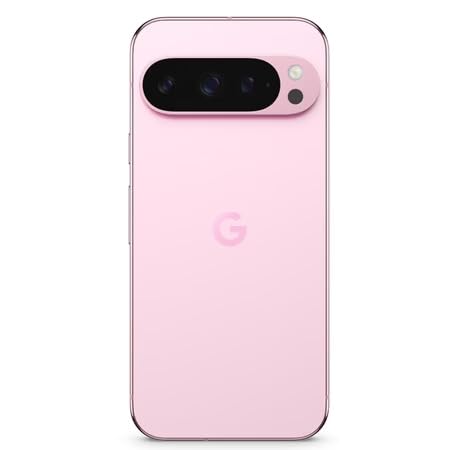
Figure 4: Rear camera system of the Pixel 9 Pro.
- 카메라 열기: Tap the Camera app icon on your home screen or lock screen.
- 렌즈 전환: Tap the icons on the viewfinder to switch between wide, ultrawide, and 5x telephoto lenses.
- 촬영 모드: Select from various modes such as Night Sight for low-light conditions, 천체사진 for capturing stars, 매크로 for close-up shots, 긴 노출 for creative effects, and 초상화 for depth-of-field effects.
- 초고해상도 줌: Pinch the screen to digitally zoom up to 30x. For video, Super Res Zoom supports up to 20x.
- 프로 컨트롤: Access advanced camera settings like shutter speed and manual focus for greater creative control.
배터리 관리
- 배터리 잔량 확인: View 배터리 퍼센트tage in the status bar or in Settings > Battery.
- Extreme Battery Saver: Enable this mode in Settings > Battery > Extreme Battery Saver to significantly extend battery life.
- 충전 중: Use the provided USB-C cable and a compatible power adapter for optimal charging speed.
보안 기능
Your Pixel 9 Pro incorporates multiple hardware security layers to protect your data.
- 지문 잠금 해제: 설정 > 보안 및 개인 정보 > 기기 잠금 해제에서 지문을 등록하세요.
- 얼굴 인식 잠금 해제: 편리한 잠금 해제를 위해 얼굴 인식 기능을 설정하세요.
- PIN/패턴/비밀번호: Always set a strong screen lock method.
- 소프트웨어 업데이트: Regularly install system updates to ensure your device has the latest security patches.
온도 센서
The Pixel 9 Pro includes a thermometer for measuring temperature.
- Open the dedicated Thermometer app.
- Follow the on-screen instructions to measure body temperature or the temperature of objects.
- Temperature data can be saved and tracked within the Fitbit application.
유지
장치 청소
- 부드럽고 보풀 없는 천으로 휴대폰 화면과 본체를 닦으세요.
- 연마재, 독한 화학물질 또는 에어로졸 스프레이 사용을 피하십시오.
- Do not submerge the device in water, despite its water-resistant rating.
소프트웨어 업데이트
Google regularly releases software updates to improve performance, add features, and enhance security.
- To check for updates, go to Settings > System > System update.
- Ensure your device is connected to Wi-Fi and has sufficient battery charge before installing updates.
신체적 관리
The Pixel 9 Pro is built with Corning Gorilla Glass Victus 2 and is water-resistant, offering durability against everyday drops and spills.
- While durable, avoid excessive impacts or drops to prevent damage.
- Consider using a screen protector and a protective case for additional safeguarding.
문제 해결
장치가 응답하지 않음
If your phone becomes unresponsive, perform a force restart:
- Press and hold the Power button for approximately 10-15 seconds until the device restarts.
앱이 충돌하거나 멈춤
- 문제가 있는 앱을 닫았다가 다시 열어보세요.
- Clear the app's cache: Go to Settings > Apps > See all apps > [App Name] > Storage & cache > Clear cache.
- Google Play 스토어에서 앱을 최신 버전으로 업데이트하세요.
- 휴대폰을 다시 시작하세요.
Network Connectivity Issues (Wi-Fi/Cellular)
- Toggle Wi-Fi or cellular data off and then back on.
- 휴대폰을 다시 시작하세요.
- 유심 카드가 올바르게 삽입되었는지 확인하십시오.
- Reset network settings: Go to Settings > System > Reset options > Reset Wi-Fi, mobile & Bluetooth.
배터리가 빠르게 소모됨
- 설정 > 배터리에서 배터리 사용량을 확인하여 전력을 많이 소모하는 앱을 파악하세요.
- 화면 밝기와 화면 자동 꺼짐 시간을 줄이세요.
- Disable unnecessary features like GPS, Bluetooth, and Wi-Fi when not in use.
- Enable Extreme Battery Saver mode.
공장 초기화(최후의 수단)
Warning: A factory reset will erase all data from your phone. Back up all important data before proceeding.
- 설정 > 시스템 > 옵션 재설정 > 모든 데이터 지우기(공장 초기화)로 이동합니다.
- Confirm your decision when prompted.
명세서
| 특징 | 세부 사항 |
|---|---|
| 상표 | |
| 모델 | 픽셀 9 프로 |
| 운영 체제 | 안드로이드 15 |
| 프로세서 | 구글 텐서 G4(3.1GHz) |
| 숫양 | 16GB (XNUMX기가바이트) |
| 내부 저장소 | 256GB (XNUMX기가바이트) |
| 표시하다 | 6.3 Inches LTPO OLED (Actua), 1280 x 2856 Pixels, 120 Hz Refresh Rate |
| 후방 카메라 | 50 MP wide + 48 MP ultrawide (Macro) + 48 MP 5x telephoto |
| 전면 카메라 | 42 MP |
| 배터리 용량 | 4700밀리amp Hours (up to 24 hours average life) |
| 연결성 | 5G, Wi-Fi 7, Bluetooth 5.3, NFC, UWB, USB-C |
| 심카드 | Single Nano SIM |
| 방수성 | 방수 |
| 치수 | 8 x 72 x 153밀리미터 |
| 무게 | 198그램 |
보증 및 지원
보증 정보
Your Google Pixel 9 Pro 5G comes with a 1년 제조사 보증 구매일로부터. 본 보증은 정상적인 사용 중 발생한 제조상의 결함에 적용됩니다. 보증 청구를 위해 구매 증빙 서류를 보관해 주십시오.
고객 지원
For technical assistance, warranty claims, or other support inquiries, please contact Google customer service:
- 제조업체: 구글 LLC, 1600 Amphitheatre 파크웨이, 마운틴 View, CA 94043, 미국
- Phone Support (India): +91 7718892303
- 수입자 연락처(인도): Nexora Axis Private Limited (+91 7718892303)
For the most up-to-date support information, please visit the official Google Pixel support web대지.