1. 서론
This manual provides detailed instructions for the installation, operation, and maintenance of your Generic 5-inch Motorcycle Multimedia System. Please read this manual thoroughly before using the device to ensure proper function and safety. Keep this manual for future reference.
2. 제품 오버view 및 주요 특징
The Generic 5-inch Motorcycle Multimedia System is designed to enhance your riding experience with advanced connectivity and navigation features. It integrates seamlessly with your smartphone, offering wireless CarPlay and Android Auto functionality.
주요 특징:
- 5인치 IPS 터치스크린: High-resolution (800x480P) display for clear visuals and responsive touch control, even in bright sunlight.
- IP67 방수 및 방진 등급: Ensures durability and reliable performance in various weather conditions, protecting against rain and dust.
- 무선 CarPlay 및 Android Auto: Connect your smartphone wirelessly for navigation, music, calls, and messages directly on the device screen.
- 듀얼 블루투스 연결: Pair two devices simultaneously for managing calls, streaming audio, or voice commands.
- 다국어 지원: Supports multiple languages for a personalized user experience.
- 간편한 설치: Designed for motorcycle handlebar mounting with a U-shaped bracket.
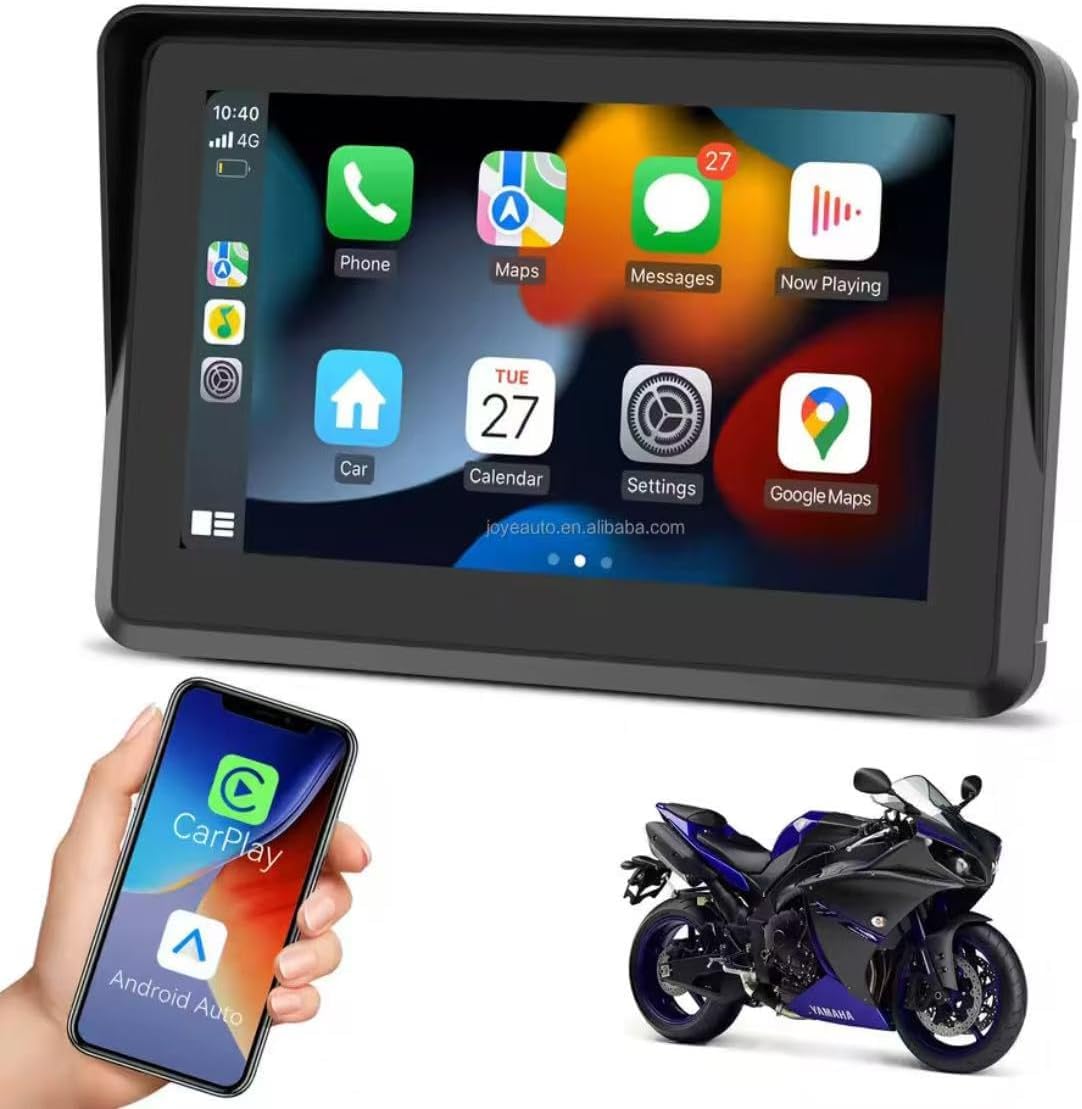
Figure 2.1: Device displaying the CarPlay interface with various applications.

Figure 2.2: Demonstrating the device's resilience in various riding conditions, including snow, dirt, water, and extreme temperatures.
3. 패키지 내용
제품을 개봉하신 후 구성품을 확인해 주십시오. 누락된 품목이나 손상된 품목이 있을 경우 판매점에 문의해 주십시오.
- Motorcycle Multimedia System Unit
- U-shaped Handlebar Mounting Bracket (approx. 33 mm diameter)
- Power Cable (9V-12V)
- Mounting Accessories (screws, spacers, ball joints)

Figure 3.1: Included mounting accessories and power cable.
4. 설정 및 설치
Follow these steps to properly install your multimedia system on your motorcycle.
4.1 장치 장착
- Select a suitable position on your motorcycle handlebar for mounting. Ensure it does not obstruct your view 또는 오토바이를 조종하는 것.
- Attach the U-shaped mounting bracket to the handlebar. The bracket is designed for handlebars with an approximate diameter of 33 mm. Use the provided screws and spacers to secure it firmly.
- Connect the multimedia system unit to the mounting bracket using the ball joint and tightening mechanism. Adjust the view최적의 가시성을 위한 각도.

Figure 4.1: Device mounted on a handlebar bracket.
4.2 전원 연결
- Connect the provided power cable to the multimedia system.
- Connect the other end of the power cable to your motorcycle's 9V-12V power supply. Ensure correct polarity (red for positive, black for negative). Consult your motorcycle's manual or a professional if unsure about wiring.
- Secure all cable connections to prevent accidental disconnection or damage during riding.
5. 사용 설명서
This section details how to operate your multimedia system.
5.1 전원 켜기/끄기
- 전원 켜기: Once connected to power, the device should automatically power on. If not, press and hold the power button (if available) until the screen illuminates.
- 전원 끄기 : To turn off the device, press and hold the power button until a power-off prompt appears, then confirm. Alternatively, disconnect from the power source.
5.2 터치스크린 탐색
The device features an IPS touch screen for intuitive control.
- 수도꼭지: 항목을 선택하거나 기능을 활성화하세요.
- 강타: Navigate through menus or screens.
- Pinch/Zoom: 지도 조정 views (where applicable).
5.3 무선 CarPlay / Android Auto 연결
This device supports wireless connectivity for both Apple CarPlay and Android Auto.
- 스마트폰의 Bluetooth와 Wi-Fi가 활성화되어 있는지 확인하세요.
- On the multimedia system, navigate to the CarPlay or Android Auto icon and tap it.
- The system will enter pairing mode. On your smartphone, search for the device's Bluetooth name (e.g., "MP5-M5" or similar) and pair with it.
- 블루투스 페어링이 완료되면 시스템은 CarPlay 또는 Android Auto를 위해 자동으로 Wi-Fi 연결을 설정합니다.
- Follow any on-screen prompts on both the device and your smartphone to complete the connection.
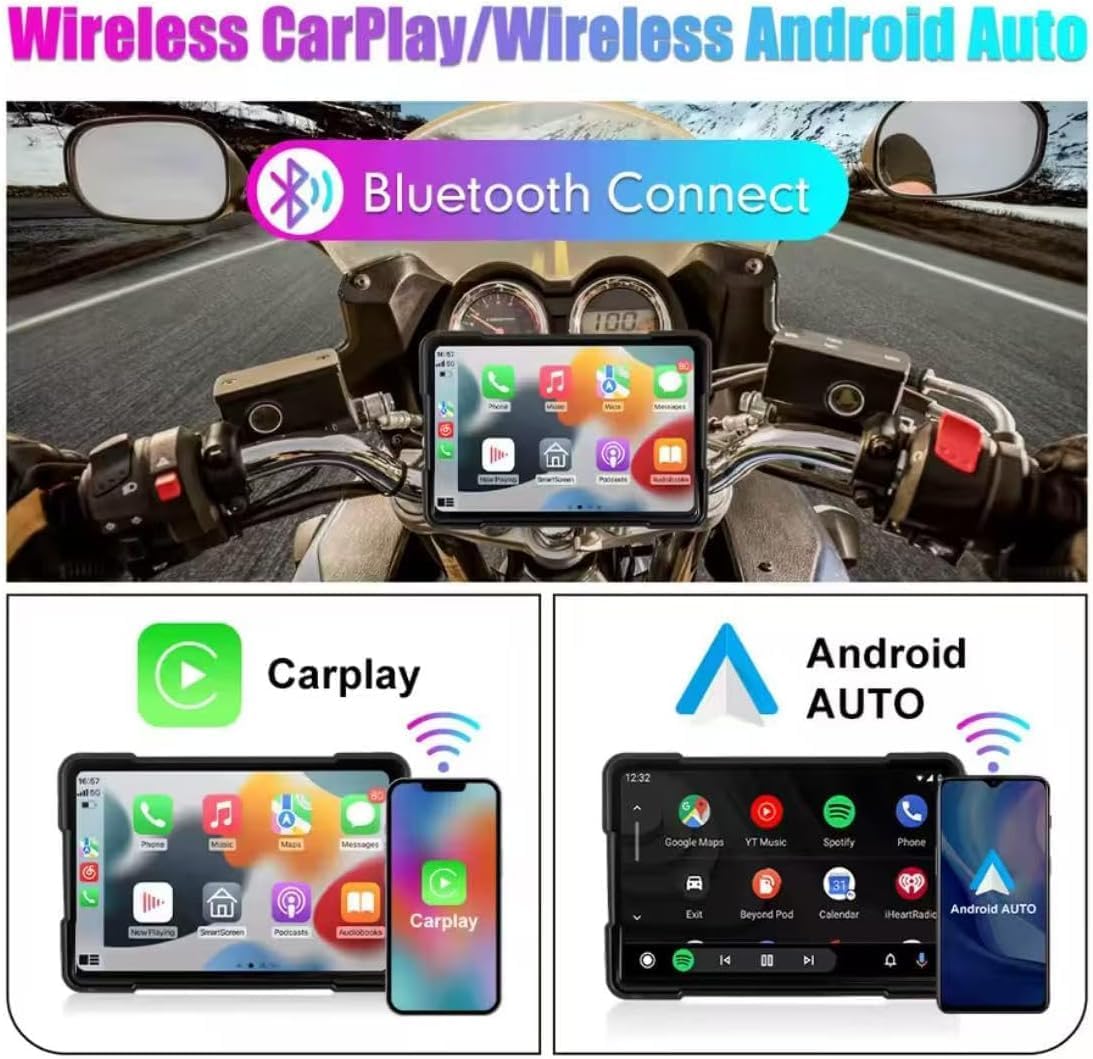
그림 5.1: 무선 CarPlay 및 Android Auto 연결.
5.4 Using Navigation, Music, and Calls
Once connected via CarPlay or Android Auto, you can access your smartphone's features directly from the multimedia system.
- 항해: Use your preferred map application (e.g., Google Maps, Apple Maps) for turn-by-turn directions.
- 음악: Stream audio from your favorite music apps.
- 전화: 핸즈프리로 전화를 걸고 받을 수 있습니다.
- 음성 어시스턴트 : Utilize voice commands for various functions (e.g., "Hey Siri" or "Ok Google").

Figure 5.2: Device mounted on a motorcycle, showing key functions.
5.5 Bluetooth Dual Connectivity
The device supports connecting two Bluetooth devices simultaneously. This allows for flexible use, such as connecting your phone for CarPlay/Android Auto and a Bluetooth headset for audio output.
5.6 언어 설정
시스템 언어를 변경하려면:
- 기기의 '설정' 메뉴로 이동하세요.
- Locate and select 'Language' or a similar option.
- 목록에서 원하는 언어를 선택하세요.
6. 유지관리
Proper maintenance ensures the longevity and optimal performance of your multimedia system.
- 화면 청소: 부드럽고 보풀이 없는 천을 사용하여 화면을 부드럽게 닦으세요. 잘 지워지지 않는 얼룩은 가볍게 닦아주세요.amp천에 물이나 화면에 안전한 세척제를 묻혀 닦아주세요. 강한 화학 물질이나 연마재는 사용하지 마세요.
- 방수 기능(IP67): While the device is IP67 rated for water and dust resistance, avoid submerging it for extended periods or exposing it to high-pressure water jets. Ensure all ports are properly sealed if applicable.
- 온도: Operate the device within the specified temperature range (-20°C to 80°C). Avoid prolonged exposure to extreme heat or cold, which can affect battery life and screen performance.
- 케이블 연결: Periodically check all cable connections for tightness and signs of wear.
7. 문제 해결
If you encounter issues with your multimedia system, refer to the following common problems and solutions.
- 기기의 전원이 켜지지 않습니다:
- Check the power cable connection to both the device and the motorcycle's power source.
- Ensure the motorcycle's power supply is active (e.g., ignition is on).
- Verify the power cable for any damage.
- CarPlay/Android Auto가 무선으로 연결되지 않음:
- 스마트폰에서 Bluetooth와 Wi-Fi가 활성화되어 있는지 확인하세요.
- 휴대폰의 Bluetooth 설정에서 해당 기기를 삭제하고 다시 페어링을 시도해 보세요.
- Restart both the multimedia system and your smartphone.
- 휴대폰의 운영체제가 최신 상태인지 확인하세요.
- 터치 스크린이 반응하지 않음:
- 장치를 다시 시작합니다.
- 화면이 깨끗하고 이물질이나 습기가 없는지 확인하세요.
- 오디오 출력 없음:
- Check the volume settings on both the multimedia system and your connected smartphone/headset.
- Ensure your Bluetooth audio device is properly paired and selected as the output.
이러한 단계를 거쳐도 문제가 해결되지 않으면 고객 지원팀에 문의하세요.
8. 사양
| 특징 | 사양 |
|---|---|
| 화면 크기 | 5인치 |
| 화면 유형 | IPS 터치 스크린 |
| 화면 해상도 | 800x480픽셀 |
| 방수성 | IP67 |
| 연결성 | 무선 CarPlay, 무선 Android Auto, 블루투스 |
| 전원 공급 장치 | 9V-12V |
| 작동 온도 | -20°C ~ 80°C (-4°F ~ 176°F) |
| Handlebar Mount Diameter | 약 33mm |
| 치수(포장) | 15 x 10 x 8cm |
| 무게(포장) | 500g |
| 특별 기능 | Android Auto and Carplay, Touchscreen |
9. 보증 및 지원
This product comes with a standard manufacturer's warranty. Please refer to your purchase documentation for specific warranty terms and duration. For technical support, troubleshooting assistance, or warranty claims, please contact your retailer or the manufacturer's customer service department.


