
1. 서론
Thank you for choosing the THOMSON COSMO 500W Wi-Fi Connected Fluid-Free Electric Towel Dryer. This appliance is designed to provide rapid and uniform heat, ensuring warm towels and a comfortable bathroom environment. Its elegant design and smart connectivity features offer both performance and convenience.
This manual provides essential information for the safe installation, operation, and maintenance of your new towel dryer. Please read it thoroughly before use and retain it for future reference.
2. 안전 지침
경고: 이러한 안전 지침을 따르지 않을 경우 화재, 감전 또는 부상을 입을 수 있습니다.
- 이 기기를 설치하거나 사용하기 전에 모든 지침을 읽으십시오.
- 본 제품은 가정용으로만 사용하십시오. 상업용 또는 산업용으로 사용하지 마십시오.
- 전원 공급 장치 볼륨을 확인하십시오.tage는 기기의 정격 라벨과 일치합니다.
- Do not operate the appliance with a damaged cord or plug, or if it has malfunctioned or been dropped.
- 전원 코드를 뜨거운 표면에서 멀리 두세요.
- 제품, 코드, 플러그를 물이나 기타 액체에 담그지 마십시오.
- 사용하지 않을 때나 청소하기 전에는 항상 전원 콘센트에서 제품의 플러그를 뽑아두십시오.
- Do not allow children to operate or play with the appliance. Close supervision is necessary when the appliance is used near children.
- Install the towel dryer in a location where it is not accessible to persons in the bath or shower.
- Ensure proper ventilation around the appliance. Do not cover the towel dryer.
- This appliance is equipped with overheat protection. If it overheats, it will automatically shut off.
- 설치는 현지 배선 규정에 따라 자격을 갖춘 전기 기술자가 수행해야 합니다.
3. 제품 오버view
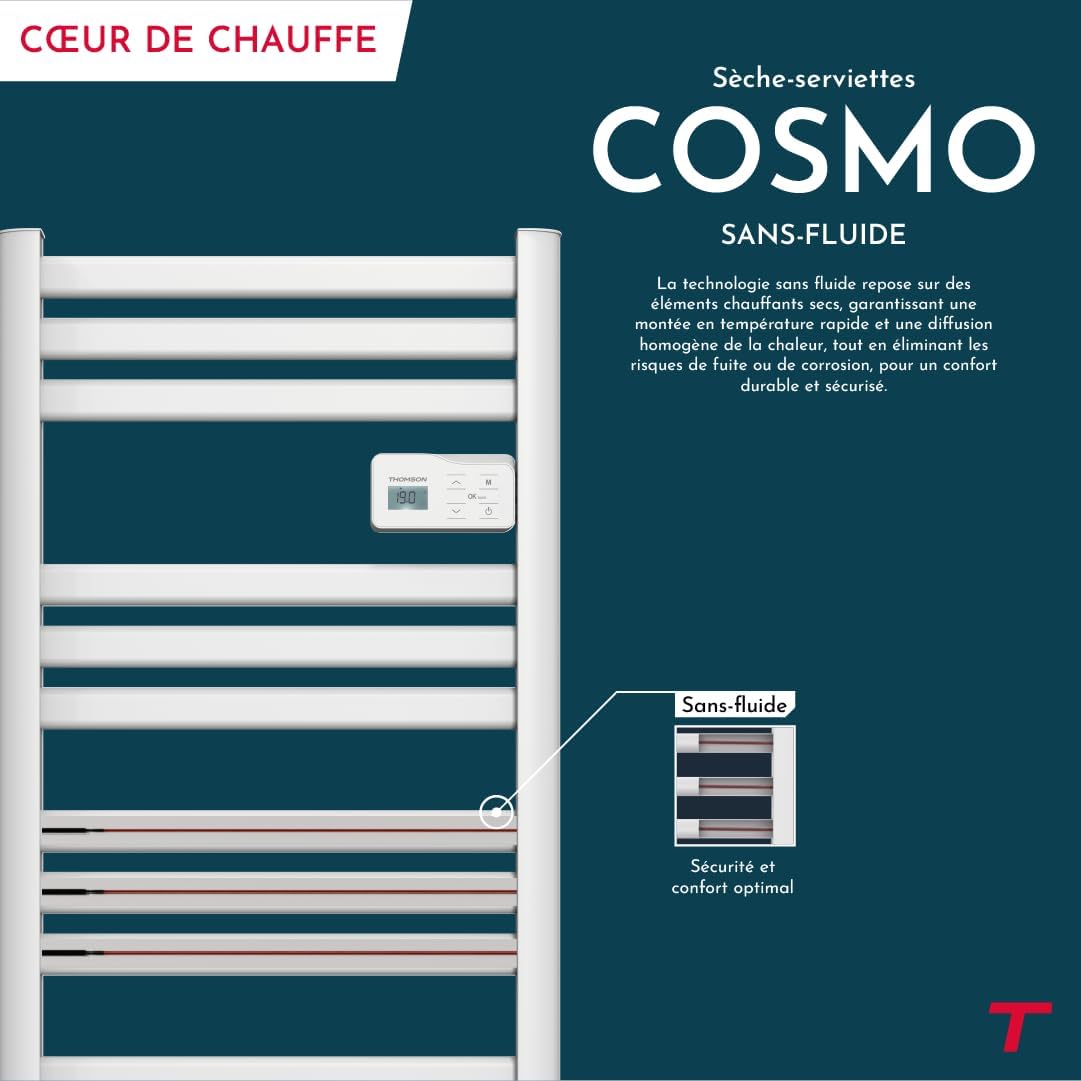
The THOMSON COSMO towel dryer features a sleek design and advanced fluid-free heating technology for rapid and even heat distribution. It includes a digital control panel and Wi-Fi connectivity for remote management.
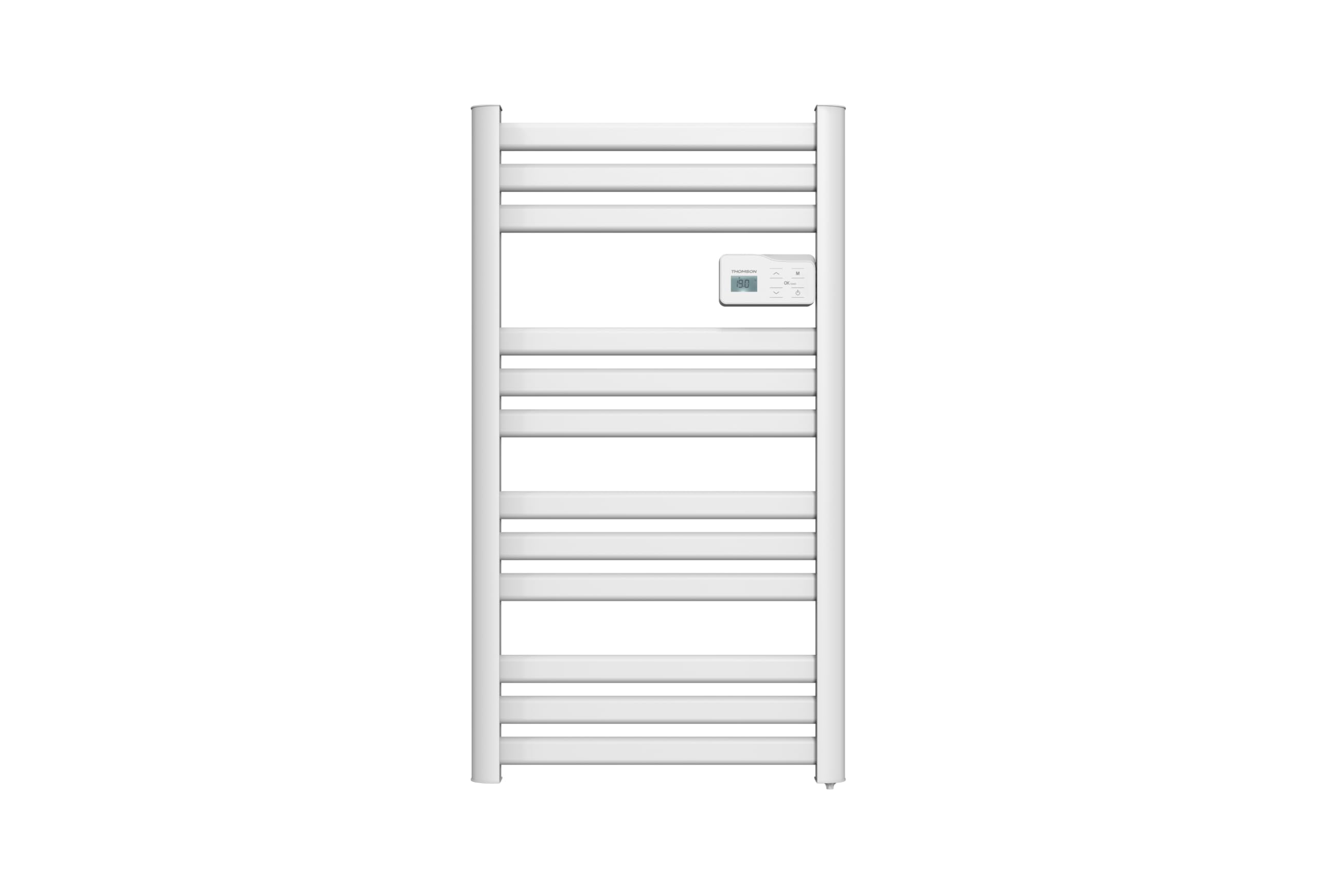
영상: 앞쪽 view of the THOMSON COSMO electric towel dryer, white, wall-mounted, showcasing its design in a bathroom.
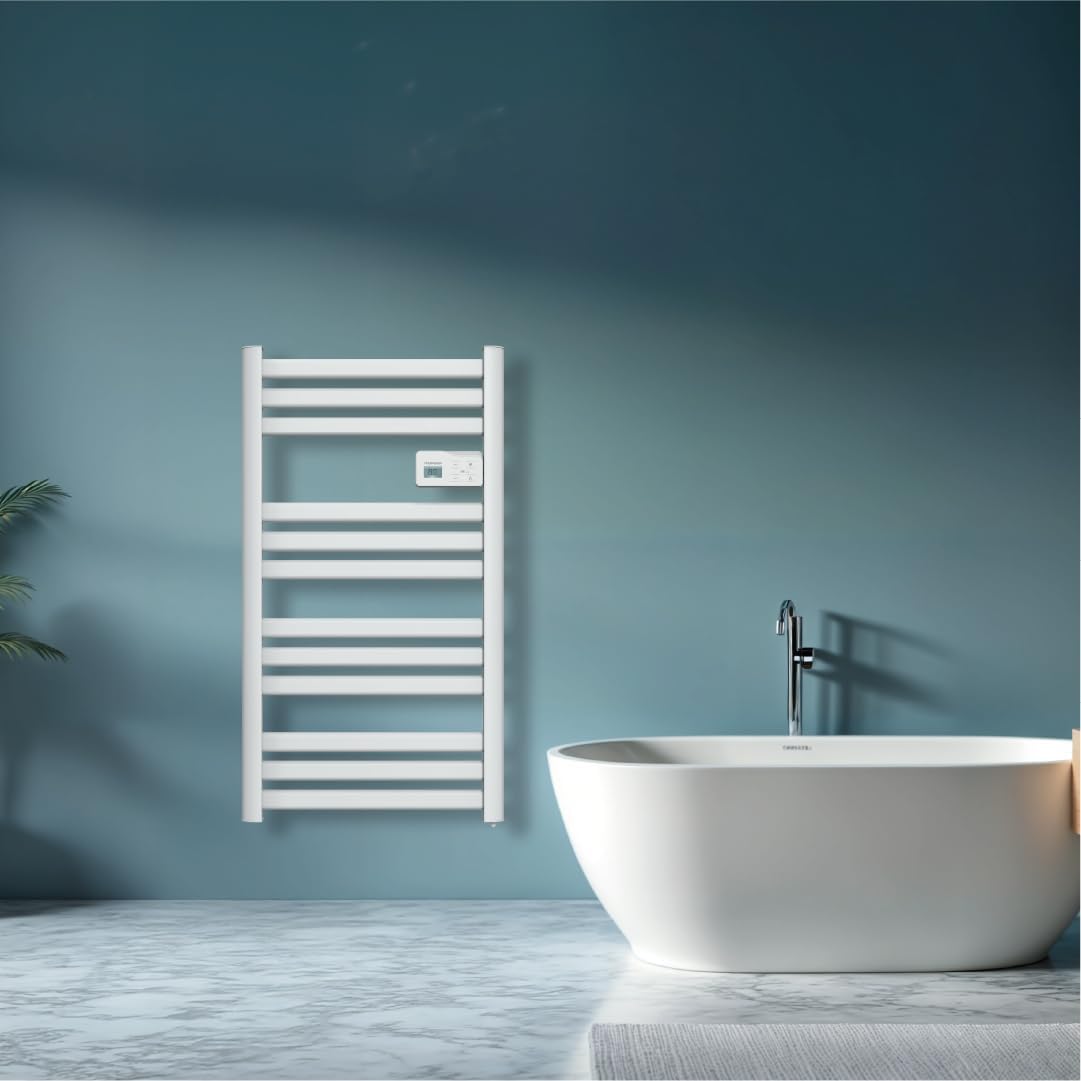
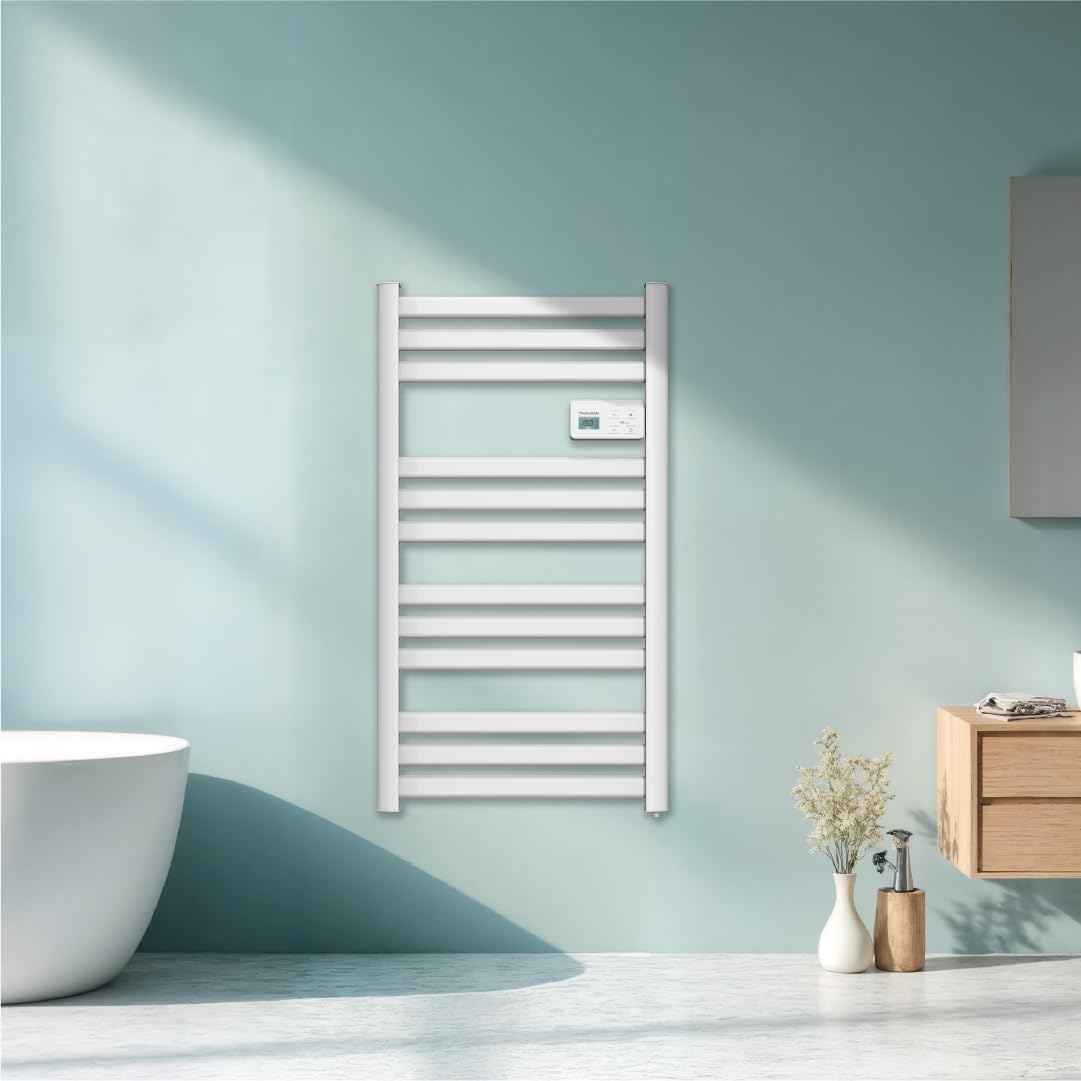
영상: Diagram illustrating the internal fluid-free heating elements, highlighting rapid and homogeneous heat distribution and programmable thermostat.
주요 특징:
- 500W 전력: Efficient heating for towels and bathroom.
- Fluid-Free Technology: Ensures quick heat-up and uniform temperature across the surface.
- Wi-Fi 연결: Compatible with Tuya Smart and Smart Life applications for remote control.
- 디지털 제어판: Intuitive LCD display for direct temperature and mode adjustments.
- 프로그래밍 가능한 온도 조절기: 7 daily pre-recorded and customizable programs.
- 창문 열림 감지: Automatically cuts heating to save energy if a sudden temperature drop is detected.
- 아동 잠금: 의도치 않은 설정 변경을 방지합니다.
4. 설정 및 설치
The THOMSON COSMO towel dryer is designed for wall-mounted installation. Professional installation is recommended.
4.1. 풀기
- Carefully remove the towel dryer and all accessories from the packaging.
- 운송 중 손상 여부를 확인하세요. 손상된 경우 설치를 중단하고 판매점에 문의하세요.
- 미래의 운송이나 보관을 위해 포장재를 보관하세요.
4.2. 장착 위치
- Choose a suitable wall in your bathroom, ensuring it is structurally sound to support the weight of the unit (approximately 3.9 kg).
- Ensure the location complies with local electrical safety regulations, especially regarding proximity to water sources (baths, showers, sinks).
- Maintain adequate clearance around the unit for air circulation and access.

영상: Product dimensions and weight for installation planning.
4.3. 벽 장착
- Mark the drilling points on the wall using the provided mounting template or by measuring the bracket positions.
- Drill holes of appropriate size for the wall plugs (e.g., Molly anchors for plasterboard, as suggested by a user review).
- Insert the wall plugs and secure the mounting brackets to the wall.
- Carefully hang the towel dryer onto the secured brackets.
- Ensure the unit is level and securely fastened to the wall.
4.4. 전기적 연결
- The appliance connects via an electrical cable. Ensure the power supply is switched off at the main circuit breaker before making any connections.
- Connect the towel dryer to a suitable electrical outlet or junction box according to local electrical codes.
- Once connected, switch on the power supply.
5. 사용 설명서
The THOMSON COSMO towel dryer features an intuitive digital control panel for easy operation.
영상: Digital control panel with LCD display and buttons for temperature adjustment and mode selection, shown with a hand pressing the power button.
5.1. 제어판 오버view
- LCD 디스플레이: Shows current temperature, mode, and other settings.
- 전원 버튼 (⏻): 기기를 켜거나 끕니다.
- 위/아래 화살표 (⌃ / ⌄): 온도 설정을 조정하거나 메뉴를 탐색하세요.
- 모드 버튼(M): Cycles through different operating modes (e.g., Comfort, Eco, Boost, Program).
- Menu/Confirm Button (≡): Accesses menu options or confirms selections.
5.2. 기본 동작
- 전원 켜기/끄기: 전원 버튼 (⏻) to turn the towel dryer on or off.
- 설정 온도: When the unit is on, use the Up/Down arrows (⌃ / ⌄) to adjust the desired temperature. The display will show the set temperature.
- 모드 변경: Press the Mode button (M) to cycle through available operating modes. Refer to the full product manual for detailed descriptions of each mode (e.g., Comfort, Eco, Boost, Frost Protection).
5.3. 프로그래밍
The towel dryer offers 7 daily pre-recorded and customizable programs. Access the programming menu via the Menu/Confirm button (≡) and follow the on-screen instructions to set your desired heating schedules.
For a visual guide on programming, you can refer to the official video tutorial playlist:
동영상: Official video tutorial playlist for THOMSON COSMO towel dryer programming and features. This playlist provides step-by-step instructions on how to set up and use various functions of your device.
6. Wi-Fi Connectivity & Smart Features
The THOMSON COSMO towel dryer can be controlled remotely via Wi-Fi using the Tuya Smart or Smart Life mobile applications.
영상: A graphic indicating the towel dryer's Wi-Fi connectivity and compatibility with the Tuya Smart application.
6.1. 앱 설치 및 페어링
- 스마트폰의 앱스토어(안드로이드의 경우 구글 플레이 스토어, iOS의 경우 애플 앱스토어)에서 "Tuya Smart" 또는 "Smart Life" 앱을 다운로드하세요.
- 계정에 등록하거나 로그인하십시오.
- Ensure your towel dryer is powered on and your smartphone is connected to a 2.4 GHz Wi-Fi network.
- 앱에서 "기기 추가" 또는 "+" 아이콘을 탭합니다.
- Select the appropriate device category (e.g., "Heater" or "Towel Warmer").
- Follow the in-app instructions to put your towel dryer into pairing mode (usually by pressing and holding a button on the control panel until an indicator light flashes).
- 앱 내에서 페어링 과정을 완료하세요.
6.2. Remote Control Features
연결되면 앱을 사용하여 다음 작업을 수행할 수 있습니다.
- Turn the towel dryer ON/OFF.
- 온도를 조절하세요.
- 작동 모드를 변경합니다.
- Set and customize heating schedules.
- Monitor energy consumption (if supported by the app and device).

영상: The Tuya Smart app interface demonstrating energy monitoring and scheduling features for connected devices.
6.3. 음성 제어 통합
The THOMSON COSMO towel dryer is compatible with voice assistants like Amazon Alexa and Google Home via the Tuya Smart/Smart Life app integration.

영상: Logos of Amazon Alexa and Google Home, signifying that the towel dryer can be controlled using voice commands through these platforms.
- Enable the "Tuya Smart" or "Smart Life" skill/service in your Alexa or Google Home app.
- Tuya/Smart Life 계정을 음성 비서 계정과 연결하세요.
- Discover devices. Your towel dryer should appear as a controllable device.
- 이제 다음과 같은 음성 명령을 사용할 수 있습니다.
- "Alexa, turn on the bathroom heater."
- "Hey Google, set the bathroom heater to 22 degrees."
7. 유지관리
Regular maintenance ensures the longevity and efficient operation of your THOMSON COSMO towel dryer.
7.1. 청소
- 청소하기 전에 항상 제품의 플러그를 뽑고 완전히 식히십시오.
- 부드러운 d로 외부 표면을 닦으십시오.amp 천으로 닦아주세요. 연마성 세제, 용제 또는 강한 화학 물질은 마감재를 손상시킬 수 있으므로 사용하지 마세요.
- 제어판이나 전기 부품에 물이 들어가지 않도록 주의하세요.
- Do not use water jets or immerse the appliance in water.
7.2. 보관
If storing the towel dryer for an extended period, ensure it is clean and dry. Store it in a cool, dry place, preferably in its original packaging to protect it from dust and damage.
8. 문제 해결
If you encounter issues with your THOMSON COSMO towel dryer, refer to the following common problems and solutions:
| 문제 | 가능한 원인 | 해결책 |
|---|---|---|
| 기기가 켜지지 않습니다. | 전원 공급 없음; 전원 버튼이 눌리지 않음; 과열 방지 기능이 작동되었습니다. | Check power outlet and circuit breaker; Press the Power button; Unplug, let cool, then plug back in. |
| 가전제품이 가열되지 않습니다. | Temperature setting too low; Incorrect mode selected; Window open detection activated. | Increase temperature setting; Select Comfort or Boost mode; Close windows/doors. |
| Wi-Fi 연결이 실패합니다. | Incorrect Wi-Fi password; Not connected to 2.4 GHz network; Router too far; Device not in pairing mode. | Verify password; Connect to 2.4 GHz Wi-Fi; Move router closer or use extender; Re-enter pairing mode as per app instructions. |
| 음성 제어가 작동하지 않습니다. | App not linked to voice assistant; Device not discovered; Incorrect commands. | Ensure Tuya/Smart Life skill is enabled and linked; Re-discover devices in Alexa/Google Home app; Use correct voice commands. |
이러한 해결 방법을 시도한 후에도 문제가 지속되면 고객 지원팀에 문의하세요.
9. 사양
| 특징 | 세부 사항 |
|---|---|
| 모델 | 코스모 |
| 상표 | THOMSON (Bestherm) |
| 전력 출력 | 500 와트 |
| 가열 방식 | Radiant, Fluid-Free Electric |
| 치수(높이 x 너비 x 깊이) | 98cm x 54cm x 9.2cm(38.6인치 x 21.3인치 x 3.6인치) |
| 무게 | 3.9킬로그램(8.6파운드) |
| 색상 | 하얀색 |
| 장착 유형 | 벽걸이형 |
| 특별 기능 | Wi-Fi Compatible, Overheat Protection, Programmable Thermostat, Electronic Thermostat, Child Lock, Window Open Detection |
| 스마트 홈 호환성 | 투야 스마트, 스마트 라이프, 아마존 알렉사, 구글 홈 |
| ASIN | B0FP2KJNLQ |
10. 보증 및 지원
10.1. 보증 정보
Your THOMSON COSMO towel dryer comes with a manufacturer's warranty. Please refer to the warranty card included with your product for specific terms, conditions, and duration. Keep your proof of purchase for warranty claims.
10.2. 고객 지원
For technical assistance, troubleshooting beyond this manual, or warranty inquiries, please contact your retailer or the manufacturer's customer service. Contact details can typically be found on the product packaging or the manufacturer's official web대지.
온라인 리소스: For additional support and video tutorials, visit the official THOMSON website or the YouTube playlist provided in this manual.