
1. 서론
Thank you for choosing the HTC TWS12 True Wireless Earbuds. These earbuds are designed to provide a high-quality audio experience with advanced features such as Bluetooth 5.3 connectivity, environmental noise cancellation, and intelligent touch controls. This manual will guide you through the setup, operation, and maintenance of your new earbuds.
주요 특징:
- 블루투스 5.3 : Ensures stable connection and faster pairing.
- 지능형 터치 컨트롤: 이어버드에서 음악, 통화 및 볼륨을 직접 관리할 수 있습니다.
- 환경 소음 제거(ENC): 통화 시 배경 소음을 줄여 더욱 선명한 통화를 가능하게 합니다.
- 저지연 게임 모드: 최적화된 게임 경험을 위한 45ms의 낮은 지연 시간.
- 연장된 플레이 시간: 한 번 충전으로 최대 6시간, 충전 케이스를 사용하면 26시간 사용 가능합니다.
- 방수 디자인 : 물 튀김과 땀으로부터 보호해줍니다.
2. 상자 안에 무엇이 들어있나요?
패키지 내용물을 확인하여 모든 품목이 들어 있는지 확인하세요.
- 2 x HTC TWS12 Earbuds
- 1 x 충전 케이스
- 1 x USB-C 충전 케이블
- 2 Pairs x Rubber Eartips (S/L, M pre-installed)
- 1 x 사용자 매뉴얼(이 문서)

Image: HTC TWS12 True Wireless Earbuds, charging case, and included accessories.
3. 설정
3.1 이어버드와 케이스 충전
처음 사용하기 전에 이어버드와 충전 케이스를 완전히 충전하세요.
- USB-C 충전 케이블을 케이스의 충전 포트와 전원에 연결하세요.
- 충전 케이스의 LED 디지털 디스플레이에 배터리 잔량이 표시됩니다.tag케이스의 e 부분과 각 이어버드의 충전 상태.
- 이어버드를 충전 케이스에 넣으세요. 자동으로 충전이 시작됩니다.

Image: The charging case features an LED display indicating the battery level of the case and the charging status of each earbud (L and R).

Image: Diagram illustrating the battery life: 6.5 hours listening time per earbud (40mAh) and the charging case (400mAh) provides 3 full recharges for a total of 26 hours playtime.
3.2 블루투스 페어링
The HTC TWS12 earbuds utilize Bluetooth 5.3 for a stable and quick connection.
- 충전 케이스를 여세요. 이어버드가 자동으로 페어링 모드로 진입합니다.
- 기기(스마트폰, 태블릿, 노트북)에서 Bluetooth를 활성화하세요.
- 검색 사용 가능한 블루투스 장치 목록에 "HTC TWS12"이 표시됩니다.
- Select "HTC TWS12" to connect. Once connected, you will hear a confirmation tone.
3.3 이어버드 착용하기
최적의 음질과 편안함을 위해 올바른 이어팁 크기를 선택하고 단단히 고정하세요.
- The earbuds come with Small (S), Medium (M), and Large (L) eartips. Try different sizes to find the best fit for your ears.
- 이어버드를 귓속에 부드럽게 넣고 살짝 돌려 고정하세요.

Image: Illustration of the ergonomic design of the earbuds and the three available eartip sizes (S, M, L) for a comfortable and secure fit.
4. 사용 설명서
4.1 지능형 터치 컨트롤
The HTC TWS12 earbuds feature intuitive touch controls on each earbud:

Image: Diagram showing the various touch control functions on the earbud, including Volume +/-, Play Previous/Next, Voice Assistant, Play/Pause, Answer Call, End Call, Decline Call, and Game Mode.
- 재생/일시 중지: 한쪽 이어폰을 한 번 탭하세요.
- 다음 노래: 오른쪽 이어버드를 세 번 탭하세요.
- 이전 노래: 왼쪽 이어버드를 세 번 탭합니다.
- 볼륨 업: 왼쪽 이어버드를 두 번 탭합니다.
- 볼륨 작게 : 오른쪽 이어버드를 두 번 탭하세요.
- 전화 받기: 한쪽 이어폰을 한 번 탭하세요.
- 통화 종료: 이어버드 중 하나를 두 번 탭하세요.
- 전화 거절: 양쪽 이어버드를 2초 동안 길게 누릅니다.
- Voice Assistant 활성화 : 통화 중이 아닐 때 한쪽 이어버드를 2초간 길게 누릅니다.
4.2 게임 모드 (저지연)
Activate Game Mode for a reduced audio delay, ideal for gaming.
- 게임 모드 활성화/비활성화: 이어버드 중 하나를 세 번 탭하세요.
- When Game Mode is active, the earbuds' blue indicator light will remain on.
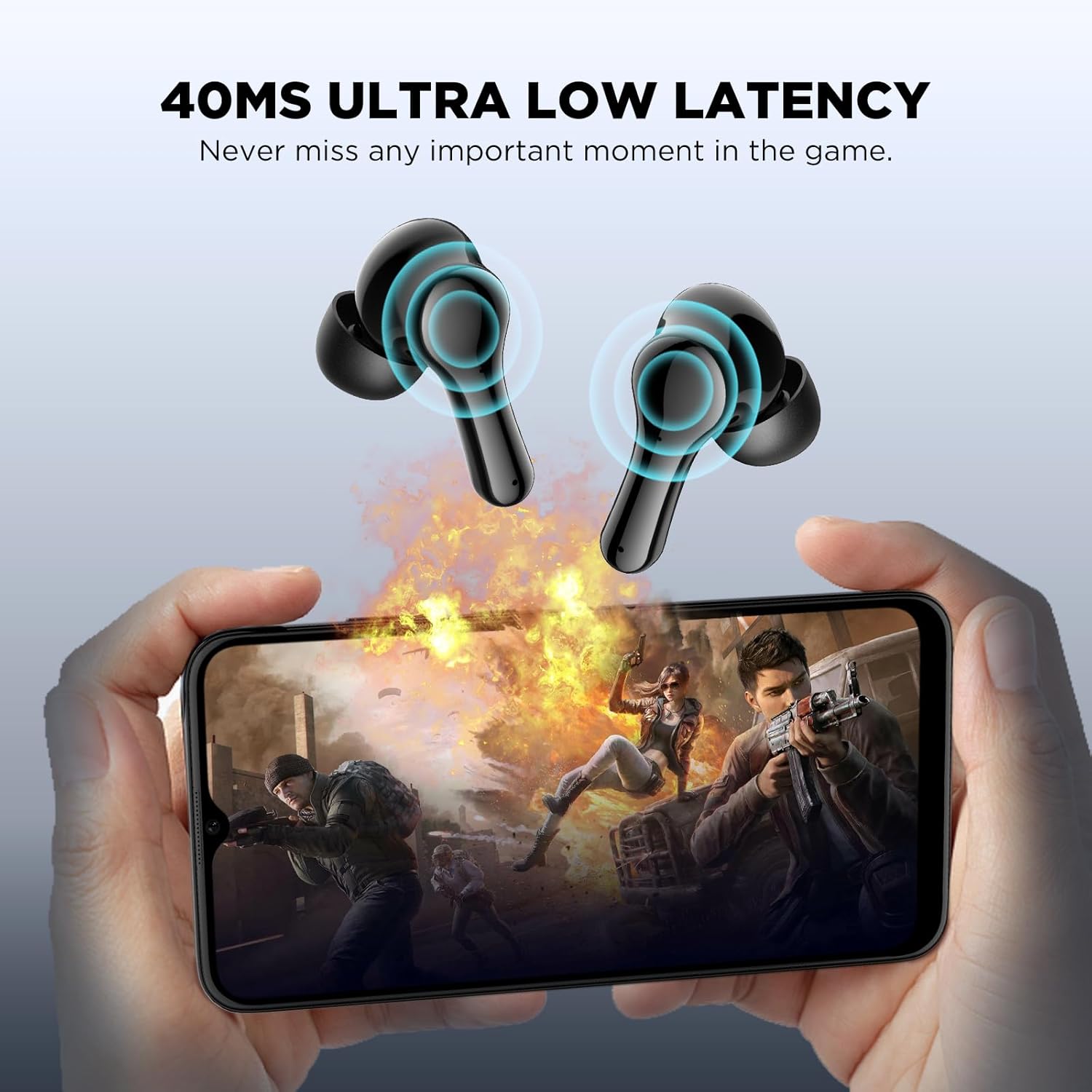
Image: Visual representation of the 45ms ultra-low latency feature, enhancing the gaming experience by minimizing audio delay.
4.3 주변 소음 제거(ENC)
The earbuds feature a single microphone Environmental Noise Cancellation system. This technology collects ambient noise and generates a reverse wave to cancel out background sounds, such as human voices and wind noise, improving call clarity by suppressing up to 90% of environmental noise.
5. 유지관리
To ensure the longevity and optimal performance of your HTC TWS12 earbuds, follow these maintenance guidelines:
- 청소: 부드럽고 마른 보풀 없는 천으로 이어버드와 충전 케이스를 정기적으로 닦으세요. 연마재나 강한 화학 물질은 사용하지 마세요.
- 이어팁: 이어팁은 주기적으로 분리하여 물과 순한 비누로 세척하십시오. 다시 부착하기 전에 이어팁이 완전히 건조되었는지 확인하십시오.
- 방수 기능: The earbuds are waterproof. While they can withstand splashes and sweat, avoid submerging them in water for extended periods. Ensure the charging port is dry before charging.
- 저장: 사용하지 않을 때는 이어버드를 충전 케이스에 보관하여 보호하고 충전 상태를 유지하세요.
- 온도: 이어폰을 극한 온도(고온 또는 저온)나 직사광선에 노출시키지 마십시오.
Video: This video demonstrates the unboxing, wearing, and water resistance of the HTC TWS12 earbuds, showcasing their durability and fit.
6. 문제 해결
If you encounter any issues with your HTC TWS12 earbuds, please refer to the following common solutions:
- 이어버드가 페어링되지 않음: 이어버드 두 개가 모두 충전 케이스에 있는지 확인한 후 뚜껑을 열어 페어링 모드를 활성화하세요. 기기의 블루투스를 껐다가 다시 켜고 이어버드 검색을 다시 시도해 보세요.
- 이어버드가 하나만 작동합니다: 양쪽 이어버드를 충전 케이스에 다시 넣고 뚜껑을 닫은 후 몇 초간 기다린 후 다시 열어 보세요. 이렇게 하면 연결이 재설정되는 경우가 많습니다.
- 소리가 나지 않습니다: Check the volume level on your connected device and on the earbuds. Ensure the earbuds are properly paired and selected as the audio output device.
- 충전 문제: USB-C 케이블이 케이스와 전원에 제대로 연결되어 있는지 확인하십시오. 이어버드와 케이스 내부의 충전 접점이 깨끗하고 이물질이 없는지 확인하십시오.
- 음질이 좋지 않음: Ensure the eartips provide a good seal in your ear. Try different eartip sizes. Move closer to your connected device to avoid interference.
7. 사양
| 특징 | 사양 |
|---|---|
| 모델명 | TWS12 |
| 연결 기술 | 무선(블루투스 5.3) |
| 블루투스 범위 | 10 미터 |
| 배터리 수명(이어버드) | 6시간 |
| 총 재생 시간(케이스 포함) | 26시간 |
| 제어 방법 | 만지다 |
| 소음 제어 | 환경 소음 제거(ENC) |
| 낮은 대기 시간 | 45ms(게임 모드) |
| 방수 레벨 | 방수복 |
| 호환 장치 | 스마트폰, 태블릿, 노트북 |
| 품목 무게 | 2.89 온스 |
| 한국어: | 734257573863 |
8. 보증 및 지원
Your HTC TWS12 True Wireless Earbuds come with a standard warranty. Additionally, you are eligible for a 90-day Warranty Extension. For any product-related inquiries, technical assistance, or warranty claims, please utilize our 7*24 실시간 채팅 지원.
더 많은 정보와 지원을 원하시면 공식 홈페이지를 방문해주세요. 아마존의 HTC 스토어.