
1. 서론
The HAMCUBE Mini CW Trainer is a portable device designed for learning and practicing Morse code (CW). It features a compact design, a built-in speaker for standalone practice, and various interfaces for external connections. This manual provides essential information for setting up, operating, and maintaining your CW trainer.

Image 1.1: The HAMCUBE Mini CW Trainer, a portable Morse code training device.
2. 패키지 내용
모든 품목이 들어 있는지 확인하기 위해 상자를 푼 후 패키지 내용물을 확인하세요.
- 1 x HAMCUBE Mini CW Trainer Unit
- 1 x USB 케이블(충전 및 데이터 전송용)
3. 제품 오버view
Familiarize yourself with the various ports and controls of the HAMCUBE Mini CW Trainer.

이미지 3.1: 상단 view of the HAMCUBE Mini CW Trainer with labeled ports.
- Charging / Data Interface: USB-C port for charging the internal battery and connecting to a computer for data transfer.
- Key / Keyboard Interface: Connect an external CW key or keyboard for input.
- Earphone / External Speaker Port: Connect headphones or an external speaker for audio output.
- FUNC Interface: A multi-function interface for advanced features or external device control.
- Multifunction Selector Switch: Located on the side, used for power on/off and navigation.
- 재설정 버튼: 기기를 재설정하기 위한 작고 오목한 버튼.
4. 설정
4.1 장치 충전
Before first use, fully charge the HAMCUBE Mini CW Trainer. Connect the provided USB cable to the Charging / Data Interface on the device and to a standard USB power adapter (not included) or a computer USB port. The charging indicator will show the charging status.
4.2 전원 켜기/끄기
To power on the device, locate the multifunction selector switch on the side. Press down and hold the switch for 3-5 seconds. A short press will not turn on the unit. To power off, repeat the same action.
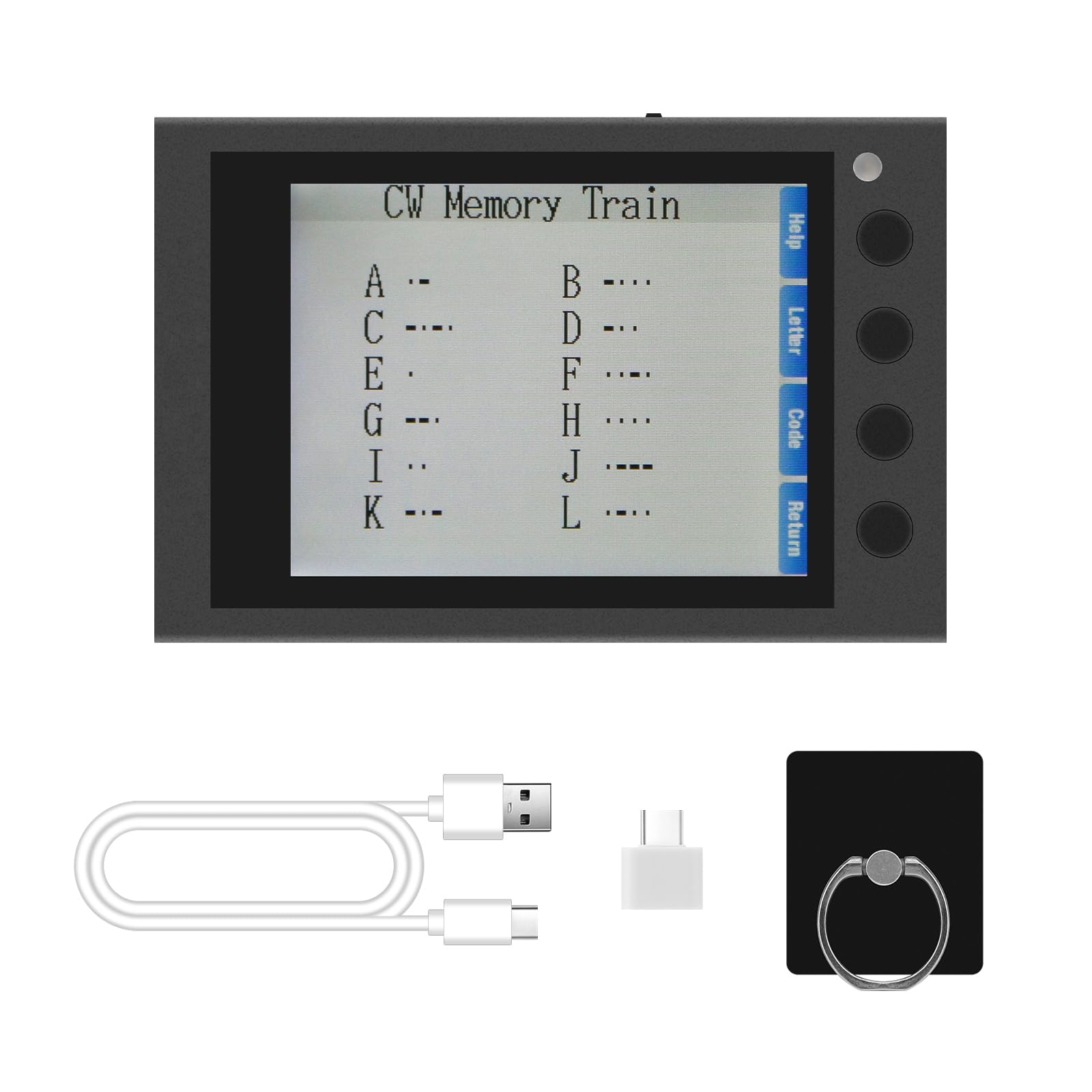
Image 4.1: Instructions for powering on the device.
4.3 액세서리 연결
- CW 키: Connect your external CW key to the 'KEY' interface.
- Headphones/Speaker: For private practice or louder audio, connect headphones or an external speaker to the 'PHONE' interface.
5. 사용 설명서
5.1 탐색 및 메뉴
The device features a clear screen and side buttons for navigation. Use the buttons adjacent to the screen to select options such as 'Help', 'Letter', 'Code', and 'Return' as displayed on the interface.

Image 5.1: Device screen showing the main menu and Morse code characters.
5.2 CW Training Modes
The HAMCUBE Mini CW Trainer offers various modes to assist in learning and practicing Morse code:
- Character Learning Mode: Displays Morse code for individual letters and numbers.
- Speed Training Mode: Practice receiving Morse code at different speeds (adjustable from 10 to 50 WPM).
- Sending Practice Mode: Connect an external key to practice sending Morse code.
- Listening Recognition Mode: Improves your ability to recognize Morse code by ear.
5.3 Custom Character Storage and One-Key Transmitting
The device includes 8 groups of custom character storage units. Each unit can store up to 60 English characters. This feature allows for one-key transmitting of frequently used phrases or call signs. Refer to the on-screen 'Help' or specific menu options for instructions on programming and recalling these stored messages.
5.4 PC & Mobile Connection
The USB-C port can be used to connect the trainer to a computer or mobile device. This enables potential data transfer, firmware updates, or integration with external software for enhanced training experiences. Specific software or drivers may be required, which can typically be found on the manufacturer's support web대지.

Image 5.2: The trainer can connect to PCs and mobile devices.
6. 유지관리
- 청소: 부드럽고 마른 천을 사용하여 기기를 닦으세요. 액체 세척제나 연마재는 사용하지 마세요.
- 저장: Store the trainer in a cool, dry place away from direct sunlight and extreme temperatures.
- 배터리 관리 : 배터리 수명을 연장하려면 기기를 자주 완전히 방전하지 마세요. 장시간 사용하지 않더라도 정기적으로 충전하세요.
- 방수 기능: The device is not water-resistant. Avoid exposure to moisture or liquids.
7. 문제 해결
- 기기의 전원이 켜지지 않습니다:
- Ensure the device is sufficiently charged. Connect it to a power source using the provided USB cable.
- Confirm you are pressing and holding the multifunction selector switch for 3-5 seconds. A short press will not activate the unit.
- If the issue persists, try performing a reset by gently pressing the recessed reset button with a thin object (e.g., a paperclip).
- 오디오 출력 없음:
- Check if headphones or an external speaker are properly connected to the 'PHONE' port.
- Adjust the volume settings on the device.
- 지시사항을 이해하는 데 어려움이 있습니다:
- The device interface is primarily in English. If you encounter difficulties, refer to the 'Help' section on the device screen or consult online resources.
8. 사양
| 특징 | 세부 사항 |
|---|---|
| 상표 | hamgeek |
| 모델 | Mini CW Trainer |
| 색상 | 검은색 |
| 특별 기능 | CW Full-Process Assisted Learning, Custom Character Storage, One-Key Transmitting |
| 연결 프로토콜 | 모스 식 부호 |
| 배터리 | 2500mAh 충전식 배터리 내장 |
| 포함된 구성 요소 | 1 x USB 케이블 |
| 크기(대략) | 8.8cm(길이) x 5.8cm(너비) x 1.7cm(높이) / 3.46인치(길이) x 2.28인치(너비) x 0.66인치(높이) |
| 방수 레벨 | 방수가 되지 않음 |

Image 8.1: Approximate dimensions of the device.
9. 보증 및 지원
For warranty information and technical support, please refer to the official hamgeek web사이트를 방문하거나 판매점에 문의하세요. 보증 청구에 대비해 구매 증빙 자료로 구매 영수증을 보관하세요.