
1. 제품 오버view
The Kaiser KSB-4008 is a versatile portable Bluetooth speaker designed for powerful audio output and dynamic lighting effects. It features an 8-inch woofer, 2.5-inch tweeter, and mid-range drivers, delivering 40W RMS of balanced sound. Integrated RGB LED lighting enhances the atmosphere for various events. With KSR-Link technology, you can wirelessly connect another compatible speaker for an expanded sound experience. The speaker includes a rechargeable battery, Bluetooth connectivity, and supports USB and Micro SD inputs for diverse music playback options. Its robust and portable design makes it suitable for both indoor and outdoor use.
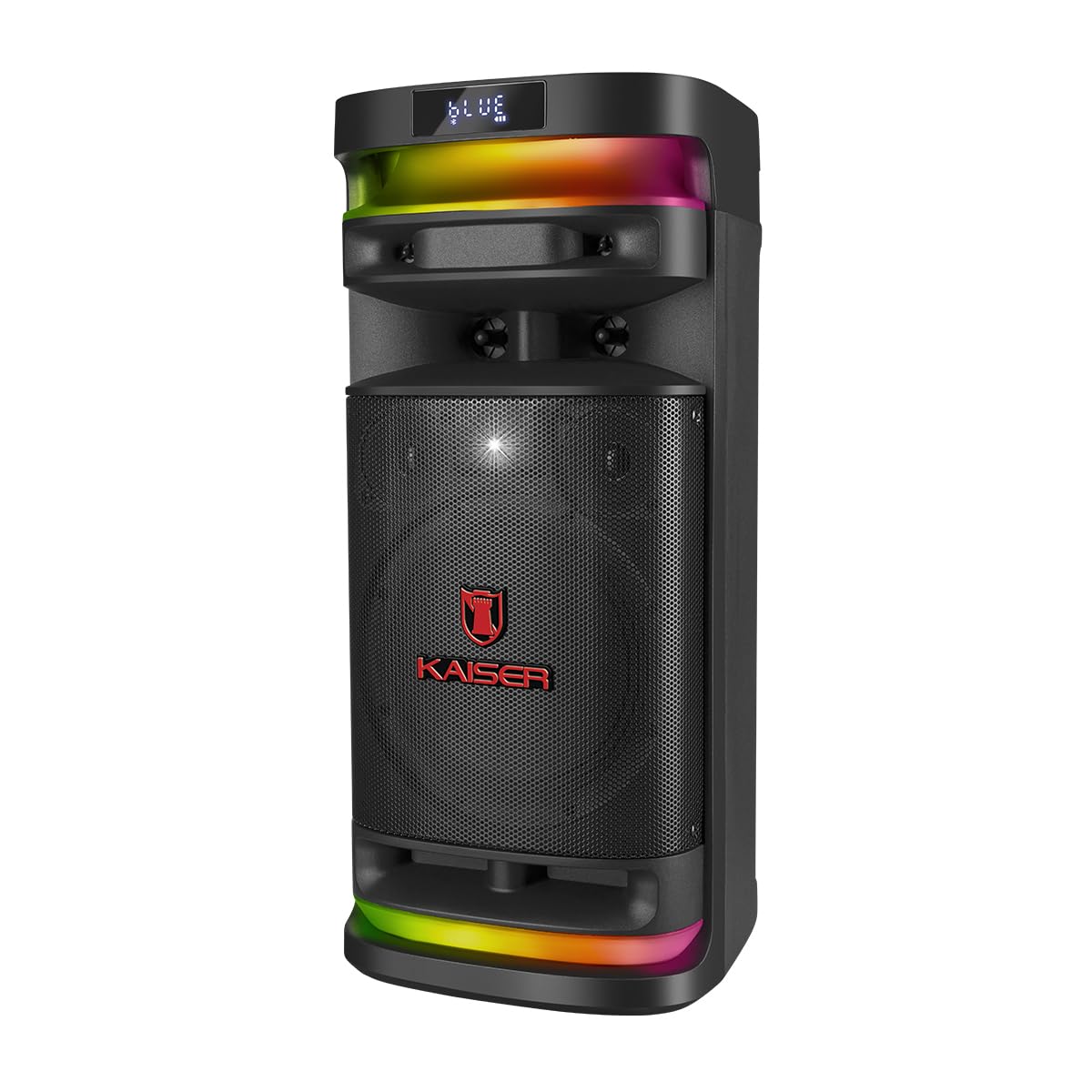
그림 1.1: 앞쪽 view of the Kaiser KSB-4008 Portable Bluetooth Speaker, showcasing its speaker grille and RGB LED light strips.
주요 특징:
- 40W RMS 출력: Provides powerful and balanced audio output.
- Full Speaker Configuration: Includes an 8-inch woofer, 2.5-inch tweeter, and mid-range for comprehensive sound reproduction.
- RGB LED Light Effect: Multi-color lighting creates a vibrant atmosphere.
- KSR-Link 기술: Allows wireless connection to another compatible speaker for amp라이파이드 사운드.
- 다양한 연결성: Supports Bluetooth, USB, and Micro SD for various audio sources.
- 충전식 배터리: Enables extended use without constant power connection.
- Portable and Sturdy Design: Easy to transport for indoor or outdoor events.
2. 패키지 내용
다음 항목에 대한 상자를 체크해 주세요.
- Kaiser KSB-4008 Portable Bluetooth Speaker
- 무선 마이크
- Charging Cable (for microphone)
- 사용 설명서 (본 문서)

그림 2.1: Included wireless microphone and its USB charging cable.
3. 안전 지침
안전한 작동과 손상 방지를 위해 다음 안전 지침을 읽고 준수해 주십시오.
- 스피커를 물, 습기 또는 극한 온도에 노출시키지 마세요.
- 스피커를 열원 근처나 장시간 직사광선에 노출시키지 마십시오.
- 적절한 환기를 확보하세요. 환기구를 막지 마세요.
- 지정된 충전 케이블과 전원 어댑터만 사용하십시오.
- Do not attempt to open, modify, or repair the speaker yourself. Refer all servicing to qualified personnel.
- 스피커를 어린이와 애완동물의 손이 닿지 않는 곳에 보관하세요.
- Operate the speaker within its specified voltage 및 전류 제한.
- 청력 손상을 예방하려면 장시간 너무 높은 볼륨으로 듣지 마세요.
4. 제품 구성 요소 및 제어
Familiarize yourself with the various parts and controls of your KSB-4008 speaker.
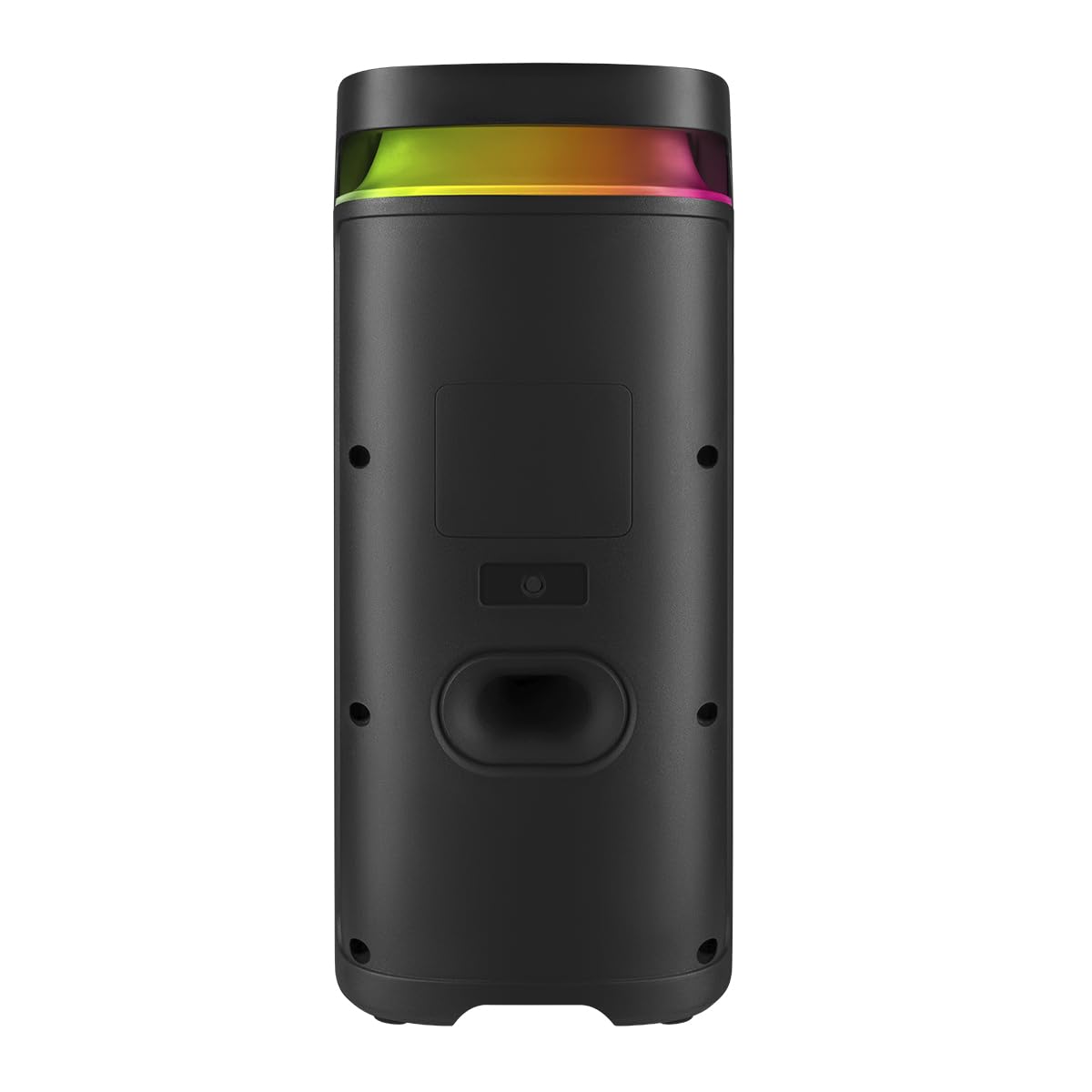
그림 4.1: Top Control Panel Layout.
제어판 기능:
- 전원 스위치: 스피커를 켜거나 끕니다.
- CARGA (Charge) Indicator: 충전 중일 때 불이 켜집니다.
- 보조 입력: 외부 오디오 장치용 3.5mm 잭.
- USB 포트: USB 플래시 드라이브용입니다.
- 마이크로 SD 슬롯: 마이크로 SD 카드용입니다.
- 마이크 입력: 6.35mm jack for wired microphone (if used).
- GUIT Input: 6.35mm jack for guitar (if used).
- VOL MIC (Microphone Volume): Adjusts the volume of the microphone.
- VOLUMEN (Master Volume): 전체 스피커 볼륨을 조절합니다.
- LED 버튼: Controls the RGB LED light effects.
- GRAB Button: For recording audio (functionality may vary).
- MIC PRIO (Microphone Priority): 마이크 오디오를 음악보다 우선시합니다.
- REPETIR (Repeat) Button: 현재 재생 중인 곡 또는 재생 목록을 반복합니다.
- Previous Track / Rewind Button: Skips to previous track or rewinds.
- 재생/일시 정지 버튼: 오디오 재생을 재생하거나 일시 정지합니다.
- Next Track / Fast Forward Button: Skips to next track or fast forwards.
- MODO BT (Mode/Bluetooth) Button: Switches between input modes (Bluetooth, USB, Micro SD, AUX) and initiates Bluetooth pairing.
5. 설정 및 초기 사용
5.1 스피커 충전
- Connect the speaker to a power outlet using a compatible charging cable (not explicitly listed but implied).
- The 'CARGA' indicator light on the control panel will illuminate during charging.
- Once fully charged, the indicator light may change color or turn off. Disconnect the speaker from the power source.
5.2 전원 켜기/끄기
- To turn ON the speaker, toggle the 힘 '켜짐' 위치로 전환하십시오.
- To turn OFF the speaker, toggle the 힘 'OFF' 위치로 전환하십시오.
5.3 무선 마이크 설정
- Ensure the wireless microphone is charged. Use the provided USB charging cable if necessary.
- Turn on the microphone using its power button.
- The microphone should automatically pair with the speaker. If not, refer to the microphone's specific instructions for pairing.
- 를 사용하여 마이크 볼륨을 조정합니다. 볼륨 마이크 스피커 제어판의 손잡이.
6. 사용 설명서
6.1 블루투스 연결
- 스피커를 켜세요.
- 를 누르세요 MODO BT button repeatedly until 'BLUE' or 'BT' appears on the display, indicating Bluetooth mode. The speaker will enter pairing mode.
- 모바일 기기에서 블루투스를 활성화하고 사용 가능한 기기를 검색하세요.
- Select 'Kaiser KSB-4008' (or similar name) from the list.
- Once connected, the speaker will confirm with an audible prompt, and the display will show a stable Bluetooth icon.
6.2 USB / Micro SD 재생
- Insert a USB flash drive or Micro SD card into the respective port/slot.
- The speaker should automatically switch to USB or Micro SD mode and begin playing audio files. 그렇지 않은 경우 다음을 누릅니다. MODO BT button to select the correct input mode.
- 재생/일시정지, 이전 트랙, 다음 트랙 버튼을 사용하여 재생을 제어하세요.
6.3 AUX 입력
- 외부 오디오 장치(예: 스마트폰, MP3 플레이어)를 연결하세요. 보조 3.5mm 오디오 케이블을 사용하여 입력합니다.
- 를 누르세요 MODO BT AUX 입력 모드를 선택하는 버튼입니다.
- 연결된 기기에서 재생을 제어하세요.
6.4 KSR-Link Technology (True Wireless Stereo)
KSR-Link allows you to connect two KSB-4008 speakers wirelessly for a stereo sound experience.
- Ensure both KSB-4008 speakers are powered on and in Bluetooth mode, but not connected to any device.
- 스피커 중 하나(기본 스피커)에서 버튼을 길게 누르세요. MODO BT button for a few seconds until you hear a confirmation tone, indicating KSR-Link pairing mode.
- The two speakers will automatically connect to each other. Once connected, you will hear another confirmation tone.
- 이제 6.1절에 설명된 대로 블루투스를 통해 모바일 기기를 메인 스피커에 연결하세요.
- 이제 두 스피커를 통해 오디오가 스테레오로 재생됩니다.
6.5 RGB LED 조명 제어
- 를 누르세요 주도의 button on the control panel to cycle through different light modes or to turn the lights off.
6.6 볼륨 조절
- Adjust the overall speaker volume using the 볼륨 손잡이.
- Adjust the wireless microphone volume using the 볼륨 마이크 손잡이.
7. 유지관리
7.1 청소
- Always turn off the speaker and disconnect it from power before cleaning.
- 부드럽고 마른 천으로 외부 표면을 닦으세요.
- 연마성 세척제, 왁스 또는 용제는 마감재를 손상시킬 수 있으므로 사용하지 마십시오.
- 어떠한 구멍에도 습기가 들어가지 않도록 주의하세요.
7.2 보관
- 스피커는 직사광선과 극한의 온도를 피해 시원하고 건조한 곳에 보관하세요.
- 장기간 보관할 경우, 배터리 수명 유지를 위해 몇 달에 한 번씩 배터리를 약 50%까지 충전하십시오.
8. 문제 해결
If you encounter issues with your KSB-4008 speaker, refer to the following common problems and solutions:
| 문제 | 가능한 원인 | 해결책 |
|---|---|---|
| 스피커의 전원이 켜지지 않습니다. | 배터리가 방전되었습니다. 전원 스위치가 꺼져 있습니다. | Charge the speaker. Ensure the POWER switch is in the 'ON' position. |
| 소리가 출력되지 않습니다. | Volume is too low. Incorrect input mode. Device not connected properly. | 증가시키다 볼륨 knob. Press MODO BT to select the correct input. Reconnect your audio source. |
| Bluetooth 장치를 페어링할 수 없습니다. | 스피커가 페어링 모드에 있지 않습니다. 기기가 너무 멀리 떨어져 있습니다. 간섭이 발생합니다. | Ensure speaker is in Bluetooth pairing mode (display shows 'BLUE' or 'BT'). Move device closer to speaker. Turn off other Bluetooth devices. |
| 무선 마이크가 작동하지 않습니다. | Microphone battery low. Microphone not turned on. VOL MIC is low. | Charge the microphone. Turn on the microphone. Increase the 볼륨 마이크 손잡이. |
| KSR-Link connection fails. | Speakers already connected to a device. Incorrect pairing procedure. | Ensure both speakers are not connected to any Bluetooth device. Follow KSR-Link pairing steps carefully. |
9. 사양
Technical specifications for the Kaiser KSB-4008 Portable Bluetooth Speaker:

그림 9.1: Kaiser KSB-4008 Speaker Dimensions.
| 특징 | 사양 |
|---|---|
| 상표 | 황제 |
| 모델 | KSB-4008 |
| 스피커 유형 | 대기 |
| Peak Power Handling (RMS) | 40 와트 |
| 우퍼 크기 | 8인치 |
| 트위터 크기 | 2.5인치 |
| 연결성 | 블루투스, USB, 마이크로 SD, AUX |
| 특별 기능 | RGB LED Light, KSR-Link Technology, Rechargeable Battery |
| 제품 크기(LxWxH) | 37.4 x 36.2 x 80 cm (Note: Image shows 56.7 x 26.5 x 25 cm, please verify actual dimensions) |
| 품목 무게 | 500g |
| 포함된 구성 요소 | 무선 마이크 |
Note: Product dimensions from specifications (37.4 x 36.2 x 80 cm) differ from the provided image (56.7 x 26.5 x 25 cm). Please refer to the product packaging for the most accurate dimensions.
10. 보증 및 지원
보증 정보 및 기술 지원에 대해서는 제품에 동봉된 보증 카드를 참조하시거나 카이저 공식 웹사이트를 방문하십시오. web사이트. 보증 청구에 대비해 구매 증빙 자료로 구매 영수증을 보관하세요.