1. 서론
구매해주셔서 감사합니다asing the ZEBRONICS Zeb Vigor 100 Tower Speaker. This manual provides essential information for the safe and efficient operation of your device. Please read it thoroughly before use and retain it for future reference.
2. 안전 지침
- 스피커를 물이나 습기에 노출시키지 마십시오.
- 스피커 c를 열지 마세요asing; 모든 서비스는 자격을 갖춘 인력에게 의뢰하세요.
- 스피커를 직사광선, 열원 및 화기로부터 멀리하십시오.
- 스피커 과열을 방지하기 위해 스피커 주변에 적절한 환기가 이루어지도록 하십시오.
- 제품에 포함된 전원 코드만 사용하십시오.
- 청력 손상을 방지하려면 장시간 높은 볼륨으로 청취하지 마십시오.
3. 패키지 내용
패키지에 모든 품목이 들어 있는지 확인하세요.
- Trolley DJ Speaker: 1 Unit
- 원격 제어: 1개
- Wireless Microphone: 1 Unit
- 전원 코드: 1개
- Input Cable (3.5mm): 1 Unit
- QR 코드 안내서: 1부
4. 제품 오버view
The ZEBRONICS Zeb Vigor 100 is a versatile tower speaker designed for various audio applications, featuring multiple connectivity options and a robust sound output.
주요 특징:
- Triple Full Range 20.32cm Drivers for comprehensive sound.
- 100W RMS Output for powerful audio delivery.
- TWS (True Wireless Stereo) Function for connecting two speakers.
- Karaoke & Mic Recording Function with included Wireless MIC.
- Multiconnectivity: Bluetooth v5.0, USB, mSD, AUX, FM.
- LED Display for easy navigation.
- 편리한 작동을 위한 원격 제어.
- Carry Handle & Wheels for portability.
- RGB Lights for visual effects.
- Dual 6.3mm Microphone input.
- 내장 충전식 배터리.
- Dedicated Control Buttons for intuitive use.
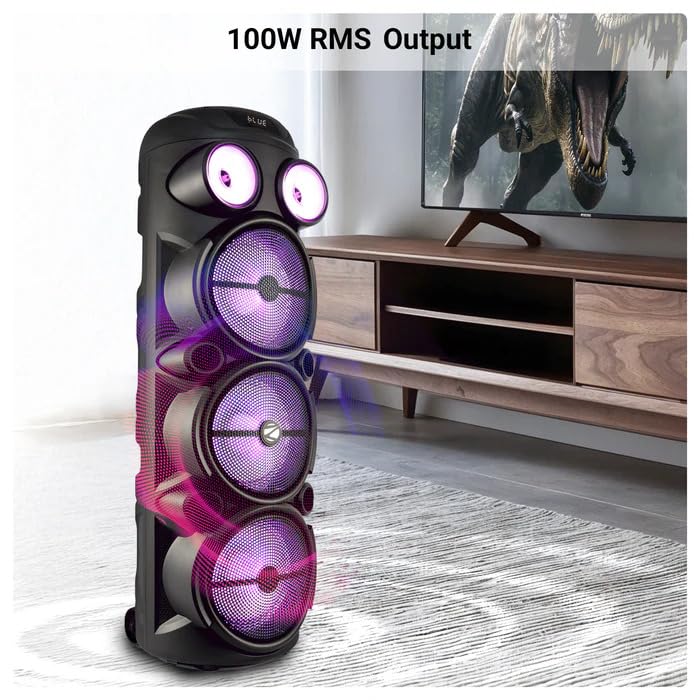
Image: The ZEBRONICS Zeb Vigor 100 Tower Speaker showcasing its 100W RMS output, positioned next to a television.
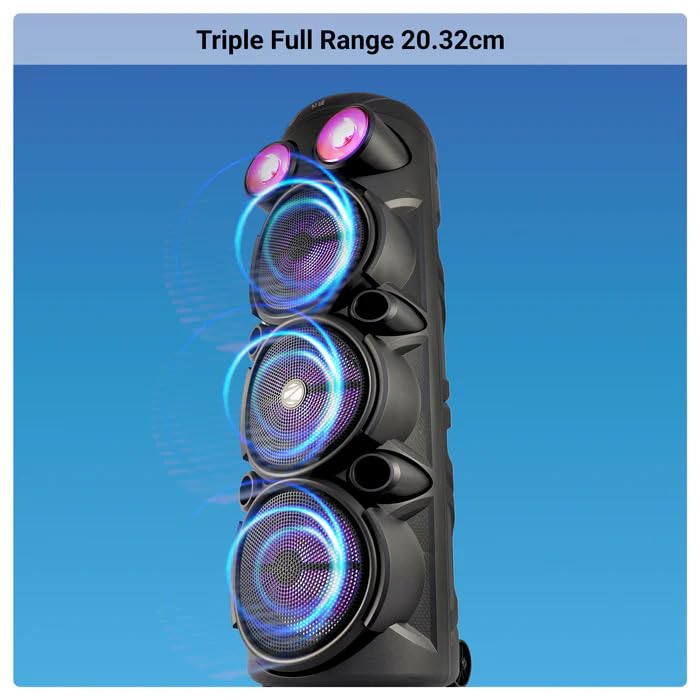
이미지: 클로즈업 view of the ZEBRONICS Zeb Vigor 100 highlighting its triple full-range 20.32cm drivers.
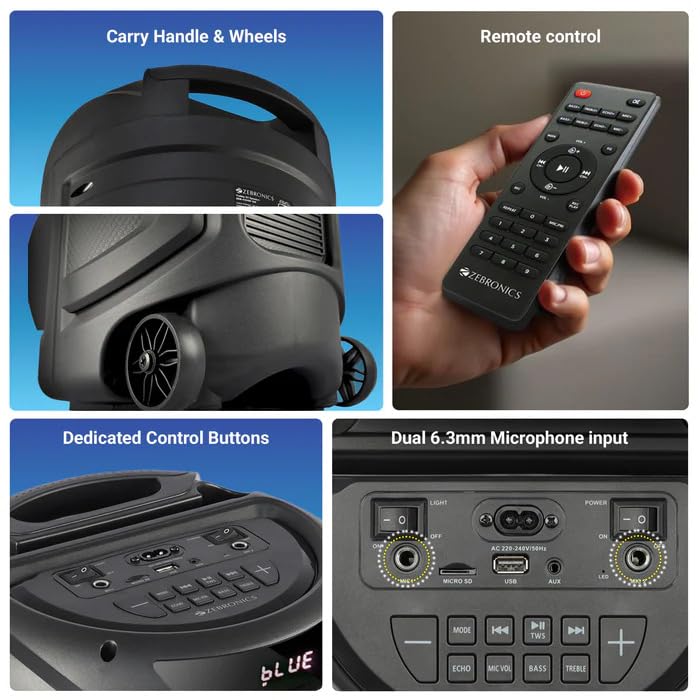
Image: A collage showing the speaker's carry handle and wheels for portability, the included remote control, the dedicated control buttons on the top panel, and the dual 6.3mm microphone inputs on the rear panel.
5. 설정
5.1 스피커 충전
Before initial use, fully charge the speaker. Connect the provided power cord to the speaker's AC input and a suitable power outlet. The charging time is approximately 9.8 hours. A full charge provides up to 5 hours of playback at 50% volume with LED lights off.
5.2 전원 켜기/끄기
Locate the power switch on the speaker's control panel. Toggle the switch to the 'ON' position to power on the speaker. Toggle to 'OFF' to power off.
6. 사용 설명서
6.1 Bluetooth Connection (BT v5.0)
- Power on the speaker. The speaker will automatically enter Bluetooth mode or you can select it using the 'MODE' button.
- 모바일 기기 또는 컴퓨터에서 블루투스를 활성화하세요.
- 검색 available devices and select "ZEB-VIGOR 100" from the list.
- 페어링이 완료되면 스피커에 연결 성공 메시지가 표시되고 오디오 재생을 시작할 수 있습니다.
6.2 USB/mSD Playback
- Insert a USB flash drive or mSD card (up to 32GB) containing MP3 audio file해당 항구로 들어갑니다.
- The speaker will automatically detect the storage device and begin playback. If not, press the 'MODE' button to select USB or mSD mode.
- Use the control buttons or remote to play, pause, skip tracks, or adjust volume.
6.3 AUX 입력
- Connect one end of the 3.5mm input cable to the AUX port on the speaker.
- 케이블의 다른 한쪽 끝을 외부 기기(예: 스마트폰, MP3 플레이어)의 오디오 출력 단자에 연결하십시오.
- Press the 'MODE' button to select AUX input.
- Control playback and volume from your external device or the speaker.
6.4 FM 라디오
- Press the 'MODE' button to select FM radio mode.
- Press the Play/Pause button to auto-scan and save available FM stations (frequency range 87.5 MHz - 108 MHz).
- 저장된 스테이션 간 이동은 이전/다음 트랙 버튼을 사용하세요.
6.5 Karaoke & Mic Recording Function
- Connect the wireless microphone or a wired microphone (not included) to one of the dual 6.3mm microphone inputs.
- Adjust the microphone volume and echo using the dedicated controls.
- To record, ensure a USB drive or mSD card is inserted. Press the 'REC' button (if available on the control panel/remote) to start recording. Press again to stop.
6.6 TWS(True Wireless Stereo) 기능
To connect two Zeb Vigor 100 speakers for a stereo experience:
- 두 스피커 모두 전원이 켜져 있고 Bluetooth 모드인지 확인하세요.
- On one speaker (this will be the master), press and hold the 'TWS' button. The speaker will indicate it is searching for another TWS device.
- The two speakers will automatically pair. Once connected, they will function as a stereo pair.
- Connect your mobile device to the master speaker via Bluetooth as described in section 6.1.
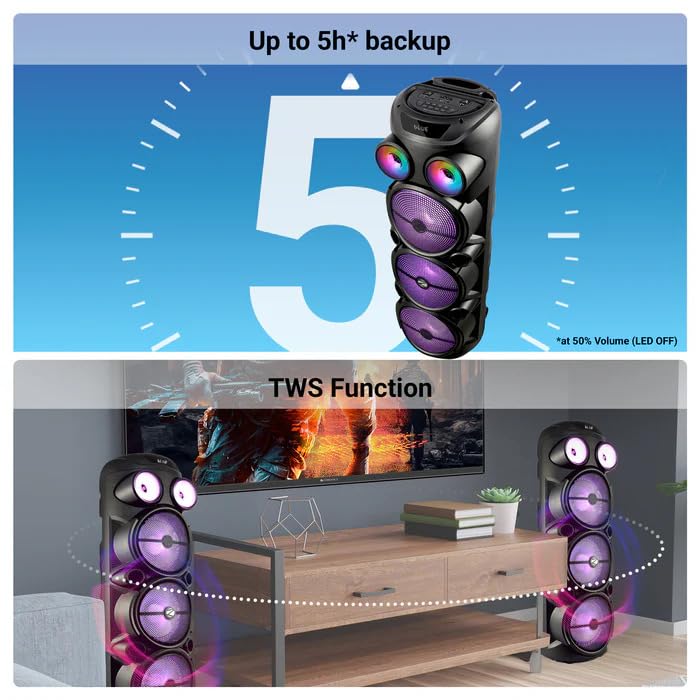
Image: The ZEBRONICS Zeb Vigor 100 speaker highlighting its up to 5-hour battery backup and the True Wireless Stereo (TWS) function, showing two speakers connected wirelessly.
6.7개의 RGB 조명
The speaker features dynamic RGB lights. Use the dedicated 'LIGHT' switch or button on the control panel or remote to cycle through different light modes or turn them off.
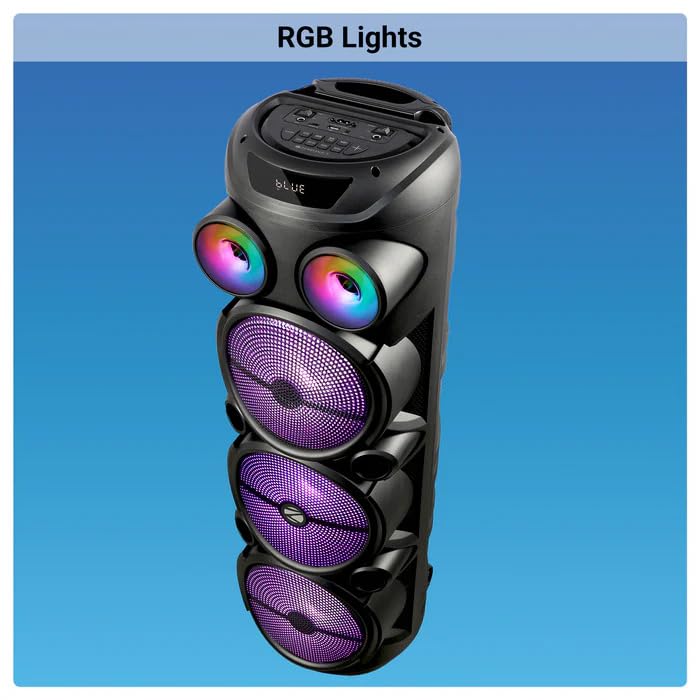
Image: The ZEBRONICS Zeb Vigor 100 Tower Speaker with its vibrant RGB lights illuminated.
6.8 제어판 및 리모콘
The speaker features a top-mounted control panel with buttons for mode selection, playback control, volume adjustment, microphone controls, and light control. A remote control is also provided for convenient operation from a distance.
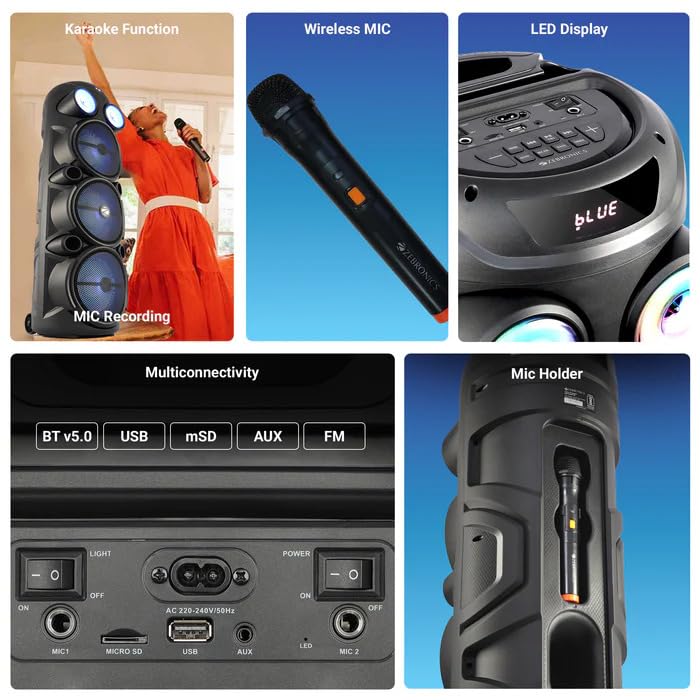
이미지: 자세한 view of the ZEBRONICS Zeb Vigor 100's control panel, showing options for Bluetooth v5.0, USB, mSD, AUX, and FM connectivity, along with various control buttons.
7. 유지관리
- 청소: 부드럽고 마른 천을 사용하여 스피커 외부를 닦으세요. 연마성 세제나 용제를 사용하지 마세요.
- 저장: 장시간 사용하지 않을 경우, 스피커를 직사광선과 극한의 온도를 피해 시원하고 건조한 곳에 보관하세요.
- 배터리 관리 : 배터리 수명을 연장하려면 배터리를 자주 완전히 방전하지 마세요. 스피커를 사용하지 않을 때에도 정기적으로 충전하세요.
8. 문제 해결
| 문제 | 가능한 원인 | 해결책 |
|---|---|---|
| 스피커의 전원이 켜지지 않습니다. | Battery is depleted or power cord is not connected. | Charge the speaker or ensure the power cord is securely connected. |
| 소리가 출력되지 않습니다. | Volume is too low, incorrect mode selected, or device not properly connected. | Increase volume, select the correct input mode (BT, USB, AUX, FM), or re-establish connection. |
| 블루투스 페어링에 실패했습니다. | Speaker is not in pairing mode, or device is too far. | Ensure speaker is in Bluetooth mode, move device closer, or clear previous pairings on your device. |
| 마이크가 작동하지 않습니다. | Microphone not powered on, or volume too low. | Ensure wireless mic has batteries and is powered on. Adjust mic volume. |
9. 사양
| 특징 | 사양 |
|---|---|
| 출력 전력(RMS) | 100와트 |
| 드라이버 크기 | Full range 20.32cm x 3, Tweeter 3.8cm |
| 임피던스 | Full range 4Ω x 1, 8Ω x 2; Tweeter 8Ω |
| 주파수 응답 | 65Hz-18kHz |
| 신호대잡음비 | ≥60dB |
| File Format Support (USB/SD) | MP3 |
| 라인 입력 | 3.5mm |
| Max Supported USB/SD Memory Size | 32GB |
| FM 주파수 범위 | 87.5MHz - 108MHz |
| 충전 시간 | 9.8시간 |
| 재생 시간 | 5 hours* (at 50% Volume, LED OFF) |
| 블루투스 이름 | 제브비거 100 |
| 블루투스 버전 | v5.0 |
| 제품 치수(W x D x H) | 28.6 x 28.5 x 90cm |
| 순중량 | 6.4kg |
| 커넥터 유형 | AUX, USB |
| 채널 수 | 2 |
| 오디오 입력 | Wired Microphone, Wireless Microphone, Line-Level Input |
| 색상 | 검은색 |
| 호환 장치 | Audio Player, DJ Mixer, DVD Player, Drum, Guitar, Headphone, Headset, Karaoke System, Keyboard, Laptop, MP3 Player, Microphone, Piano, Smartphone, Tablet, Television |
10. 보증 및 지원
10.1 보증 정보
The ZEBRONICS Zeb Vigor 100 Tower Speaker comes with a 1년 보증 구매일로부터 적용됩니다. 보증 청구를 위해 구매 영수증을 보관해 주십시오. 보증은 정상적인 사용 조건 하에서의 제조상 결함에 한해 적용됩니다.
10.2 제조업체
Zebronics India Pvt Ltd.
13/7 Smith Road, Royapettah, Chennai, Tamil Nadu - 600 002, India
10.3 고객 지원
For technical assistance, service, or warranty inquiries, please contact Zebronics customer support through their official website or the contact information provided in the QR code guide included in your package.


