
소개
The ZOMBIES CAT MGALL X22 Clip On Wireless Headphones offer a unique open-ear listening experience combined with a fashionable design. These headphones feature Bluetooth 6.0 connectivity, an LED HD display for battery status, and a comfortable clip-on fit. This manual provides essential information for setting up, operating, and maintaining your headphones.
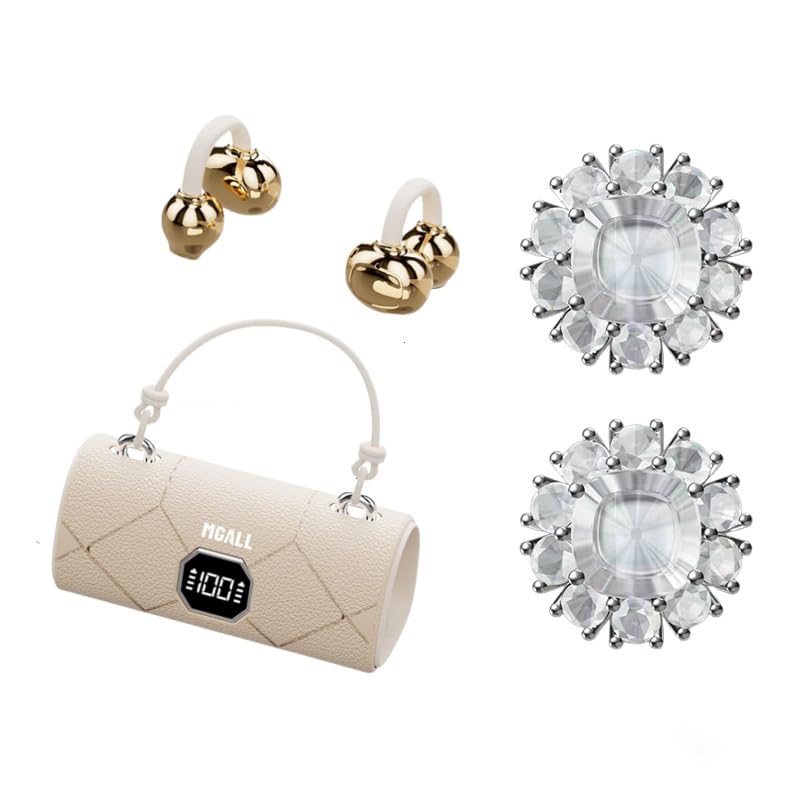
MGALL X22 Clip On Wireless Headphones in their charging case, showcasing the unique handbag-style design and open-ear earbuds.
주요 특징
- 오픈 이어 디자인: Provides a comfortable and pleasant listening experience without blocking the ear canal.
- 블루투스 6.0 : Ensures fast pairing, seamless audio, and ultra-low latency.
- Dual AI Noise-Canceling Mics: Enhances voice clarity by suppressing ambient noise during calls.
- 몰입형 스테레오 사운드: Delivers crisp highs, rich bass, and a wider soundstage with advanced directional audio.
- 배터리 수명 연장: 한 번 충전으로 최대 6시간, 충전 케이스 사용 시 총 40시간 청취가 가능합니다.
- LED HD Display: Shows real-time battery levels for both the charging case and earbuds.
- 세련된 디자인: Features a unique handbag-style charging case with a smooth leather finish and graceful handle.

Diagram illustrating the open listening experience and key features of the MGALL X22 headphones, including comfort, battery display, lossless HiFi sound, luxury leather texture, Dual-mode Bluetooth 6.0, and open ear clip design.
설정
헤드폰 충전하기
처음 사용하기 전에 헤드폰과 충전 케이스를 완전히 충전하세요.
- 제공된 USB-C 케이블을 충전 케이스 뒷면의 충전 포트에 연결하십시오.
- Plug the other end of the USB-C cable into a compatible USB power source.
- The LED HD display on the case will show the charging progress. A green indicator light on the case signifies it is charging or fully charged.
- Place the earbuds into their respective slots inside the charging case. They will begin charging automatically.

Close-up of the MGALL X22 charging case with earbuds inside, showing the green indicator light, indicating charging or readiness.

Image showing the LED dynamic power HD digital display on the charging case, indicating the battery level of the charging case and earphones.
장치와 페어링
- 이어버드가 충전되어 있고 충전 케이스에 들어 있는지 확인하세요.
- 충전 케이스를 여세요. 이어버드가 자동으로 페어링 모드로 진입합니다.
- 기기(스마트폰, 태블릿 등)에서 Bluetooth를 활성화하세요.
- 검색 available Bluetooth devices and select "MGALL X22" from the list.
- 연결되면 오디오 안내가 나오고 이어버드를 사용할 수 있습니다.
Official product video demonstrating the charging case and earbuds, highlighting the handbag-style design and LED display.
헤드폰 작동
헤드폰 착용하기
The MGALL X22 headphones feature an open-ear clip-on design for comfort and awareness of your surroundings.
- 왼쪽(L) 및 오른쪽(R) 이어버드를 식별합니다.
- Gently clip each earbud onto your ear, ensuring the speaker portion is positioned just outside your ear canal.
- Adjust for a secure and comfortable fit. The flexible design allows for slight adjustments.

Image showing a person wearing the MGALL X22 clip-on headphones, demonstrating the secure and comfortable fit.
터치 컨트롤
The earbuds feature touch-sensitive controls for easy management of audio and calls.
- 재생/일시 중지: 양쪽 이어버드를 한 번 탭하세요.
- 다음 트랙: 오른쪽 이어버드를 두 번 탭하세요.
- 이전 트랙 : 왼쪽 이어버드를 두 번 탭하세요.
- 전화 받기/종료: 전화가 오는 동안 양쪽 이어버드를 한 번 탭하세요.
- 전화 거부: 전화가 오는 동안 양쪽 이어버드를 길게 누릅니다.
- Voice Assistant 활성화 : 양쪽 이어버드를 세 번 탭하세요.
Removable Earring Charms
The headphones come with optional removable earring charms for customization.
- To attach a charm, open the clasp on the charm.
- Carefully attach the clasp to the designated loop on the earbud.
- Close the clasp securely.
- To remove, simply open the clasp and detach.
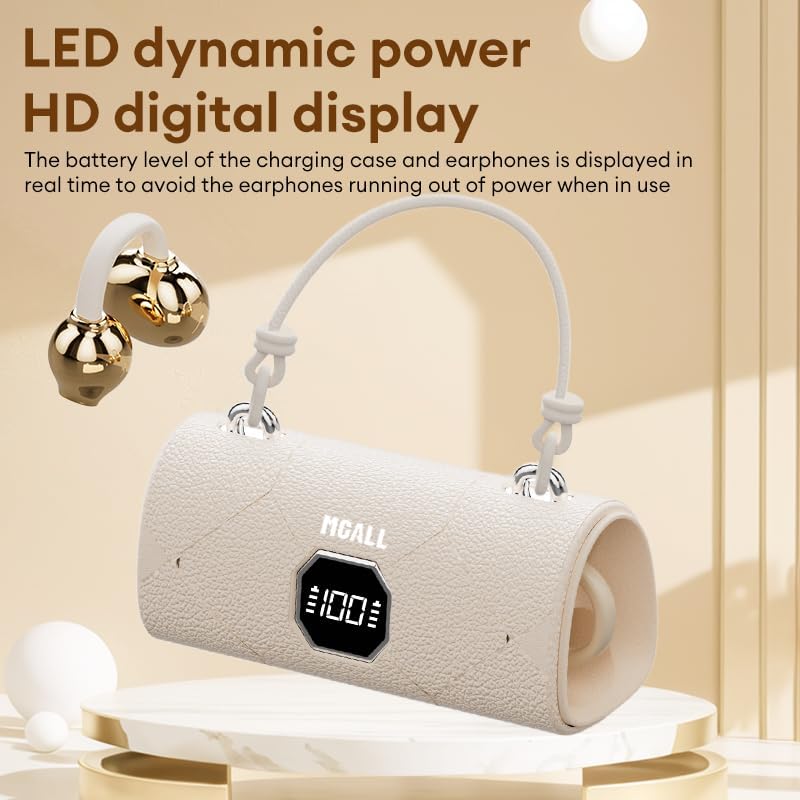
Image showing the removable earring charms that can be attached to the headphones for a personalized look.
공식 제품 영상 쇼asing the MGALL X22 clip-on earbuds, demonstrating how they are worn and the optional earring attachments.
유지
청소
- 부드럽고 마른 보푸라기 없는 천으로 이어버드와 충전 케이스를 닦으세요.
- 연마성 세척제, 용제 또는 에어로졸 스프레이를 사용하지 마십시오.
- 어떠한 구멍에도 습기가 들어가지 않도록 주의하세요.
저장
- 헤드폰을 사용하지 않을 때는 충전 케이스에 보관하여 보호하고 충전 상태를 유지하세요.
- 기기를 서늘하고 건조한 곳에 보관하고, 극한 온도와 직사광선을 피하십시오.
문제 해결
일반적인 문제 및 솔루션
- 소리 없음:
- 이어폰이 기기와 제대로 페어링되었는지 확인하세요.
- 기기와 이어버드의 볼륨 레벨을 확인하세요.
- 이어폰이 충전되어 있는지 확인하세요.
- 페어링 문제:
- 기기의 Bluetooth를 껐다가 다시 켜세요.
- 이어버드를 케이스에 다시 넣고 닫았다가 다시 열면 페어링 모드로 다시 진입합니다.
- Forget/delete "MGALL X22" from your device's Bluetooth list and try pairing again.
- 충전 문제:
- 충전 케이블이 케이스와 전원에 모두 단단히 연결되어 있는지 확인하세요.
- 충전 포트가 깨끗하고 이물질이 없는지 확인하세요.
- 다른 USB-C 케이블이나 전원 어댑터를 사용해 보세요.
명세서
| 특징 | 세부 사항 |
|---|---|
| 모델명 | X2202+TYEJPS06 |
| 상표 | ZOMBIES CAT |
| 연결 기술 | 무선, 블루투스 6.0 |
| 블루투스 범위 | 10 미터 |
| 소음 제어 | Hybrid Noise Cancellation (for mics) |
| 이어피스 모양 | 오픈이어 |
| 제어 방법 | 만지다 |
| 임피던스 | 32옴 |
| 재료 | 플라스틱 |
| 배터리 수명(이어버드) | 최대 6시간 |
| 총 배터리 수명(케이스 포함) | 최대 40시간 |
상자 안에 무엇이 들어있나요?
- MGALL X22 Clip On Wireless Headphones
- 충전 케이스
- USB-C 충전 케이블
- 사용자 설명서
- Removable Earring Charms
보증 및 지원
Your ZOMBIES CAT MGALL X22 Clip On Wireless Headphones are covered by a standard manufacturer's warranty against defects in materials and workmanship. Please refer to the product packaging or contact customer support for specific warranty details and duration.
For technical support, troubleshooting assistance, or warranty claims, please contact ZOMBIES CAT customer service through the retailer where the product was purchased or visit the official ZOMBIES CAT web연락처 정보 사이트.