
서지 SG60094
Surge 무선 프로 컨트롤러 사용 설명서
모델: SG60094
소개
This manual provides instructions for the Surge Wireless Pro Controller, Model SG60094. It covers setup, operation, maintenance, troubleshooting, and specifications. Please read this manual thoroughly before using the controller.
The Surge Wireless Pro Controller is designed for multi-platform compatibility, featuring Hall Effect thumb sticks and triggers for precision control.
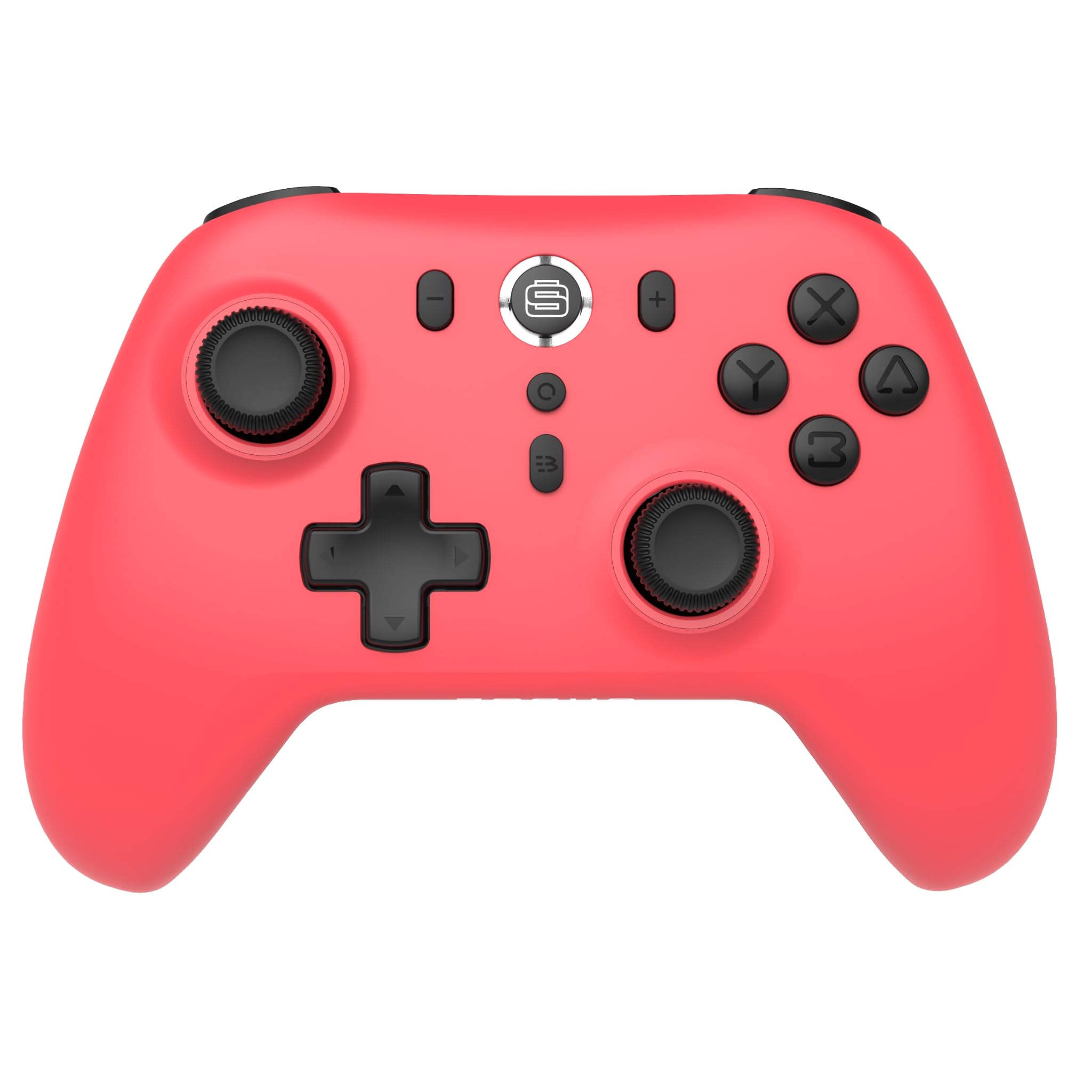
이미지: 앞면 view of the Surge Wireless Pro Controller in Neon Red.
주요 특징
- 다중 플랫폼 호환성: Supports Nintendo Switch/Switch 2 (Note: No C Button/Audio Port on Switch 2), Windows PC, Steam Deck, Android, and iOS devices.
- Hall Effect Thumb Sticks & Triggers: Engineered for precise control and to prevent stick drift.
- 터보 기능: Offers 3 adjustable turbo levels for rapid-fire actions.
- 진동 피드백: Features 4 customizable vibration levels for enhanced haptic feedback.
- 모션 컨트롤: Compatible with games that utilize motion sensing.
- Console Wake Up: Ability to wake the Nintendo Switch console from sleep mode (Nintendo Switch only).
- 충전식 배터리: Built-in 600mAh Li-polymer battery provides up to 10 hours of gameplay per charge.
- USB-C 충전: Includes a 1-meter USB-C charging cable.
설치 지침
1. 초기 충전
Before first use, fully charge the controller. Connect the included USB-C cable to the controller's charging port and the other end to a USB power source (e.g., console, PC, USB wall adapter). The charging indicator will show status.

Image: The controller connected to a USB-C charging cable.
2. 닌텐도 스위치와의 페어링
- Nintendo Switch 콘솔에서 홈 메뉴로 이동합니다.
- 선택하다 컨트롤러, 그 다음에 그립/오더 변경.
- 를 누르고 계세요 페어링 버튼 on the top of the Surge Wireless Pro Controller until the player indicator lights begin to flash.
- Once paired, the player indicator light(s) will remain solid.
- To wake the console from sleep mode, press the Home button on the controller.
3. Pairing with PC, Android, or iOS
The pairing process may vary slightly depending on your device's operating system. Generally, you will need to enable Bluetooth on your device and search for new devices.
- PC, 안드로이드 또는 iOS 기기에서 블루투스가 활성화되어 있는지 확인하십시오.
- On the Surge Wireless Pro Controller, press and hold the 페어링 버튼 until the indicator lights flash.
- On your device, select "Surge Pro Controller" from the list of available Bluetooth devices.
- 화면에 나타나는 안내에 따라 페어링을 완료하세요.
비디오: 오버view of the 8Bitdo Ultimate 2 Wireless Controller, demonstrating general wireless controller setup principles.
작동 지침
버튼 레이아웃

Image: Diagram showing the button layout of the Surge Wireless Pro Controller.
- 왼쪽/오른쪽 아날로그 스틱: 움직임 및 카메라 제어용입니다. 홀 효과 기술을 적용하여 내구성과 정밀도를 향상시켰습니다.
- 방향 패드: 방향 입력용.
- A/B/X/Y 버튼: 표준 작업 버튼.
- L/R 버튼: 어깨 단추.
- ZL/ZR 트리거: Analog triggers with Hall Effect sensors.
- 홈 버튼: Returns to the console's home menu.
- 스크린샷 버튼: 스크린샷을 캡처합니다.
- 플러스(+) / 마이너스(-) 버튼: For in-game menu navigation.
- 터보 버튼: 터보 기능을 활성화/비활성화합니다.
- 페어링 버튼 : 블루투스 페어링에 사용됩니다.
터보 기능
To activate turbo for a button, press and hold the 터보 버튼, then press the desired action button (A, B, X, Y, L, R, ZL, ZR). Repeat the process to deactivate. There are 3 adjustable turbo levels; refer to the full product manual for detailed adjustment instructions.
진동 조정
The controller offers 4 levels of vibration intensity. Specific button combinations or software may be required to adjust these levels. Consult the full product manual or manufacturer's website for precise instructions.
유지
- 청소: 부드럽고 마른 천을 사용하여 컨트롤러를 청소하세요. 강한 화학 물질이나 연마재는 사용하지 마세요.
- 저장: 컨트롤러는 직사광선과 극한의 온도를 피해 서늘하고 건조한 곳에 보관하세요.
- 배터리 관리 : 배터리 수명을 연장하려면 배터리를 자주 완전히 방전하지 마십시오. 장시간 사용하지 않더라도 컨트롤러를 정기적으로 충전하십시오.
- 케이블 관리: Handle the USB-C charging cable carefully. Avoid bending or twisting it excessively.
문제 해결
| 문제 | 해결책 |
|---|---|
| 컨트롤러의 전원이 켜지지 않습니다. | 컨트롤러가 완전히 충전되었는지 확인하십시오. USB-C 케이블을 사용하여 전원에 연결하십시오. |
| 기기와 페어링할 수 없습니다. | Make sure Bluetooth is enabled on your device. Press and hold the pairing button on the controller until lights flash. Ensure the controller is not already paired with another device. Try restarting both the controller and the device. |
| Stick drift or inaccurate input. | The controller features Hall Effect sticks to minimize drift. If issues persist, ensure the controller's firmware is up to date. Contact customer support if the problem continues. |
| 진동이 작동하지 않습니다. | Check in-game settings to ensure vibration is enabled. Verify the vibration intensity level on the controller. |
| Console Wake Up not functioning. | This feature is only supported on Nintendo Switch. Ensure the controller is properly paired with the Switch. |
명세서
- 모델 번호: SG60094
- 배터리: 1 Nonstandard Battery (600mAh Li-polymer, included)
- 배터리 수명: 최대 10시간(대략)
- 충전 포트: USB-C
- 연결성: 블루투스 무선
- 치수: 20.1 x 14 x 6.6cm (대략)
- 무게: 310g(대략)
- 원산지: 중국
보증 및 지원
For warranty information and customer support, please refer to the official Surge website or contact support directly at support@surgegaming.com.
The product typically comes with a manufacturer's warranty covering defects in materials and workmanship. Please retain your proof of purchase for warranty claims.
Ask a question about this manual
Ask about setup, troubleshooting, compatibility, parts, safety, or missing instructions. Manuals+ will review the question and use this page’s manual context to help answer it.