
Tenda R10
Tenda N300 WiFi Range Extender (Model R10-BK) User Manual
Model: R10-BK | Brand: Tenda
1. 서론
The Tenda N300 WiFi Range Extender (Model R10-BK) is designed to expand your existing WiFi network coverage, eliminating dead zones and providing stable internet access throughout your home or office. This device operates on the 2.4GHz band and offers speeds up to 300Mbps. It supports both Repeater Mode (Wireless Extension) and Access Point (AP) Mode (Wired Extension) and includes a 100Mbps Ethernet port for wired connections.
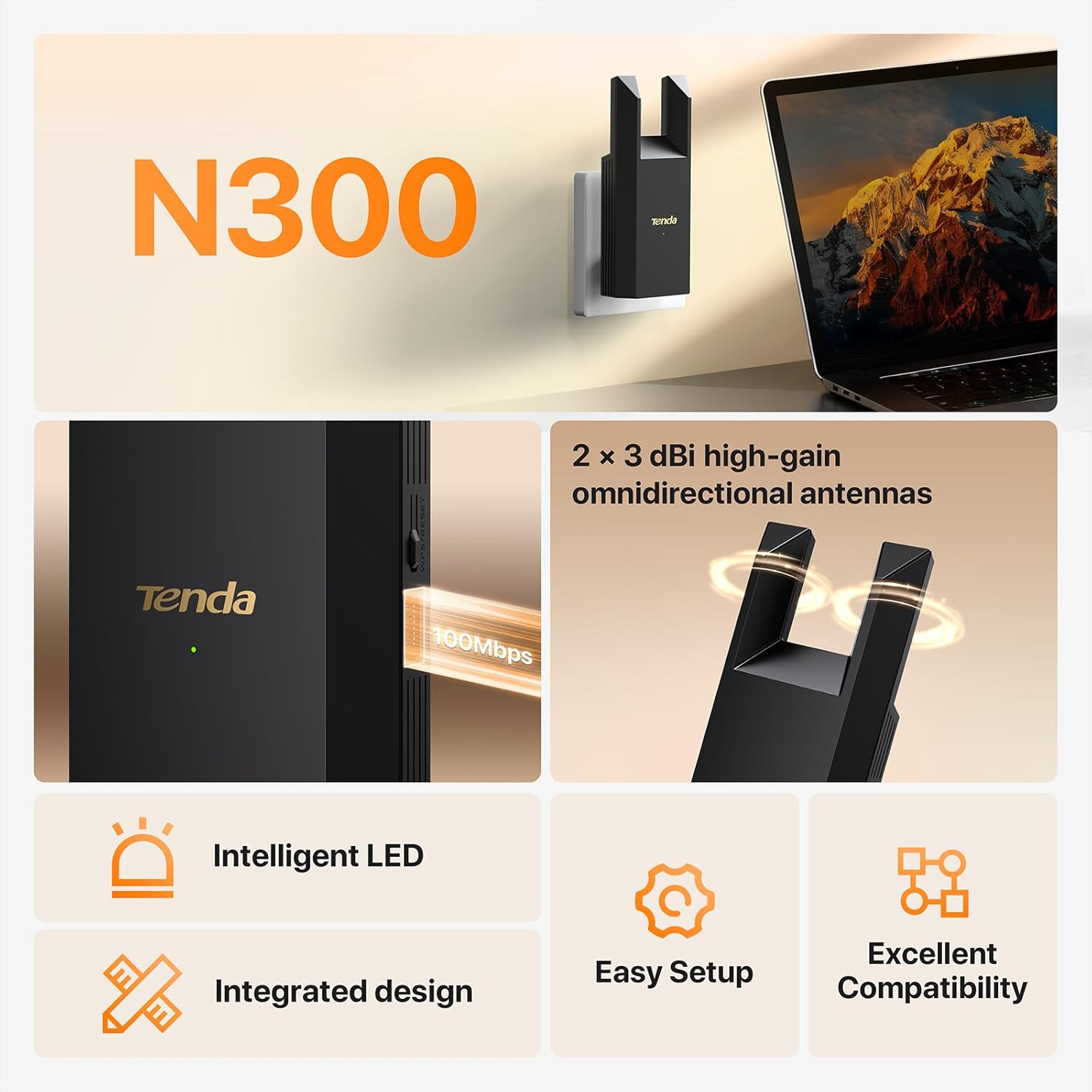
Figure 1: Tenda N300 WiFi Range Extender (Model R10-BK)
2. 패키지 내용
다음 품목이 패키지에 포함되어 있는지 확인하세요.
- 1x Tenda WiFi Extender Body (Model R10-BK)
- 1x 사용 설명서(이 문서)
- 1x GPL (General Public License)
3. 설정 가이드
The Tenda R10-BK extender offers an easy setup process. You can configure it for Wireless Extension (Repeater Mode) or Wired Extension (Access Point Mode).
3.1 최적의 위치 선정
For optimal performance, place the extender halfway between your main router and the Wi-Fi dead zone. Avoid placing it too close to the router (which may not effectively extend coverage) or too far (where it might receive a weak signal). The extender's LED indicator will help you find the best spot.

Figure 2: Optimal Extender Placement for Wireless Extension
For cross-floor network coverage, it is recommended to connect the extender to a power strip or socket on the floor where the signal needs boosting.
3.2 Powering On the Extender
Plug the Tenda R10-BK extender into a wall socket. The system will start up when the indicator blinks green.
Video 1: Tenda R10 Installation Guide. This video demonstrates the initial power-on and setup process for the Tenda R10-BK WiFi extender.
3.3 Wireless Extension (Repeater Mode) Setup
This mode extends your existing Wi-Fi network wirelessly.
- Connect your phone or PC to the extender's Wi-Fi network (e.g., "Tenda_EXT").
- 열기 web browser. The extender's web UI should appear automatically. If not, access re.tenda.cn. (If using a smartphone, disable mobile data traffic).
- Tap "Start Now" to begin the quick configuration.
- Select your home router's Wi-Fi network from the list.
- Enter the password for your home router's Wi-Fi network. Tap "Next".
- Set the Wi-Fi name and password for the extender's extended network. You can choose to use the upstream Wi-Fi name/password or create a new one. Tap "Next".
- Wait for the extension process to complete. Once successful, the extender's indicator will turn solid green.
- Connect your Wi-Fi enabled devices to the new extended Wi-Fi network (e.g., "my_wifi_EXT") and enter the password to access the internet.
Video 2: Tenda R10 Wi-Fi Extender N300 - Installation. This video provides a visual guide for setting up the Tenda R10-BK in wireless extension mode.
3.4 Wired Extension (Access Point Mode) Setup
This mode allows the extender to create a new Wi-Fi network using a wired Ethernet connection from your router.
- Connect an Ethernet cable from your main router's LAN port to the Ethernet port on the Tenda R10-BK extender.
- Connect your phone or PC to the extender's Wi-Fi network (e.g., "Tenda_EXT").
- 열기 web browser. The extender's web UI should appear automatically. If not, access re.tenda.cn.
- Set the Wi-Fi name and password for the extender's new network. Tap "Next".
- Wait for the configuration to complete. Once successful, the extender's indicator will turn solid green.
- Connect your Wi-Fi enabled devices to the new Wi-Fi network created by the extender and enter the password to access the internet.
Video 3: Tenda R10 Wi-Fi Extender N300 - Access Point Mode Setup. This video demonstrates the steps for configuring the Tenda R10-BK in Access Point mode.
4. 작동 모드
The Tenda R10-BK supports two primary operating modes:
- Repeater Mode (Wireless Extension): In this mode, the extender connects wirelessly to your existing router's Wi-Fi network and re-broadcasts it, extending the coverage area. This is ideal for eliminating Wi-Fi dead zones.
- Access Point (AP) Mode (Wired Extension): In this mode, the extender connects to your router via an Ethernet cable and creates a new Wi-Fi network. This is suitable for rooms that already have an Ethernet connection but need Wi-Fi coverage.

Figure 3: AP Mode and Wireless Extension Mode
5. 유지관리
- 펌웨어 업데이트: Tenda 공식 웹사이트를 주기적으로 확인하세요. web최적의 성능과 보안을 보장하기 위한 펌웨어 업데이트 사이트입니다.
- 청소: 기기를 깨끗하고 먼지가 없는 상태로 유지하세요. 부드럽고 마른 천을 사용하여 청소하세요. 액체 세제는 사용하지 마세요.
- 놓기: 과열을 방지하기 위해 연장기를 통풍이 잘 되는 곳에 두십시오.
- 재설정 : If the device is not functioning correctly, you may perform a factory reset by pressing and holding the WPS/Reset button for approximately 8 seconds until the indicator light changes.
6. 문제 해결
- 설치 후 인터넷 접속 불가:
- Ensure the extender's indicator light is solid green, indicating a good connection to the main router.
- 메인 라우터에 인터넷 접속이 가능한지 확인하세요.
- If in Wired Extension (AP) Mode, ensure the Ethernet cable is securely connected and the upstream router is connected to the internet.
- Try moving the extender closer to your main router if the indicator is red or orange.
- 느린 속도:
- Wireless extenders improve coverage, not internet speed directly. However, improved signal stability can enhance overall performance.
- Ensure the extender is placed optimally (refer to Section 3.1).
- 다른 전자 장치의 간섭을 최소화하세요.
- LED 표시등 의미:
- 솔리드 그린: 좋은 연결입니다.
- 단색 주황색: Fair connection. Consider repositioning the extender closer to the router.
- 단색 빨간색: Poor connection or too far away from the router. Reposition the extender.
- 깜박이는 녹색: Starting up or WPS pairing in progress.

Figure 4: Intelligent LED Indicators for Connection Status
7. 사양
| 특징 | 세부 사항 |
|---|---|
| 상표 | 텐다 |
| 모델 | R10-BK |
| 무선 통신 표준 | 802.11a/b/g/n |
| 데이터 전송 속도 | 최대 300Mbps |
| 주파수 대역 클래스 | 단일 대역(2.4GHz) |
| 적용 범위 | Up to 800 sq. ft. (Note: Specifications also mention 1200 feet, actual coverage may vary based on environment) |
| 이더넷 포트 | 1x 100Mbps RJ45 Port |
| 특별 기능 | 1-Tap Setup, Access Point Mode, Dustproof, LED Indicator, MU-MIMO |
| 호환 장치 | IP Camera, Personal Computer, Router, Smart Television, Smartphone |
| 치수(D x W x H) | 1.26인치 깊이 x 2.83인치 너비 x 6.34인치 높이 |
| 한국어: | 885397278245 |
8. 보증 정보
This Tenda N300 WiFi Range Extender (Model R10-BK) comes with a 3년 제조사 보증. Please retain your proof of purchase for warranty claims. For detailed terms and conditions, refer to the official Tenda web사이트를 방문하거나 고객 지원팀에 문의하세요.
9. 고객 지원
If you encounter any issues or have questions regarding your Tenda N300 WiFi Range Extender, please contact Tenda customer support:
- 이메일: support.usa@tenda.cn
- 핸드폰: +1 800-570-5892
For additional resources and FAQs, visit the official Tenda web대지.
Ask a question about this manual
Ask about setup, troubleshooting, compatibility, parts, safety, or missing instructions. Manuals+ will review the question and use this page’s manual context to help answer it.