
소개
Thank you for choosing the VENTION Wireless HDMI Extender. This device allows you to wirelessly transmit HDMI video and audio signals up to 656 feet (200 meters) with minimal latency. Featuring 2.4G and 5G dual-band support, 4K decoding, and a plug-and-play design, it is ideal for various applications including home entertainment, business presentations, and gaming. This manual provides detailed instructions for setup, operation, and troubleshooting to ensure optimal performance and longevity of your device.
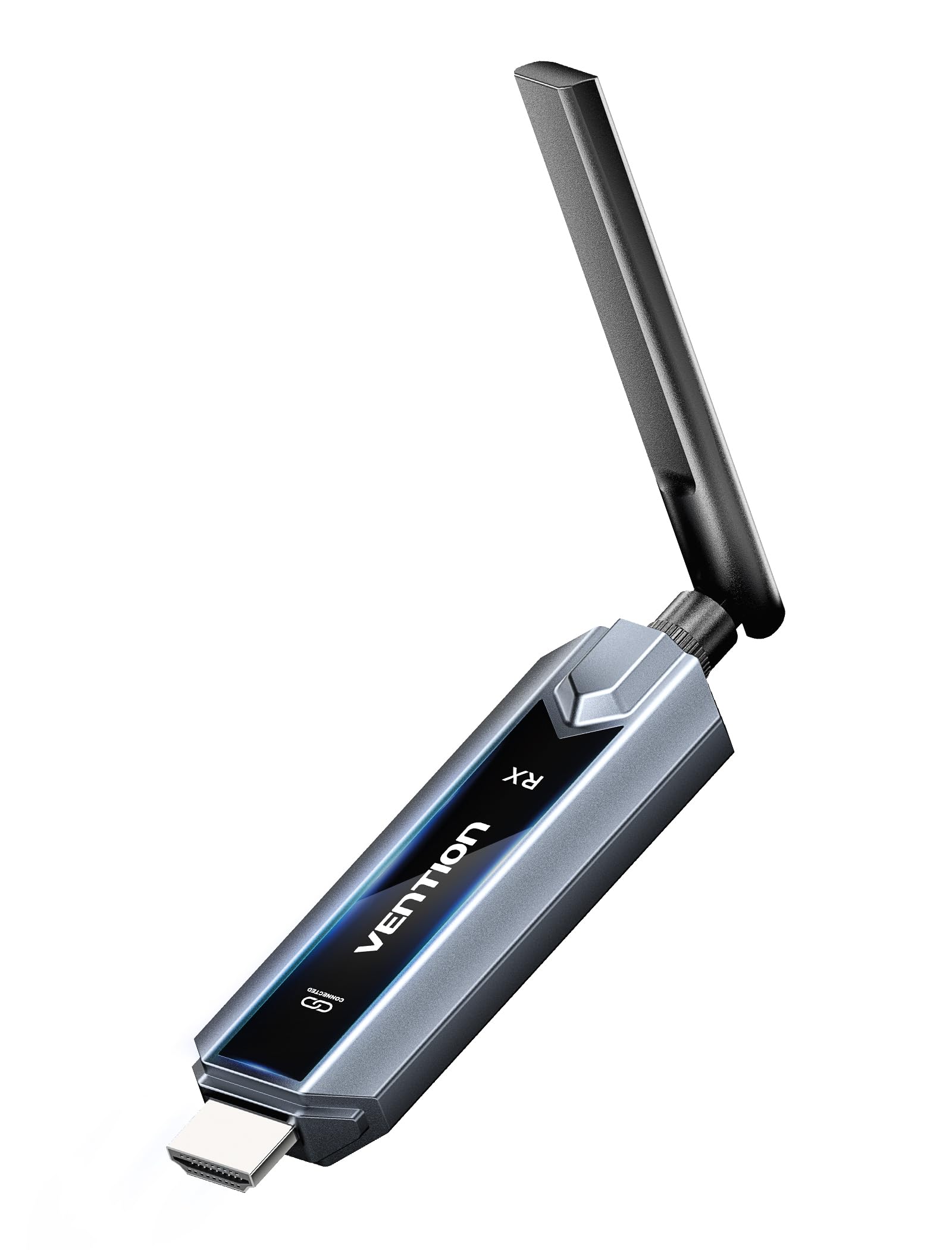
Image: The VENTION Wireless HDMI Transmitter and Receiver units, showcasing their compact design and antennas.
패키지 내용
패키지에 모든 품목이 들어 있는지 확인하세요.
- Wireless HDMI Transmitter (TX unit)
- Wireless HDMI Receiver (RX unit)
- USB-C to HDMI 어댑터
- Mini HDMI Adapter
- 마이크로 HDMI 어댑터
- USB-C Power Cord (for power supply)
- HDMI 확장 케이블
- 사용 설명서 (본 문서)
제품 특징
The VENTION Wireless HDMI Extender offers a range of features designed for convenience and high performance:
- 플러그 앤 플레이 작동: 드라이버나 소프트웨어 설치가 필요 없습니다. 연결만 하면 바로 사용 가능합니다.
- 확장된 범위: Transmit signals up to 656 feet (200 meters) in an open environment.
- 4K Decoding & 1080P@60Hz Output: Supports 4K Ultra HD decoding for high-quality video, with output at 1080P resolution at 60Hz for smooth playback.
- 듀얼 밴드 무선: Utilizes both 2.4G and 5G frequencies for stable and fast transmission.
- 멀티스크린 동기화: One transmitter can connect to up to four receivers (additional receivers sold separately) to synchronize content across multiple displays.
- Mirror/Extend Mode: Supports both mirroring your display and extending it for multi-tasking (ensure your computer supports extended mode).
- 폭넓은 호환성: Compatible with various HDMI source devices (laptops, PCs, gaming consoles, TV boxes, cameras) and display devices (TVs, monitors, projectors).
- Engineered Antenna: Designed for enhanced signal stability and faster transmission speeds.
- 5GHz Powerful Chipset: Ensures stable performance in diverse environments.

Image: Diagram illustrating one transmitter (TX) connecting wirelessly to four receivers (RXs) for multi-screen synchronization, highlighting no Wi-Fi, Bluetooth, app, or settings required.

Image: Illustration of the engineered antenna design, emphasizing a transmission distance of 656 feet (200 meters) for faster speeds and greater stability.
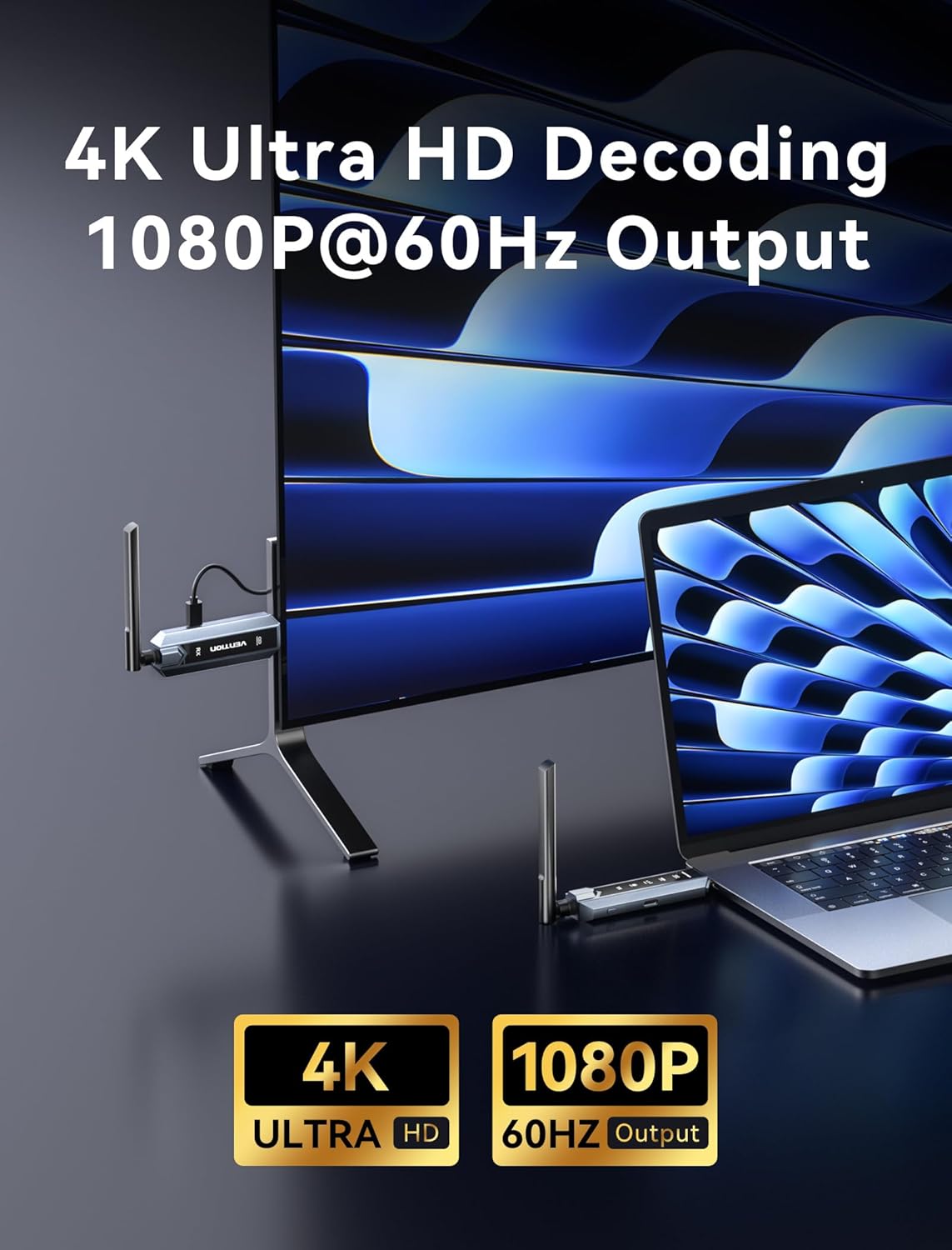
Image: Visual representation of 4K Ultra HD decoding capability with 1080P at 60Hz output, showing a laptop connected to a display.

Image: Close-up of a chipset labeled '5G', indicating a powerful 5GHz chipset for stable performance.

Image: Comparison of 'Mirror mode' (displaying the same picture on laptop and external monitor) and 'Extend mode' (displaying different pictures), with a note about computer support for extended mode.
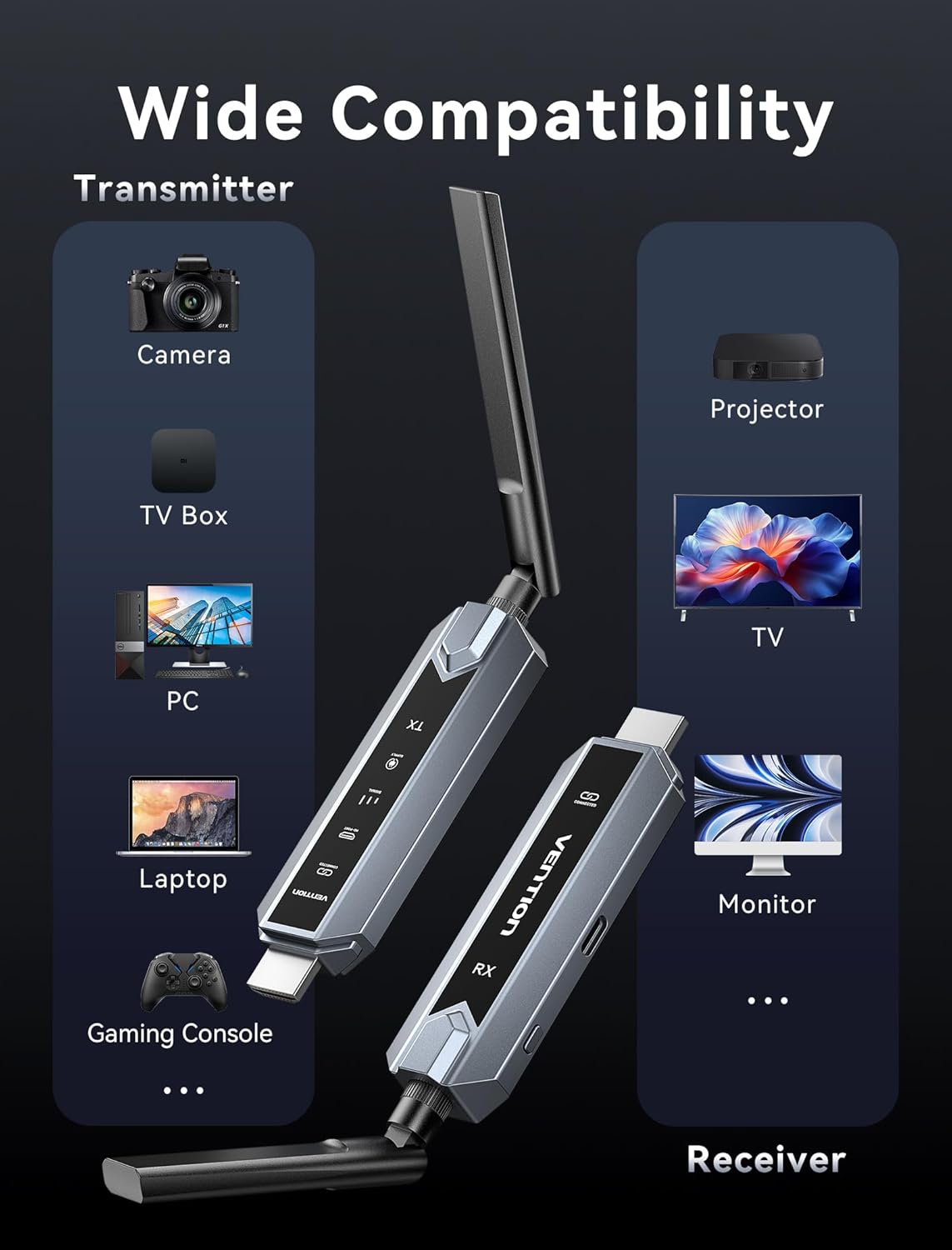
Image: Infographic showing wide compatibility for the transmitter (Camera, TV Box, PC, Laptop, Gaming Console) and receiver (Projector, TV, Monitor).

Image: Four panels depicting various usage scenarios: Business Meetings, Home Entertainment, Teaching Presentation, and Gaming Entertainment.
설치 지침
Follow these steps to set up your VENTION Wireless HDMI Extender:
- 송신기(TX) 연결:
- Connect the TX unit to the HDMI output port of your source device (e.g., laptop, PC, gaming console).
- If your source device has a Mini HDMI or Micro HDMI port, use the provided Mini HDMI Adapter or Micro HDMI Adapter.
- If your source device has a USB-C port that supports video output, use the provided USB-C to HDMI Adapter.
- For devices that require additional power, connect the USB-C Power Cord to the TX unit and a USB power source (e.g., a wall adapter, computer USB port).
- 수신기(RX) 연결:
- Connect the RX unit to the HDMI input port of your display device (e.g., TV, monitor, projector).
- Connect the USB-C Power Cord to the RX unit and a USB power source. The RX unit requires external power to function.
- 전원 켜기 장치:
- 소스 장치와 디스플레이 장치가 모두 켜져 있는지 확인하세요.
- The TX and RX units will automatically attempt to establish a connection. The digital display screen on the units will indicate connection status.
- 화면에서 입력값을 선택하세요:
- 디스플레이 장치에서 RX 장치가 연결된 올바른 HDMI 입력 소스를 선택하세요.
The system is designed for plug-and-play operation, and the video and audio should appear on your display automatically once connected and powered.
작동 지침
Once the setup is complete, operating the VENTION Wireless HDMI Extender is straightforward:
- 자동 연결: The TX and RX units are pre-paired and will automatically connect when powered on and within range.
- 신호 전송 : The extender will transmit the HDMI signal from your source device to your display. The digital display on the units may show signal strength or connection status.
- Mirror/Extend Mode: If your source device (e.g., laptop) supports it, you can configure your display settings to either mirror your primary screen or extend it. This setting is managed through your computer's operating system display preferences, not directly on the extender units.
- 다중 수신기 설정: If you are using multiple RX units, ensure each RX unit is powered and connected to its respective display. The TX unit will broadcast to all paired RX units simultaneously.
문제 해결
문제가 발생할 경우 다음 문제 해결 단계를 참조하십시오.
- 디스플레이에 신호가 없습니다:
- Ensure both TX and RX units are properly powered via the USB-C power cords.
- HDMI 케이블이 소스 기기와 디스플레이 기기에 제대로 연결되어 있는지 확인하십시오.
- 디스플레이의 HDMI 입력 소스가 올바르게 설정되어 있는지 확인하십시오.
- Ensure the TX and RX units are within the effective transmission range (656ft/200m line of sight) and that there are no significant obstructions.
- 소스 장치와 디스플레이 장치를 모두 다시 시작해 보세요.
- Poor Video/Audio Quality or Intermittent Signal:
- TX와 RX 장치 사이의 거리를 줄이세요.
- Minimize obstructions (walls, furniture, other electronic devices) between the units.
- Ensure there are no strong sources of wireless interference (e.g., Wi-Fi routers, microwave ovens) nearby.
- Check if the source device's resolution is compatible with the extender's output (1080P@60Hz).
- 페어링되지 않은 유닛:
- Power cycle both the TX and RX units by unplugging and re-plugging their power cords.
- Ensure both units are from the same VENTION Wireless HDMI Extender kit.
- No Video, but Audio is Present (or vice versa):
- Verify the HDMI cable connections are secure.
- 가능하다면 다른 HDMI 케이블로 테스트해 보세요.
- Ensure your source device's audio/video output settings are correct.
명세서
| 특징 | 사양 |
|---|---|
| 상표 | 벤션 |
| 모델 | Wireless HDMI Extender 1RX |
| 연결 기술 | HDMI, HEVC, LDS, SBC |
| 무선 기술 | HEVC, LDS, SBC (2.4G + 5G Dual Band) |
| 전송 거리 | 최대 656피트(200미터) |
| 비디오 인코딩 | HEVC 메인 10 |
| 비디오 디코딩 | 4K 울트라 HD |
| 출력 해상도 | 1080P@60Hz |
| 호환 장치 | Personal Computer, Television, Projector, Gaming Consoles, Cameras, TV Boxes |
| 커넥터 유형 | HDMI, USB 타입-C |
| 제어 방법 | Touch (for certain features, if applicable) |
| 특별 기능 | Digital Display Screen, Heat-Control, Multi-Screen Streaming Extender |
| 색상 | 회색 |
| 제품 크기(D x W x H) | 6.53인치 x 5.12인치 x 1.18인치 |
| 전원 입력 | USB-C (5V/2A 권장) |
유지
To ensure the longevity and optimal performance of your VENTION Wireless HDMI Extender, follow these maintenance guidelines:
- 청소: Use a soft, dry cloth to clean the units. Do not use liquid cleaners or aerosols, as they may damage the device.
- 저장: 장기간 사용하지 않을 경우, 직사광선과 극한 온도 변화를 피해 서늘하고 건조한 곳에 보관하십시오.
- 손질: 제품을 조심스럽게 다루십시오. 떨어뜨리거나 강한 충격을 주지 마십시오.
- 통풍: Ensure the units have adequate ventilation to prevent overheating, especially during prolonged use. Do not cover the ventilation holes.
- 전원 공급 장치: Always use the provided USB-C power cord or a compatible 5V/2A power adapter to prevent damage.
보증 및 지원
VENTION products are designed for reliability and performance. For warranty information, technical support, or service inquiries, please refer to the warranty card included in your package or visit the official VENTION web사이트. 보증 청구를 위해 구매 증빙 자료를 보관하세요.
For further assistance, you may contact VENTION customer support through the contact information provided on their official web해당 사이트를 통해서나 제품을 구매한 소매업체를 통해서도 구매가 가능합니다.