
1. 제품 오버view
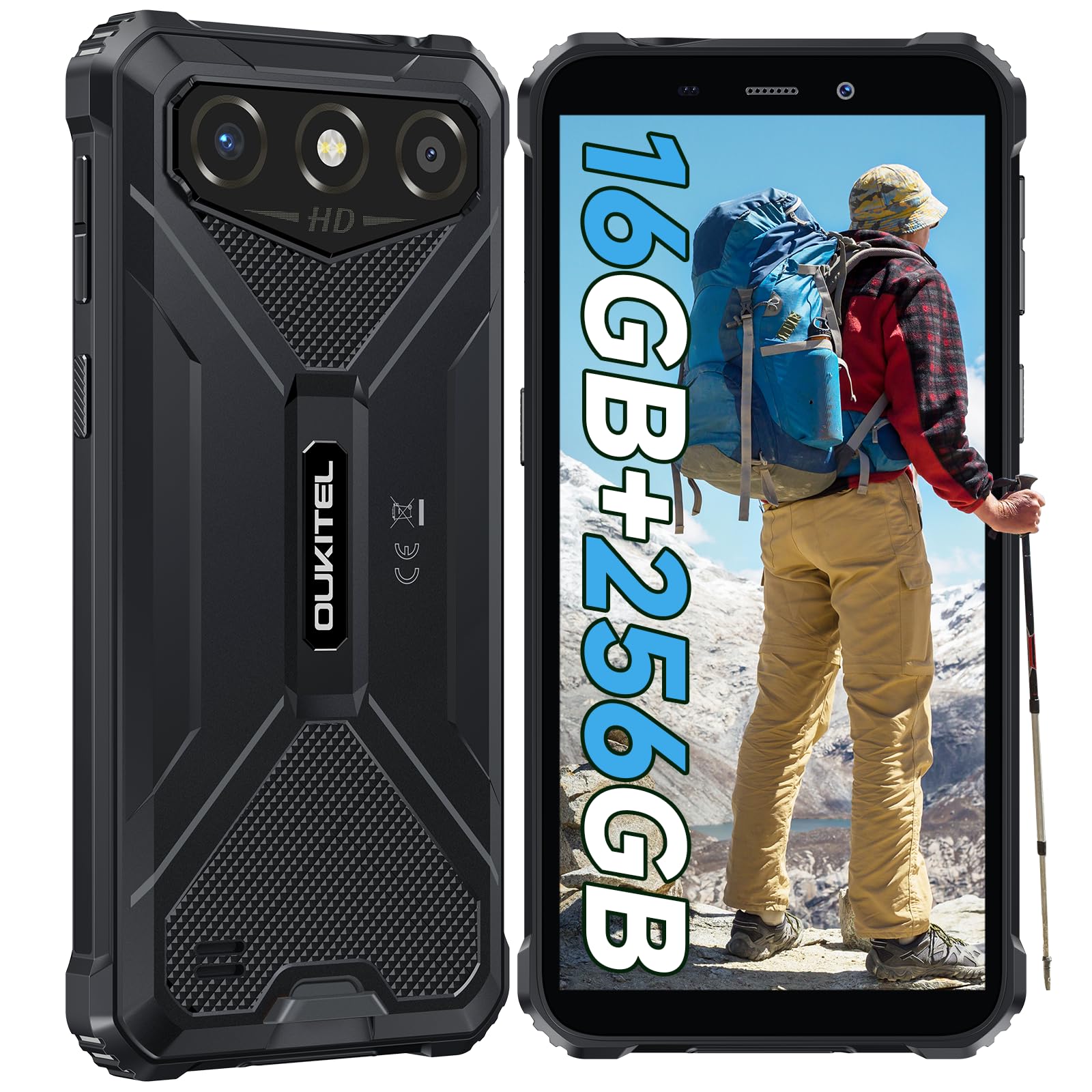
The OUKITEL G3 is a rugged smartphone designed for durability and performance in challenging environments. It features a 6.0-inch HD display, a 6300mAh battery, 16GB RAM (expandable), 256GB ROM (expandable to 1TB), and a 13MP main camera. The device is certified with IP68, IP69K, and MIL-STD-810H ratings, ensuring resistance to water, dust, and drops. It operates on Android 14 and supports 4G Dual SIM, GPS, Face ID, and OTG functionality.
2. 패키지 내용
패키지에 모든 품목이 들어 있는지 확인하세요.
- 1x OUKITEL G3 스마트폰
- 1x 충전기
- 1x 타입 C 케이블
- 1x SIM Card Ejector Pin
- 1x 사용자 설명서

3. 초기 설정
3.1. SIM 카드 및 TF 카드 삽입
- 기기 측면에서 SIM 카드 트레이를 찾으세요.
- Use the provided SIM ejector pin to open the tray.
- Carefully place your Nano SIM cards (up to two) and/or a TF card (for memory expansion up to 1TB) into the designated slots.
- 트레이에 표시된 방향대로 카드가 올바르게 놓여 있는지 확인하십시오.
- 트레이를 전화기 안으로 살짝 밀어 넣어 딸깍 소리가 나면서 제자리에 고정되도록 합니다.

3.2. 배터리 충전
Before first use, fully charge the device. Connect the Type-C cable to the phone's charging port and the other end to the provided charger. Plug the charger into a power outlet. The battery indicator on the screen will show charging status. The OUKITEL G3 features a 6300mAh battery for extended use.
3.3. 전원 켜기 / 끄기
- 전원을 켜려면 OUKITEL 로고가 나타날 때까지 전원 버튼을 길게 누르십시오.
- 전원 끄기: 전원 버튼을 길게 누른 다음, 화면의 옵션에서 "전원 끄기"를 선택하세요.
- 다시 시작하려면 전원 버튼을 길게 누른 다음 옵션에서 "다시 시작"을 선택하십시오.
4. 사용 설명서
4.1. 디스플레이 및 탐색
The OUKITEL G3 features a 6.0-inch HD display with 450 nits brightness and Corning Glass 5 protection. Navigate the Android 14 interface using touch gestures: tap, swipe, pinch-to-zoom. Access quick settings by swiping down from the top of the screen.

4.2. 카메라 기능
The device is equipped with a 13MP rear camera and a 5MP front camera. Open the Camera app to capture photos and videos. Features include:
- 표준 사진 모드: 일상적인 사진 촬영에 적합합니다.
- AI 뷰티 모드: 인물 사진에서 얼굴 특징을 더욱 돋보이게 합니다.
- 수중 카메라 모드: Allows capturing photos and videos while submerged up to 1.5m for 30 minutes. Ensure all ports are securely sealed before underwater use.
- 파노라마 모드: 광각 풍경 사진 촬영용입니다.

4.3. Battery Management and OTG
The 6300mAh battery provides extended usage. To optimize battery life, manage screen brightness, close unused applications, and enable power-saving modes when needed. The device supports OTG (On-The-Go) reverse charging, allowing you to use your OUKITEL G3 to charge other compatible devices via a Type-C OTG cable (sold separately).

4.4. Custom Key and Security Features
- 맞춤 키: A programmable button on the side of the device for quick access to specific applications or functions. Configure its actions (single click, double click, long press) in the phone settings.
- 페이스 ID: Use facial recognition for secure unlocking of your device. Set up Face ID in the Security settings.
- GPS 네비게이션: The OUKITEL G3 supports GPS, GLONASS, Beidou, and Galileo navigation systems for accurate positioning.

5. 유지관리 및 내구성
The OUKITEL G3 is built to withstand harsh conditions, certified with IP68, IP69K, and MIL-STD-810H standards.
- IP68 방수 기능: Protected against continuous immersion in water up to 1.5 meters for 30 minutes. Ensure all port covers are tightly sealed before exposure to water.
- IP69K Dust Resistance: 먼지 유입 및 고압, 고온의 물 분사로부터 완벽하게 보호됩니다.
- MIL-STD-810H 낙하 저항성: Designed to withstand drops from up to 1.5 meters. The aluminum frame and rubberized corners provide enhanced shock absorption.
장치를 청소하려면 부드러운 damp cloth. Avoid harsh chemicals or abrasive materials. Regularly check port covers for proper sealing to maintain water and dust resistance.

6. 문제 해결
OUKITEL G3 사용 중 문제가 발생하면 다음의 일반적인 해결 방법을 참조하십시오.
| 문제 | 가능한 해결책 |
|---|---|
| 장치 전원이 켜지지 않음 | 배터리가 충전되었는지 확인하세요. 충전기를 연결하고 몇 분 정도 기다린 후 다시 전원을 켜보세요. |
| 네트워크 신호 불량 | Check if SIM cards are correctly inserted. Move to an area with better network coverage. Contact your service provider if the issue persists. |
| 애플리케이션이 충돌하거나 정지됨 | Close background applications. Clear the cache of the problematic app. Restart the device. Ensure sufficient storage space is available. |
| 배터리가 빨리 소모됩니다 | Reduce screen brightness. Disable unused features like Wi-Fi, Bluetooth, GPS. Close power-intensive apps. Check battery usage in settings to identify culprits. |
| 터치스크린이 응답하지 않음 | 기기를 재시작하십시오. 문제가 지속되면 공장 초기화를 수행하십시오(초기 데이터 백업 필요). |
7. 기술 사양
| 특징 | 세부 사항 |
|---|---|
| 상표 | 오키텔 |
| 모델 | G3 |
| 운영 체제 | 안드로이드 14 |
| 숫양 | 4GB (가상 RAM 16GB까지 확장 가능) |
| 내부 저장소(ROM) | 256GB |
| 확장 가능한 스토리지 | 최대 1TB (TF 카드) |
| 디스플레이 크기 | 6.0인치 |
| 디스플레이 해상도 | HD (450 nits brightness, Corning Glass 5) |
| 새로 고침 빈도 | 60Hz |
| 후방 카메라 | 13메가픽셀 |
| 전면 카메라 | 5메가픽셀 |
| 배터리 용량 | 6300mAh |
| 충전 포트 | USB 타입-C |
| 내구성 등급 | IP68, IP69K, MIL-STD-810H |
| SIM 카드 지원 | Dual 4G Nano SIM |
| 항해 | GPS, GLONASS, 베이더우, 갈릴레오 |
| 생체 인식 보안 | 페이스아이디 |
| 오디오 잭 | 3.5mm |
자세한 에너지 효율 정보는 EU EPREL 데이터베이스를 참조하십시오. https://eprel.ec.europa.eu/qr/2400970

8. 보증 및 지원
OUKITEL provides the following support for the G3 smartphone:
- 반품 정책: 30일 이내 이유 불문 반품 가능.
- 보증: TWO-YEAR warranty.
- 기술 지원: 장기적인 기술 지원.
- 고객 서비스: 24시간 온라인 고객 서비스.
For any inquiries or support, please contact OUKITEL official customer service.