
1. 서론
블랙view MP60 Mini PC is a compact and powerful computing solution designed for various applications, including office work, multimedia creation, and home server use. Featuring the Intel Twin Lake N150 processor, 16GB RAM, and a 512GB M.2 SSD, it offers efficient performance in a small form factor. This manual provides essential information for setting up, operating, and maintaining your device.

이미지: 더 블랙view MP60 Mini PC, highlighting its compact design and Intel Twin Lake N150 processor.
2. 상자 안에 무엇이 들어있나요?
패키지에 모든 품목이 들어 있는지 확인하세요.
- 검은색view Mini PC MP60 N150 (x1)
- HDMI 케이블(x1)
- 전원 어댑터(x1)
- VESA Mount with Screws (x1)
- 보증 및 지원 정보
3. 제품 오버view
블랙view MP60 Mini PC features a compact design with essential ports for connectivity and expansion. Its small footprint makes it suitable for various environments.
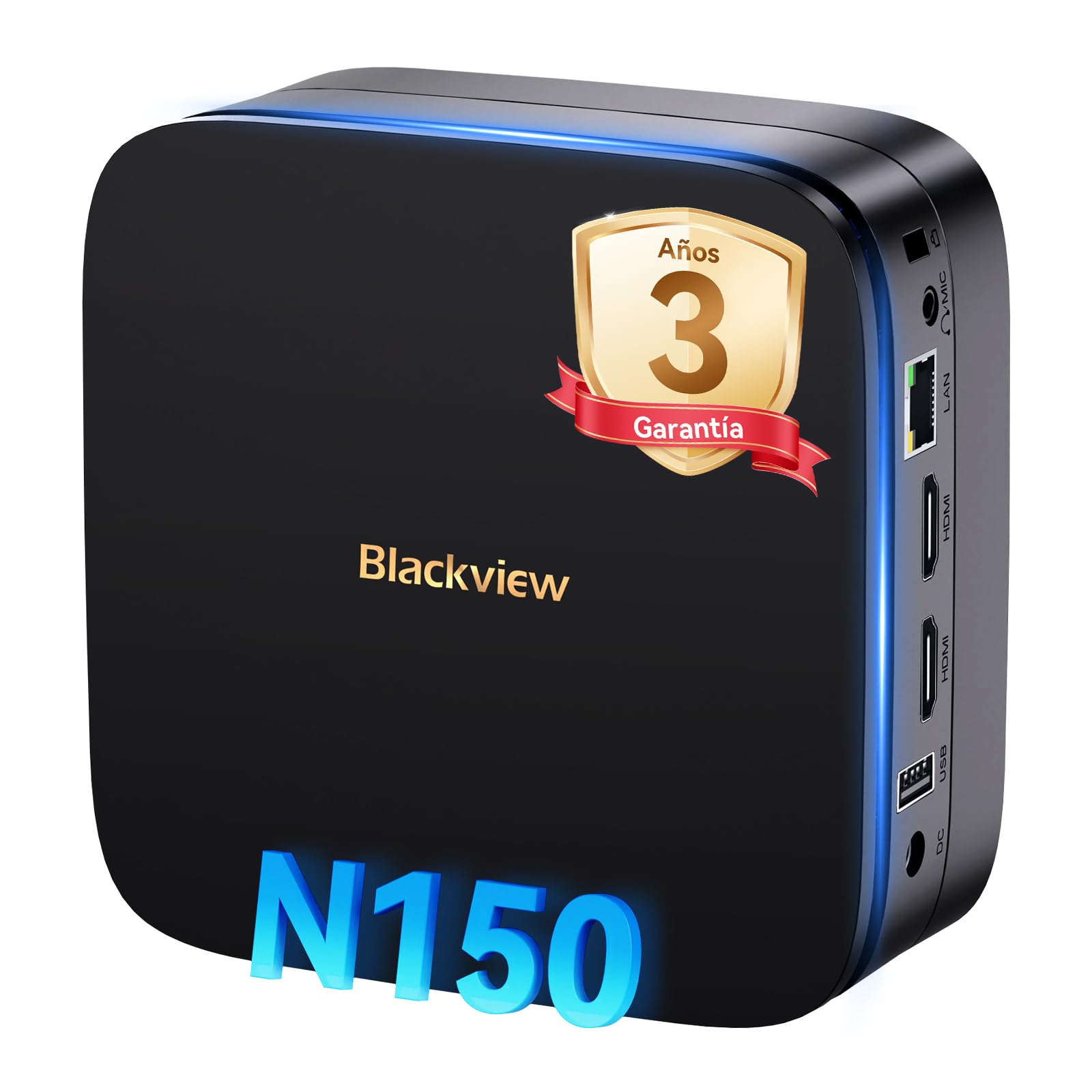
이미지: 앞면과 뒷면 view 검은색의view MP60 Mini PC, illustrating its various ports including USB, HDMI, and Ethernet.
주요 특징:
- 프로세서: Intel Twin Lake N150 (up to 3.6 GHz)
- 숫양: 16GB DDR4
- 저장: 512GB M.2 SSD (최대 2TB까지 확장 가능)
- 제도법: 통합 Intel UHD 그래픽
- 운영 체제: 윈도우 11 프로
- 연결성: Dual-band Wi-Fi (2.4Ghz & 5Ghz), Bluetooth 4.2, Gigabit Ethernet (RJ45)
- 비디오 출력: 2x HDMI 2.0 (supports dual 4K displays)
- USB 포트: 4x USB ports (USB 2.0 Type A, USB 3.0 Type A)
4. 설정 지침
Black을 설정하려면 다음 단계를 따르세요.view MP60 미니 PC:
- 디스플레이에 연결: Use the provided HDMI cable to connect the Mini PC to your monitor or TV. The device supports dual 4K displays.
- 주변기기 연결: 사용 가능한 USB 포트에 USB 키보드와 마우스를 연결하세요.
- 전원에 연결: 전원 어댑터를 미니 PC의 DC 입력 포트에 연결한 다음 어댑터를 전원 콘센트에 꽂으십시오.
- 전원 켜기: Press the power button located on the front of the Mini PC. The device will boot up, and you will see the Windows 11 Pro setup screen.
- 초기 Windows 설정: 화면의 지침에 따라 언어, 지역, 네트워크 연결, 사용자 계정 생성 등 Windows 11 Pro 설정을 완료하세요.

이미지: 더 블랙view MP60 Mini PC demonstrating its micro size and portability, fitting easily into a bag.
5. 사용 설명서
5.1 기본 작업
Once Windows 11 Pro is set up, you can begin using your Mini PC. The Intel Twin Lake N150 processor provides sufficient power for daily tasks, office applications, and multimedia consumption.
- 전원 켜기/끄기: Press the power button to turn the device on. To shut down, go to the Start Menu in Windows and select Power > Shut down.
- 다시 시작: From the Start Menu, select Power > Restart.
- 수면 모드 : From the Start Menu, select Power > Sleep.
5.2 스토리지 확장
블랙view MP60 Mini PC allows for easy storage expansion with a 2.5-inch SSD/HDD. This feature is useful for storing large files, videos, or creating a home NAS.
- Locate the removable base of the Mini PC.
- Carefully remove the base to access the 2.5-inch drive bay.
- Install your 2.5-inch SSD or HDD (up to 2TB, not included) into the bay.
- Secure the drive and reattach the base.
- After booting, you may need to initialize and format the new drive in Windows Disk Management.

Image: Step-by-step illustration of how to install a 2.5-inch SSD into the Blackview MP60 Mini PC for storage expansion.
5.3 Dual 4K Display Setup
The Mini PC supports connecting two 4K displays simultaneously via its two HDMI 2.0 ports, enhancing productivity for tasks requiring multiple screens.
- Connect your primary monitor to one HDMI port.
- Connect your secondary monitor to the second HDMI port.
- Once both monitors are connected and the PC is powered on, Windows will automatically detect them.
- To configure display settings (e.g., extend, duplicate, resolution), right-click on the desktop and select "Display settings."

이미지: 더 블랙view MP60 Mini PC powering two 4K monitors, demonstrating its dual display capability for enhanced productivity.
5.4 네트워크 및 무선 연결
The MP60 offers robust connectivity options:
- 와이파이: Supports dual-band 2.4GHz and 5GHz Wi-Fi for fast and stable wireless internet access. Connect via Windows network settings.
- 이더넷: A Gigabit RJ45 port provides a wired connection for maximum stability and speed (up to 1000 MB/s).
- 블루투스: Bluetooth 4.2 allows for easy connection of wireless peripherals like keyboards, mice, and audio devices.
6. 유지관리
To ensure optimal performance and longevity of your Blackview MP60 Mini PC, follow these maintenance guidelines:
- 깨끗하게 유지하세요: Regularly clean the exterior of the Mini PC with a soft, dry cloth. Use compressed air to clear dust from vents to maintain efficient cooling.
- 소프트웨어 업데이트: 보안 및 성능 유지를 위해 Windows 운영 체제와 드라이버를 최신 상태로 유지하십시오.
- 장애물을 피하십시오: 과열을 방지하려면 통풍구가 막히지 않도록 주의하세요.
- 안전 종료: Always shut down the PC properly through the operating system rather than simply unplugging it.

이미지: 내부 view 검은색의view MP60 Mini PC, illustrating its silent heat dissipation system with a cooling fan and heatpipes.
7. 문제 해결
블랙 제품 사용 중 문제가 발생하면view MP60 Mini PC, refer to the following common troubleshooting steps:
- 전원 없음:
- 전원 어댑터가 Mini PC와 작동하는 전원 콘센트에 모두 단단히 연결되어 있는지 확인하세요.
- 다른 장치로 전원 콘센트를 테스트하세요.
- 디스플레이 없음:
- 미니 PC와 모니터 모두에 연결된 HDMI 케이블의 연결 상태를 확인하십시오.
- 모니터 전원이 켜져 있고 입력 소스가 HDMI로 올바르게 설정되어 있는지 확인하십시오.
- 가능하다면 다른 HDMI 케이블이나 모니터를 사용해 보세요.
- 인터넷에 연결되지 않음:
- For Wi-Fi, ensure the Wi-Fi adapter is enabled in Windows settings and you are connected to the correct network with the correct password.
- For Ethernet, ensure the cable is securely plugged into both the Mini PC and your router/modem. Check router status.
- 라우터/모뎀과 미니 PC를 재시작하세요.
- 느린 성능:
- 백그라운드에서 실행 중인 불필요한 애플리케이션을 닫으세요.
- 보류 중인 Windows 업데이트를 확인하고 설치하세요.
- 메인 드라이브에 충분한 여유 공간이 있는지 확인하십시오.
- 바이러스 검사를 실행하세요.
문제가 지속될 경우, 추가 지원을 받으려면 보증 및 지원 섹션을 참조하십시오.
8. 사양
블랙에 대한 자세한 기술 사양view MP60 미니 PC:
| 특징 | 사양 |
|---|---|
| 프로세서 | Intel Twin Lake N150 (up to 3.6 GHz, 4 Cores, 4 Threads, 6MB Cache) |
| 제도법 | 통합 Intel UHD 그래픽 |
| 숫양 | 16GB DDR4(3200MHz) |
| 저장 | 512GB M.2 SSD (PCIe x4 interface), expandable with 2.5" SSD/HDD up to 2TB |
| 운영 체제 | 윈도우 11 프로 |
| 비디오 출력 | 2x HDMI 2.0 (supports dual 4K @ 60Hz displays) |
| USB 포트 | 4x USB (USB 2.0 Type A, USB 3.0 Type A) |
| 회로망 | Gigabit Ethernet (RJ45), Wi-Fi 5G (802.11ac, dual-band 2.4GHz/5GHz) |
| 블루투스 | 블루투스 4.2 |
| 오디오 출력 | 3.5mm 오디오 잭 |
| 냉각 방식 | Air Cooling (Silent design with fan and heatpipes) |
| 치수 | 12.8 x 12.8 x 5.2cm |
| 무게 | 1.01kg |
| 전원 공급 장치 | External Power Adapter (Type E/F: 2 pins for EU) |
9. 보증 및 지원
검은색view is committed to providing high-quality products and excellent customer service.
보증 정보:
당신의 검은색view MP60 Mini PC comes with a 3년 공식 보증 covering parts and labor for manufacturing defects. This ensures prompt replacement or repair in case of product failure.

이미지: 검정색view's commitment to customer satisfaction, highlighting a 3-year warranty and lifetime technical support.
기술 지원:
검은색view 제공하다 평생 기술 지원. Our expert team is available via email, live chat, or phone to assist you with software updates, troubleshooting, and optimization tips to keep your device running smoothly for years. Please refer to the contact information provided with your product or visit the official Blackview web지원 세부 정보 사이트.