
소개
This manual provides detailed instructions for the setup, operation, and maintenance of your COLMI P86 Smartwatch. Please read this guide thoroughly to ensure proper use and to maximize your device's features.
상자 안에 무엇이 들어있나요?
Upon opening your COLMI P86 Smartwatch package, you should find the following items:
- COLMI P86 Smartwatch with Band
- 충전 케이블
- 사용 설명서 (본 문서)

Image: Contents of the COLMI P86 Smartwatch package, showing the smartwatch, charging cable, and user manual.
설정
1. 스마트워치 충전하기
Before initial use, fully charge your COLMI P86 Smartwatch. Connect the provided magnetic charging cable to the charging contacts on the back of the watch and to a USB power source. A full charge typically takes approximately 2 hours.

Image: The COLMI P86 Smartwatch connected to its magnetic charging cable, displaying "Charging..." on the screen. Information on charging time and battery life is also shown.
The 400mAh battery provides 5-7 days of battery life under normal use and up to 30 days of standby time.
2. 앱 설치 및 페어링
- 앱 다운로드: Scan the QR code provided in the quick start guide or search for the official COLMI app in your smartphone's app store (compatible with Android and iPhone).
- 계정 생성: 화면의 지시에 따라 계정을 만들고 프로 설정을 완료하세요.file.
- 편성:
- 스마트폰에서 Bluetooth가 활성화되어 있는지 확인하세요.
- Open the COLMI app and navigate to the device pairing section.
- Select your COLMI P86 from the list of available devices.
- 스마트폰과 스마트워치 모두에서 페어링 요청을 확인하세요.
- 페어링 문제 해결: If you encounter issues pairing, try deleting the app from your phone, restarting your phone and watch, and then reinstalling the app and rescanning the QR code for pairing.
작동 지침
1. 기본 탐색
The COLMI P86 Smartwatch features a touch-sensitive AMOLED screen and a rotating crown for navigation.
- 터치 스크린: 왼쪽, 오른쪽, 위, 아래로 스와이프하여 다른 메뉴와 기능에 접근하세요. 탭하여 항목을 선택하세요.
- 회전 크라운: Press the crown to wake/sleep the device or return to the watch face. Rotate the crown to scroll through menus or change watch faces.

이미지: 자세한 view of the COLMI P86 smartwatch highlighting the delicate rotating crown for innovative interaction and the curved AMOLED screen with 1.93-inch 368x448 resolution.
2. 디스플레이 및 워치 페이스
The smartwatch features a 1.93-inch curved AMOLED screen with 368x448 resolution, offering clear visuals.
- 시계 모드 변경: Long-press the watch face on the screen or use the rotating crown to browse and select from hundreds of available watch faces. More options are available through the companion app.
- 항상 표시: This feature allows the smartwatch to continuously display essential information like time without requiring manual screen activation.

Image: The COLMI P86 Smartwatch showcasing its Always On Display functionality, which keeps information visible without needing to manually light up the screen.

Image: A selection of over 100 watch faces available for the COLMI P86 Smartwatch, including dynamic dials and options for DIY customization via the app.
3. 블루투스 통화
The COLMI P86 supports Bluetooth calling, allowing you to make, answer, and end calls directly from your wrist. It features a built-in microphone and speaker for clear audio.
- 스마트워치가 블루투스를 통해 스마트폰에 연결되어 있는지 확인하십시오.
- Access the call function from the watch menu to dial or answer incoming calls.

Image: The COLMI P86 Smartwatch showing its Bluetooth calling capability with an incoming call notification, alongside message display and icons for microphone, call, dial pad, and speaker.
4. 건강 모니터링
The smartwatch provides comprehensive health monitoring features, including heart rate, blood oxygen, and sleep tracking.
- 심박수 모니터링 : The 8-channel heart rate sensor continuously monitors your heart rate, providing timely reminders for irregular heart rates.
- 혈중 산소 모니터링(SpO2): 손목시계로 혈중 산소량을 직접 측정하세요.
- 수면 모니터링: The watch analyzes your sleep quality, providing insights into your sleep patterns.
- 스트레스 테스트: 스트레스 수준을 모니터링하세요.

Image: The COLMI P86 Smartwatch highlighting its high-precision sensors for accurate vital sign monitoring, including an 8-channel heart rate sensor and blood oxygen sensor. Displays for sleep monitoring, blood oxygen, and stress testing are also shown.
Note: The health monitoring features are for reference only and should not be used for medical diagnosis or treatment. Consult a medical professional for health concerns.
5. Exercise Tracking
The COLMI P86 offers over 100 exercise modes for both indoor and outdoor activities. It records exercise time, steps, and calories burned.
- Select your desired sport mode from the watch menu before starting an activity.
- The watch will automatically track relevant data.
- Review your exercise data in the companion app for detailed analysis.
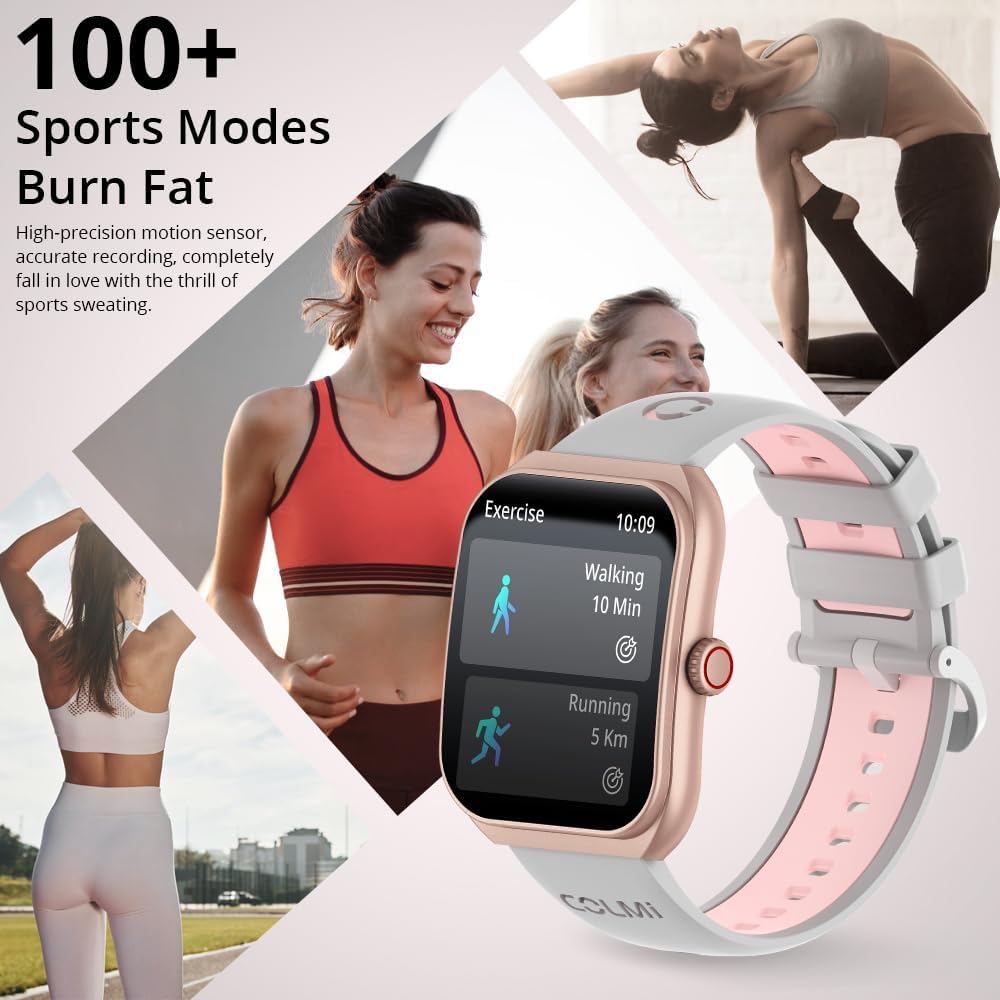
Image: The COLMI P86 Smartwatch showcasing its support for over 100 sports modes, with a display showing walking and running exercise data. Various fitness activities are depicted in the background.
6. 알림
Receive notifications for calls, messages, and other app alerts directly on your smartwatch. Ensure notification permissions are enabled in the companion app and your phone settings.
유지
1. 청소
- 부드럽고 보푸라기가 없는 천으로 시계 화면과 본체를 닦으세요.
- For the watch band, use a mild soap solution and rinse thoroughly, then dry completely before wearing.
- 가혹한 화학물질이나 연마재의 사용은 피하세요.
2. 방수성
The COLMI P86 Smartwatch has a 1ATM water resistance rating, meaning it is resistant to splashes and brief immersion. It is suitable for daily use and light rain.
중요한: Do not wear the watch while swimming, showering, or in saunas, as steam and hot water can compromise the water seal. Avoid pressing buttons underwater.
문제 해결
- 시계가 켜지지 않음: 시계가 완전히 충전되었는지 확인하세요. 충전기에 최소 30분 동안 연결해 두세요.
- 스마트폰과 페어링할 수 없습니다:
- 휴대폰에서 블루투스가 활성화되어 있고 스마트워치가 검색 가능한 상태인지 확인하세요.
- 휴대폰과 스마트워치를 모두 재시작해 보세요.
- If issues persist, uninstall the COLMI app, restart your phone, and then reinstall the app and attempt pairing again.
- 알림이 나타나지 않음:
- Check app permissions on your smartphone to ensure the COLMI app has access to notifications.
- Verify that notification settings are enabled within the COLMI app for specific applications.
- 시계가 Bluetooth를 통해 올바르게 연결되었는지 확인하세요.
- 부정확한 걸음 수: Ensure the watch is worn snugly on your wrist. Calibrate step tracking within the app if available.
- 짧은 배터리 수명:
- 화면 밝기를 낮추세요.
- Disable "Always On Display" if not needed.
- 심박수 또는 혈중 산소 농도 측정을 너무 자주 하지 마십시오.
- 백그라운드 앱이 전력을 과도하게 소모하지 않는지 확인하세요.
명세서
| 특징 | 세부 사항 |
|---|---|
| 모델 번호 | 콜미 P86 |
| 화면 크기 | 1.93 인치 |
| 디스플레이 유형 | AMOLED, Curved Screen |
| 해결 | 368x448 |
| 배터리 용량 | 400mAh(0.4 Amp 시간) |
| 배터리 수명(정상 사용 시) | 5-7일 |
| 대기 시간 | 최대 30일 |
| 연결성 | 블루투스 |
| 운영 체제 호환성 | 안드로이드, 아이폰 |
| 메모리 저장 용량 | 128메가바이트 |
| 품목 무게 | 100그램(3.53온스) |
| 방수성 | 1ATM (Splash resistant) |
| 특별 기능 | AMOLED, Bluetooth calling, Curved screen, Heart Rate/Blood Oxygen/Sleep Monitoring, 100+ Exercise Modes |
보증 및 지원
COLMI provides professional after-sales service for your P86 Smartwatch. If you have any questions regarding the use or quality of your product, please contact our customer support team.
For support, please refer to the contact information provided with your purchase or visit the official COLMI web대지. 보증 청구를 위해 구매 영수증을 보관하십시오.