
1. 서론
This instruction manual provides detailed guidance for using your Techkey USB 3.0 MFi Certified 3-in-1 Flash Drive. This versatile external memory device is designed to expand storage and facilitate data transfer across various platforms, including iOS devices (iPhone/iPad), Android phones, and personal computers (PC/Mac). Please read this manual thoroughly to ensure optimal performance and data security.

Figure 1: Techkey 3-in-1 Flash Drive with USB-A, USB-C, and Lightning connectors.
2. 제품 오버view
The Techkey 3-in-1 Flash Drive features a compact and durable design, offering 256GB of storage capacity. It integrates three primary connectors to ensure broad compatibility:
- USB-A 커넥터: For traditional PC and Mac computers.
- USB-C 커넥터 : For modern Android phones, iPads, and Mac devices.
- 라이트닝 커넥터: Specifically for iPhone and older iPad models.
The device is MFi certified, ensuring compatibility and reliability with Apple products. Its metal construction provides enhanced durability against dust, drops, and magnetic interference.

그림 2: 상세 view of the USB, Type-C, and Lightning connectors on the flash drive.
3. 설정 지침
3.1. App Installation (for iOS Devices)
For iOS devices (iPhone/iPad), you must download and install the "U-Disk" application from the App Store. This app is essential for managing files and utilizing the flash drive's full functionality.
- Connect the flash drive to your iPhone or iPad using the Lightning connector.
- A prompt will appear, asking you to download the "U-Disk" app. Follow the on-screen instructions to install it.
- Alternatively, you can manually search for "U-Disk" in the App Store and install it.
Android and PC devices typically do not require a dedicated app for basic file transfer, functioning as standard external storage.
3.2. Connecting the Flash Drive
Ensure the correct connector is used for your device:
- iPhone/iPad의 경우: Use the Lightning connector.
- For Android/USB-C iPad: Use the USB-C connector.
- PC/Mac의 경우: Use the USB-A connector.
Once connected, your device should recognize the flash drive. For iOS, open the "U-Disk" app and grant necessary permissions when prompted.
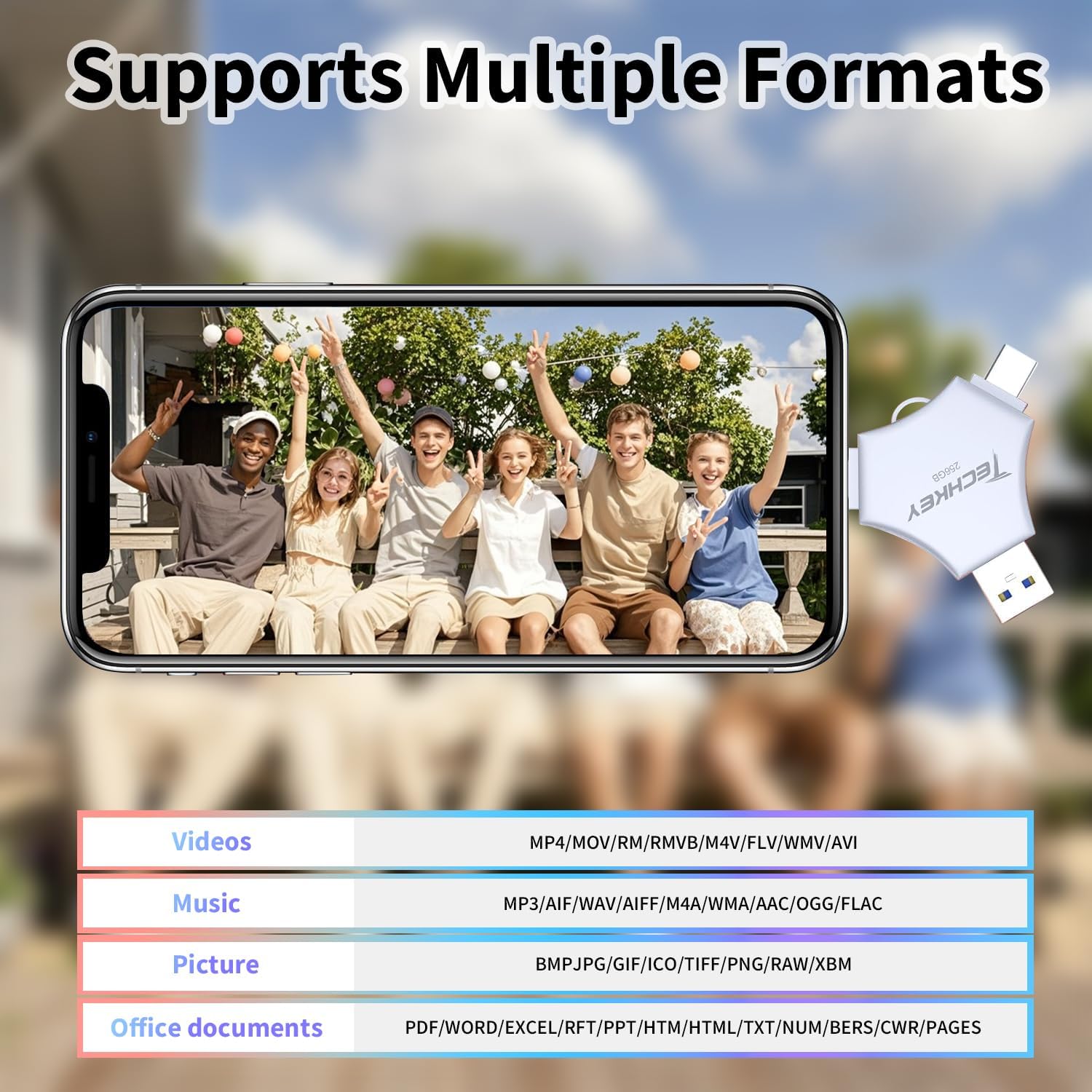
Figure 3: iPhone connected to the Techkey Flash Drive, displaying the U-Disk application interface.
4. 사용 설명서
4.1. Backing Up Photos and Videos (iOS)
The "U-Disk" app allows for easy one-click backup of your media files.
- Connect the flash drive and open the "U-Disk" app.
- Navigate to the "External Storage" section within the app.
- Select "Photo" or "Video" to access your device's media library.
- Choose the photos or videos you wish to back up. You can select multiple items.
- Confirm the transfer. The app will copy the selected files to the flash drive, freeing up space on your iOS device.
4.2. 전송 Files (Android/PC)
For Android and PC, the flash drive operates as a standard plug-and-play storage device.
- 기계적 인조 인간: Connect the USB-C connector to your Android phone. Access the file휴대폰을 통해 file 관리자.
- PC/맥: Connect the USB-A or USB-C connector to your computer. The drive will appear as a removable disk. You can drag and drop file차를 타고 오가는 동안.
4.3. Automatic Storage and On-the-Go Playback
The "U-Disk" app allows photos and videos captured using its in-app camera to be automatically saved directly to the flash drive. You can also store movies and music on the drive for playback anytime, anywhere, without needing an internet connection.

Figure 4: Illustrates diverse applications of the flash drive, such as storing files, transferring data, and media playback.
5. 주요 특징
- MFi 인증: Ensures full compatibility and safe operation with Apple devices, providing secure data storage.
- 3-in-1 Multi-Interface Design: Equipped with USB-A, USB-C, and Lightning connectors for universal compatibility across iOS, Android, PC, and Mac devices.
- 고속 전송: Features USB 3.0 technology for fast read and write speeds, significantly reducing transfer times for large files. Read speeds up to 40MB/s (USB), 30MB/s (Lightning/Type-C). Write speeds up to 20MB/s (USB), 25MB/s (Lightning/Type-C).
- One-Click Backup & Sharing: The "U-Disk" app simplifies backing up photos, videos, and contacts from your phone. It also supports direct sharing to social media platforms.
- 데이터 암호화: Offers robust security options, including Touch ID/Passcode encryption for the entire drive or specific files, protecting your sensitive data.
- 와이드 포맷 지원: Compatible with various video (MP4, MOV, RMVB, M4V, FLV, WMV, AVI), music (MP3, AIF, WAV, AIFF, M4A, WMA, AAC, OGG, FLAC), picture (BMP, JPG, GIF, ICO, TIFF, PNG, RAW, XBM), and office document (PDF, WORD, EXCEL, RFT, PPT, HTM, HTML, TXT, NUM, BERS, CWR, PAGES) formats.
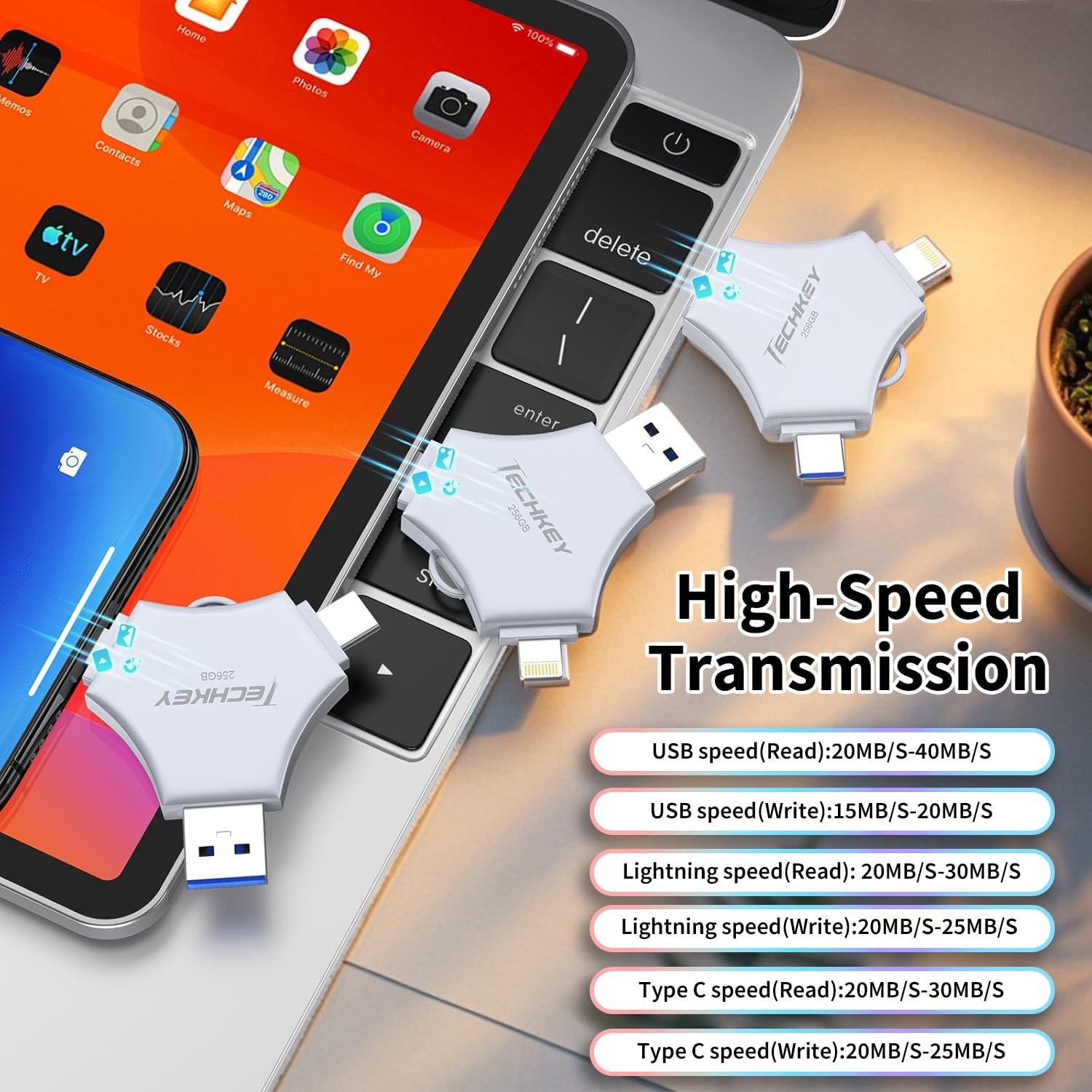
Figure 5: High-speed data transfer capabilities across different interfaces.

Figure 6: Illustrates the Touch ID unlocking mode for enhanced data security.
6. 유지관리
To ensure the longevity and optimal performance of your Techkey Flash Drive, follow these maintenance guidelines:
- 기기를 건조하고 습기가 없는 곳에 보관하세요.
- Avoid exposing the drive to extreme temperatures.
- Handle the connectors with care to prevent damage.
- Always safely eject the drive from your computer before unplugging it.
- Keep the protective caps on the connectors when not in use to prevent dust and debris accumulation.
7. 문제 해결
- 드라이브가 인식되지 않음:
- 드라이브가 올바른 포트에 완전히 삽입되었는지 확인하십시오.
- For iOS, check if the "U-Disk" app has permissions to access the drive. Try restarting the app or your device.
- For PC/Mac, try connecting to a different USB port.
- 느린 전송 속도:
- 최적의 속도를 위해 컴퓨터의 USB 3.0 포트를 사용하고 있는지 확인하십시오.
- 크기가 큰 file 이체 과정은 자연스럽게 시간이 더 오래 걸립니다.
- Files Not Appearing After Transfer:
- Verify that the transfer process completed successfully.
- Check the correct folder within the "External Storage" section of the "U-Disk" app or your computer's file 탐침.
- Encryption Issues:
- Double-check your Touch ID or passcode settings within the "U-Disk" app.
- Ensure your device's biometric authentication is properly configured.
8. 사양
| 상표 | 테크키 |
| 모델 번호 | 641837950580 |
| 메모리 저장 용량 | 256GB (XNUMX기가바이트) |
| 하드웨어 인터페이스 | USB |
| 플래시 메모리 유형 | Lightning/Type-C/USB |
| 읽기 속도 | 초당 최대 40메가바이트 |
| 호환 장치 | Android, PC, Smartphone, iPad, iPhone |
| 특징 | 내마모성 |
| 색상 | 회색 |
| 품목 치수(D x W x H) | 0.07인치 깊이 x 3.94인치 너비 x 0.07인치 높이 |
9. 보증 및 지원
This Techkey Flash Drive comes with a standard manufacturer's warranty. For specific warranty details, please refer to the product packaging or contact Techkey customer support. If you encounter any issues not covered in this manual, please reach out to our support team for assistance.
고객 지원: Please visit the official Techkey web연락처 정보와 추가 지원 리소스는 사이트에서 확인하세요.