
1. 서론
Thank you for choosing the UCOCARE Mini Portable Projector V18. This projector is designed to provide a high-quality visual and audio experience for various entertainment and presentation needs. Featuring native 1080P resolution with 4K support, AI-enhanced visuals and audio, and smart screen adjustments, it offers versatility and ease of use. Please read this manual thoroughly before using the product to ensure proper operation and to maximize its lifespan.
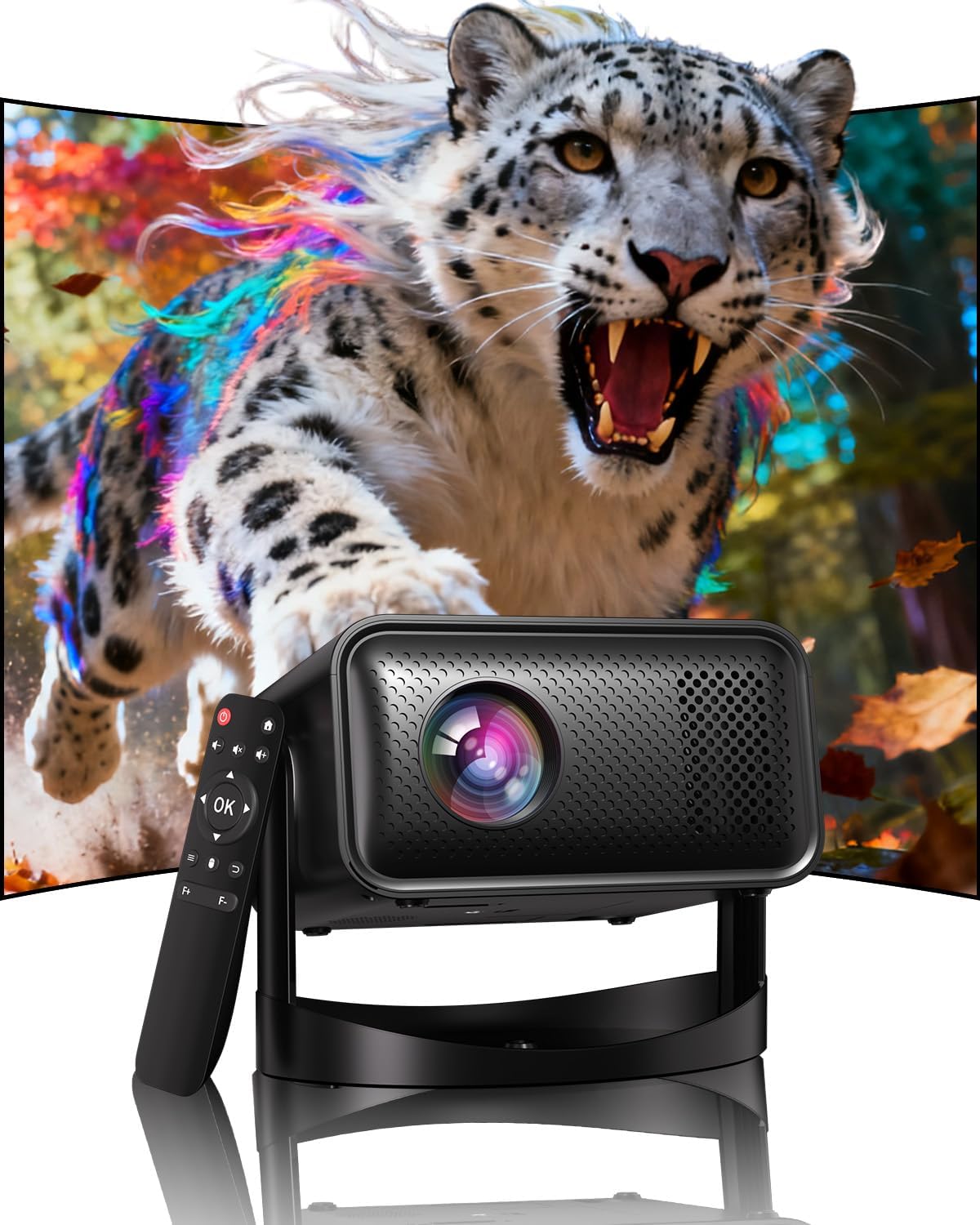
Image: The UCOCARE Mini Portable Projector V18, showcasing its compact design and the vibrant projection capabilities.
2. 안전 정보
- l을 사용할 때 프로젝터 렌즈를 직접 쳐다보지 마십시오.amp 켜져있습니다.
- 과열을 방지하려면 프로젝터 주변을 적절하게 환기시키십시오.
- 기기와 함께 제공된 전원 어댑터만 사용하세요.
- 프로젝터를 물, 습기 및 인화성 물질로부터 멀리하십시오.
- 불안정한 표면에 프로젝터를 두지 마십시오.
- 프로젝터를 직접 분해하거나 수리하지 마십시오. 도움이 필요하면 고객 지원 센터에 문의하십시오.
3. 패키지 내용
패키지에 모든 품목이 들어 있는지 확인하세요.
- UCOCARE Mini Portable Projector V18
- 원격 제어
- 전원 코드
- 사용 설명서 (본 문서)
4. 제품 오버view
The UCOCARE V18 projector combines advanced features in a compact design, making it suitable for various environments. It weighs approximately 2.09 pounds and measures 8.35 x 8.03 x 5.28 inches.

Image: The compact and lightweight design of the UCOCARE Mini Portable Projector V18, highlighting its dimensions and portability.
4.1 주요 특징
- 네이티브 1080p 해상도 및 4K 지원: 선명하고 디테일한 이미지를 제공합니다.
- AI-Enhanced Visuals: Improves detail, contrast, and color for a lifelike view경험.
- AI-Enhanced Audio: Provides clear dialogue and rich, distortion-free sound.
- Smart Screen Adjustment: Features electric focus, 50%-100% zoom, and auto keystone correction.
- 듀얼 밴드 WiFi: Supports 2.4GHz/5GHz for stable and high-speed streaming.
- 블루투스 연결: 무선 오디오 장치용.
- 180도 회전 가능한 유연한 스탠드: Allows projection on walls, ceilings, or tables.
- 범용 연결: HDMI, USB, and 3.5mm audio jack.
5. 설정
5.1 배치
Position the projector on a stable surface. The 180° flexible rotating stand allows you to adjust the projection angle to suit your needs, whether projecting on a wall, ceiling, or screen.
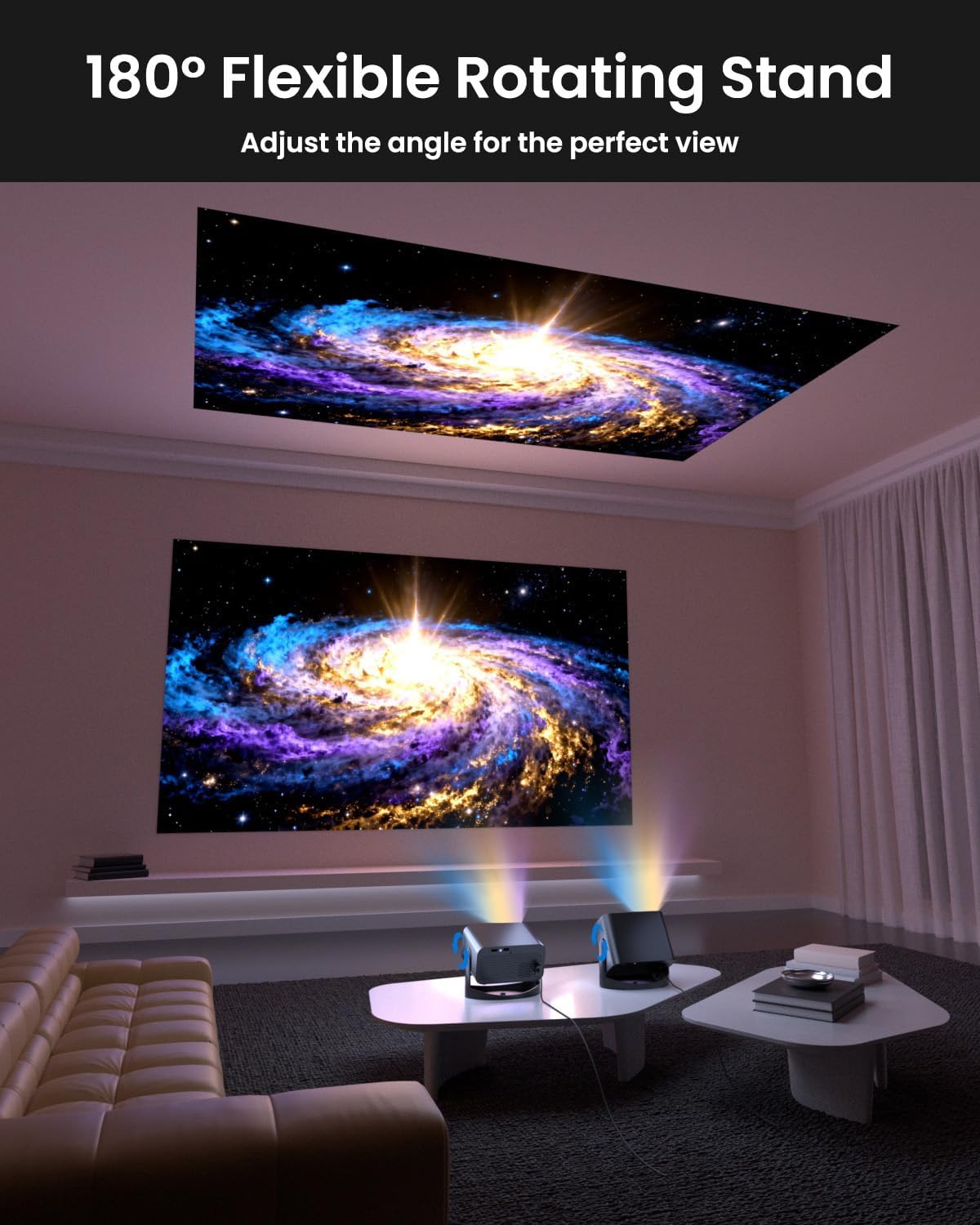
Image: The UCOCARE Mini Portable Projector V18 demonstrating its flexible 180° rotating stand, allowing projection onto various surfaces.
5.2 전원 연결
- 프로젝터의 전원 입력 포트에 전원 코드를 연결하십시오.
- 전원 코드의 다른 쪽 끝을 전원 콘센트에 꽂습니다.
- 프로젝터나 리모컨의 전원 버튼을 눌러 전원을 켜세요.
5.3 Initial Screen Adjustment
The projector features smart screen adjustment for optimal view주고받음.
- 전기 초점: Use the remote control to activate one-touch electric focus for a clear image.
- 자동 키스톤 보정: The projector will automatically correct vertical distortion.
- 확대/축소 기능 (50%-100%): Adjust the screen size without moving the projector using the remote control.

Image: Visual representation of the smart screen adjustment features: Electric Focus, 50%-100% Zoom, and Auto Keystone Correction.
5.4 네트워크 연결(Wi-Fi)
- 프로젝터의 '설정' 메뉴로 이동하세요.
- '네트워크' 또는 'Wi-Fi 설정'을 선택하세요.
- Choose your desired 2.4GHz or 5GHz WiFi network from the list.
- 비밀번호를 입력하고 접속합니다.
5.5 블루투스 페어링
- Go to the 'Settings' menu and select 'Bluetooth'.
- 프로젝터에서 Bluetooth를 활성화합니다.
- 블루투스 오디오 기기(예: 스피커, 헤드폰)를 페어링 모드로 설정하세요.
- 프로젝터 화면의 목록에서 기기를 선택하여 페어링하세요.
6. 운영
6.1 외부 장치 연결
프로젝터는 다양한 입력 소스를 지원합니다.
- HDMI : Connect devices like laptops, gaming consoles, or TV sticks using an HDMI cable.
- USB: 미디어를 재생하려면 USB 드라이브를 연결하세요. file직접적으로.
- 3.5mm 오디오 잭: 외부 유선 스피커 또는 헤드폰을 연결하세요.
- 무선 캐스팅: Stream content from your smartphone or tablet via WiFi.

이미지: 이상view of the UCOCARE Mini Portable Projector V18's universal multi-device connectivity options.
6.2 화질
Experience stunning visuals with AI-enhanced technology.

Image: The UCOCARE Mini Portable Projector V18's AI-enhanced video quality, detailing 4K support, HDR 10+, Native 1080P, and Wide Color Gamut.
6.3 오디오 품질
The projector features AI-enhanced audio for an immersive sound experience.
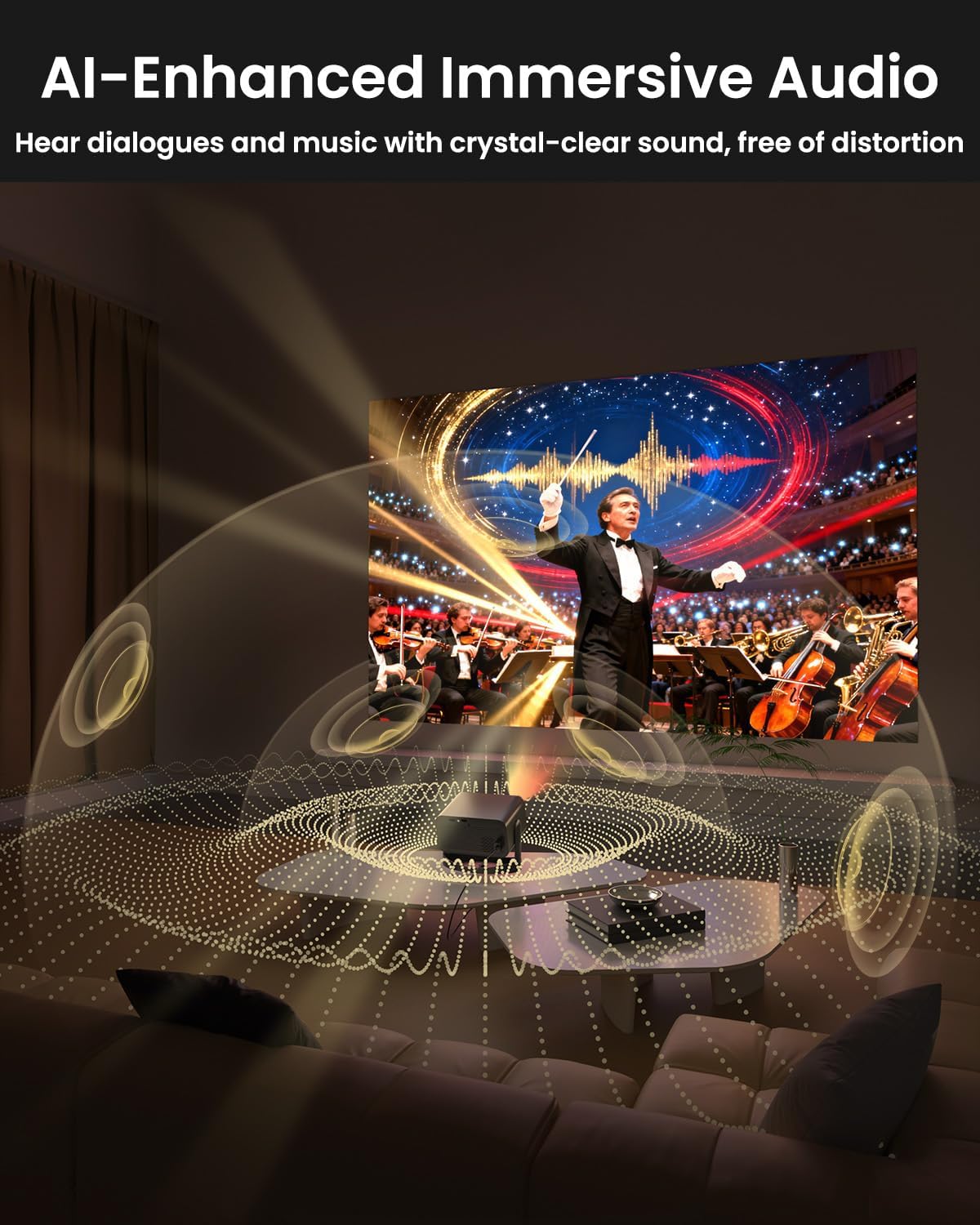
Image: The UCOCARE Mini Portable Projector V18 delivering AI-enhanced immersive audio, creating a surround sound experience.
6.4 리모콘 기능
The included remote control allows you to navigate menus, adjust volume, change input sources, and control playback. Refer to the remote control diagram in your quick start guide for specific button functions.
6.5 사용 시나리오
The UCOCARE V18 projector is versatile for various uses:
- 홈시어터: Enjoy movies and shows on a large screen.
- 노름: Connect your console for an immersive gaming experience.
- 비즈니스 프리젠테이션: Project documents and slides for meetings.
- Bedtime Relax: Project calming visuals or stories onto the ceiling.

Image: The UCOCARE Mini Portable Projector V18 adapting to various scenarios, including home theater, business, gaming, and relaxation.
7. 유지관리
7.1 렌즈 청소
광학 렌즈 전용으로 제작된 부드럽고 보풀 없는 천으로 프로젝터 렌즈를 살살 닦아주세요. 연마성 재질이나 독한 화학 약품은 사용하지 마십시오.
7.2 먼지 제거
Regularly clean the projector's exterior with a soft, dry cloth. For ventilation openings, use a soft brush or compressed air to remove dust buildup, ensuring proper airflow.
7.3 보관
장기간 사용하지 않을 경우 프로젝터를 직사광선과 극한 온도 변화를 피해 서늘하고 건조한 곳에 보관하십시오. 먼지와 손상을 방지하기 위해 원래 포장재 또는 보호 케이스를 사용하십시오.
8. 문제 해결
프로젝터에 문제가 발생하면 다음의 일반적인 문제와 해결 방법을 참조하세요.
| 문제 | 가능한 원인 | 해결책 |
|---|---|---|
| 화면에 이미지가 없습니다. | 전원 케이블이 분리되었거나, 입력 소스가 잘못되었거나, 렌즈 캡이 씌워져 있습니다. | 전원 연결을 확인하고, 올바른 입력 소스를 선택하고, 렌즈 캡을 제거하십시오. |
| 이미지가 흐릿함 | Focus not adjusted, projector too far/close. | Use electric focus function. Adjust projector distance if necessary. |
| 소리가 나지 않습니다 | Volume too low, external audio device not connected, incorrect audio output. | Increase volume, check Bluetooth connection or 3.5mm cable, select correct audio output in settings. |
| WiFi/Bluetooth 연결 문제 | Out of range, incorrect password, interference. | Ensure projector is within range of router/device. Re-enter password. Reduce interference. |
| 리모컨이 작동하지 않습니다 | 배터리가 부족하거나 소진되었거나, 방해물이 있거나, 리모컨이 페어링되지 않았습니다. | Replace batteries. Remove obstructions. Re-pair remote if applicable. |
9. 사양
| 특징 | 세부 사항 |
|---|---|
| 상표 | 유코케어 |
| 모델 번호 | V18 |
| 디스플레이 해상도 | Native 1920 x 1080 (1080P), 4K Supported |
| 연결 기술 | 2.4GHz/5GHz Wi-Fi, Bluetooth, 3.5mm Jack, HDMI, USB |
| 특별 기능 | 4K Supported, Native 1080P, Adjustable Stand, Electric Focus, Auto Keystone, Portable Mini Size, Built-In 2.4G/5GHz WiFi, Built-In Bluetooth |
| 품목 무게 | 2.09파운드 |
| 패키지 크기 | 8.35 x 8.03 x 5.28 인치 |
| 추천 용도 | 비즈니스, 교육, 게임, 홈 시네마 |
10. 보증 및 지원
UCOCARE products are manufactured to high-quality standards. For warranty information, please refer to the documentation included with your purchase or visit the official UCOCARE website. If you require technical assistance or have questions not covered in this manual, please contact UCOCARE customer support.
연락처 정보는 일반적으로 제품 포장이나 공식 브랜드 표시에 나와 있습니다. web대지.