
소개
This manual provides essential information for the setup, operation, maintenance, and troubleshooting of your SAMSUNG Galaxy Watch Ultra 2025. This AI Smartwatch is designed for rugged reliability, offering advanced fitness tracking, communication features, and long-lasting battery performance. It is equipped with a 1.5" AMOLED display, 64GB storage, 2GB RAM, and supports Unlocked LTE, Wi-Fi, and Bluetooth connectivity.

Figure 1: SAMSUNG Galaxy Watch Ultra 2025 (Titanium Blue)
상자 안에 무엇이 들어있나요?
Upon unboxing your SAMSUNG Galaxy Watch Ultra 2025, verify that all components are present:
- SAMSUNG Galaxy Watch Ultra 2025 (Titanium Blue)
- Watch Strap (matching color)
- 무선 충전 케이블
- 고속 충전기 큐브
- 빠른 시작 가이드 및 안전 정보
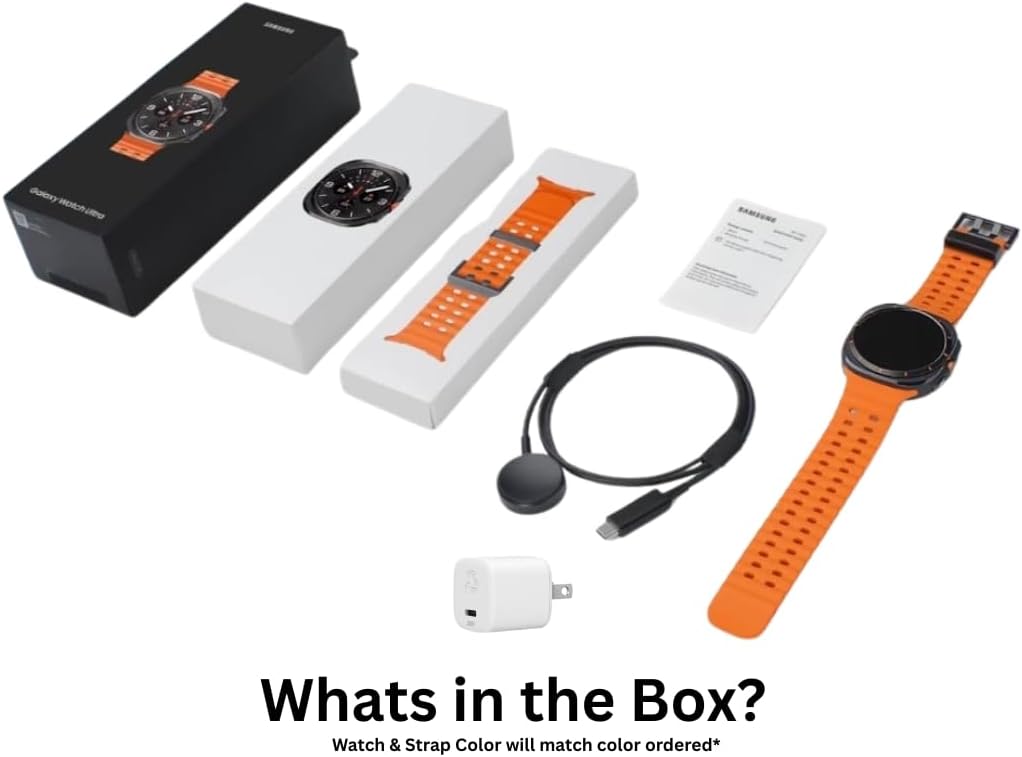
Figure 2: Included accessories and watch components
설정
초기 충전
Before first use, fully charge your Galaxy Watch Ultra. Connect the wireless charging cable to the provided fast charger cube, and place the watch onto the charging pad. The watch display will indicate charging status. A full charge can provide up to 100 hours of use.
Device Pairing (Android Only)
The SAMSUNG Galaxy Watch Ultra 2025 is compatible with Android devices only. To pair:
- Ensure your Android smartphone has the latest Galaxy Wearable app installed.
- Turn on your Galaxy Watch Ultra.
- Open the Galaxy Wearable app on your phone and follow the on-screen instructions to connect to your watch.
- 두 기기에 표시된 페어링 코드를 확인하세요.
LTE Setup (eSIM)
This international model supports eSIM for LTE connectivity. Cellular LTE features are compatible with T-Mobile in the US. Contact your carrier to register your eSIM. During initial setup, if country selection is not available, select any option; the country will update after connecting to Wi-Fi in settings.
작동 지침
기본 탐색
Navigate the watch interface using the touchscreen and the physical buttons. The customizable Quick Button allows for rapid access to frequently used functions, such as starting, pausing, or ending a workout, or activating an emergency siren.
Fitness Tracking with Galaxy AI
The Galaxy Watch Ultra 2025 utilizes Galaxy AI for enhanced fitness tracking:
- 심박수 추적: Provides precise readings during workouts by filtering out physical movements.
- 성능 비교: Compare current workout performance to previous sessions to track improvement.
- Personalized Wellness Tips: Receive daily suggestions based on insights collected by your watch.
- GPS 네비게이션: Utilize built-in GPS for confident outdoor adventure tracking during runs or bike rides.
Communication and Smart Features
간편하게 연결 상태를 유지하세요:
- Smart Reply with Galaxy AI: Get quick text reply suggestions based on conversation context.
- 구글 페이: Supports contactless payments.
수면 추적
Galaxy AI-powered sleep tracking helps monitor your sleep patterns and provides personalized tips to improve rest. It can also assist in detecting moderate to severe sleep apnea.
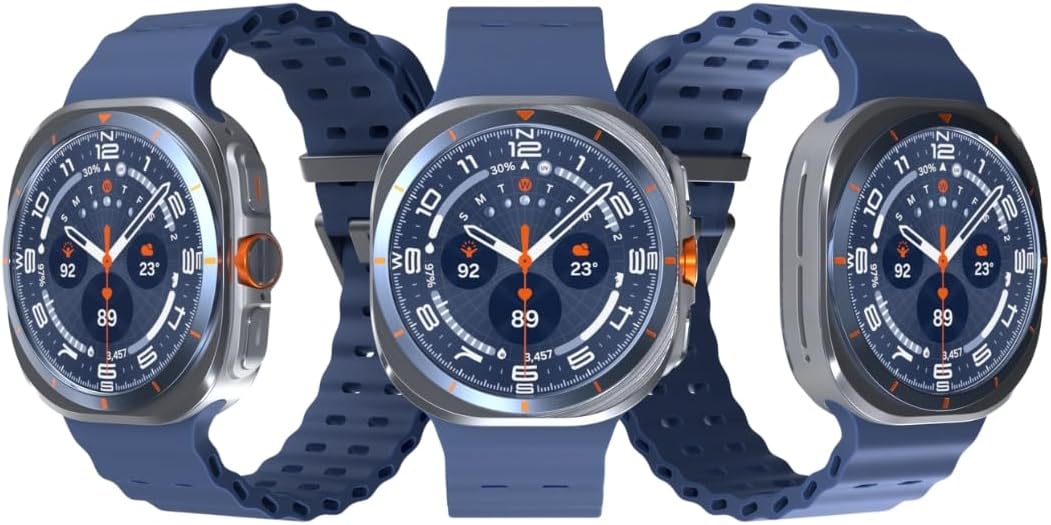
그림 3: 전면 view of the Galaxy Watch Ultra 2025
유지
내구성 및 방수성
The Galaxy Watch Ultra 2025 features a durable titanium design, MIL-STD 810H certification, and IP68/10ATM water resistance up to 100 meters. This makes it suitable for use in rainy or dusty conditions and during ocean swimming. After exposure to saltwater, rinse the watch with fresh water and dry thoroughly.
청소
피부 자극을 예방하고 성능을 유지하려면 시계와 스트랩을 정기적으로 세척하세요. 부드럽고 보풀이 없는 천을 사용하세요. 찌든 때는 가볍게 닦아주세요.amp천에 물을 묻혀 닦으세요. 강한 화학 물질이나 연마재는 사용하지 마세요.
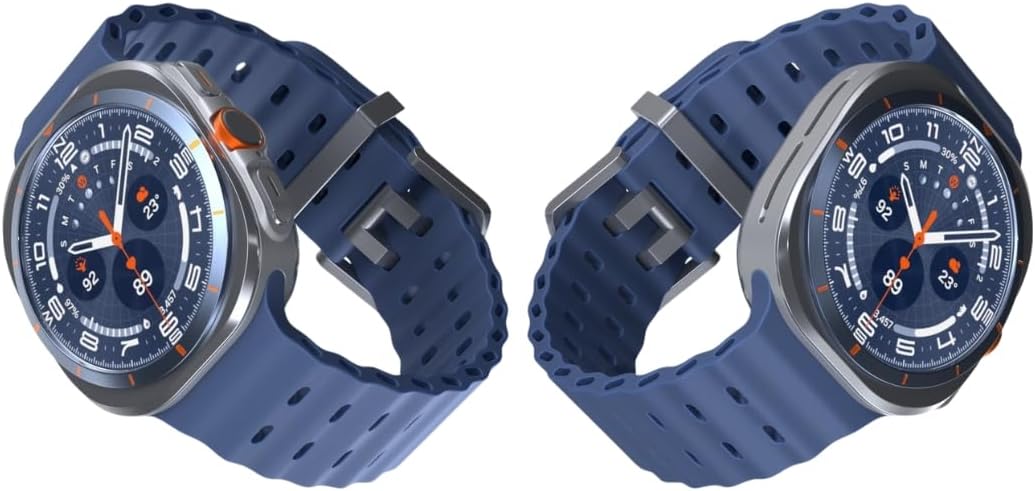
그림 4: 측면 view of the Galaxy Watch Ultra 2025
문제 해결
연결 문제
- 블루투스/Wi-Fi: Ensure both devices have Bluetooth/Wi-Fi enabled and are within range. Restart both the watch and the phone.
- LTE (eSIM): Verify that your eSIM is properly registered with your carrier (T-Mobile in the US). Check cellular signal strength.
배터리 수명
- If battery life is shorter than expected, check for excessive background app usage.
- Reduce screen brightness or disable always-on display.
- Limit continuous heart rate monitoring or GPS usage when not needed.
일반 공연
- If the watch is unresponsive, press and hold the Power button to restart.
- Ensure the watch software is up to date via the Galaxy Wearable app.
명세서
| 특징 | 세부 사항 |
|---|---|
| 모델 번호 | 3d512f97-68d2-44a2-b46c-b2c700087e18 |
| 표시하다 | 1.5" Super AMOLED, 480x480px |
| 저장 | 64GB |
| 숫양 | 2GB |
| 프로세서 | 엑시노스 W1000(3nm), 펜타코어 |
| 운영 체제 | Android Wear OS 5, One UI Watch 8 with AI Assistant |
| 배터리 용량 | 590mAh (up to 100 hours) |
| 내구성 | MIL-STD 810H certified |
| 방수성 | IP68/10ATM (100m) |
| 건강 특징 | ECG certified, Blood pressure monitor, Heart Rate Tracking, Sleep Tracking |
| 연결성 | Unlocked LTE (eSIM), Wi-Fi, Bluetooth, NFC, Built-in GPS |
| 치수 | 6 x 4 x 4 인치 |
| 품목 무게 | 8 온스(0.5 파운드) |
보증 및 지원
Please note that this is an International Model and does not come with a manufacturer's warranty in certain regions. For specific warranty information, please refer to the documentation provided with your purchase or contact your point of sale.
For assistance with LTE setup or carrier-specific inquiries, contact your mobile service provider directly. For general product support and troubleshooting, you may visit the official 삼성 스토어 또는 그들의 공식적인 지원 web대지.


