
1. 서론
Thank you for choosing the Rapoo VT7 Wireless Gaming Mouse. This manual provides essential information for setting up, operating, and maintaining your new gaming mouse. Designed for high performance, the VT7 offers advanced features for an optimal gaming and work experience.
2. 상자 안에 무엇이 들어있나요?
- 무선 게이밍 마우스 1개
- 1 x 타입 C 케이블
- 1 x USB 어댑터
- 미끄럼 방지 스티커 1개
- PTFE 마우스 피트 교체용 1개

영상: The Rapoo VT7 Wireless Gaming Mouse shown with its included accessories: a Type-C cable, USB adapter, anti-slip sticker, and replacement PTFE mouse feet.
3. 제품 오버view
The Rapoo VT7 Wireless Gaming Mouse is engineered for precision and comfort, featuring a lightweight design and advanced technology to enhance your performance.

영상: Two Rapoo VT7 Wireless Gaming Mice, one white and one black, highlighting their sleek design and performance focus.
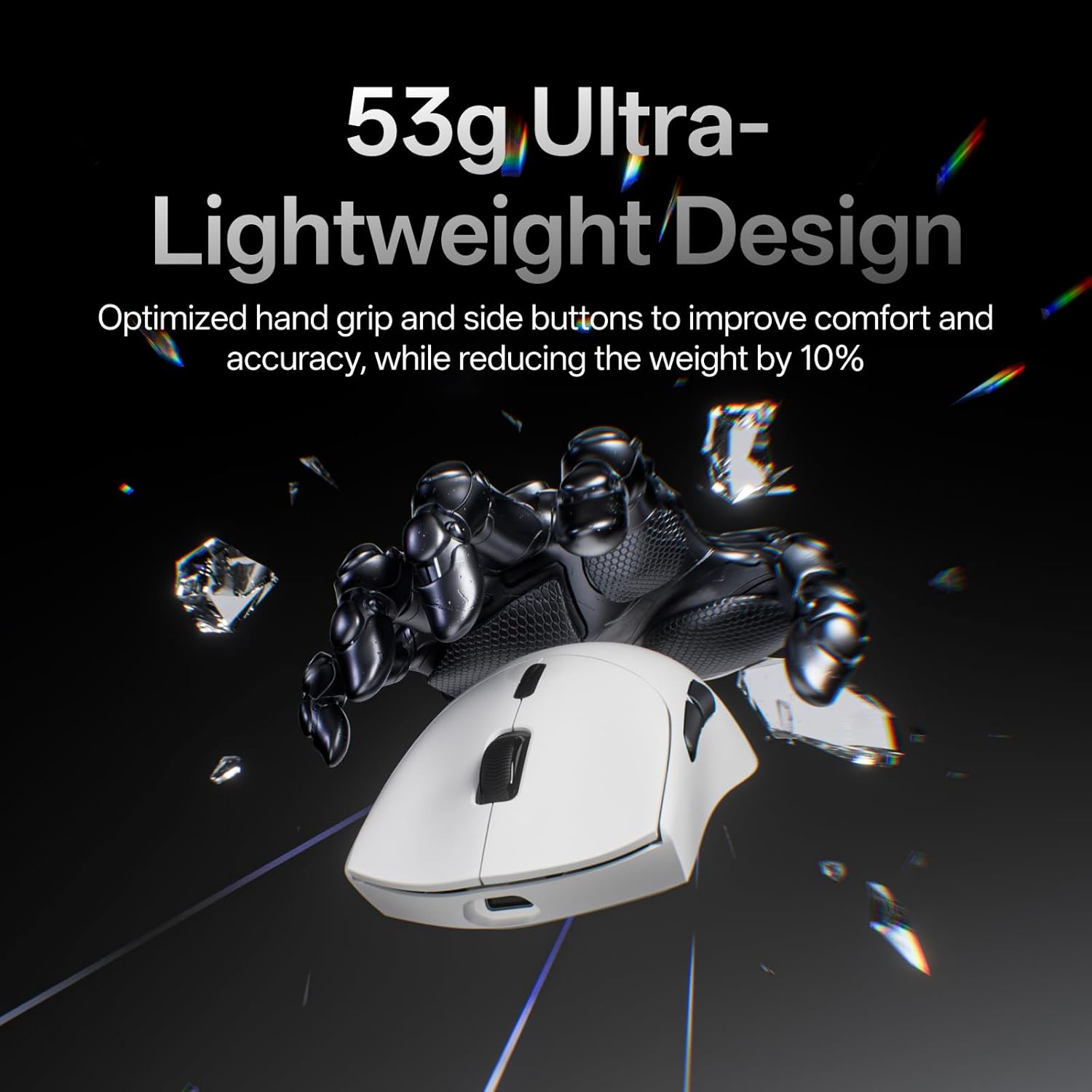
영상: The white Rapoo VT7 mouse emphasizing its 53g ultra-lightweight design, optimized for comfort and accuracy.

영상: A hand holding the white Rapoo VT7 mouse, illustrating its ambidextrous ergonomic form, balanced for swift and precise movements.

영상: 자세한 view of the Rapoo VT7 mouse's mechanical switch, highlighting its 100-million click lifespan for crisp feedback and durability.

영상: The white Rapoo VT7 mouse showcasing its true 8K wireless polling rate capability, offering top-tier responsiveness without extra dongles.

영상: The white Rapoo VT7 mouse highlighting its impressive battery life of up to 750 hours, enabled by ultra-low-power wireless technology.
4. 설정
4.1. 무선 연결(2.4GHz)
- Locate the USB adapter inside the mouse's bottom compartment.
- USB 어댑터를 컴퓨터의 사용 가능한 USB 포트에 꽂으세요.
- 바닥의 전원 스위치를 사용하여 마우스를 켭니다.
- 컴퓨터는 필요한 드라이버를 자동으로 감지하고 설치해야 합니다.
4.2. 유선 연결
- Connect the Type-C cable to the mouse's front port.
- Type-C 케이블의 다른 쪽 끝을 컴퓨터의 사용 가능한 USB 포트에 연결하십시오.
- 마우스는 유선 모드로 즉시 작동하며 충전도 가능합니다.
5. 사용 설명서
5.1. DPI 조정
The Rapoo VT7 features 26K independent X/Y DPI for precise tracking. Use the DPI +/- buttons on the mouse to switch between sensitivity levels on-the-fly. You can customize these settings further using the A Hub software.
5.2. 프로그래밍 가능한 버튼
The mouse is equipped with 10 programmable buttons. These buttons can be customized for macros or specific functions using the A Hub software. Settings can be saved to the onboard memory for use across different devices.
5.3. 투표율
Experience a true 8000Hz wireless polling rate for minimal lag and fast reactions, ideal for competitive gaming environments.
6. 충전
The Rapoo VT7 is equipped with a long-lasting internal rechargeable battery. To charge the mouse:
- 제공된 Type-C 케이블을 마우스의 충전 포트에 연결하십시오.
- 케이블의 다른 쪽 끝을 USB 전원(예: 컴퓨터 USB 포트, USB 벽면 어댑터)에 꽂으세요.
- The mouse supports wireless charging (P5 Wireless Charging Dock sold separately).
A full charge can provide up to 750 hours of battery life at 1000Hz, thanks to the integrated Nordic nRF54L15 MCU for ultra-low-power wireless technology.
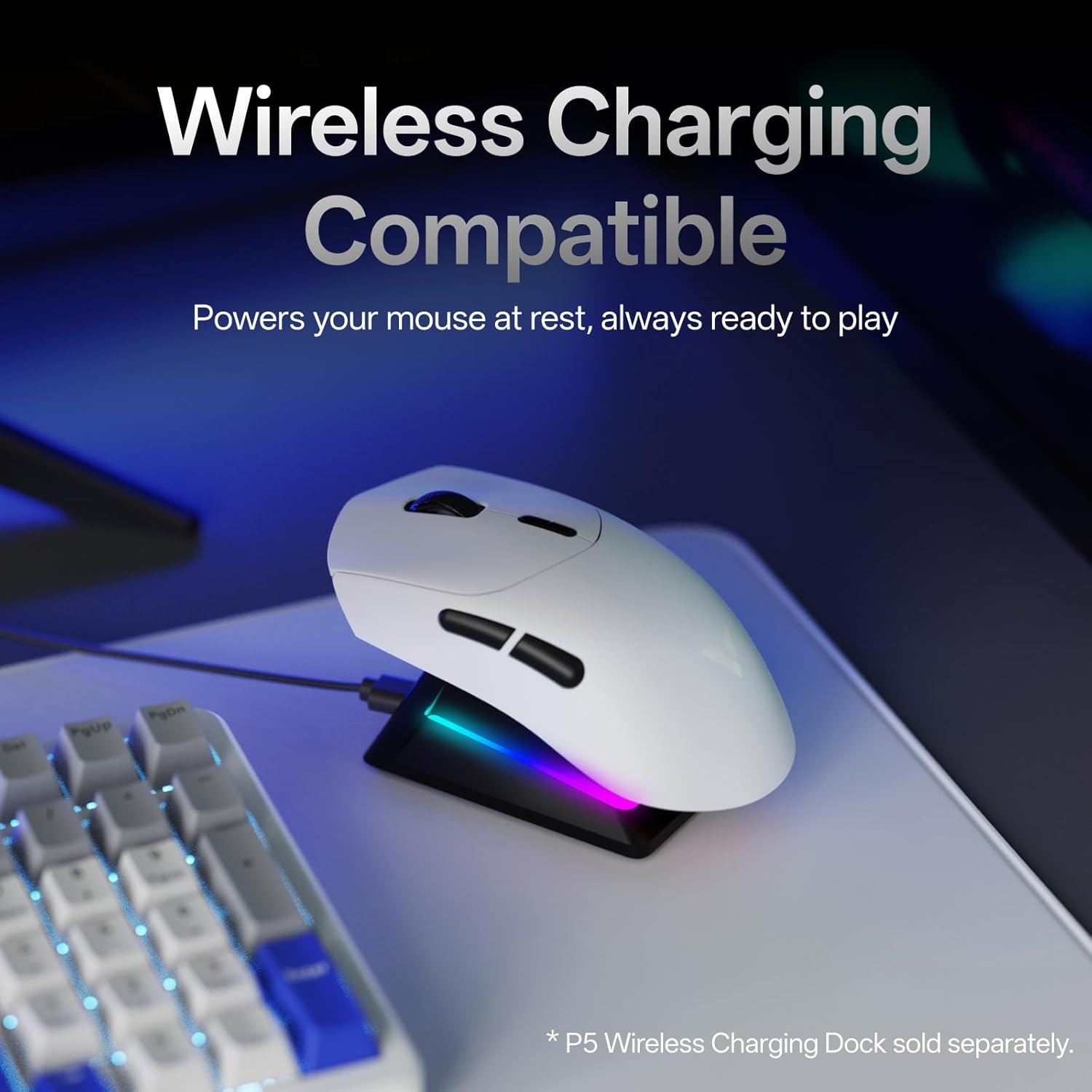
영상: The white Rapoo VT7 mouse resting on a wireless charging dock, demonstrating its wireless charging compatibility.
7. A Hub Software
Rapoo provides the "A Hub" driver software for Windows and Mac OS users to unlock the full potential of the VT7 mouse. This software allows you to:
- Customize programmable buttons and macros.
- Adjust DPI settings, including independent X/Y-axis DPI.
- Manage mouse rotation adjustments.
- Utilize onboard memory to save profiles for seamless use across different devices and operating systems.

영상: Multiple screenshots of the Rapoo A Hub software interface, showing options for button programming, DPI settings, and other advanced customizations.

영상: A screenshot from the A Hub software displaying the DPI settings interface with adjustable X and Y axis sliders.

영상: A screenshot from the A Hub software illustrating the key programming interface, allowing users to assign functions and macros to mouse buttons.

영상: A screenshot from the A Hub software showing the sensor angle adjustment feature, allowing fine-tuning of mouse movement based on grip style.

영상: A screenshot from the A Hub software displaying options for RF strategy, a battery life calculator, and various polling rate selections.
8. 사양
| 특징 | 세부 사항 |
|---|---|
| 모델 번호 | VT7 |
| 제품 치수 | 5.01 x 2.53 x 0.1 인치 |
| 품목 무게 | 1.87 온스(53g) |
| 배터리 | 1 Nonstandard Battery (included), up to 750 hours life |
| 연결 기술 | Radio Frequency (2.4GHz Wireless), USB (Wired) |
| 움직임 감지 | 광학 |
| 폴링 속도 | 진정한 8K 무선 폴링 속도 |
| 디피에이 | Up to 26K Independent X/Y DPI |
| 스위치 | 100-Million Mechanical Switch |
| 프로그래밍 가능한 버튼 | 10 |
| 소프트웨어 | A Hub for Windows & Mac OS (with onboard memory) |
| 색상 | 하얀색 |
| 제조업체 | 심천 Rapoo 기술 Co., 주식 회사. |
9. 문제 해결
9.1. 마우스가 응답하지 않음
- 마우스의 전원이 켜져 있는지 확인하세요.
- For wireless mode, check if the USB adapter is securely plugged into the computer. Try a different USB port.
- 유선 모드의 경우, Type-C 케이블이 마우스와 컴퓨터에 제대로 연결되어 있는지 확인하십시오.
- 배터리 잔량을 확인하세요. 배터리가 부족하면 마우스를 충전하세요.
9.2. DPI/Button Customization Issues
- Ensure the A Hub software is installed and up-to-date.
- Restart the software and try applying settings again.
- Refer to the software's help section for detailed customization guides.
10. 보증 및 지원
The Rapoo VT7 Wireless Gaming Mouse comes with a manufacturer's warranty. For detailed warranty information, technical support, or service inquiries, please visit the official Rapoo web사이트를 방문하거나 고객 지원팀에 문의하세요.
Manufacturer: Shenzhen Rapoo Technology Co., Ltd.