
소개
The Rapoo VT7 Wireless Gaming Mouse is engineered for high-performance gaming and efficient daily use. Featuring a true 8K wireless polling rate, an ultra-lightweight design, and an extended battery life, the VT7 provides precision and comfort. This manual provides essential information for setting up, operating, maintaining, and troubleshooting your device.
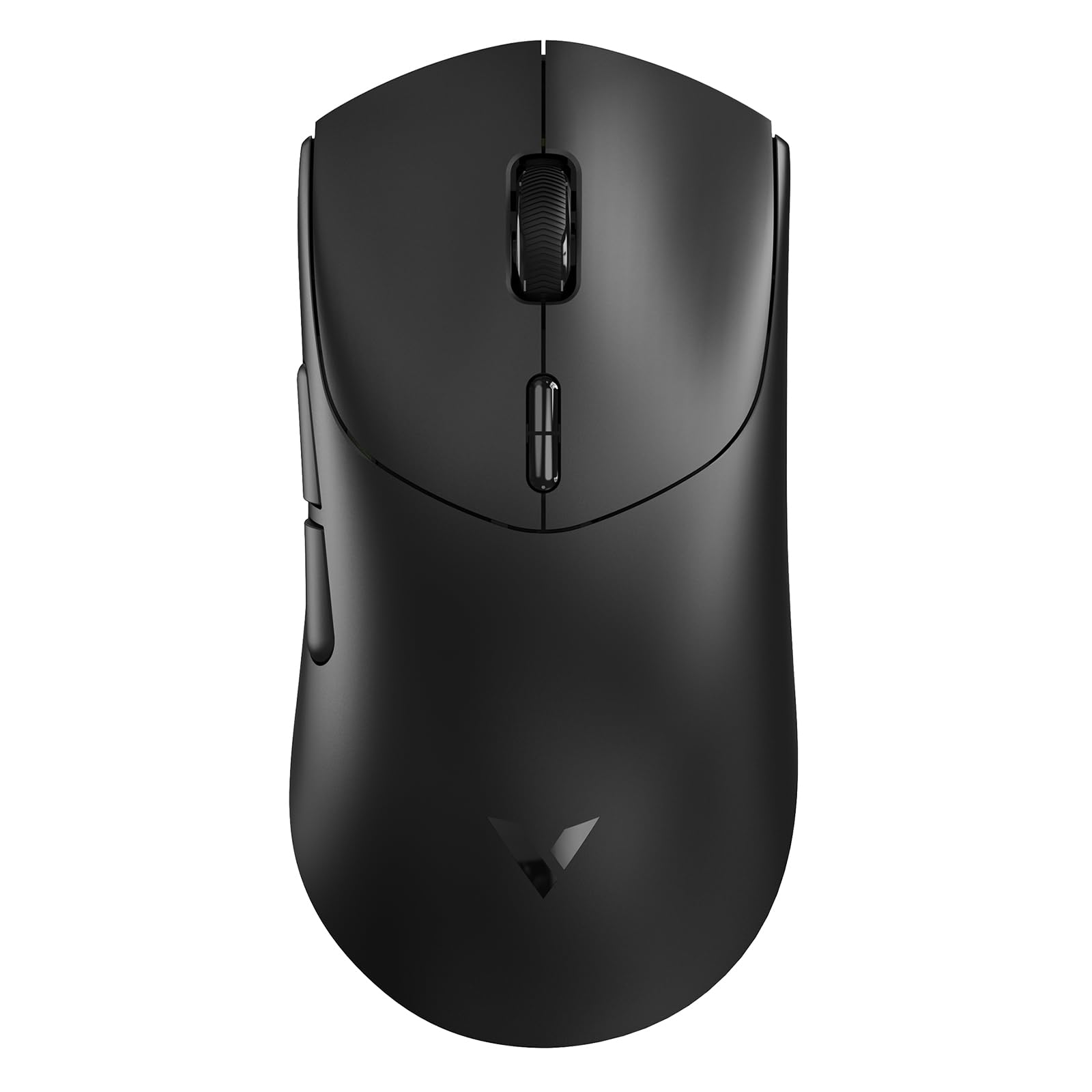
Figure 1: Rapoo VT7 Wireless Gaming Mouse (Black)
상자 안에 무엇이 들어있나요?
Your Rapoo VT7 Wireless Gaming Mouse package includes the following items:
- 무선 게이밍 마우스 1개
- 1 x 타입 C 케이블
- 1 x USB 어댑터
- 1 x Anti-Slip Sticker Set
- 1 x Replacement PTFE Mouse Feet Set

Figure 2: Package Contents of the Rapoo VT7 Wireless Gaming Mouse
설정
마우스 연결
The Rapoo VT7 offers flexible connectivity options:
- 무선 연결(2.4GHz): Insert the provided USB adapter into an available USB port on your computer. The mouse will automatically connect.
- 유선 연결: Connect the Type-C cable to the mouse and the other end to a USB port on your computer. The mouse can be used while charging.
Software Installation (A HUB)
To fully utilize advanced features such as programmable buttons and macros, download and install the Rapoo A HUB driver for Windows or Mac OS. This software allows for customization and stores settings with onboard memory for consistent performance across devices.

Figure 3: Rapoo A HUB Software Interface
작동 지침
주요 기능 및 사용법
- 진정한 8K 무선 폴링 속도: Experience native 8000Hz wireless performance for precise and responsive tracking without relying on software algorithms or extra dongles.
- 53g 초경량 디자인: The optimized hand grip and easy-to-access side buttons enhance comfort and accuracy, reducing strain during extended use.
- 최대 750시간 배터리 사용 가능: Equipped with a Nordic nRF54L15 MCU, the mouse offers an impressive 750 hours of battery life at 1000Hz, minimizing the need for frequent charging.
- 100-Million Mechanical Switch: Enjoy crisp mechanical click feedback and enhanced durability with switches rated for 100 million clicks.
- 26K 독립형 X/Y DPI: Achieve responsive, pixel-precise tracking with 99.6% resolution accuracy and up to 26,000 DPI. Adjust X/Y-axis DPI independently and switch levels on-the-fly using the DPI +/- buttons.
- 10개의 프로그래밍 가능 버튼: Customize the 10 programmable buttons for various functions and macros using the A HUB software.
- Ambidextrous Ergo Form: The mouse is designed for a perfectly balanced feel, optimized for claw and fingertip grip styles, suitable for both right and left-handed users.
Customization Options (via A HUB Software)
- DPI 설정: Fine-tune your mouse sensitivity with independent X/Y DPI adjustments.
- 매크로 기록: Create and assign custom macros to programmable buttons.
- Adjust Mouse Rotation: Optimize sensor angle for personalized tracking.
- 온보드 메모리: Save your custom settings directly to the mouse for use across different devices without re-configuration.

Independent X/Y DPI Settings

Macro Recording Enabled

Adjust Mouse Rotation

온보드 메모리
유지
청소
To maintain optimal performance, regularly clean your mouse with a soft, dry cloth. Avoid using harsh chemicals or abrasive materials.
Replacing Mouse Feet and Applying Anti-Slip Stickers
If the PTFE mouse feet become worn, replace them with the provided spare set for smooth gliding. For enhanced grip, apply the included anti-slip stickers to the designated areas on the mouse body.
마우스 충전
Connect the supplied Type-C cable to the mouse and a USB power source to charge. The mouse also supports wireless charging (P5 Wireless Charging Dock sold separately).

Figure 4: Wireless Charging Compatible
문제 해결
- 마우스가 응답하지 않습니다. Ensure the USB adapter is securely plugged in or the Type-C cable is connected. Check the mouse's power switch.
- Lag or connectivity issues: Ensure the mouse is within range of the USB adapter. Avoid interference from other wireless devices. Update mouse drivers via A HUB software.
- 예상대로 버튼이 작동하지 않음: Verify button assignments in the A HUB software.
- Poor gliding: Inspect PTFE feet for wear and replace if necessary. Ensure the mousepad surface is clean.
명세서
| 특징 | 세부 사항 |
|---|---|
| 상표 | 라푸 |
| 모델명 | VT7 |
| 색상 | 검은색 |
| 연결 기술 | Radio Frequency, USB |
| 특별 기능 | 750 Hr Battery, 8K Polling Rate, Lightweight, Programmable Buttons, Wireless |
| 움직임 감지 기술 | 광학 |
| 버튼 수량 | 8 (10 Programmable) |
| 손의 방향 | Right (Ambidextrous design) |
| 호환 장치 | 개인용 컴퓨터 |
| 운영 체제 | Windows XP and above, Mac OS |
| 배터리 평균 수명 | 750 Hours (at 1000Hz) |
| 품목 무게 | 53그램 |
| 품목 치수 L x W | 5.01인치(길이) x 2.53인치(너비) (127.4mm x 64.3mm) |
| Mouse Maximum Sensitivity | 26000 Dots per Inch (DPI) |
| Mechanical Switch Lifespan | 100 천만 클릭 |
공식 제품 영상
Video: Rapoo VT7 Wireless Gaming Mouse Overview by What's On Sale Today. This video provides a general overview of the Rapoo VT7 Wireless Gaming Mouse, highlighting its features and design.
Video: Responsiveness Test of the Rapoo VT7 Wireless Mouse by Hassle Free Reviews. This video demonstrates the responsiveness of the Rapoo VT7 wireless mouse during use.
Video: Lightweight Wireless Mouse Easy Setup by Min2Be Designs. This video illustrates the simple setup process and lightweight nature of the Rapoo VT7 mouse.
Video: High Quality Bluetooth Wireless Gaming Work Mouse by Augustina Home. This video showcases the high quality and versatility of the Rapoo VT7 for both gaming and work.
보증
The Rapoo VT7 Wireless Gaming Mouse comes with a 1년 보증 from the manufacturer, Shenzhen Rapoo Technology Co., Ltd. Please retain your proof of purchase for warranty claims.
지원하다
For technical assistance, driver downloads, or further inquiries, please visit the official Rapoo web해당 웹사이트를 방문하거나 고객 지원팀에 문의하십시오. 자세한 연락처 정보는 제품 포장을 참조하십시오.