
1. 서론
Thank you for choosing the MOJOGEAR NovaMag All-in-1 Power Bank. This device is designed to provide convenient and versatile charging for your mobile devices, featuring 10,000 mAh capacity, Qi2 wireless fast charging, and integrated USB-C and Lightning cables. Please read this manual carefully before use to ensure optimal performance and safety.
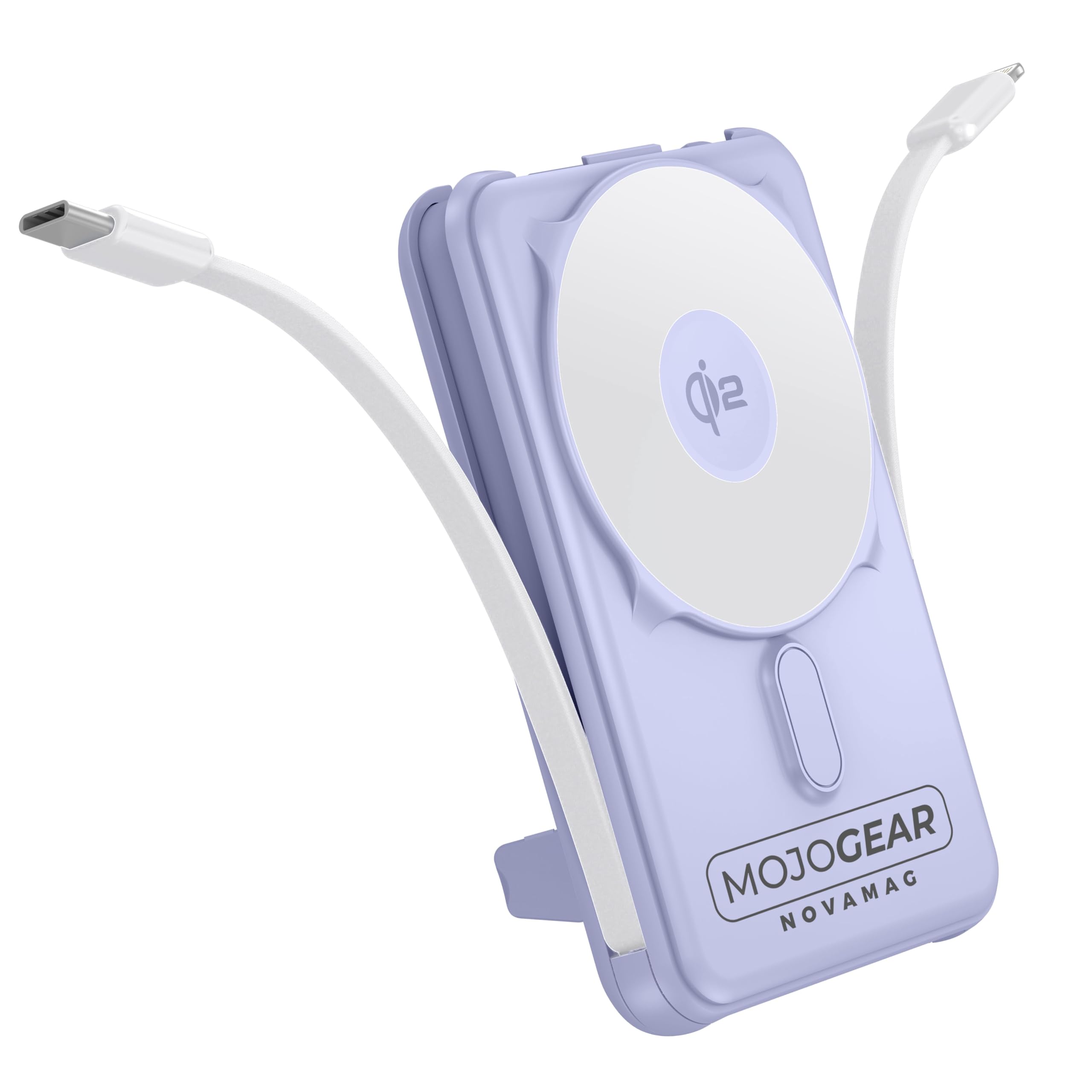
Image 1.1: MOJOGEAR NovaMag All-in-1 Power Bank with connected devices.
2. 안전 정보
- 파워뱅크를 극한의 온도(45°C 이상 또는 -10°C 이하), 직사광선 또는 불에 노출시키지 마세요.
- Do not disassemble, modify, or repair the device yourself. Contact qualified service personnel for repairs.
- 보조 배터리를 물, 습기 및 부식성 물질로부터 멀리하십시오.
- 모바일 충전기를 떨어뜨리거나 강한 충격을 주지 마십시오.
- 모바일 배터리가 손상되었거나 부풀어 오르거나 누출된 경우 사용하지 마십시오.
- 어린이의 손이 닿지 않는 곳에 보관하세요.
- 인증된 충전 케이블과 어댑터만 사용하세요.
- 지역 규정에 따라 모바일 배터리는 책임감 있게 폐기하세요.
3. 패키지 내용
다음 품목이 패키지에 포함되어 있는지 확인하세요.
- 1x MOJOGEAR NovaMag All-in-1 Power Bank (MG-PB10)
- 1x 사용자 매뉴얼(이 문서)
- 1x Mag Safe Qi2 Ring (integrated)
- 1x Integrated USB-C Cable
- 1x Integrated Lightning Cable

Image 3.1: Power Bank and its packaging.
4. 제품 오버view
The MOJOGEAR NovaMag Power Bank features a compact design with multiple charging options.
- Qi2 Wireless Charging Pad: For fast wireless charging of compatible devices (e.g., iPhone 12 and newer).
- 통합 USB-C 케이블: For charging Android devices, other USB-C accessories, or recharging the power bank itself.
- 일체형 라이트닝 케이블: For charging Apple devices (iPhone, AirPods).
- USB-C 포트(입력/출력): For charging devices or recharging the power bank with your own cable.
- LED 디스플레이: 배터리 비율을 표시합니다.tage 및 충전 상태.
- 전원 버튼: Activates the LED display and initiates charging.
- 접이식 킥스탠드: Allows you to prop up your smartphone while charging.

Image 4.1: Power Bank attached to a smartphone, highlighting its compact form.

Image 4.2: Dimensions and various views of the power bank.
5. 설정
5.1 파워뱅크 초기 충전
Before first use, fully charge your NovaMag Power Bank. This ensures optimal battery performance.
- Connect the integrated USB-C cable from the power bank to a USB-C power adapter (not included).
- Alternatively, use your own USB-C to USB-C cable and connect it to the USB-C port on the bottom of the power bank and a USB-C power adapter.
- LED 디스플레이는 충전 진행 상황을 표시하며 배터리 잔량을 나타냅니다.tage. A green flash symbol confirms the charging process.
- The power bank is fully charged when the LED display shows 100%.

Image 5.1: LED display showing battery percentage.
6. 사용 설명서
6.1 Charging Devices Wirelessly (Qi2 / MagSafe)
The NovaMag supports Qi2 wireless fast charging and MagSafe compatibility for iPhone 12 and newer models.
- 전원 버튼을 한 번 눌러 보조 배터리를 작동시키세요.
- Align your MagSafe-compatible iPhone (or other Qi2-compatible device) with the wireless charging pad on the power bank. The strong magnet will ensure a secure connection.
- Wireless charging will begin automatically. The LED display may show a charging indicator.

Image 6.1: Attaching a smartphone for wireless charging.
6.2 Charging Devices via Integrated Cables
The power bank includes built-in USB-C and Lightning cables for convenient wired charging.
- Gently pull out the integrated USB-C or Lightning cable from its storage slot.
- 장치에 적합한 케이블을 연결하세요.
- Charging will start automatically. Press the power button once if charging does not initiate.
6.3 Charging Devices via USB-C Port
An additional USB-C port is available for charging devices with your own cable.
- Connect your device to the USB-C port on the power bank using a compatible USB-C to USB-C cable (not included).
- Press the power button once to begin charging.
6.4 파워뱅크 충전
You can recharge the power bank using its integrated USB-C cable or the dedicated USB-C input port.
- 일체형 USB-C 케이블 사용 시: Connect the integrated USB-C cable to a USB-C power adapter.
- USB-C 포트 사용: Connect a USB-C to USB-C cable from a power adapter to the USB-C port on the power bank.
- LED 디스플레이에는 충전 상태와 배터리 백분율이 표시됩니다.tage.
6.5 접이식 킥스탠드 사용하기
일체형 킥스탠드를 사용하면 손을 자유롭게 사용할 수 있습니다. view기기가 충전되는 동안 사용하세요.
- Locate the kickstand on the back of the power bank.
- Gently pull it out until it locks into position.
- Place your wirelessly charging smartphone onto the power bank, utilizing the kickstand to prop it up.

Image 6.2: Power Bank with kickstand in use.
6.6 패스스루 충전
The NovaMag supports pass-through charging, allowing you to charge your devices while the power bank itself is being recharged.
- Connect the power bank to a power source for recharging (as described in 6.4).
- Simultaneously connect your device(s) to the power bank using wireless charging, integrated cables, or the USB-C output port.
- The power bank will intelligently manage power distribution to charge both itself and your connected devices.
7. 유지관리
- 청소: 보조 배터리를 부드럽고 마른 천으로 닦으십시오. 독한 화학 약품이나 연마성 세척제를 사용하지 마십시오.
- 저장: Store the power bank in a cool, dry place away from direct sunlight and extreme temperatures. For long-term storage, it is recommended to charge the power bank to about 50-70% every three months to preserve battery health.
- 케이블 관리: Ensure integrated cables are properly stored when not in use to prevent damage.
8. 문제 해결
| 문제 | 가능한 원인 | 해결책 |
|---|---|---|
| 모바일 기기가 충전되지 않습니다. | 보조 배터리가 방전되었습니다. Power bank is not activated. 케이블 연결이 잘못되었습니다. Device is not compatible with wireless charging. |
파워 뱅크를 충전하십시오. Press the power button once to activate. 케이블이 단단히 연결되어 있는지 확인하십시오. Check device compatibility for Qi2/MagSafe. |
| 모바일 기기가 충전되지 않습니다. | 충전 케이블이나 어댑터에 결함이 있습니다. 전원 문제. |
다른 USB-C 케이블과 전원 어댑터를 사용해 보세요. 전원 콘센트가 작동하는지 확인하세요. |
| Wireless charging is slow or intermittent. | 장치 정렬 불량. 두꺼운 휴대폰 케이스. Device not Qi2 compatible. |
Ensure device is centered on the charging pad. 두꺼운 휴대폰 케이스를 제거하세요. Confirm device supports Qi2 for optimal speed. |
| LED 디스플레이가 꺼져 있습니다. | Power bank is in standby mode. | 전원 버튼을 한 번 눌러 디스플레이를 켜세요. |
9. 사양
| 모델 번호 | MG-PB10 |
| 용량 | 10,000mAh(37Wh) |
| 무선 출력 | 15W (Qi2) |
| USB-C 출력 | 20와트 |
| USB-C 입력 | 18와트 |
| 라이트닝 케이블 출력 | 12와트 |
| USB-C 케이블 출력 | 20와트 |
| 능률 | 85% |
| 치수(길이 x 너비 x 높이) | 10.62 x 6.96 x 1.86cm |
| 무게 | 202그램 |
| 배터리 유형 | 리튬이온 |
| 색상 | 보라 |
| 재료 | 플라스틱 |
| 안전 기능 | Overcharge protection, tested safety |
| 항공사 승인 | Yes (10,000 mAh / 37 Wh meets carry-on requirements) |
참고 : 사양은 예고없이 변경 될 수 있습니다.
10. 보증 및 지원
The MOJOGEAR NovaMag All-in-1 Power Bank comes with a 2년 보증 구매일로부터. 본 보증은 정상적인 사용 중에 발생한 제조상의 결함 및 제조상의 결함을 보장합니다.
보증은 다음 사항을 포함하지 않습니다:
- 오용, 남용, 사고 또는 방치로 인해 발생한 손상.
- 무단 수리 또는 개조.
- 정상적인 마모 및 파손.
For warranty claims or technical support, please contact MOJOGEAR customer service through the retailer where you purchased the product or visit the official MOJOGEAR web연락처 정보 사이트.