
1. 서론
Thank you for choosing the INFINMIND Wireless Bluetooth Mouse D1091E7Z. This mouse is designed for versatility and comfort, featuring multi-device connectivity, precise control, and an ergonomic design. This manual will guide you through the setup, operation, and maintenance of your new mouse.
2. 제품 오버view
The INFINMIND D1091E7Z mouse offers a range of features for enhanced productivity and comfort. It includes a high-speed scroll wheel, a side thumb scroll wheel, and customizable DPI settings.
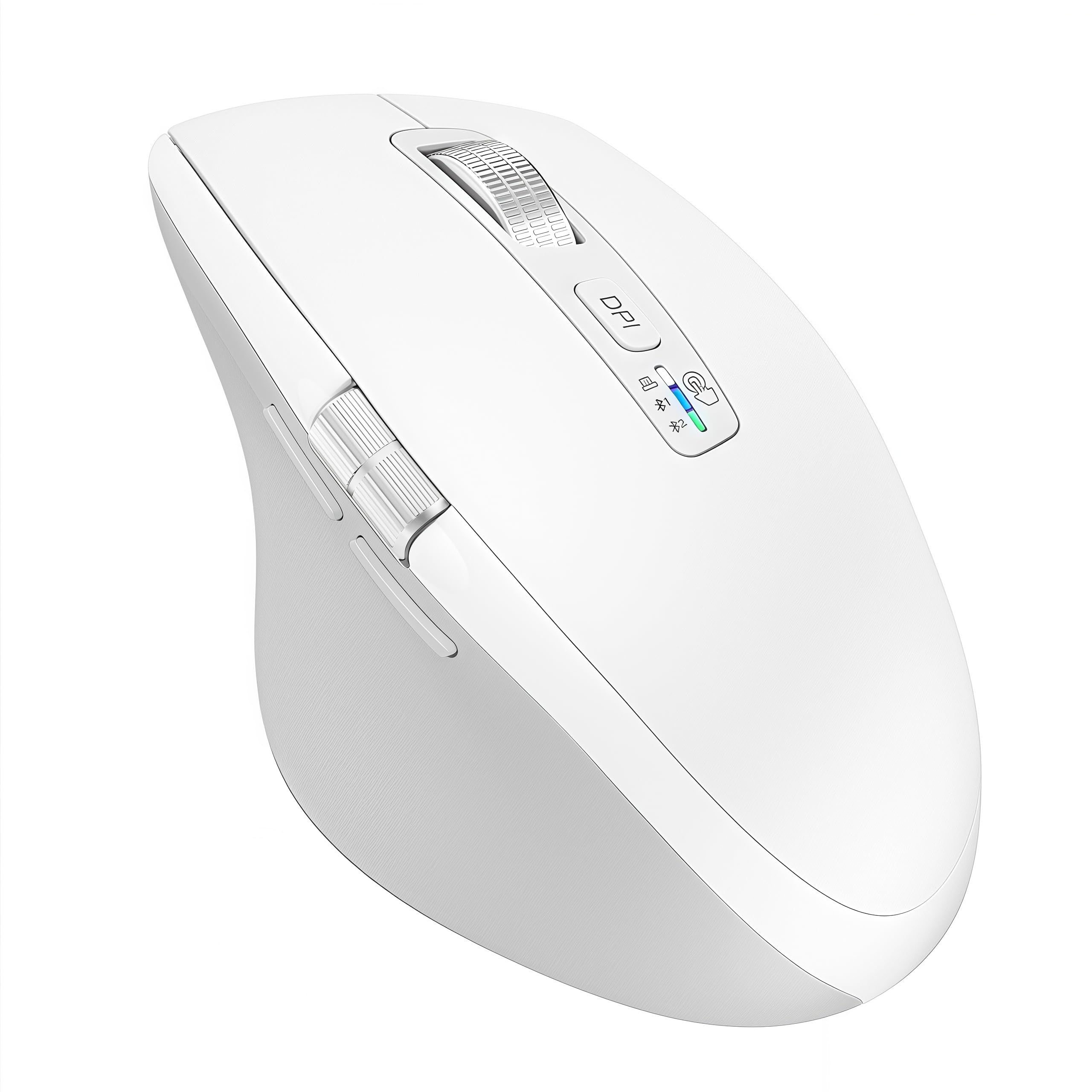
Image 2.1: INFINMIND Wireless Bluetooth Mouse D1091E7Z (White variant)

Image 2.2: Ergonomic design for comfortable grip and reduced hand fatigue.
3. 설정 지침
3.1. 배터리 설치
The mouse requires one or two AA batteries. Two AA batteries are included in the package. You can choose to install one or two batteries based on your preferred mouse weight.
- 마우스 아랫면에 있는 배터리 덮개를 여세요.
- Insert one or two AA batteries, ensuring correct polarity (+/-).
- 배터리 덮개를 단단히 닫으세요.
Video 3.1: Demonstrates battery installation and USB receiver placement.
3.2. 장치에 연결
The INFINMIND D1091E7Z mouse supports simultaneous connection to three devices via 2.4G USB and two Bluetooth channels (BT1, BT2).
3.2.1. 2.4G USB 연결
- Locate the USB receiver inside the battery compartment of the mouse.
- USB 수신기를 컴퓨터나 장치의 사용 가능한 USB-A 포트에 꽂습니다.
- Switch the mouse to 2.4G mode using the connection indicator button (usually indicated by a USB icon or '1').
- The device should automatically detect and connect to the mouse.
3.2.2. 블루투스 연결(BT1 / BT2)
- Switch the mouse to either Bluetooth 1 (BT1) or Bluetooth 2 (BT2) mode using the connection indicator button. The corresponding LED indicator will flash.
- On your device (computer, laptop, tablet, smartphone), go to Bluetooth settings.
- 검색 new Bluetooth devices. The mouse should appear as "INFINMIND Mouse" or similar.
- 페어링할 마우스를 선택하세요. 화면에 나타나는 안내에 따라 페어링 과정을 완료하세요.
- Repeat for a second Bluetooth device using the other Bluetooth channel (BT2).

Image 3.1: The mouse supports simultaneous connection to three devices (2.4G USB, Bluetooth 1, Bluetooth 2).
Video 3.2: Demonstrates switching between multiple connected devices.
4. 사용 설명서
4.1. DPI 조정
The mouse features 4 adjustable DPI (Dots Per Inch) settings to suit various tasks, from precise graphic design to fast-paced gaming.
- Press the DPI button located on the top of the mouse, below the main scroll wheel.
- Each press cycles through the DPI settings: 1000, 1600, 2400, and 3000 DPI.
- The LED indicator will briefly change color or flash to indicate the current DPI setting.

Image 4.1: Visual representation of 4-stage DPI adjustment (1000/1600/2400/3000).
4.2. Scrolling Functions
The mouse is equipped with two scroll wheels for versatile navigation.
4.2.1. High-Speed Vertical Scroll Wheel
The main metal scroll wheel allows for fast and quiet vertical scrolling, enabling quick navigation through long documents or web 페이지.
4.2.2. Side Thumb Scroll Wheel
The side thumb scroll wheel provides horizontal scrolling functionality, useful for navigating wide spreadsheets or timelines. Additionally, the side buttons can be used for 'forward' and 'back' actions in web 브라우저. 메모: On Mac OS, the forward/back buttons may function as application switching.

Image 4.2: Illustrates high-speed vertical scrolling and side thumb scrolling.
4.3. Silent Click Design
The left and right click buttons are designed for silent operation, providing a quiet working environment suitable for libraries, offices, or shared spaces.

Image 4.3: The mouse features silent left and right click buttons.
5. 유지관리
5.1. 청소
최적의 성능을 유지하려면 마우스를 정기적으로 청소하세요. 부드럽고 마른 천으로 표면을 닦으세요. 찌든 때는 가볍게 두드려 닦아주세요.amp 천을 사용할 수는 있지만, 내부 부품에 습기가 들어가지 않도록 하십시오.
5.2. 배터리 관리
The mouse boasts a long battery life, up to 40 months with two AA batteries (or 20 months with one). When the battery is low, the mouse's LED indicator may flash. Replace batteries promptly to avoid interruption. Remove batteries if the mouse will not be used for an extended period.

Image 5.1: The mouse offers extended battery life, reducing the need for frequent battery changes.
6. 문제 해결
- 마우스가 응답하지 않습니다. Ensure batteries are correctly installed and charged. Check that the USB receiver is securely plugged in (for 2.4G mode) or that Bluetooth is enabled and paired on your device (for Bluetooth modes). Try switching to a different connection mode.
- 커서 움직임이 불규칙하거나 느립니다. Clean the optical sensor on the underside of the mouse. Ensure you are using the mouse on a suitable surface (a mouse pad is recommended). Adjust the DPI setting to a higher value if the cursor is too slow.
- Bluetooth를 통해 연결할 수 없습니다: Ensure the mouse is in Bluetooth pairing mode (LED flashing). Remove any previous pairings of the mouse from your device's Bluetooth settings and try pairing again. Ensure your device's Bluetooth is turned on.
- Mac OS에서 측면 버튼이 작동하지 않습니다. As noted, on Mac OS, the forward/back buttons may function as application switching. This is a system-level behavior and not a mouse malfunction.
- Mouse feels heavy: The mouse is designed to be slightly heavier than typical mice. If you prefer a lighter mouse, you can operate it with only one AA battery installed instead of two.
7. 사양
| 특징 | 설명 |
|---|---|
| 모델 번호 | 디1091E7Z |
| 연결성 | 2.4G USB (receiver included), Bluetooth x 2 |
| DPI 설정 | 1000 / 1600 / 2400 / 3000 |
| 스크롤 휠 | High-speed vertical scroll, Side thumb scroll |
| 버튼 | Left, Right (silent click), DPI, Forward, Back, Vertical Scroll Click, Side Scroll |
| 배터리 유형 | AA (x1 or x2) |
| 배터리 수명 | Up to 40 months (with 2 batteries, varies by usage) |
| 호환 OS | Windows, Mac OS, Linux, iOS, Android, Chrome OS |
| 치수 | 11.2 x 7.6 x 0.1cm |
| 무게 | 150 g (with 2 batteries), 125 g (with 1 battery) |
| 재료 | 플라스틱 |
8. 보증 및 지원
INFINMIND products are designed for reliability and performance. If you encounter any issues or have questions regarding your D1091E7Z mouse, please refer to the contact information provided with your purchase or reach out to our customer support team. Please note that the included instruction manual is in English. For any problems during use, please do not hesitate to contact us via your order history.