
1. 서론
This manual provides detailed instructions for the operation and maintenance of your Tangxi 4K WiFi Action Camera. This camera is designed for capturing high-quality 4K video and 40MP photos, featuring a 1.3-inch HD screen, a 180° rotatable lens, and 135° ultra-wide viewing angle. It supports APP control and WiFi connectivity for enhanced usability, making it suitable for various sports and vlogging activities.
2. 제품 특징
- Ultra Wide 135° View각도: Records clear 4K ultra HD images with a 135° wide angle. The 1.3-inch HD screen allows for easy adjustment of recording angles.
- Rotatable Lens and APP Control: The 180° rotatable lens ensures precise recording of sounds and images. The companion APP allows for video flipping and control.
- WiFi Connectivity with Real-Time Viewing: Built-in WiFi enables connection to the action camera via an APP on your phone for real-time playback and video downloads.
- Secure Small Memory Card Storage: Supports up to 256GB small memory card for data storage and transfers. Videos can be replayed and streamed by date, time, or image.
- Versatile Mounting and Wearability: Features a clamp for wearability and compatibility with multiple mounts, including bike and car suction mounts.
- 오래 지속되는 배터리: Built-in high-capacity battery ensures extended power for recording.
- LED 보조 조명: Provides illumination for clear video recording in low light conditions, offering a full-color effect during the day and clear picture quality at night.
3. 설정
3.1. 배터리 충전
Before first use, fully charge the camera's built-in battery. Connect the camera to a power source using the provided Type-C USB cable. The charging indicator will show the charging status.

Image: The camera's Type-C charging port, highlighting its built-in high-capacity battery for long-lasting power.
3.2. 메모리 카드 삽입
The camera supports small memory cards (TF cards) up to 256GB. Insert the memory card into the designated slot with the contacts facing the correct direction. Ensure the card is securely seated.

Image: The camera's side view showing the TF card slot, indicating support for up to 256GB storage.
3.3. 전원 켜기 / 끄기
Press and hold the power button to turn the camera on or off. The 1.3-inch HD screen will illuminate upon startup.
4. 사용 설명서
4.1. 기본 녹음
Once powered on, the camera is ready to record. Use the buttons on the side of the camera to navigate menus and start/stop recording. The 1.3-inch HD screen provides a live view and allows for angle adjustments.

Image: The camera's 1.3-inch HD screen showing a live video feed, demonstrating the ability to adjust the view잉 각도.
4.2. Rotatable Lens
The camera features a 180° rotatable lens. This allows you to adjust the lens direction to capture various angles, whether for static or dynamic scenes. Ensure the lens is securely positioned before recording.

이미지: 앞면 view of the Tangxi 4K WiFi Action Camera, highlighting its 180° rotatable lens for flexible recording.
4.3. WiFi Connectivity and APP Control
To connect the camera to your smartphone via WiFi:
- Download the dedicated APP for the Tangxi 4K WiFi Action Camera from your device's app store.
- Turn on the camera's WiFi function (refer to the camera's on-screen menu for specific steps).
- Open the APP on your smartphone and follow the instructions to connect to the camera's WiFi network.
- 연결되면 다음을 수행할 수 있습니다. view 실시간 푸tage, control recording, and download videos directly to your phone. The APP also allows you to flip the video display if needed.

Image: The camera wirelessly connected to a smartphone, demonstrating real-time view모바일 애플리케이션을 통한 접속 및 제어.
4.4. 루프 레코딩
The camera supports loop recording, which automatically overwrites the oldest video files when the memory card is full. This ensures continuous recording without manual intervention. You can typically adjust the loop recording duration in the camera settings.

Image: A visual representation of the loop recording function, showing how the camera manages storage by overwriting older files.
4.5. Low Light Recording (LED Fill Light)
For recording in low light environments or at night, the camera is equipped with an LED fill light. Activate this feature through the camera's menu to enhance visibility and capture clear, colorful footage during the day and clear images at night.

Image: The camera's LED fill light in action, illustrating its capability to record clear video in both bright and low-light conditions.
4.6. 장착 옵션
The camera includes a clamp for easy attachment to clothing or gear. It is also compatible with various third-party mounts such as bike mounts and car suction cup mounts, offering flexibility for different recording scenarios.
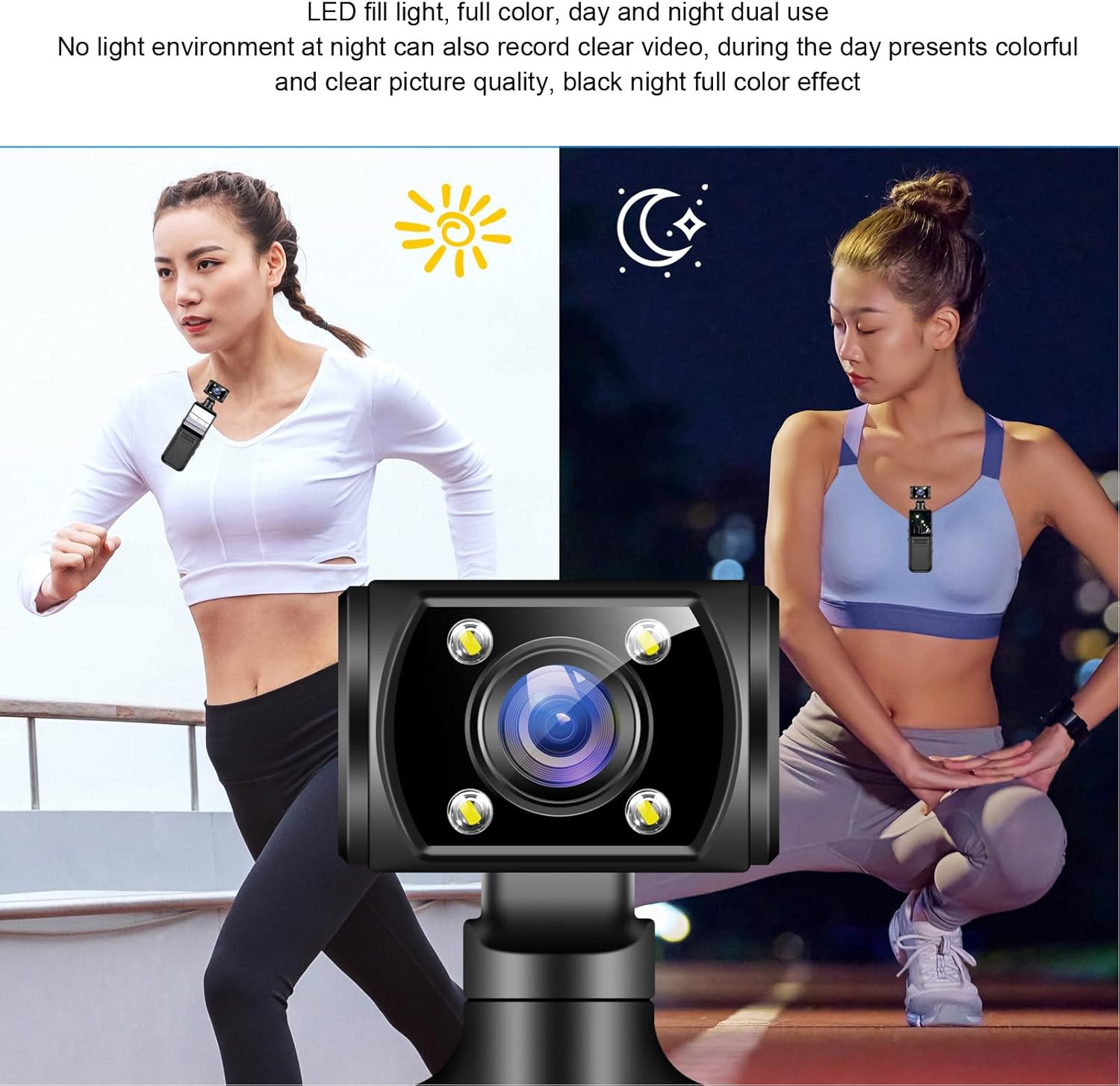
Image: The camera attached to a backpack strap using its integrated back clip, demonstrating its wearability and portability for outdoor activities.
5. 유지관리
- 청소: 카메라 본체를 닦을 때는 부드럽고 마른 천을 사용하세요. 렌즈의 경우, 특수 렌즈 세척용 천과 세척액을 사용하세요. 연마재나 강한 화학 물질은 사용하지 마세요.
- 저장: 카메라를 직사광선과 극한의 온도를 피해 서늘하고 건조한 곳에 보관하세요. 장기간 보관할 경우 메모리 카드를 제거하세요.
- 배터리 관리 : To prolong battery life, avoid fully discharging the battery frequently. Charge the camera periodically if not in use for a long time.
- 펌웨어 업데이트: 제조사 확인해보세요 website or the companion APP for any available firmware updates to ensure optimal performance and new features.
6. 문제 해결
| 문제 | 가능한 원인 | 해결책 |
|---|---|---|
| 카메라의 전원이 켜지지 않습니다. | 배터리 부족; 배터리 불량; 전원 버튼 문제. | Charge the camera fully. Ensure the power button is pressed correctly. |
| Cannot connect to WiFi/APP. | WiFi not enabled; incorrect APP settings; interference. | Ensure camera WiFi is on. Restart camera and phone. Check APP permissions. |
| 메모리 카드 오류. | 카드가 제대로 삽입되지 않았습니다. 호환되지 않는 카드입니다. 카드가 손상되었습니다. | Reinsert the card. Try a different compatible card. Format the card (this will erase data). |
| 영상/이미지 품질이 좋지 않습니다. | Dirty lens; low light without fill light; incorrect settings. | Clean the lens. Activate LED fill light in low light. Adjust resolution settings. |
7. 사양
| 특징 | 세부 사항 |
|---|---|
| 상표 | 탕시 |
| 모델명 | Tangxipwkasmd14n |
| 캠코더 유형 | 액션 카메라 |
| 비디오 캡처 해상도 | 4K |
| 포토 센서 기술 | CMOS |
| 화면 크기 | 1.3 인치 |
| 연결 기술 | 와이파이 |
| 특별 기능 | WiFi Connectivity, APP Control, Rotatable Lens |
| 최대 조리개 | 2.8 피트 |
| 비디오 캡처 형식 | MP4 |
| 품목 무게 | 6.4 온스 |
| 패키지 크기 | 6.3 x 3.15 x 1.97 인치 |
8. 보증 및 지원
For warranty information and customer support, please refer to the documentation included with your product or visit the official Tangxi web사이트. 판매자에게 직접 연락하여 도움을 받으실 수도 있습니다.
파는 사람: 탕시
반품 정책: 30일 환불/교환 정책 (아마존 바이박스 수상자 정보 기준).