
1. 서론
The PAPIFEED Automatic Cat Feeder is designed to provide scheduled and controlled feeding for your cats and small dogs. Featuring 2.4G WiFi connectivity and app control, it allows you to manage your pet's meals remotely. The feeder includes a dual power supply system for reliability and a detachable design for easy cleaning, ensuring your pet receives fresh food consistently.
2. 패키지 내용
패키지에 모든 품목이 들어 있는지 확인하세요.
- 1 x PAPIFEED Automatic Cat Feeder Unit
- 사료 그릇 1개
- 1 x 전원 어댑터
- 1 x USB 충전 케이블
Note: 4 AA batteries for backup power are not included and must be purchased separately.
3. 제품 오버view
Familiarize yourself with the main components of your PAPIFEED Automatic Cat Feeder:

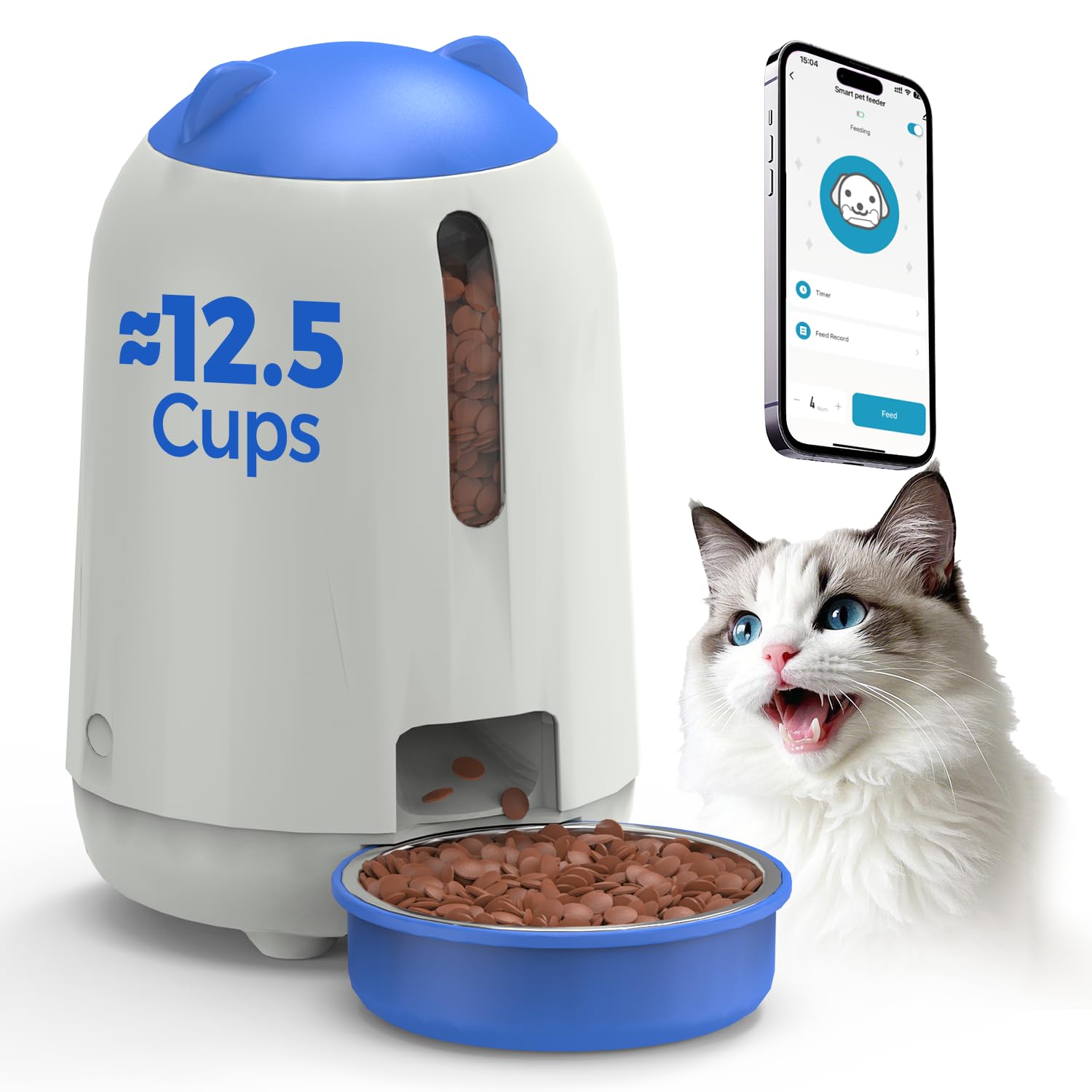
전반적인 view of the PAPIFEED Automatic Cat Feeder with its food bowl and a cat.
- 푸드 호퍼: Stores dry pet food (3L capacity).
- Lid with Knob Lock: Secures the food hopper and prevents pet access.
- 투명한 창: Allows visual monitoring of food levels.
- 분배구: Where food is released into the bowl.
- 음식 그릇: Detachable bowl for pet consumption.
- Control Panel/Indicator: Located on the front, indicates status and WiFi connection.
- 전원 포트: 전원 어댑터를 연결합니다.
- 배터리 칸: For backup AA batteries (located at the bottom).

상세한 view highlighting the transparent food level window, secure knob lock, and removable parts for cleaning.
4. 설정
4.1 전원 공급
- 1차 전력: Connect the provided power adapter to the feeder's power port and plug it into a wall outlet.
- 백업 전원: 정전 시에도 중단 없는 작동을 위해tages, install 4 new AA batteries (not included) into the battery compartment at the bottom of the feeder. The feeder will automatically switch to battery power if the main power is lost.
It is recommended to maintain dual power supply mode for daily use to ensure the backup battery is ready for sudden power outag에스.
4.2 식품 적재
- Rotate the lid counter-clockwise to unlock and remove it.
- Pour dry pet food into the hopper. The feeder has a 3L capacity, suitable for 1-2 weeks of feeding depending on pet size.
- Ensure kibble size is between 0.2-0.47 inches (5-12mm) to prevent clogging.
- Place the lid back on and rotate clockwise to secure the knob lock.
Pouring dry kibble into the feeder's hopper.

Recommended kibble sizes ranging from 5x5mm to 12x12mm to ensure proper dispensing.
4.3 앱 다운로드 및 연결
- Download the "Smart Life" app from the App Store (iOS) or Google Play Store (Android). You can scan the QR code below for direct access.
- Smart Life 계정에 등록하거나 로그인하세요.
- Ensure your mobile device is connected to a 2.4G WiFi network. The feeder only supports 2.4G WiFi.
- Follow the in-app instructions to add the PAPIFEED Automatic Cat Feeder. This typically involves putting the feeder into pairing mode (refer to the app for specific button presses or indicators) and confirming the WiFi network.

Scan the QR code to download the Smart Life App. 스마트 라이프 앱 다운로드
5. 사용 설명서
5.1 앱 제어
Once connected to the Smart Life app, you can control the feeder remotely:
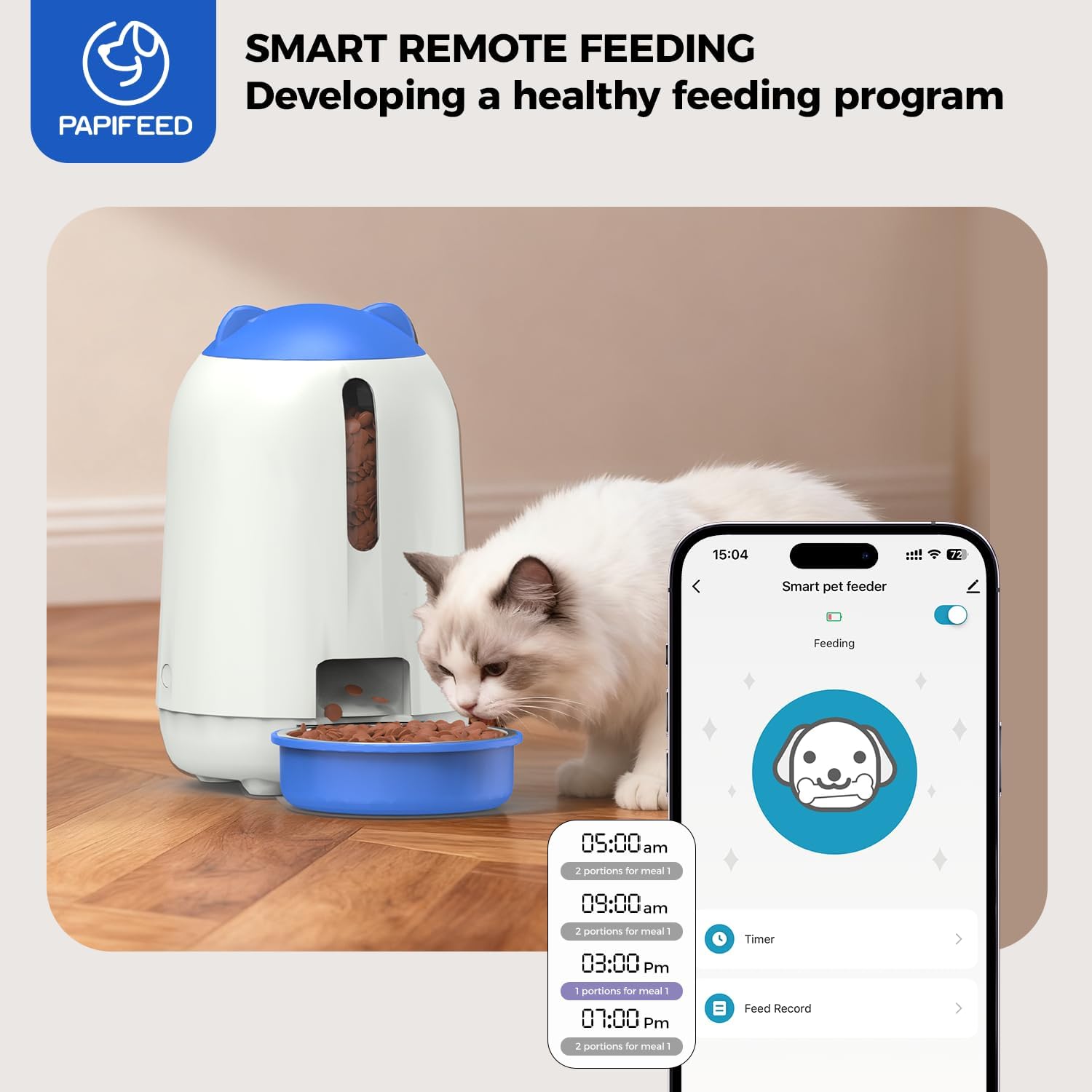
- Customize Feeding Schedule: Set specific times and portion sizes for up to 10 meals per day, with 1-12 portions per meal.
- 수동 분배: Dispense food instantly with a tap in the app.
- 사료 급여 기록: View 급식 배급의 역사.
- 장치 공유: Share control of the feeder with other family members through the app.
The Smart Life app interface for customizing feeding plans and remote control.
중요 참고 사항: When the feeder is operating on backup battery power, it will remain offline (unable to connect to the APP). However, it will continue to execute the preset feeding schedule to ensure your pet eats on time.
6. 유지관리
6.1 청소
정기적인 청소는 사료 공급기의 위생과 정상적인 작동을 보장합니다.
- 분해 : The food bin, grain outlet channel, and food bowl are designed to be fully detachable for cleaning.
- 세탁: Rinse the detachable parts (food bin, grain outlet channel, food bowl) directly with clean water. Ensure they are completely dry before reassembling.
- 메인 유닛: The main feeder unit, which contains electronic components, should 아니다 be washed or submerged in water. Wipe it clean with a soft, damp 옷감.
- 재조립: Once all parts are dry, reassemble the feeder, ensuring all components are securely in place.

The food bin, grain outlet channel, and food bowl can be detached and rinsed with water.

Illustration of removable parts for easy cleaning, with a clear indication that the main electronic unit should not be washed.
7. 문제 해결
- Feeder is offline in the app: If the feeder is running on backup AA batteries, it will not connect to the app. It will still dispense food according to the last programmed schedule. Reconnect to main power for app functionality.
- 음식 제공 불가:
- Check food level in the hopper.
- Ensure kibble size is within the recommended range (0.2-0.47 inches / 5-12mm) to prevent clogs.
- Verify the dispensing mechanism is clear of obstructions.
- WiFi 연결 문제:
- Confirm your router is broadcasting a 2.4G WiFi signal. The feeder does not support 5G WiFi.
- Ensure the feeder is within range of your WiFi router.
- Restart your router and the feeder, then attempt to reconnect via the app.
- Pet knocks over the feeder: Place the feeder in a stable location or consider securing it to prevent accidental tipping by active pets.
8. 사양
| 상표 | 파피드 |
| 모델 번호 | MAOER-BUTTON |
| 용량 | 3리터 |
| 전원 공급 장치 | AC Adapter (included) + 4 AA Batteries (not included) |
| 연결성 | 2.4G 와이파이 |
| 치수 | 18.54 x 18.54 x 12.7cm(7.3 x 7.3 x 5인치) |
| 무게 | 1.37kg(3.02파운드) |
| 재료 | 튼튼한 플라스틱 |
| 대상 종 | 고양이, 소형견 |
9. 보증 및 지원
This PAPIFEED Automatic Cat Feeder comes with a 2년 제조사 보증.
For technical assistance, warranty claims, or any questions regarding your product, please contact PAPIFEED customer support through the retailer's platform or the official PAPIFEED web대지.