
1. 제품 오버view
The Mercusys MS124GS is a 24-port Gigabit Ethernet switch designed for expanding your wired network. It features 24 auto-negotiating 10/100/1000 Mbps RJ45 ports with Auto-MDI/MDIX support, ensuring seamless connectivity for various devices. Its durable metal casing provides efficient heat dissipation and a long operational life. The switch supports multiple modes including Isolation Mode and Loop Prevention, enhancing network security and stability.

그림 1: 전면 view of the Mercusys MS124GS 24-Port Gigabit Switch, showing all 24 Ethernet ports and status indicators.
주요 특징:
- 24개의 기가비트 포트: Provides 24 RJ45 ports for high-speed wired connections.
- 플러그 앤 플레이: Requires no configuration for quick and easy setup.
- 격리 모드: Separates client traffic for improved security and performance.
- 루프 방지: Detects and prevents network loops to avoid disruptions.
- 내구성 있는 금속 Casing: Ensures efficient heat dissipation and product longevity.
- 무음 작동 : Fanless design for quiet performance.
2. 패키지 내용
패키지에 다음 품목이 포함되어 있는지 확인하십시오.
- 머큐시스 MS124GS 24포트 기가비트 스위치
- 전원 어댑터/케이블
- 고무 발
- 랙 마운트 키트
- 빠른 설치 가이드
3. 설정 지침
The MS124GS switch is designed for simple Plug and Play installation. No software configuration is required.
3.1 물리적 설치
- 놓기: Place the switch on a stable, flat surface (desktop) or install it in a standard 19-inch equipment rack using the provided rackmount kit. Ensure adequate ventilation around the switch.
- Attach Rubber Feet (Desktop Use): If placing on a desktop, attach the included rubber feet to the bottom corners of the switch to prevent scratching and provide stability.
- 전원 연결: Connect the provided power cable to the power port on the rear panel of the switch and then to a power outlet. The power LED on the front panel will illuminate.

그림 2: 후면 view of the MS124GS switch, showing the power input and ventilation.
3.2 네트워크 연결
- 장치 연결: Use standard Ethernet cables (Cat5e or higher recommended) to connect your network devices (computers, printers, servers, IP cameras, gaming consoles, etc.) to any of the 24 RJ45 ports on the front panel of the switch.
- 연결 확인: Once a device is connected, the corresponding Link/Act LED on the switch's front panel will light up, indicating an active connection. A blinking LED indicates data transmission.

그림 3: 전면 view of the MS124GS switch, highlighting the 24 Gigabit Ethernet ports.
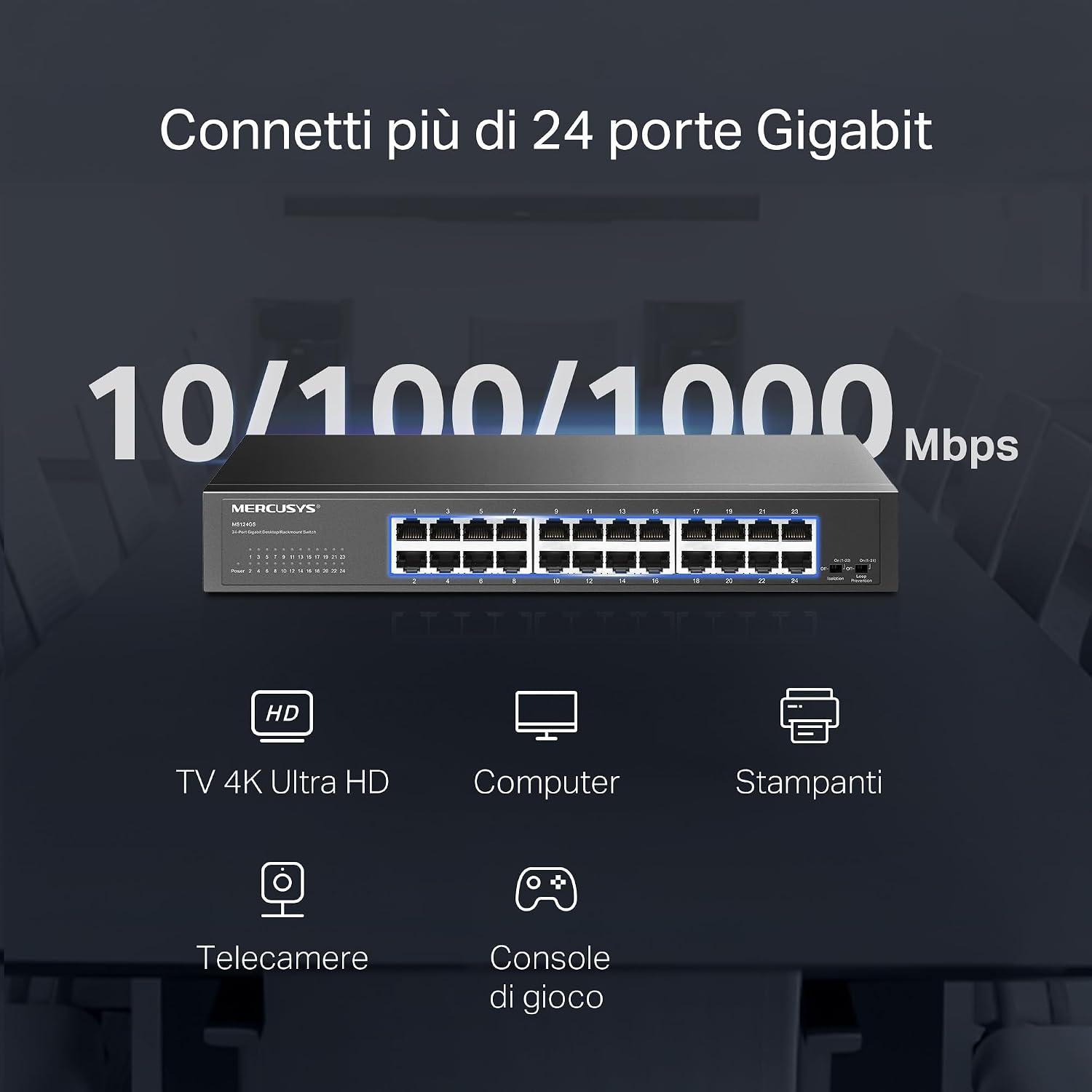
Figure 4: Illustration of various devices such as 4K TVs, computers, printers, IP cameras, and gaming consoles connected to the 24 Gigabit ports of the MS124GS switch.
4. 스위치 작동
The Mercusys MS124GS is an unmanaged switch, meaning it operates automatically without requiring complex configuration. However, it includes specific modes to optimize network performance and security.
4.1 기본 모드
In Default Mode, all ports operate as standard Gigabit Ethernet ports, allowing all connected devices to communicate freely within the network.
4.2 격리 모드
Isolation Mode enhances security by separating client traffic. When activated, ports 1-22 are isolated from each other but can still communicate with ports 23-24 (uplink ports). This prevents client devices from directly accessing each other, which is useful in environments like offices or public networks.
- 활성화: Locate the 'Isolation' switch on the front panel and set it to the 'On' position.
4.3 루프 방지 모드
Loop Prevention Mode automatically detects and prevents network loops. A network loop occurs when there are multiple paths between two network devices, which can cause broadcast storms and network instability. This mode helps maintain network reliability.
- 활성화: Locate the 'Loop Prevention' switch on the front panel and set it to the 'On' position.

Figure 5: Detailed diagrams showing how to activate Isolation Mode and Loop Prevention Mode using the switches on the front panel, and their respective network effects.
5. 유지관리
To ensure optimal performance and longevity of your Mercusys MS124GS switch, follow these maintenance guidelines:
- 통풍: Ensure the switch is placed in a well-ventilated area. Do not block the ventilation holes on the sides or rear of the device.
- 청소: 스위치 외부를 주기적으로 부드럽고 마른 천으로 닦아주십시오. 액체 또는 에어로졸 세척제 사용은 피하십시오.
- 케이블 관리 : 신호 저하를 방지하려면 네트워크 케이블을 꼬임이나 과도한 굽힘 없이 정리하세요.
- 전원 공급 장치: Use only the power adapter provided with the switch. Disconnect power during electrical storms or when the device will be unused for extended periods.
- 온도: Operate the switch within its specified temperature range (0°C to 40°C).

Figure 6: The MS124GS switch mounted in a metal rack, demonstrating its durable metal casing and suitability for rack installation.
6. 문제 해결
If you encounter issues with your Mercusys MS124GS switch, refer to the following troubleshooting tips:
6.1 전원 없음
- Ensure the power cable is securely connected to both the switch and a working power outlet.
- 다른 장치를 연결하여 전원 콘센트가 작동하는지 확인하세요.
- Check the power LED on the front panel of the switch. If it is off, contact support.
6.2 포트에 링크/활동 없음
- 이더넷 케이블이 스위치 포트와 장치에 제대로 연결되어 있는지 확인하십시오.
- 케이블에 결함이 있는지 확인하려면 다른 이더넷 케이블을 사용해 보세요.
- 연결된 장치의 전원이 켜져 있고 네트워크 어댑터가 올바르게 작동하는지 확인하세요.
- If using Isolation Mode, ensure the connected device is on a port that can communicate with the desired destination (e.g., ports 23-24 for uplink).
6.3 Network Slowdown or Instability
- Activate Loop Prevention Mode to check if a network loop is causing the issue.
- 모든 케이블이 양호한 상태이고 제대로 연결되어 있는지 확인하세요.
- Check for excessive network traffic or bandwidth-intensive applications on connected devices.
- Restart the switch by disconnecting and reconnecting the power cable.
7. 사양
| 특징 | 세부 사항 |
|---|---|
| 상표 | 머큐 시스 |
| 모델 번호 | MS124GS |
| 포트 수 | 24 |
| 인터페이스 | 24x 10/100/1000 Mbps RJ45 Ports (Auto-Negotiation, Auto-MDI/MDIX) |
| 데이터 전송 속도 | 1000 Megabits per second (Gigabit) |
| 스위치 유형 | Unmanaged (with Smart Features: Isolation Mode, Loop Prevention) |
| 케이스 소재 | 금속 |
| 장착 옵션 | 데스크탑, 랙마운트 |
| 최대 작동 온도 | 섭씨 40도 |
| 호환 장치 | Desktop computers, Gaming consoles, Cameras, Laptops, Smartphones, Printers, Tablets |
| 플랫폼 호환성 | 모든 운영 체제 |
8. 보증 정보
The Mercusys MS124GS 24-Port Gigabit Switch comes with a 2년 보증 from the date of purchase. This warranty covers defects in materials and workmanship under normal use. Please retain your proof of purchase for warranty claims. For detailed warranty terms and conditions, refer to the official Mercusys web사이트 또는 패키지에 포함된 보증 카드를 참조하세요.
9. 지원
For further assistance, technical support, or to download the latest firmware and documentation, please visit the official Mercusys web대지:
You can also find contact information for customer service and support in your region on the web대지.