
1. 서론
Thank you for choosing the Transformers GM04 Lightweight Wireless Gaming Mouse. This manual provides essential information for setting up, operating, and maintaining your new gaming mouse. Designed for precision and comfort, the GM04 features a high-precision PAW3311 sensor, triple connection modes (2.4G wireless, Bluetooth 5.3, and USB-C wired), 5 programmable buttons, and up to 100 hours of battery life. Its ergonomic design and lightweight construction ensure a comfortable and responsive experience for gaming, work, and study.
2. 상자 안에 무엇이 들어있나요?
- TF-GM04 Wireless Gaming Mouse x 1
- USB Wireless Dongle x 1
- USB-C 케이블 x 1
- 사용 설명서 x 1
3. 제품 오버view
Familiarize yourself with the key features and components of your Transformers GM04 gaming mouse.
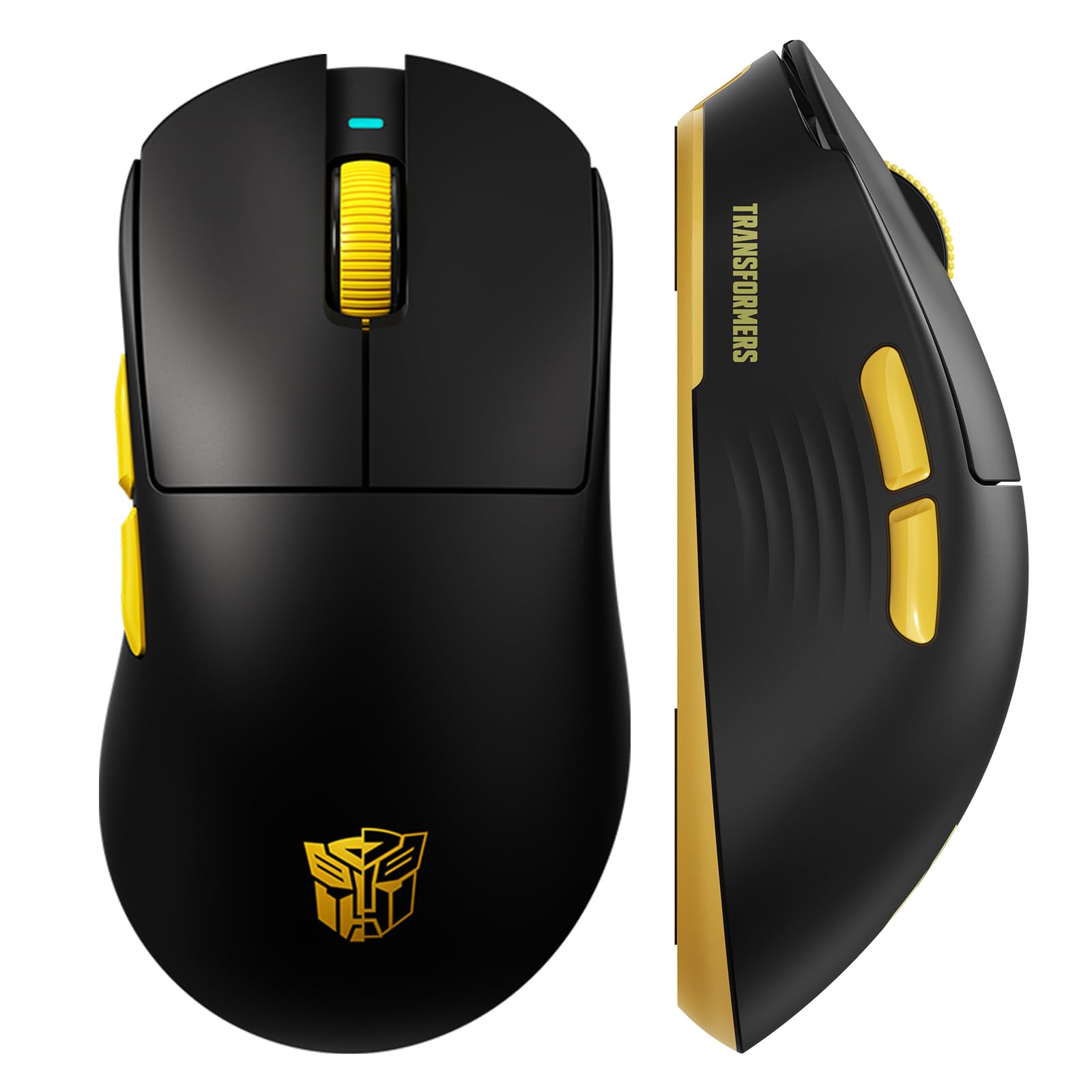
이미지 1: The Transformers GM04 Wireless Gaming Mouse, showcasing its sleek black and yellow design, along with icons highlighting its core features such as PixArt PAW3311 sensor, up to 12000 DPI, 1000Hz polling rate, 20 million clicks, Tri-Mode connectivity, custom macros, 63g lightweight design, and up to 100 hours of battery life. A USB wireless dongle is also visible next to the mouse.

이미지 2: A hand demonstrating the ergonomic design of the Transformers GM04 mouse. The image highlights how the mouse fits comfortably in the palm, promoting more comfort and less fatigue during extended use, thanks to its non-slip texture.

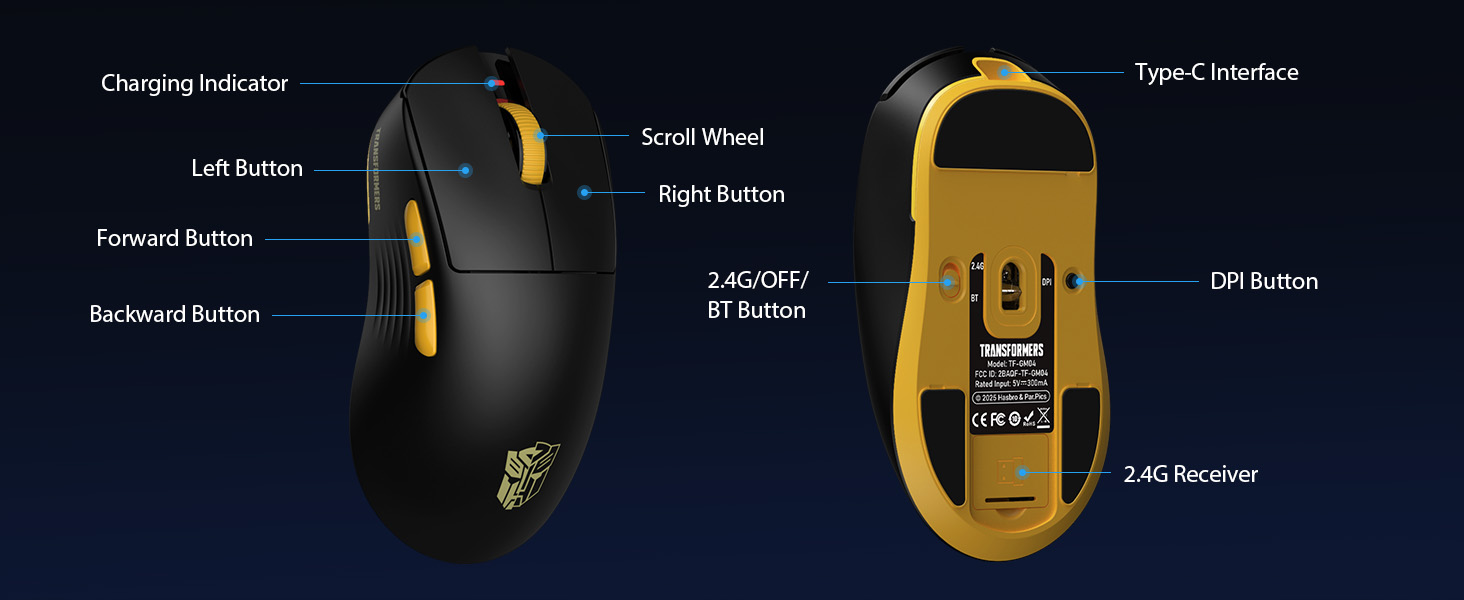
이미지 3: The underside of the Transformers GM04 mouse, detailing the 2.4G/OFF/BT switch for connection modes, the DPI button, and the storage compartment for the 2.4G wireless receiver. This view is crucial for understanding how to switch modes and adjust settings.

이미지 4: An illustration of the 6-level adjustable DPI settings for the Transformers GM04 mouse. It shows the DPI values (1200, 2400, 3200, 4800, 6400, 12000) and their corresponding LED indicator colors (Red, Green, Blue, Purple, Yellow, Cyan), which helps users identify the current DPI level.
이미지 5: 폭발 view diagram of the Transformers GM04 mouse, highlighting the HUANO micro switches. This image emphasizes the precision-engineered mechanical switches designed for crisp feedback and a lifespan of over 20 million clicks, ideal for rapid gaming actions.
동영상 1 : An official product video from Transformers Keyboard showcasing the GM04 Lightweight Wireless Gaming Mouse. This short video provides a dynamic overview of the mouse's design and features.
4. 설정
4.1. 마우스 충전
Before first use, it is recommended to fully charge your GM04 mouse. Connect the provided USB-C cable to the mouse's front port and the other end to a USB power source (e.g., computer USB port, USB wall adapter). The LED indicator will show charging status.
4.2. 마우스 연결
The GM04 mouse supports three connection modes: 2.4G Wireless, Bluetooth 5.3, and USB-C Wired. Use the switch on the bottom of the mouse to select your desired mode.
4.2.1. 2.4G 무선 모드
- Remove the USB wireless dongle from its storage slot on the bottom of the mouse.
- USB 무선 동글을 컴퓨터의 사용 가능한 USB-A 포트에 꽂습니다.
- 마우스 하단에 있는 모드 스위치를 "2.4G" 위치로 밀어주세요.
- 마우스가 자동으로 컴퓨터에 연결됩니다.
4.2.2. 블루투스 모드
- 마우스 하단에 있는 모드 스위치를 "BT" 위치로 밀어주세요.
- 컴퓨터나 기기에서 Bluetooth 설정을 열고 새 기기를 검색하세요.
- Select "TF-GM04 BT" from the list of available devices to pair.
- The mouse should connect and be ready for use.
4.2.3. USB-C 유선 모드
- Connect the provided USB-C cable to the mouse's front port and the other end to a USB-A port on your computer.
- 마우스가 자동으로 유선 모드로 전환되고 충전이 시작됩니다.
5. 운영
5.1. DPI 조정
The GM04 mouse offers 6 default DPI settings. To cycle through these settings, press the DPI 버튼 located on the bottom of the mouse. The LED indicator will change color to reflect the current DPI level:
- 빨간색: 1200DPI
- 녹색: 2400DPI
- 파란색: 3200DPI
- 보라: 4800DPI
- 노란색 : 6400DPI
- 청록색 : 12000DPI
5.2. 프로그래밍 가능한 버튼
The mouse features 5 programmable buttons. To customize these buttons with macro commands, shortcut keys, or other functions, you will need to use the dedicated driver software. This software is typically available for Windows systems under 2.4G wireless and wired modes. Bluetooth mode may not support full software customization.
5.3. 연결 모드 전환
Easily switch between 2.4G Wireless, Bluetooth, and Wired modes using the dedicated switch on the bottom of the mouse. This allows for seamless transitions between multiple devices.
5.4. LED 표시기
- DPI 표시기: Changes color according to the current DPI setting (see 5.1).
- 충전 표시기: A green LED near the scroll wheel indicates charging. It turns off when fully charged.
6. 유지관리
6.1. 청소
최적의 성능과 외관을 유지하려면 마우스를 정기적으로 청소하십시오. 부드럽고 마른 천으로 표면을 닦아주세요. 잘 지워지지 않는 얼룩은 약간 거친 천으로 닦아내십시오.amp 천을 사용하면 습기가 내부 부품으로 유입되는 것을 방지할 수 있습니다. 강한 화학 물질이나 연마재는 사용하지 마세요.
6.2. 배터리 관리
The GM04 mouse is equipped with a 500mAh high-capacity battery. To prolong battery life:
- 배터리를 자주 완전히 방전시키지 마세요.
- 장기간 사용하지 않을 때는 마우스를 시원하고 건조한 곳에 보관하세요.
- If using wired mode, the mouse will charge automatically.
7. 문제 해결
7.1. 마우스가 응답하지 않음
- 배터리 확인: 마우스가 충전되어 있는지 확인하십시오. USB-C 케이블을 사용하여 연결하십시오.
- 연결 모드 확인: Verify the switch on the bottom is set to the correct mode (2.4G, BT, or Wired).
- Re-pair (2.4G/Bluetooth): For 2.4G, try plugging the dongle into a different USB port. For Bluetooth, unpair and re-pair the device in your computer's settings.
- 유선 모드를 사용해 보세요: Connect the mouse directly via USB-C cable to see if it functions.
7.2. DPI가 변경되지 않음
- 마우스 하단에 있는 DPI 버튼을 올바르게 누르고 있는지 확인하십시오.
- Observe the LED indicator for color changes to confirm DPI cycles.
- 사용자 지정 소프트웨어를 사용하는 경우 설정이 올바르게 적용되었는지 확인하십시오.
7.3. Lag or Disconnection in Wireless Mode
- 간섭 감소: Move the mouse closer to the receiver/device. Avoid obstacles or other wireless devices that may cause interference.
- 배터리 확인: Low battery can affect wireless performance.
- 드라이버 업데이트: 컴퓨터의 블루투스 또는 USB 드라이버가 최신 버전인지 확인하십시오.
8. 사양
| 특징 | 세부 사항 |
|---|---|
| 제품 치수 | 4.68 x 2.52 x 0.1 인치 |
| 품목 무게 | 2.22온스(약 63g) |
| 품목 모델 번호 | TF-GM04 |
| 연결 기술 | 2.4G 무선, 블루투스 5.3, USB-C 유선 |
| 움직임 감지 기술 | 광학(PAW3311 센서) |
| DPI 설정 | 1200/2400/3200/4800/6400/12000 (Adjustable) |
| 폴링 속도 | 1000Hz(1ms 지연) |
| 추적 속도 | 300 IPS |
| 가속 | 35G |
| 버튼 | 5개의 프로그래밍 가능한 버튼 |
| 스위치 유형 | HUANO Micro Switches (20 Million Clicks) |
| 배터리 용량 | 500mAh |
| 배터리 수명 | 최대 100시간 (블루투스 모드) |
| 호환성 | Windows, Mac OS, and other systems |
9. 보증 및 지원
9.1. 보증 정보
The Transformers GM04 Lightweight Wireless Gaming Mouse comes with a standard manufacturer's warranty. Please refer to the packaging or the official Transformers web자세한 보증 약관은 해당 웹사이트를 참조하십시오. 보증 청구를 위해서는 구매 영수증을 증빙 자료로 보관하십시오.
9.2. 고객 지원
For technical assistance, troubleshooting, or any questions regarding your Transformers GM04 mouse, please contact Transformers customer support. Contact details can typically be found on the product packaging or the official brand web대지.