
소개
This manual provides essential information for the safe and efficient use of your ASUS ROG Strix G18 G814 Gaming Laptop. Please read this guide thoroughly before operating your device to ensure proper setup, operation, and maintenance.
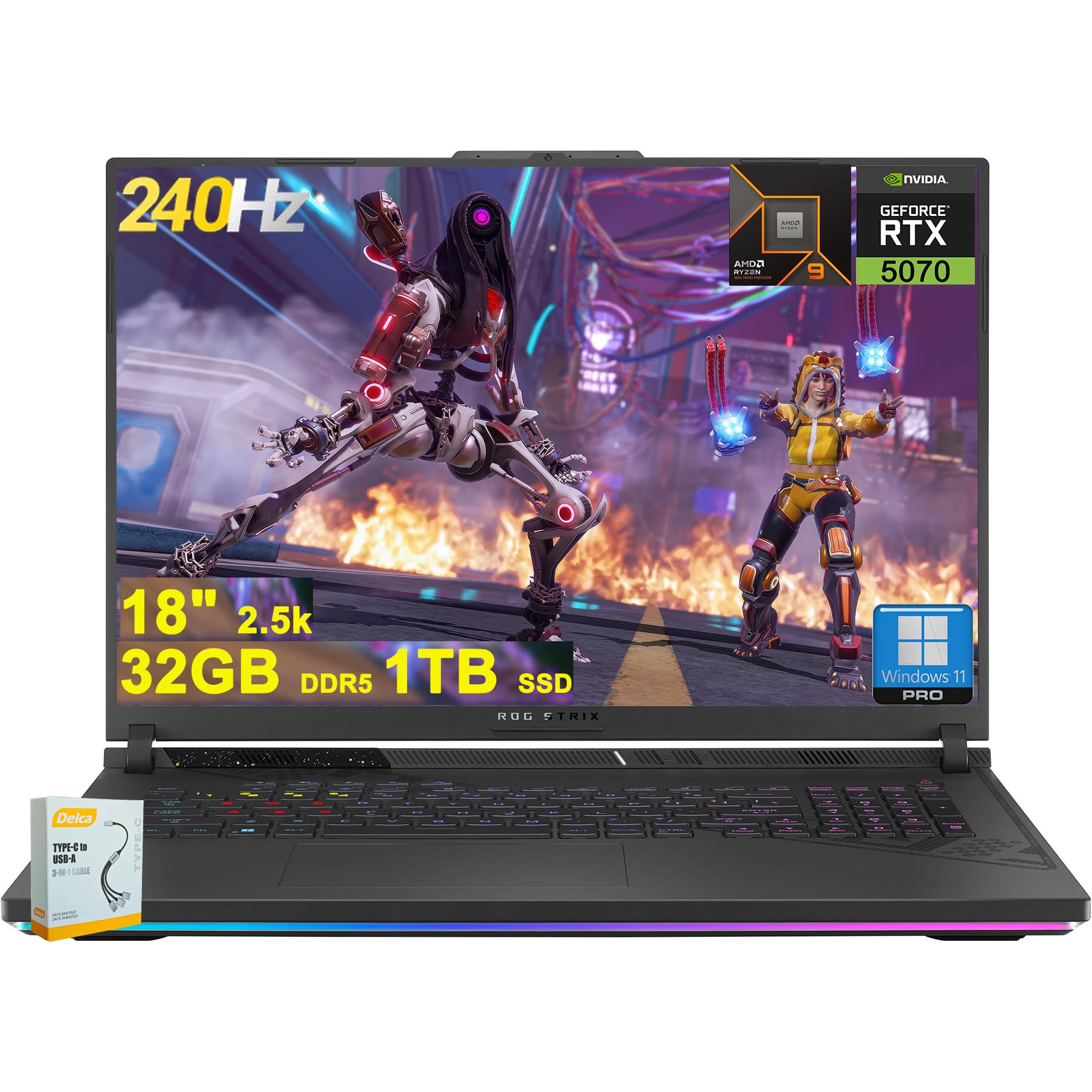
Figure 1: ASUS ROG Strix G18 G814 Gaming Laptop, front view with screen open.
상자 안에 무엇이 들어있나요?
개봉 시 모든 구성품이 있는지, 그리고 양호한 상태인지 확인하십시오.
- ASUS ROG Strix G18 G814 게이밍 노트북
- 전원 어댑터/충전기

Figure 2: Contents of the ASUS ROG Strix G18 G814 package, including the laptop and power adapter.
설정
1. 초기 전원 켜기
- 전원 어댑터 연결: 전원 어댑터를 노트북의 전원 입력 포트에 꽂은 다음 벽면 콘센트에 꽂으세요.
- 노트북을 켜세요: 노트북 덮개를 조심스럽게 엽니다.
- 전원 켜기: 일반적으로 키보드 데크에 있는 전원 버튼을 누르세요. 노트북이 초기 부팅 과정을 시작합니다.
- 화면의 지침을 따르세요: Complete the Windows 11 setup process, including language selection, network connection, and user account creation.
2. 주변기기 연결하기
Connect external devices such as a mouse, keyboard, or external display to the available ports.

그림 3: 측면 view of the ASUS ROG Strix G18 G814, illustrating the various input/output ports including USB-A, USB-C, HDMI, and RJ45 Ethernet.
- USB-A 3.2: For standard USB devices like mice, keyboards, and external drives. (2 ports)
- Type USB 4: For high-speed data transfer, display output, and power delivery. (1 port)
- HDMI 2.1 FRL: 외부 모니터나 TV에 연결하는 데 사용합니다.
- RJ45 이더넷: 유선 네트워크 연결용.
- 헤드폰/마이크 콤보 잭: 오디오 입력/출력용.
작동 지침
전원 관리
- 전원 켜기: 전원 버튼을 누르세요.
- 종료: 시작 버튼을 클릭한 다음 전원을 클릭하고 종료를 클릭하세요.
- 수면 모드 : 뚜껑을 닫거나 전원 메뉴에서 절전을 선택하세요.
키보드 및 터치패드
The laptop features a 4-zone RGB backlit keyboard and a precision touchpad for navigation.

그림 4: 클로즈업 view of the ASUS ROG Strix G18 G814's 4-zone RGB backlit keyboard and touchpad.
- 백라이트 제어: Use the dedicated function keys (Fn + Fx) to adjust keyboard backlight brightness or effects.
- 터치패드 제스처: 사용자 정의 가능한 멀티터치 제스처에 대해서는 Windows 설정을 참조하세요.
디스플레이 및 그래픽
Your laptop is equipped with an 18-inch 2560x1600 IPS display with a 240Hz refresh rate and 100% DCI-P3 color gamut, powered by an NVIDIA GeForce RTX 5070 8GB graphics card.

Figure 5: Visual representation of the 18-inch IPS display with 2560x1600 resolution and 240Hz refresh rate.

Figure 6: Image highlighting the NVIDIA GeForce RTX 5070 graphics card, emphasizing its role in visual performance.
오디오 시스템
Experience enhanced audio with Smart Amp technology, Dolby Atmos support, and AI Noise-canceling for clear communication.

Figure 7: Visual depicting the audio features, including Dolby Atmos and AI Noise-Canceling Microphone.
성능 및 소프트웨어
The laptop is powered by an AMD 16-core Ryzen 9 9955HX processor and runs on Windows 11 Pro. It includes 32GB DDR5 RAM and a 1TB SSD for fast performance and storage.

Figure 8: Image illustrating the AMD Ryzen 9 9955HX processor, highlighting its 16-core architecture.
- 운영 체제: Windows 11 Pro provides a secure and efficient computing environment.
- 무기고 상자: Update Armoury Crate software for optimal system management and performance tuning.
유지
노트북 청소
- 화면: 부드럽고 보풀이 없는 천을 살짝 사용하십시오. damp물이나 화면 세척제로 닦으세요. 강한 화학 물질은 피하세요.
- 키보드 및 섀시: 부드러운 천을 사용하세요. 잘 지워지지 않는 오염에는 약간amp cloth is acceptable. Ensure no liquid enters openings.
- 통풍구 : Periodically clean dust from the ventilation grilles using compressed air to maintain optimal cooling performance.
배터리 관리
- 극한의 온도를 피하세요.
- 배터리를 자주 완전히 방전시키지 마세요.
- 장기간 보관하려면 배터리를 약 50~60%까지 충전하세요.
문제 해결
| 문제 | 가능한 해결책 |
|---|---|
| 노트북의 전원이 켜지지 않습니다. | 전원 어댑터가 노트북과 정상적으로 작동하는 전원 콘센트에 모두 단단히 연결되어 있는지 확인하세요. 전원 콘센트가 제대로 작동하는지 확인하세요. |
| 전원을 켜도 화면이 검은색으로 유지됩니다. | Connect an external monitor to verify if the issue is with the laptop's display. Try pressing Fn + F6 (or the appropriate function key) to toggle display output. |
| 성능이 느립니다. | Close unnecessary applications. Check for background processes consuming high resources. Ensure drivers are updated, especially graphics drivers. Verify sufficient free storage space on the SSD. |
| Wi-Fi 연결 문제. | Restart the laptop and the wireless router. Check Wi-Fi settings in Windows. Ensure Wi-Fi drivers are up to date. |
| Long reboot time after BIOS updates. | This is normal behavior for some BIOS updates. Allow the system to complete the process, which may take several minutes. Do not interrupt the power. |
| Operating System discrepancy (e.g., Windows 11 Home instead of Pro). | Verify the installed OS version via System Information. If there is a discrepancy with the purchased specification, contact your retailer or ASUS support for clarification. |
명세서
| 모델명 | ASUS ROG Strix G18 G814 |
| 프로세서 | AMD 16-core Ryzen 9 9955HX (3 GHz) |
| 제도법 | NVIDIA GeForce RTX 5070 8GB 전용 메모리 |
| 표시하다 | 18-inch IPS, 2560x1600 resolution, 240Hz refresh rate, 100% DCI-P3 |
| 숫양 | 32GB DDR5 SD램 |
| 저장 | 1TB SSD(솔리드 스테이트 드라이브) |
| 운영 체제 | 윈도우 11 프로 |
| 무선 연결 | 와이파이 6E(802.11ax) |
| 포트 | 2x USB-A 3.2, 1x Type USB 4, 1x HDMI 2.1 FRL, 1x RJ45 Ethernet, Headphone/Mic Combo Jack |
| 건반 | 4존 RGB 백라이트 키보드 |
| 오디오 | 똑똑한 Amp, Dolby Atmos, AI Noise-canceling |
| Web캠 | FHD 카메라 |
| 배터리 | 90Wh |
| 치수(길이x너비x높이) | 11.57 x 15.71 x 1.21 인치 |
| 무게 | 6.63파운드 |
보증 및 지원
보증 정보, 기술 지원 또는 서비스 문의는 ASUS 공식 지원 페이지를 참조하십시오. web사이트를 방문하거나 판매점에 문의하세요.
ASUS 지원 Web대지: https://www.asus.com/support/
Please have your product model number (ROG Strix G18 G814) and serial number ready when contacting support.