
1. 서론
Thank you for choosing the XTUGA J02S Wireless In-Ear Monitor System. This system provides high-fidelity stereo audio monitoring with low latency, designed for musicians, singers, and performers on stage, in church, or for content creation. This manual will guide you through the setup, operation, and maintenance of your new wireless IEM system.
2. 패키지 내용
다음 항목에 대한 상자를 체크해 주세요.
- 1 x XTUGA J02S Transmitter
- 1 x XTUGA J02S Receiver
- 1 x 3.5mm to 3.5mm Connecting Cable
- 1 x USB-C 충전 케이블
- 1 x 6.35mm Audio Adapter Plug
- 1 x 사용자 설명서

3. 제품 오버view
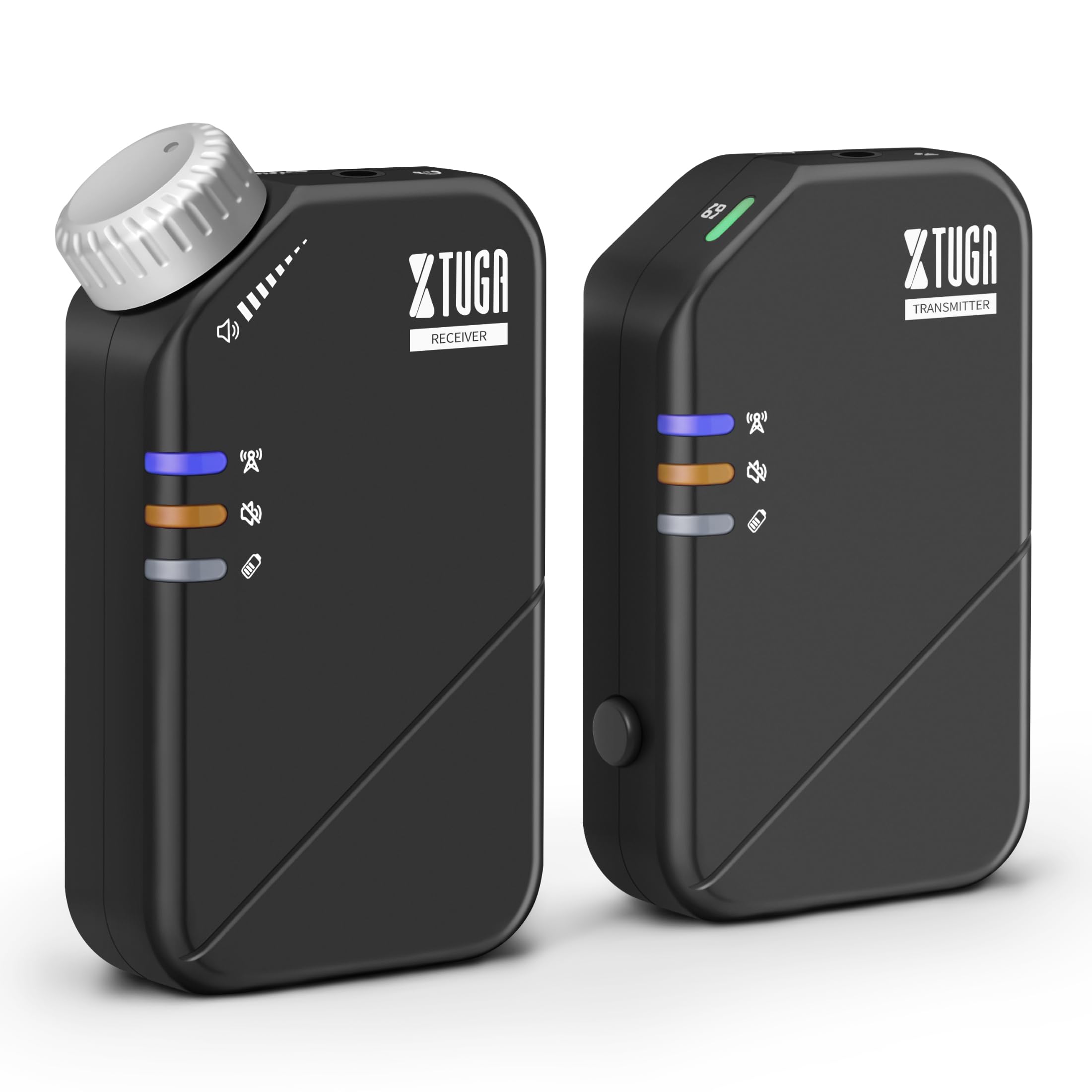
The XTUGA J02S system consists of a compact transmitter and receiver unit, designed for portability and ease of use. Both units feature durable ABS construction and integrated belt clips for convenient attachment during performances.
4. 설정
4.1 기기 충전
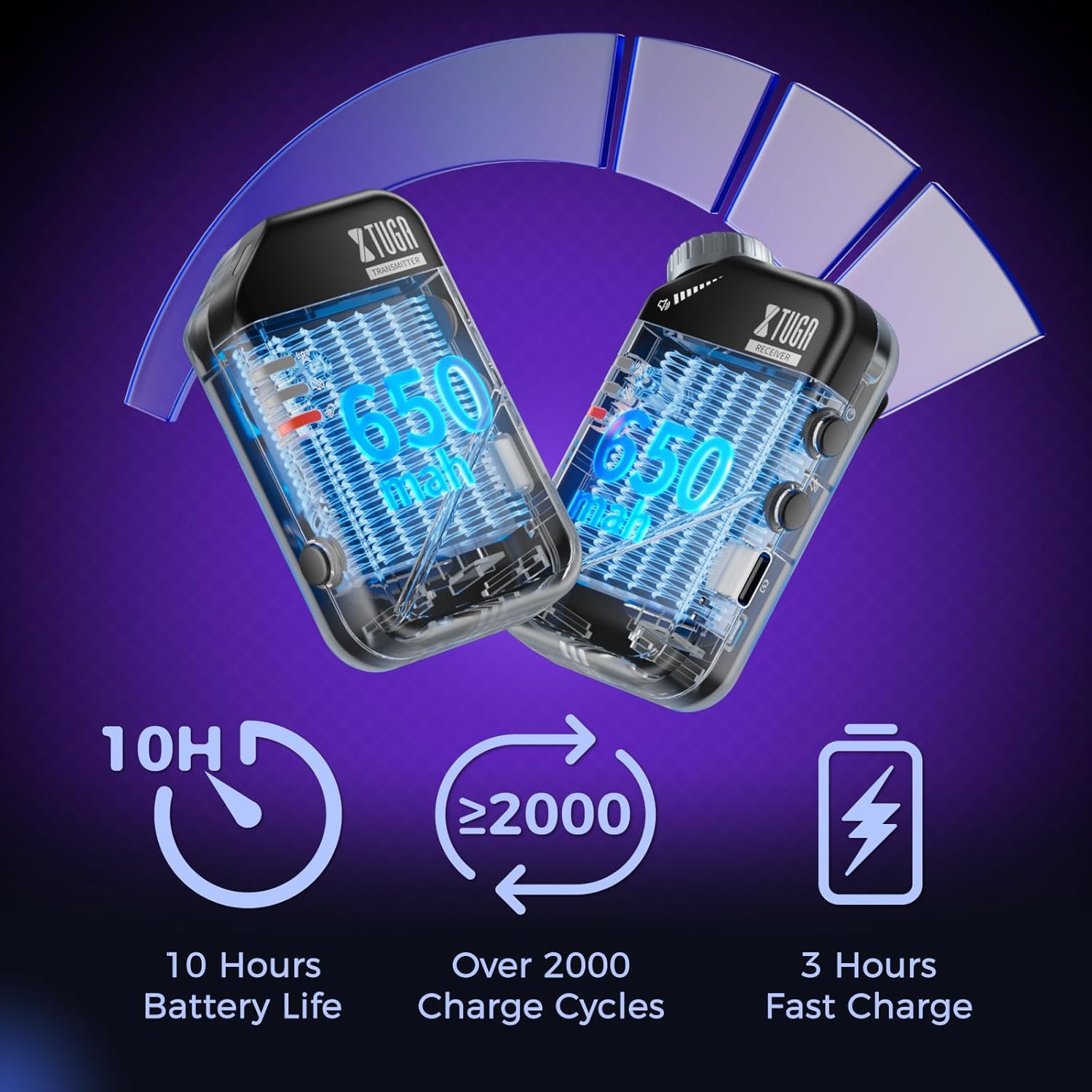
Before first use, fully charge both the transmitter and receiver using the provided USB-C charging cable. A red light will flash to indicate low battery and will turn solid red while charging, turning off when fully charged.
4.2 송신기 연결
- Connect the 3.5mm connecting cable to the 'INPUT' jack on the transmitter.
- If your audio source has a 6.35mm output, use the provided 6.35mm adapter plug.
- Plug the other end of the connecting cable into your audio source (e.g., mixer, audio interface, phone, sound card).
4.3 수신기 연결
- Plug your in-ear monitors or headphones into the 'OUTPUT' jack on the receiver.
- Clip the receiver to your belt or waistband for convenient monitoring.
4.4 유닛 쌍 만들기
The units are typically pre-paired. If re-pairing is needed:
- 송신기와 수신기 모두의 전원을 켜십시오.
- The blue indicator light will be solid when connected. A flashing blue light indicates no connection.
- If they do not connect automatically, refer to the detailed pairing instructions in the included user manual.
5. 사용 설명서
5.1 전원 켜기/끄기
Long press the power button on each unit to turn it on or off.
5.2 음소거 기능
Press the mute button on either the transmitter or receiver to mute the audio. A yellow light indicates the unit is muted.

5.3 모노/스테레오 전환
The system supports both mono and stereo modes. Use the dedicated button on the transmitter to switch between modes. A green light indicates mono mode, while no light indicates stereo mode.
5.4 볼륨 조절
Adjust the volume directly on the receiver unit using the tactile volume knob. This allows for precise, on-the-fly adjustments without needing to look at the unit.

6. 주요 특징
- 고음질 사운드: The 2.4GHz wireless system offers a low-noise design (SNR>100dB) and ultra-low latency (≤4.5ms mono, <12ms stereo) for clear audio.
- 확장된 무선 범위: Enjoy freedom of movement with a wireless transmission range of up to 164ft (50m).
- 긴 배터리 수명: Each unit provides up to 10 hours of continuous use on a single 3-hour fast charge, with a lifespan of over 2000 charge cycles.
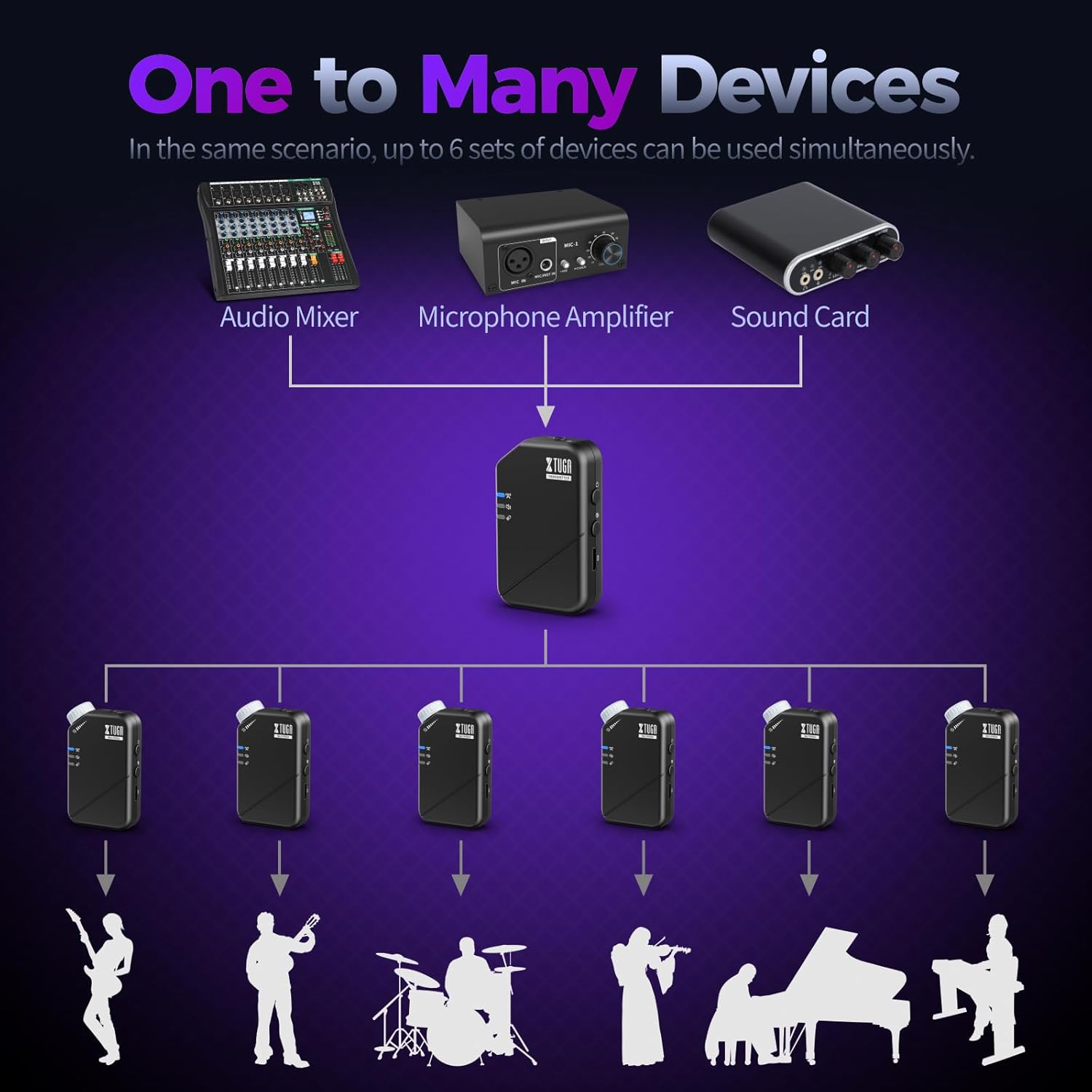
- One Transmitter to Many Receivers: A single transmitter can send signals to multiple receivers simultaneously (up to 6 pairs), ideal for band monitoring.


7. 사양
| 사양 | 값 |
|---|---|
| 모델명 | J02S-JT |
| 연결 기술 | 무선(2.4GHz) |
| 주파수 범위 | 20-24kHz |
| Samp링율 | 48KHz/24비트 |
| Low Latency (Mono) | ≤4.5ms |
| Low Latency (Stereo) | <12ms |
| 무선 범위 | 최대 164피트(50m) |
| 배터리 수명 | 10시간 |
| 충전 시간 | 3시간 |
| 재료 | 아크릴로니트릴 부타디엔 스티렌(ABS) |
| 헤드폰 잭 | 3.5mm (with 6.35mm adapter) |
| 호환 수신기 | Up to 6 pairs per transmitter |
| 품목 무게 | 7kg(0.2온스) |
| 제품 치수 | 6.89 x 4.72 x 1.97 인치 |

8. 문제 해결
8.1 오디오 출력 없음
- 송신기와 수신기 모두 전원이 켜져 있고 완전히 충전되어 있는지 확인하세요.
- Check that the units are successfully paired (solid blue indicator light).
- Verify that your headphones/IEMs are correctly plugged into the receiver's 'OUTPUT' jack.
- 수신기의 볼륨 조절 노브를 조절하세요.
- Confirm the audio source is active and connected correctly to the transmitter's 'INPUT'.
- Check if the mute function is active (yellow indicator light). Deactivate if necessary.
8.2 Intermittent Signal/Dropouts
- Ensure the transmitter and receiver are within the 164ft (50m) operating range.
- 각 유닛 사이에 물리적 장애물(벽, 큰 금속 물체)을 최소화하십시오.
- Avoid areas with high 2.4GHz wireless interference (e.g., multiple Wi-Fi routers, other wireless devices).
- Ensure units are fully charged to maintain optimal signal strength.
8.3 지연 시간 문제
- The system is designed for low latency. Ensure you are operating within optimal conditions (clear line of sight, minimal interference).
- Consider switching to mono mode if stereo latency is noticeable, as mono mode offers lower latency.
9. 유지관리
- 청소: 부드럽고 마른 천으로 제품을 닦으십시오. 액체 세제나 용제는 사용하지 마십시오.
- 저장: 시스템은 직사광선과 극한의 온도를 피해 서늘하고 건조한 곳에 보관하세요.
- 배터리 관리 : For optimal battery longevity, avoid completely draining the battery frequently. Charge the units regularly, even if not in constant use.
- 손질: While durable, avoid dropping the units or subjecting them to harsh impacts to prevent damage to internal components.
10. 보증 및 지원
XTUGA products are designed for reliability and performance. For warranty information, technical support, or service inquiries, please refer to the contact details provided in the original product packaging or visit the official XTUGA web사이트. 보증 청구를 위해 구매 증빙 자료로 구매 영수증을 보관하세요.