
소개
Thank you for choosing the FOPO 15.6" Triple Portable Laptop Monitor. This device is designed to enhance your productivity by providing an extended display for your laptop, creating a multi-screen workstation wherever you go. This manual provides essential information on setup, operation, and maintenance to ensure optimal performance and longevity of your device.
패키지 내용
아래 나열된 모든 품목이 패키지에 포함되어 있는지 확인해 주세요. 품목이 누락되었거나 손상된 경우 고객 지원팀에 문의해 주세요.
- 1x FOPO Triple Portable Laptop Monitor (Model S9)
- 1x 캐리 백
- USB-C-USB-C 케이블 2개
- 2x Mini HDMI to HDMI Cables
- USB-C-USB-A 케이블 2개
- 1x 전원 어댑터
- 1x 사용자 설명서
- 보호 캡 1개
- 1x 케이블 타이
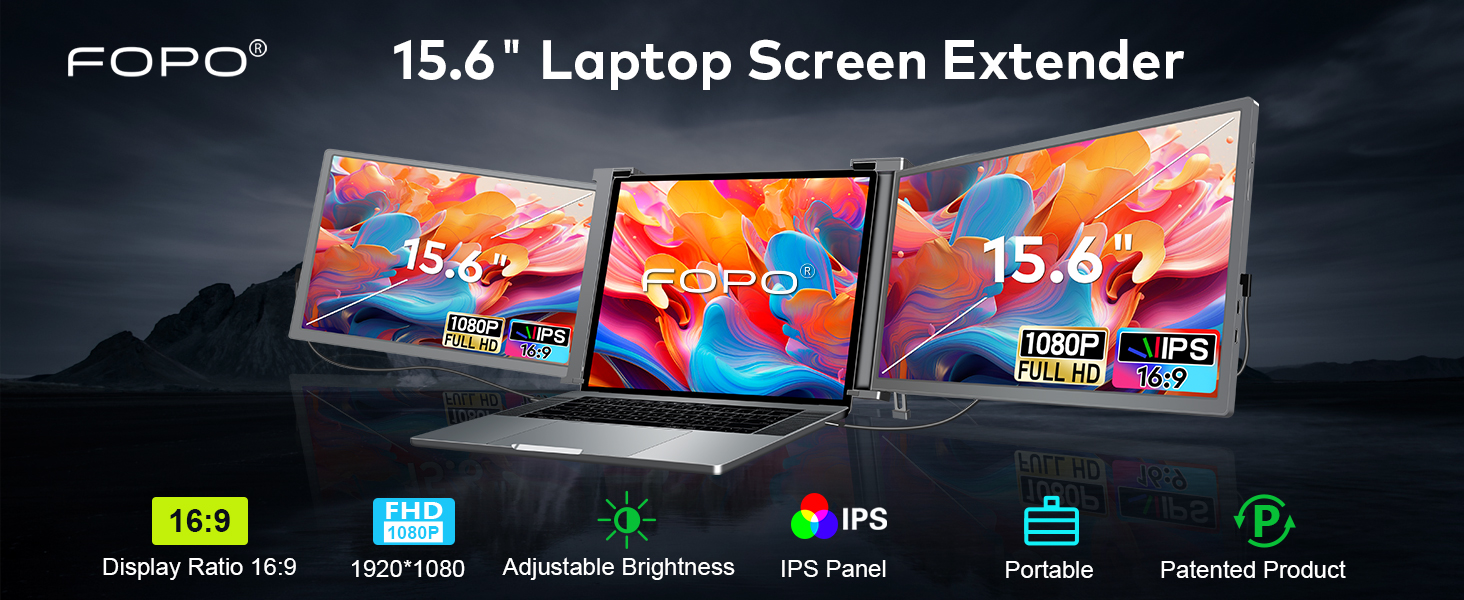
Image: A detailed layout of all items included in the FOPO Triple Portable Laptop Monitor package, including the main unit, cables, power adapter, carry bag, and user manual.
제품 특징
- 놀라운 비주얼: 15.6" FHD 1080P IPS displays with 72% NTSC, 1000:1 contrast ratio, 300 nits brightness, and wide view각도를 나타냅니다.
- 다재다능한 디자인: Dual rotatable screens (right 0-180°, left 0-235°) for flexible viewing and screen sharing.
- 일체형 킥스탠드: Stable built-in kickstand for adjustable length and comfortable viewing angles, preventing falls.
- 가지고 다닐 수 있는: Foldable and lightweight design (3.98 lbs) with a convenient carry bag, ideal for travel and remote work.
- 쉬운 연결: Plug and Play functionality with USB-C and HDMI ports, no extra drivers or software needed.
- 역 충전 : Display PD power cable supports reverse charging for laptops.

Image: The FOPO monitor in various configurations, demonstrating its dual rotatable screens and different display modes (Extended and Mirror).
호환성
This monitor offers broad compatibility with various devices and operating systems. Please ensure your laptop meets the following requirements for optimal performance:
- 노트북 크기: Suitable for 15.6-17.3 inch laptops. Adaptive laptop dimensions: Length (left to right) 13.5-18.2 inches, Breadth (top to bottom) >9.4 inches, Thickness (display panel) <0.3 inches.
- 운영 체제: Windows, MacOS (M1 Pro and M1 Max chips only), Android, Switch, Xbox.
- 연결성: Requires a full-featured USB-C port (for power supply & video signal) or a combination of USB-A and HDMI ports.

Image: A visual guide explaining how to identify a full-featured USB-C port by its symbols (Thunderbolt 3, Thunderbolt 4, SS with DP icon). It also lists incompatible laptop models.
Incompatible Laptop Models
Please note that the following laptop models are generally incompatible. If your laptop is listed, please contact customer support to confirm compatibility before purchase:
- 맥북: M1/M2/M3 맥북, 2012년형 및 이전 맥북 프로, 2017년형 및 이전 맥북 에어
- 마이크로소프트: Surface Series (including Surface Pro/Go/Go 2, Surface Pro 6/Pro 7/ProX, Surface Laptop Go/3/2/4)
- 레노버: 씽크패드 X1 폴드, 요가 크롬북 15.6인치, 요가 7i 14인치, S540 13인치
- HP: HP G62 (2010), ENVY X360 13-ay0056AU, ENVY 13
- 화웨이 : MateBook 13 2020 3.3", 13 2021 13.3", E 2019 12"
- 삼성 : 갤럭시 북 S/북 프로 360, 갤럭시 크롬북
- 작은 골짜기: Dell XPS 13 2015년 초, Dell Vostro 시리즈
설치 지침
1. 물리적 설정
- Carefully remove the triple monitor unit from its packaging.
- 노트북을 안정적이고 평평한 표면에 놓으세요.
- Unfold the triple monitor unit and attach it to the top of your laptop screen. Ensure the brackets securely grip the top edge of your laptop screen.
- Adjust the integrated kickstand at the back of the triple monitor unit to provide stable support and achieve your desired view잉 각도.

Image: A close-up of the adjustable bracket on the back of the FOPO monitor, demonstrating how to press and extend it for stability.
2. 케이블 연결
The FOPO monitor supports two main connection methods:
- Option 1: Dual Full-Featured USB-C Ports
- Connect one USB-C to USB-C cable from your laptop's first full-featured USB-C port to the left monitor's USB-C port.
- Connect a second USB-C to USB-C cable from your laptop's second full-featured USB-C port to the right monitor's USB-C port.

Image: Visual instructions for connecting the triple monitor using two USB-C to USB-C cables, assuming the laptop has two full-featured USB-C ports.
- Option 2: USB-C and HDMI Ports
- Connect one USB-C to USB-C cable from your laptop's full-featured USB-C port to one of the monitor's USB-C ports (for power and video).
- Connect a Mini HDMI to HDMI cable from your laptop's HDMI port to the other monitor's Mini HDMI port (for video).
- Connect a USB-C to USB-A cable from your laptop's USB-A port to the remaining monitor's USB-C port (for power only).

Image: Visual instructions for connecting the triple monitor using a combination of USB-C, USB-A, and HDMI cables, suitable for laptops with varied port types.
3. 전원 공급
If your laptop's USB-C ports do not provide sufficient power (e.g., if the screen flashes), you may need to use the included power adapter:
- Connect the power adapter to an external outlet.
- Connect the power adapter's USB-C cable to the monitor's dedicated power input port.

Image: Illustration of connecting a 65W+ power adapter to the monitor for reverse charging, which also powers the laptop.
작동 지침
1. 디스플레이 구성
After connecting the monitors, you may need to configure your display settings:
- Windows의 경우:
- Go to your Display Settings (Start > Settings > System > Display).
- Click and drag screens to configure their arrangement.
- To set different display modes (Extend, Duplicate, Second screen only), select the desired option.
- If any of the screens are upside down, click on the screen in the display menu, then click on the "Identify" button down the screen to find the corresponding screen and select the one, then enter into the "Multiple displays" menu to set the orientation to Landscape (flipped).
- MacOS의 경우:
- Open "System Preferences" > "Displays".
- Click "Display Settings" from display menu.
- 모니터 이름을 클릭하여 미러 또는 확장 디스플레이를 설정하세요.
- Click any display screen in the interface shown in to adjust the screen position.

Image: Side-by-side comparison of display settings interfaces for Windows and MacOS, illustrating how to arrange and configure multiple monitors.
2. 밝기 조정
Each monitor has separate OSD buttons for brightness adjustment. Use the physical buttons on the monitor to increase or decrease brightness to your preference.

Image: A visual representation of the FOPO triple monitor setup with separate OSD buttons for brightness adjustment on each screen.
3. 화면 회전
The left screen can rotate from 0 to 235 degrees, and the right screen can rotate from 0 to 180 degrees. This allows for flexible viewing options, including portrait mode or screen sharing with colleagues.
전원 관리
The FOPO Triple Portable Laptop Monitor supports reverse charging for your laptop via its PD power cable. This means the monitor can draw power from an external adapter and simultaneously charge your laptop, extending your work time on the go.
문제 해결
- 화면이 표시되지 않음: Ensure all cables are securely connected. Verify your laptop's ports support video output. For MacOS, ensure you have M1 Pro or M1 Max chip.
- Screen flashing/insufficient power: Connect the included power adapter to an external outlet and the monitor's power input.
- Incorrect display orientation: Adjust settings in your operating system's display preferences (refer to Operating Instructions).
- 소리가 나지 않습니다: Check your laptop's sound settings and ensure the monitor's volume is not muted or too low.
명세서
| 특징 | 사양 |
|---|---|
| 모델 번호 | S9 |
| 화면 크기 | 15.59 인치 |
| 해결 | 1920 x 1080 픽셀(FHD 1080p) |
| 종횡비 | 16시 9분 |
| 화면 표면 설명 | 액정표시장치 |
| 제품 치수 | 1.6 x 15.5 x 9.6 인치 |
| 품목 무게 | 6.89파운드 |
| 제조업체 | 선전 E-Tech 디지털 기술 유한회사 |
공식 제품 영상
FOPO 15.6" Triple Portable Laptop Monitor - Overview
Video: A 45-second official video from FOPO Direct showcasing the FOPO 15.6" Triple Portable Laptop Monitor, highlighting its key features and design.
15.6" Triple Portable Laptop Monitor - Setup & Usage
Video: A 3-minute and 41-second official video from FOPO Direct demonstrating the setup and various usage scenarios of the 15.6" Triple Portable Laptop Monitor.
보증 및 지원
The FOPO Triple Portable Laptop Monitor comes with a standard manufacturer's warranty. For specific warranty details, technical support, or any inquiries, please refer to the contact information provided in your package or visit the official FOPO website. Always ensure compatibility and check laptop size before making a purchase.