
소개
The PATON ProMIG-350 is an industrial-grade 3-in-1 welding machine designed for professional use. It supports MIG/MAG, MMA, and TIG DC welding processes, offering versatility for various applications. This unit delivers a powerful 350A output at a 70% duty cycle, suitable for continuous welding on thick materials. Key features include a 4-roller wire feeder for stable wire movement, gasless welding capability, pulse mode for enhanced arc control, and adjustable inductance for optimal arc characteristics across different materials such as stainless, acid-resistant, and mild steel.
This manual provides essential information for the safe and effective operation, setup, maintenance, and troubleshooting of your PATON ProMIG-350 welding machine. Please read it thoroughly before using the equipment.
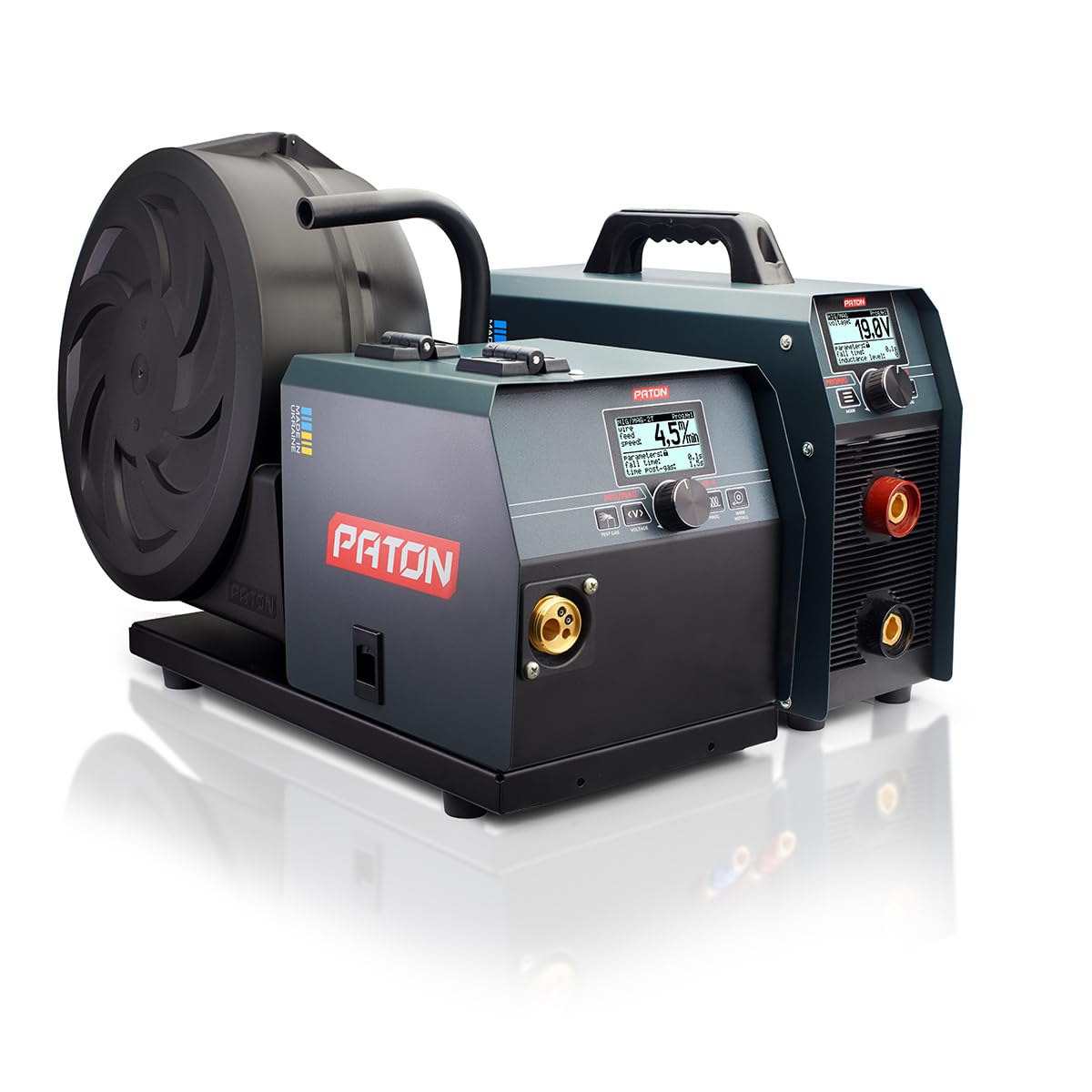
그림 1: 전면 view of the PATON ProMIG-350-15-4-400V SF (WAM) welding machine, showcasing its compact design and control panels.
안전 정보
Always prioritize safety when operating welding equipment. Failure to follow safety guidelines can result in serious injury or damage to equipment. Ensure you wear appropriate personal protective equipment (PPE), including welding helmet, gloves, and protective clothing. Work in a well-ventilated area to avoid inhaling fumes. Disconnect power before performing any maintenance or adjustments.
포함된 구성 요소
The PATON ProMIG-350-15-4-400V SF (WAM) welding machine kit typically includes the following items:
- Semi-Automatic Inverter PATON™ ProMIG-350 with 4-roller wire feeder on wheels
- 35 mm² welding cable, 3 meters long, equipped with an ABICOR BINZEL™ earth clamp
- 사용설명서(본 문서)
- Quick release gas connector
- Roller set for 4 diameters of solid wire and 2 diameters of aluminum wire
설정
Proper setup is crucial for safe and efficient operation. Follow these steps to prepare your welding machine:
- 놓기: Position the welding machine on a stable, level surface in a well-ventilated area, away from flammable materials.
- 전원 연결: Connect the machine to a 400V AC power supply. Ensure the power source meets the machine's requirements.
- 와이어 피더 연결: Connect the external 4-roller wire feeder unit to the main inverter unit.
- 접지 Clamp 연결: 접지 CL을 부착하십시오.amp 공작물이나 용접 테이블에 단단히 고정하여 양호한 전기 접촉을 확보하십시오.
- 전선 스풀 설치:
- 전선 공급함 덮개를 여세요.
- Mount the appropriate wire spool (5kg, 15kg, or 18kg) onto the spindle.
- Thread the welding wire through the feeder rollers and into the torch liner. Ensure the correct roller set is installed for your wire diameter (0.6-1.2 mm).
- Gas Connection (for MIG/MAG): If using shielding gas, connect the gas hose from your gas cylinder (with regulator) to the quick-release gas connector on the machine. Ensure all connections are tight to prevent leaks. For gasless welding, this step is not required.
- 토치 연결: Connect your welding torch to the EURO connector on the front panel of the machine.

그림 2: 각도 view of the PATON ProMIG-350-15-4-400V SF (WAM) showing the main inverter and the separate wire feeder unit.

그림 3: 후면 view of the PATON ProMIG-350-15-4-400V SF (WAM) showing power input and gas connections.
작동 지침
The ProMIG-350 offers multiple welding modes. Familiarize yourself with the control panel and settings before beginning any welding task.

Figure 4: Close-up of the control panels on the PATON ProMIG-350-15-4-400V SF (WAM) showing mode selection and parameter adjustment knobs and displays.
일반 작업 단계:
- 전원 켜기: Turn on the main power switch. The display will illuminate.
- 용접 모드를 선택하십시오: Use the mode selection button or knob to choose between MIG/MAG, MMA (Stick), or TIG DC welding.
- 매개변수 조정:
- MIG/MAG: Set welding current (Amps), 볼륨tage (Volts), and wire feed speed (m/min). Adjust inductance for arc stability and bead shape. Consider using pulse mode for better control on thin materials or specific alloys.
- MMA : Select electrode type and set welding current (Amp에스).
- TIG DC: Set welding current (Amps). If available, adjust pulse frequency and balance for TIG welding.
- Test Gas (MIG/MAG): If using shielding gas, use the "Test Gas" function to purge the gas line and ensure proper flow.
- Wire Feed Test (MIG/MAG): Use the "Wire Feed" button to advance the wire through the torch without striking an arc.
- 용접 시작: Once all parameters are set and safety precautions are observed, you can begin your welding task.
사용에 대한 구체적인 지침:
- Gasless Welding: For gasless MIG welding, ensure you are using self-shielded flux-cored wire and select the appropriate polarity on the machine (if adjustable). No shielding gas connection is required.
- Welding Steel: The machine is optimized for welding various types of steel, including mild steel, stainless steel, and acid-resistant steel. Adjust parameters according to the material thickness and type.
유지
정기적인 유지보수는 용접기의 수명 연장과 최적의 성능을 보장합니다. 유지보수를 수행하기 전에는 항상 용접기의 전원을 차단하십시오.
- 청소: Periodically clean the exterior of the machine with a dry, soft cloth. Use compressed air to blow out dust and debris from inside the machine, especially from cooling vents, to prevent overheating.
- 와이어 피더: Inspect the wire feeder rollers for wear and cleanliness. Clean any wire residue or dust from the wire guide and liner. Replace worn rollers as needed.
- 토치와 케이블: 용접 케이블, 토치 및 접지선을 점검하십시오.amp for damage, cuts, or loose connections. Replace any damaged components immediately. Ensure the torch liner is clean and free of obstructions.
- 가스 연결: If using gas, check gas hoses and connections for leaks regularly.
문제 해결
If you encounter issues with your PATON ProMIG-350, refer to the following common troubleshooting steps:
- 전원 없음:
- Check the main power switch and ensure it is in the "ON" position.
- Verify the power cord is securely plugged into a 400V outlet.
- Check the circuit breaker or fuse for the power supply.
- 아크 없음:
- 접지선을 확보하세요amp 공작물에 단단히 고정되어 있으며 전기 접촉이 양호합니다.
- 모든 용접 케이블 연결부를 확인하세요.
- Verify the welding mode and parameters are correctly set.
- For MIG/MAG, ensure wire is feeding correctly and the contact tip is not clogged.
- 용접 품질 불량:
- 용접 전류와 볼륨을 조정하세요.tage, and wire feed speed according to the material and wire type.
- For MIG/MAG, check gas flow (if applicable) and ensure the correct shielding gas is used.
- Ensure the workpiece is clean and free of rust, paint, or contaminants.
- Check for proper torch angle and travel speed.
- Wire Feeding Issues (MIG/MAG):
- Check for tangled wire spool.
- Ensure the wire feeder rollers are clean and correctly tensioned.
- Inspect the torch liner for blockages or damage.
- Verify the correct roller set is installed for the wire diameter.
If the problem persists after following these steps, contact PATON customer support for assistance.
명세서
The following table outlines the technical specifications for the PATON ProMIG-350-15-4-400V SF (WAM) welding machine:
| 사양 | 값 |
|---|---|
| 공급량tage | 400V(XNUMXV) |
| 정격 용접 전류 | 350아 |
| 최대 작동 전류 | 450아 |
| Duty Cycle (MMA) | 70% at 350 A, 100% at 290 A |
| Welding Current Adjustment Range | 16~350A |
| 용접 Voltage 조정 범위 | 12 ~ 30V |
| 와이어 공급 속도 | 2.0–16m/분 |
| Number of Pressure Rollers | 4 |
| 호환되는 전선 직경 | 0.6~1.2mm |
| Maximum Spool Weight | 18kg |
| 품목 무게 | 23.5kg |
| 품목 치수 | 540 x 360 x 400mm |
| 제조업체 부품 번호 | 1024035013 |
| 재료 | 강철 |
| 사용에 대한 구체적인 지침 | Gasless welding, MIG welding, Welding steel |
보증 및 지원
The PATON ProMIG-350-15-4-400V SF (WAM) welding machine comes with a 3년 제조사 보증. 본 보증은 정상적인 사용 중에 발생하는 재료 및 제조상의 결함을 보장합니다.
For warranty claims, technical assistance, or any questions regarding the operation or maintenance of your welding machine, please contact PATON customer support. Refer to the contact information provided with your purchase documentation or visit the official PATON web지원 세부 정보 사이트.