
1. 서론
The Elitech DIT-220 is a high-precision, non-contact infrared thermometer designed for safe and accurate temperature measurement across various applications. This device utilizes laser targeting for precise aim and features adjustable emissivity to ensure accurate readings on different surface types. It is suitable for use by professionals, DIY enthusiasts, and in household settings for monitoring temperatures in industrial, commercial, and domestic environments.
2. 안전 정보
본 제품을 사용하기 전에 모든 안전 경고 및 사용 설명서를 주의 깊게 읽어 주십시오. 이 지침을 따르지 않을 경우 부상이나 기기 손상이 발생할 수 있습니다.
- 레이저 안전 : Do not look directly into the laser beam or point it at people or animals. The laser is used for targeting only and should be used with caution.
- 비접촉식 측정: This thermometer measures surface temperature. It is not intended for measuring body temperature.
- 전기 안전: Do not use the device near strong electromagnetic fields. Keep the device dry and avoid exposure to moisture or extreme temperatures.
- 배터리 안전: Use only the specified battery type (2x AAA). Ensure correct polarity when installing batteries. Remove batteries if the device will not be used for an extended period. Do not mix old and new batteries or different types of batteries.
- 유지: 장치를 분해하거나 개조하지 마십시오. 모든 정비는 자격을 갖춘 기술자에게 맡기십시오.
3. 패키지 내용
패키지에 모든 품목이 들어 있는지 확인하세요.
- Elitech DIT-220 Infrared Thermometer
- AAA 배터리 2개
- 사용 설명서 (본 문서)
4. 제품 특징
- 광범위한 온도 범위: -50°C ~ 530°C(-58°F ~ 986°F)까지 측정합니다.
- 빠른 응답 시간: 약 0.5초 만에 측정값을 제공합니다.
- 높은 정확도: ±1.5°C (±2.7°F) or ±1.5% for temperatures between -50°C and 50°C.
- 레이저 타겟팅: Integrated laser pointer for precise aiming at the target surface.
- 조정 가능한 방사율: User-adjustable emissivity from 0.10 to 1.00 for accurate readings on various materials.
- 거리 대 지점 비율(D:S): 12:1, ensuring accurate measurement from a safe distance.
- MAX/MIN/AVG Mode: Automatically tracks maximum, minimum, and average temperatures during a measurement session.
- 백라이트 LCD 디스플레이: Provides clear visibility of readings in various lighting conditions.
- 자동 차단 : 일정 기간 동안 사용하지 않으면 자동으로 꺼지므로 배터리 수명이 절약됩니다.
- 배터리 부족 알림 : 배터리 교체가 필요한 시기를 나타냅니다.
- °C/°F 스위치: 섭씨와 화씨 단위를 간편하게 전환할 수 있습니다.

그림 1: Elitech DIT-220 Infrared Thermometer highlighting its main features.
5. 설정
5.1 배터리 설치
- 온도계 손잡이에서 배터리 덮개를 찾으세요.
- 배터리 덮개를 엽니다.
- AAA 배터리 두 개를 넣고, 칸 내부에 표시된 대로 올바른 극성(+ 및 -)을 맞추세요.
- 배터리 덮개를 단단히 닫으세요.

그림 2: Elitech DIT-220 components and battery compartment location.
5.2 전원 켜기/끄기
To power on the device, simply press the measurement trigger. The device will automatically power off after a period of inactivity to conserve battery life.
6. 사용 설명서
6.1 측정하기
- Point the thermometer at the target surface. Ensure the laser pointer (if activated) is aimed at the center of the area you wish to measure.
- Press and hold the measurement trigger. The laser will activate, and the current temperature will be displayed on the LCD screen.
- Release the trigger to hold the measurement on the display. The 'HOLD' icon will appear.
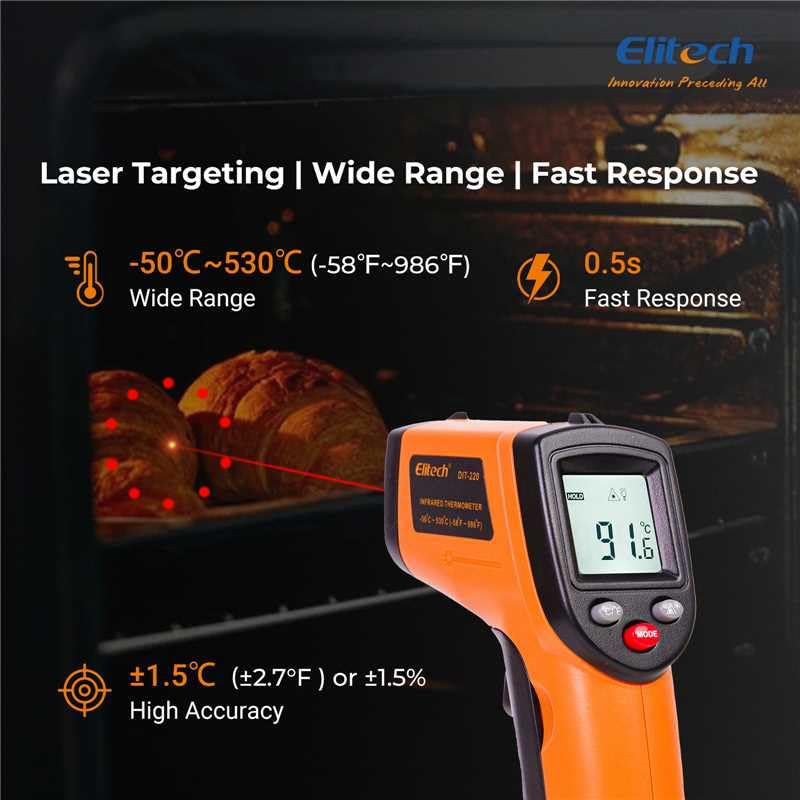
그림 3: Using the DIT-220 for non-contact temperature measurement with laser targeting.
6.2 Understanding Distance-to-Spot Ratio (D:S)
The DIT-220 has a Distance-to-Spot ratio of 12:1. This means that as you move further from the target, the area being measured (spot size) increases. For accurate readings, ensure the target area is larger than the spot size. For example, at a distance of 12 inches, the measurement spot will be 1 inch in diameter.

그림 4: Illustration of the 12:1 Distance-to-Spot ratio.

그림 5: Visual guide for maintaining correct measurement distance.
6.3 방출률 조정
Different materials emit infrared energy differently. The DIT-220 allows you to adjust the emissivity (ε) from 0.10 to 1.00 to compensate for this and achieve more accurate readings. Refer to a standard emissivity table for common materials or adjust empirically.
- 를 누르세요 방법 button to cycle through settings until 'EMS' (Emissivity) is displayed.
- Use the Up/Down arrow buttons to adjust the emissivity value.
- 를 누르세요 방법 버튼을 다시 눌러 확인하고 종료합니다.
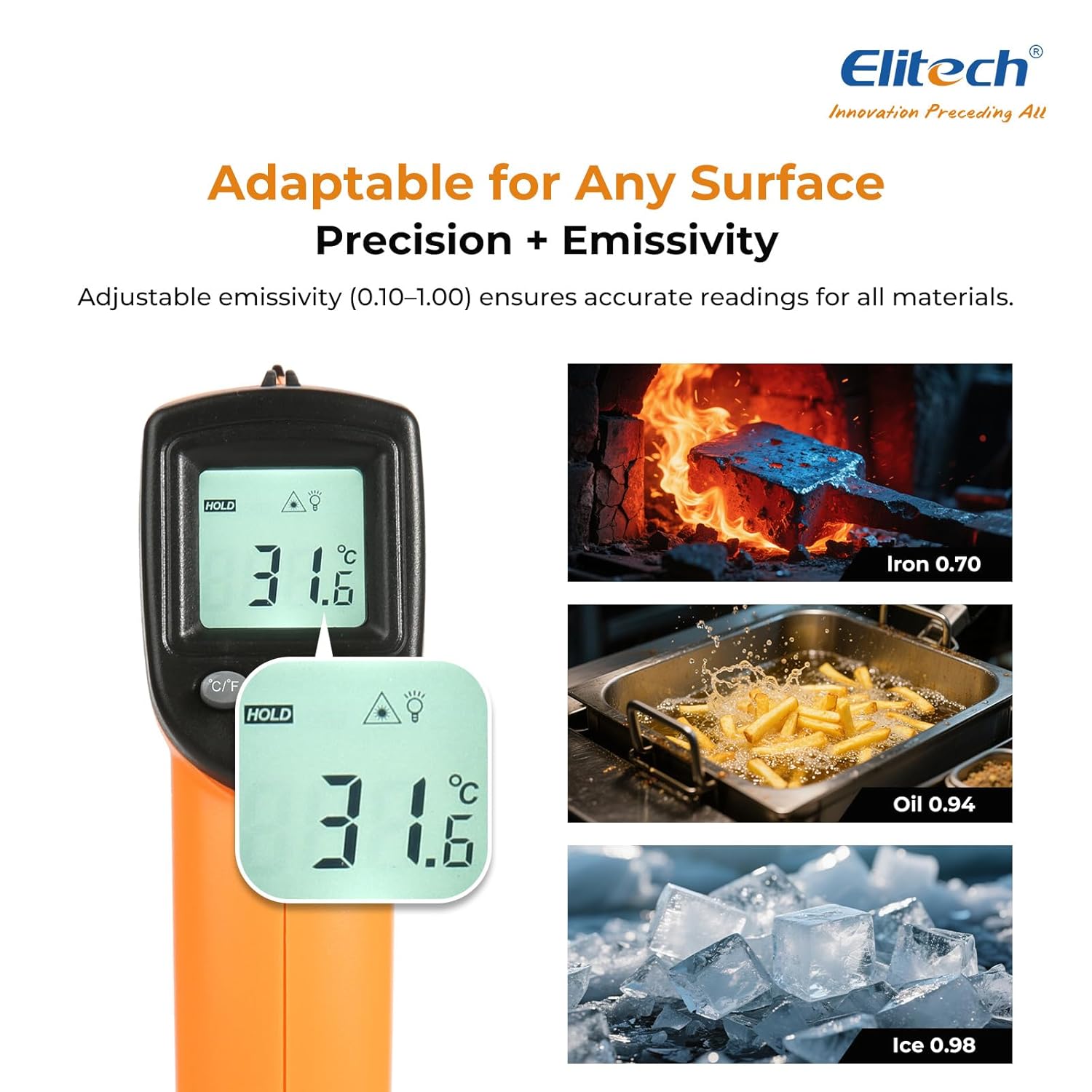
그림 6: Adjustable emissivity feature and examples for different materials.
6.4 Using MAX/MIN/AVG Modes
These modes are useful for monitoring temperature fluctuations over time.
- While holding the measurement trigger, press the 방법 button repeatedly to cycle through MAX (Maximum), MIN (Minimum), and AVG (Average) display modes.
- The corresponding icon will appear on the screen, showing the respective temperature value recorded during the current measurement session.
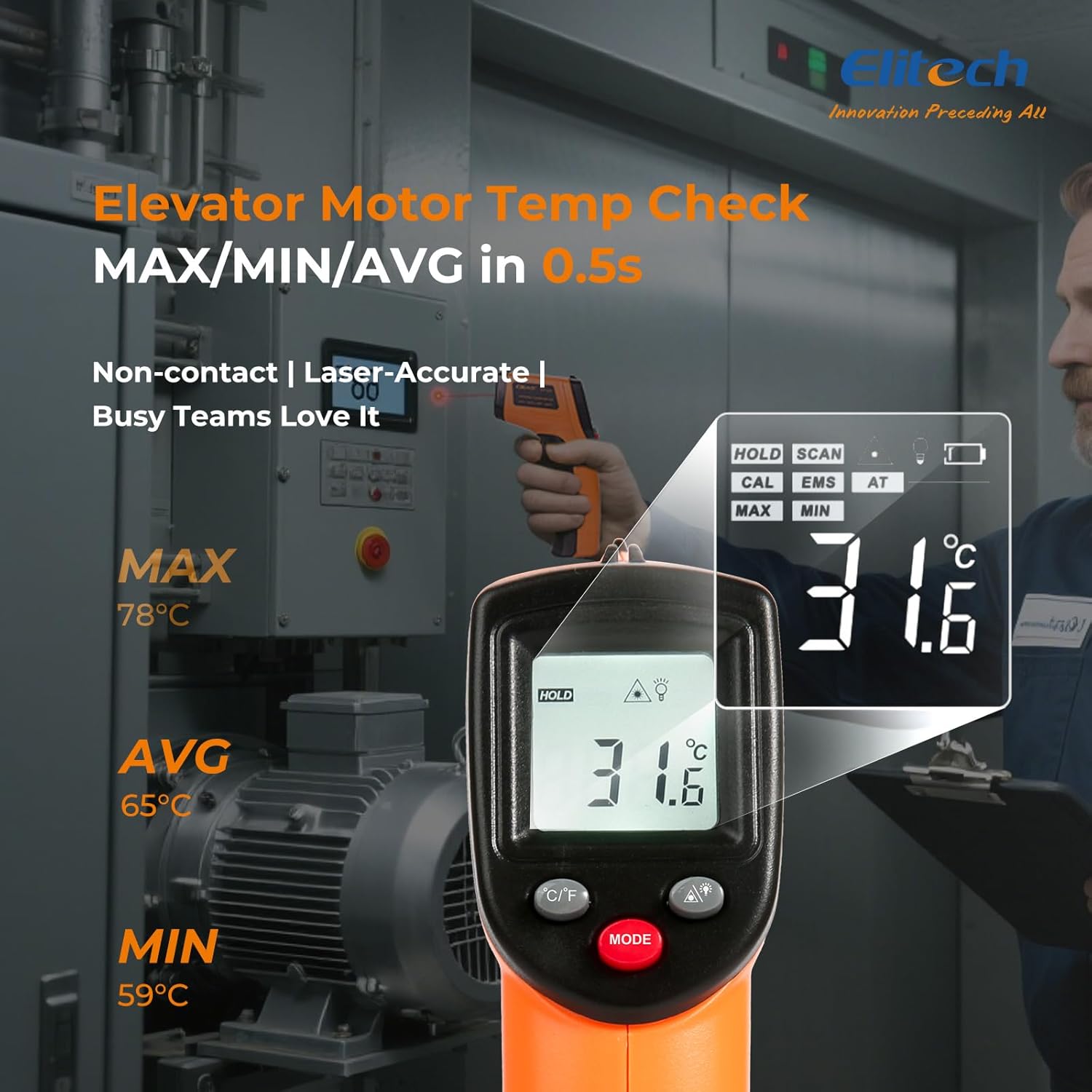
그림 7: Displaying MAX, MIN, and AVG temperature readings.
6.5 온도 단위 전환 (°C/°F)
To switch between Celsius and Fahrenheit, press the °C/°F button located on the device.
7. 유지관리
7.1 청소
- 부드러운 천으로 렌즈를 청소하세요.amp 천이나 면봉을 사용하십시오. 연마성 세척제나 용제를 사용하지 마십시오.
- 기기를 닦으세요asin부드럽고 마른 천으로 닦으세요.
7.2 배터리 교체
When the low battery indicator appears on the display, replace the two AAA batteries as described in the Setup section (5.1 Battery Installation).
7.3 보관
온도계를 서늘하고 건조한 곳에 보관하고 직사광선과 극한 온도 변화를 피하십시오. 장기간 보관할 경우 배터리를 제거하십시오.
8. 문제 해결
| 문제 | 가능한 원인 | 해결책 |
|---|---|---|
| 디스플레이에 '낮음' 또는 '높음'이 표시됩니다. | 온도가 측정 범위를 벗어났습니다. | Ensure the target temperature is within -50°C to 530°C (-58°F to 986°F). |
| 부정확한 판독 | Incorrect emissivity setting; measurement distance too far/close; lens dirty. | Adjust emissivity for the target material. Maintain appropriate D:S ratio. Clean the lens. |
| 장치 전원이 켜지지 않음 | 배터리가 소진되었거나 올바르게 설치되지 않았습니다. | 배터리를 새 AAA 배터리로 교체하십시오. 배터리 극성을 확인하십시오. |
| 레이저가 작동하지 않습니다 | Laser may be disabled or faulty. | Check if the laser function is enabled via the MODE button. If not, contact support. |
9. 사양
| 특징 | 사양 |
|---|---|
| 모델 | DIT-220 (EU-DIT-220) |
| 온도 범위 | -50°C ~ 530°C (-58°F ~ 986°F) |
| 정확성 | ±1.5°C (±2.7°F) or ±1.5% (for -50°C to 50°C) |
| 응답 시간 | 500밀리초(0.5초) |
| 거리 대 지점 비율(D:S) | 12시 1분 |
| Emissivity | 0.10 - 1.00 범위에서 조절 가능 |
| 전원 | 2 x AAA 배터리(포함) |
| 디스플레이 유형 | 디지털, 백라이트 LCD |
| 특별 기능 | Non-contact, Laser Target, MAX/MIN Mode, Auto Calibration |
| 재료 | 플라스틱 |
| 품목 무게 | 30그램 |
| 패키지 크기 | 18.7 x 9.7 x 3.6cm |
10. 보증 및 지원
Elitech products are designed for reliability and performance. For warranty information, technical support, or service inquiries, please contact Elitech customer support through their official website or the retailer where the product was purchased. Please have your model number (DIT-220) and purchase date available when contacting support.