
소개
Thank you for choosing the pTron Studio Evo Wireless Over-Ear Headphones. This manual provides essential information for setting up, operating, and maintaining your headphones to ensure optimal performance and longevity. Please read these instructions carefully before use.

이미지: 이상view of pTron Studio Evo features including sound quality, battery life, driver size, controls, charging, and connectivity modes.
설정
1. 언박싱 및 구성품
모든 품목을 포장에서 조심스럽게 꺼내세요. 상자에는 다음이 포함되어 있어야 합니다.
- pTron Studio Evo Wireless Over-Ear Headphones
- USB Type-C 충전 케이블
- 3.5mm 오디오 케이블 (AUX 입력)
- 사용 설명서 (본 문서)
2. 헤드폰 충전
Before first use, fully charge your headphones. Connect the provided USB Type-C cable to the charging port on the headphones and the other end to a compatible USB power source (e.g., wall adapter, computer USB port).
- 충전 시간: 완전 충전에는 약 2시간이 소요됩니다.
- 배터리 수명: Up to 70 hours of playtime on a single full charge.
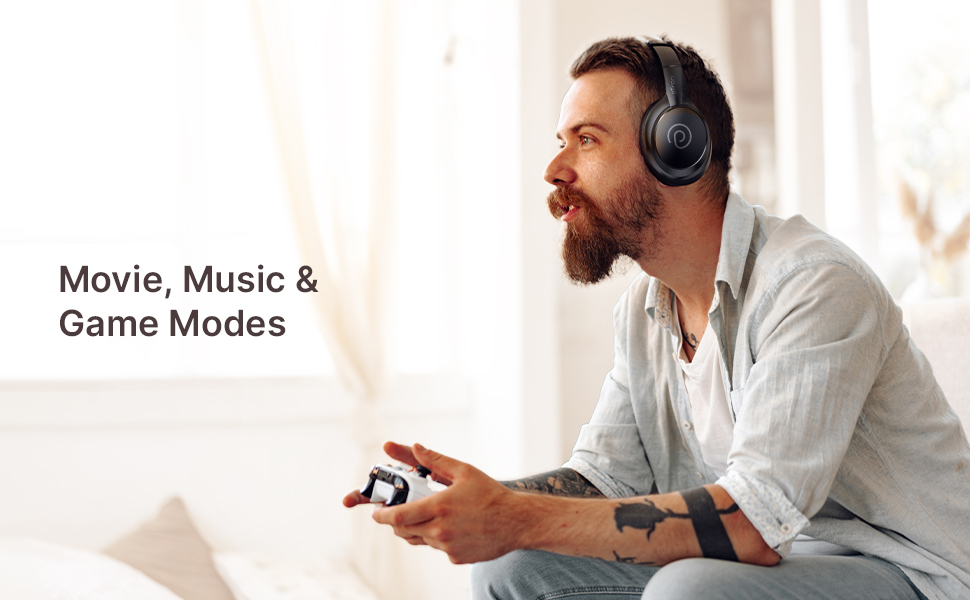
Image: pTron Studio Evo headphones highlighting 70 hours of playtime and Type-C fast charging.
3. 전원 켜기 / 끄기
- 전원을 켜려면: LED 표시등이 켜질 때까지 약 3초 동안 전원 버튼을 길게 누릅니다.
- 전원을 끄려면: LED 표시등이 꺼질 때까지 약 3초 동안 전원 버튼을 길게 누릅니다.
4. 블루투스 페어링
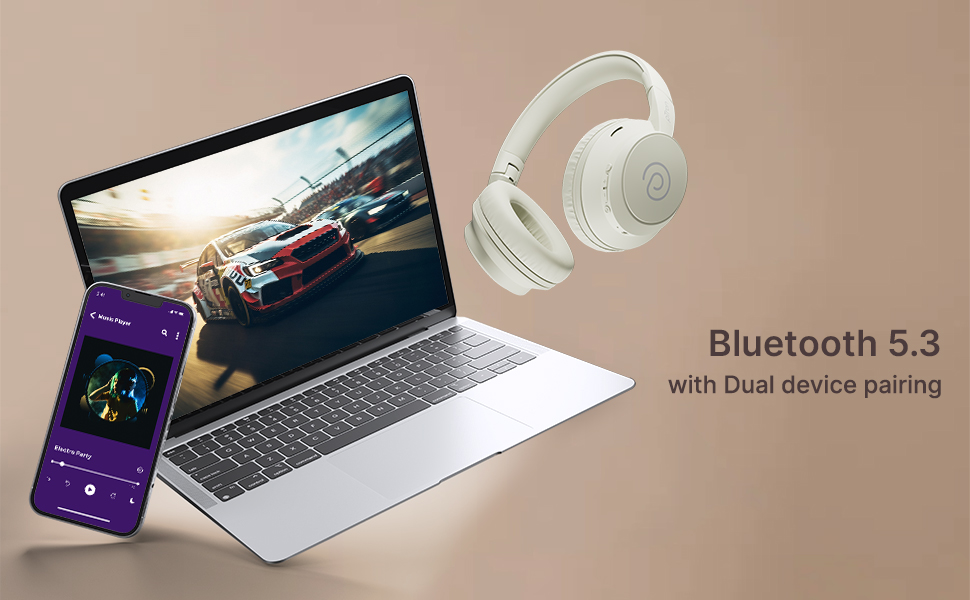
The pTron Studio Evo headphones utilize Bluetooth 5.3 for stable wireless connectivity.
- 헤드폰의 전원이 꺼져 있는지 확인하십시오.
- 전원 버튼을 5~7초 동안 길게 누르면 LED 표시등이 빨간색과 파란색으로 번갈아 깜빡이며 페어링 모드에 진입합니다.
- 사용하시는 기기(스마트폰, 노트북 등)에서 블루투스를 켜고 사용 가능한 기기를 검색하세요.
- Select "pTron Studio Evo" from the list of found devices.
- 연결되면 LED 표시등이 파란색으로 계속 켜지거나 파란색으로 천천히 깜박입니다.
듀얼 기기 페어링: These headphones support connecting to two devices simultaneously. After pairing with the first device, disable Bluetooth on that device, then pair with the second device. Re-enable Bluetooth on the first device, and the headphones should connect to both. You can then switch audio playback between the two devices.

Image: Headphones connected to both a phone and a laptop, demonstrating Bluetooth 5.3 dual device pairing.
5. Wired Connection (Aux-in)
For a wired connection, use the provided 3.5mm audio cable. Plug one end into the headphone's 3.5mm jack and the other end into your audio source's auxiliary output. The headphones will automatically switch to wired mode when the cable is connected.
작동 지침
1. 통제view
The headphones feature integrated buttons for easy control of music, calls, and modes.
이미지: 상세 view of the integrated control buttons on the pTron Studio Evo headphones.
- 전원 버튼: 길게 눌러 전원을 켜거나 끌 수 있습니다. 짧게 눌러 음악을 재생/일시 정지하거나 전화를 받거나 끊을 수 있습니다.
- 볼륨 높이기(+): 짧게 누르면 볼륨이 커지고, 길게 누르면 다음 트랙으로 넘어갑니다.
- 볼륨 낮추기(-): 짧게 누르면 볼륨이 감소합니다. 길게 누르면 이전 트랙으로 돌아갑니다.
- EQ 버튼: Short press to cycle through EQ modes (Bass, Movie, Pop, Vocal).
2. EQ 모드
The pTron Studio Evo headphones offer multiple low-latency EQ modes optimized for different audio experiences:
- 게임 모드: 더욱 동기화된 게임 환경을 위해 오디오 지연 시간을 줄입니다.
- 영화 모드 : Enhances dialogue clarity and cinematic sound effects.
- 음악 모드: 균형 잡힌 오디오 프로를 제공합니다file 일반적인 음악 감상용.
- 베이스 모드: Boosts low frequencies for a deeper bass response.
- 팝 모드: Optimized for pop music genres.
- 보컬 모드: 음성 명료도를 향상시켜 팟캐스트나 오디오북에 이상적입니다.
Press the EQ button to switch between these modes.
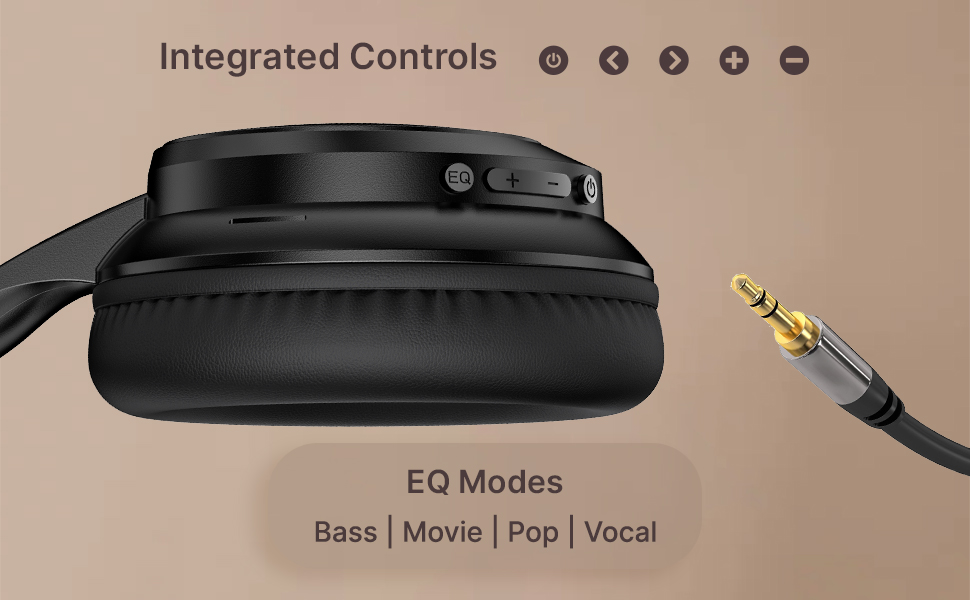
Image: User engaging in gaming with headphones, demonstrating low-latency sync for game mode.
3. 전화 걸고 받기
The headphones include a built-in HD microphone for hands-free calls.
- 전화 받기/종료: 전원 버튼을 짧게 누릅니다.
- 전화 거부: 전원 버튼을 2초간 길게 누르세요.
4. 음성 지원
Access your device's voice assistant (e.g., Siri, Google Assistant) by double-pressing the Power button.
5. 헤드폰 착용
The pTron Studio Evo headphones feature an ergonomic design with soft earcups and an adjustable head beam for comfortable all-day listening. Adjust the head beam to position the earcups exactly over your ears for the best fit and sound isolation.
유지
1. 청소
Regularly clean your headphones to maintain hygiene and performance.
- 이어컵과 헤드밴드는 부드럽고 마른 천으로 닦아주세요.
- 연마성 세척제나 용제를 사용하지 마십시오.
- Avoid getting moisture into the charging port or audio jack.
2. 방수성
The headphones are IPX5 water-resistant, meaning they can withstand splashes and sweat. Do not submerge them in water or expose them to heavy rain.
3. 보관
The foldable design allows for easy storage. Fold the headphones when not in use to protect them from damage and save space. Store them in a cool, dry place away from direct sunlight and extreme temperatures.
문제 해결
- 전원 없음: 헤드폰이 완전히 충전되었는지 확인하세요. 전원에 연결한 후 다시 시도해 보세요.
- 페어링할 수 없습니다: Make sure Bluetooth is enabled on your device and the headphones are in pairing mode (flashing red and blue LED). Try restarting both devices.
- 소리 없음: Check the volume levels on both the headphones and your connected device. Ensure the correct audio output is selected on your device. If using a wired connection, ensure the 3.5mm cable is fully inserted.
- 나쁜 음질: Ensure the headphones are within the Bluetooth range (up to 10 meters) of your device. Avoid obstacles that may interfere with the signal. Try switching EQ modes.
- 마이크가 작동하지 않음: Ensure the headphones are properly connected and selected as the input device on your call application.
명세서
| 특징 | 사양 |
|---|---|
| 모델명 | 사진관 |
| 연결 기술 | 무선(블루투스) |
| 무선 통신 기술 | 블루투스 5.3 |
| 블루투스 범위 | 10 미터 |
| 오디오 드라이버 크기 | 40 밀리미터 |
| 배터리 수명 | 70시간 |
| 충전 시간 | 2시간 |
| 헤드폰 잭 | 3.5 mm 잭 |
| 방수 레벨 | IPX5 방수 |
| 제어 방법 | 버튼식, 음성 안내 |
| 소음 제어 | 소리 차단 |
| 재료 | 아크릴로니트릴 부타디엔 스티렌(ABS) |
| 품목 무게 | 157그램 |
| 제품 치수 | 19.2 x 15.8 x 7.9cm |
보증 및 지원
1. 제조업체 보증
The pTron Studio Evo headphones come with a 1년 제조업체 보증 구매일로부터. 본 보증은 제조상의 결함에 한해 적용됩니다. 보증 청구를 위해 구매 증빙 서류를 보관해 주십시오.
2. 고객 지원
문의 사항, 기술 지원 또는 보증 청구 관련 문의는 pTron 고객 지원팀으로 연락해 주십시오.
- 이메일: support@ptron.in
- 핸드폰: 040-67138888