
소개
This manual provides instructions for the setup, operation, and maintenance of your PAPIFEED Automatic Pet Feeder with Camera and Water Fountain. This device is designed to provide scheduled feeding and hydration for your pets, offering convenience and peace of mind.
안전 정보
- 사료통이 넘어지지 않도록 안정적이고 평평한 곳에 놓으십시오.
- 전원 어댑터와 케이블은 물에 닿지 않도록 하고 애완동물이 씹거나 감전될 위험이 있으므로 애완동물의 손이 닿지 않는 곳에 보관하십시오.
- 제공된 전원 어댑터만 사용하세요.
- Do not immerse the main unit of the feeder in water. Only removable parts are washable.
- The camera does not have night vision. Ensure adequate lighting for monitoring.
- The battery backup is for emergency use only and does not support internet connectivity.
패키지 내용
- PAPIFEED Automatic Pet Feeder with Camera
- Automatic Pet Drinking Fountain (84 oz/2.5L)
- 스테인레스 스틸 식품 그릇
- 실리콘 매트
- 전원 어댑터(DC 5V)
- 사용자 설명서
제품 끝view
The PAPIFEED Automatic Pet Feeder and Water Fountain system provides a comprehensive solution for pet feeding and hydration. The feeder features a 3.5L (approximately 15 cups) food hopper, a 480P adjustable camera, and two-way audio. The water fountain has an 84 oz (2.5L) capacity.

Image: Assembled PAPIFEED Automatic Pet Feeder and Water Fountain.
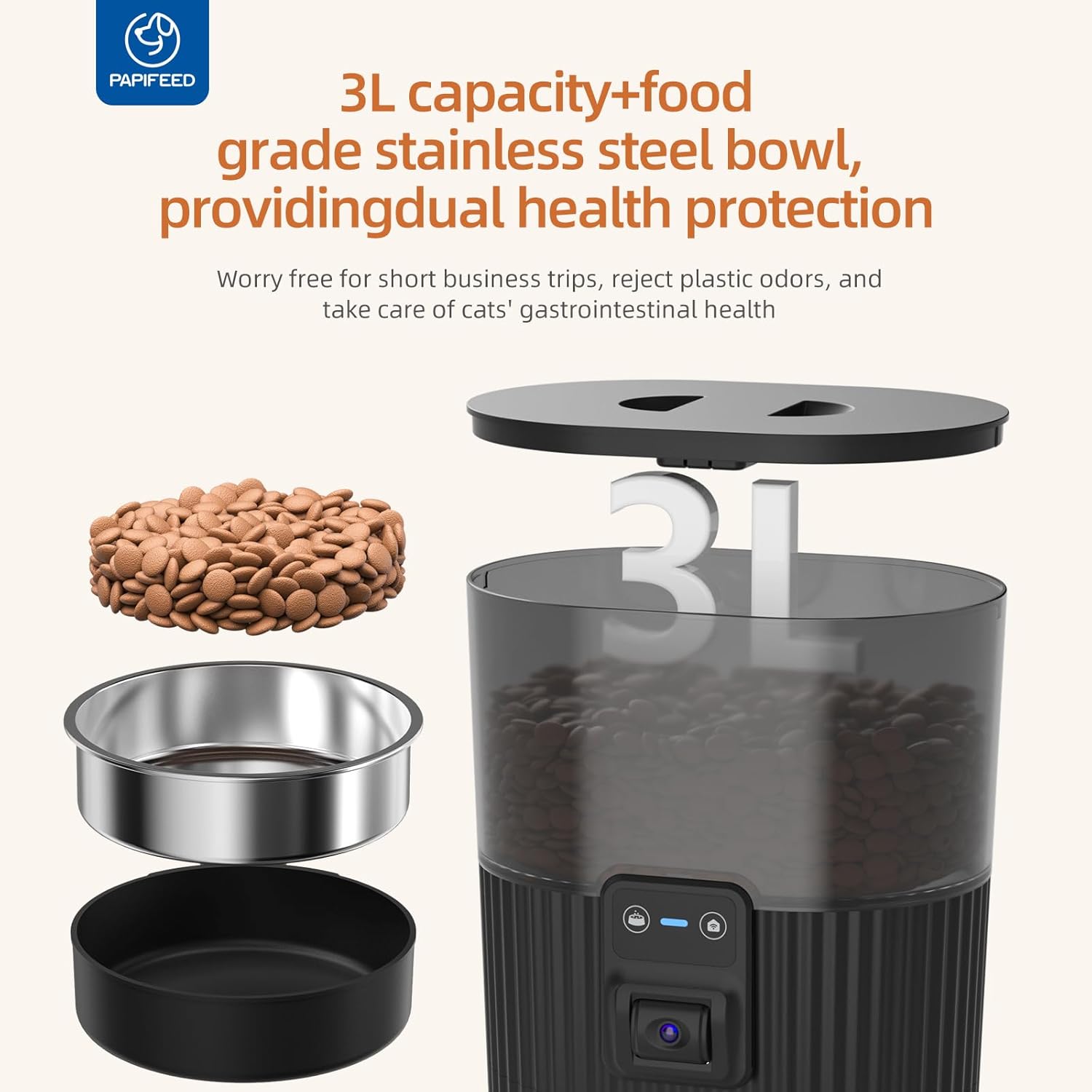
이미지: 폭발 view showing the 3L food container, stainless steel bowl, and base of the feeder.
설정
1. Feeder Assembly
- 스테인리스 스틸 그릇을 사료통 바닥의 지정된 홈에 넣으세요.
- Fill the food hopper with dry pet food. The hopper has a 3.5L capacity.
- Secure the lid on top of the food hopper. Ensure the safety lock strap is engaged to prevent pets from opening it.
- Connect the DC 5V power adapter to the feeder and plug it into a wall outlet.
- (Optional) For battery backup, insert 4 AA batteries (not included) into the battery compartment at the bottom of the feeder.

Image: A cat eating from the feeder, demonstrating the camera's field of view.
2. Water Fountain Assembly
- Assemble the water fountain components as shown in the diagram.
- Fill the water tank with fresh water (84 oz/2.5L capacity).
- Connect the water fountain's power cable and plug it into a wall outlet.

Image: The automatic pet drinking fountain with a transparent water tank, showing water level visibility.
3. 앱 다운로드 및 연결
- Download the "Smart Lyn" app from your device's app store (Google Play or Apple App Store).
- 계정에 등록하거나 로그인하십시오.
- 휴대전화의 Wi-Fi와 블루투스가 켜져 있는지 확인하세요.
- In the app, click "Add Device" and allow the app to discover the feeder.
- Select your 2.4GHz Wi-Fi network and enter the password. (Note: The feeder only supports 2.4GHz Wi-Fi, not 5GHz).
- Wait for the device to connect. Once connected, you can rename the device.
Video: This video demonstrates the process of connecting the PAPIFEED Automatic Cat Feeder to the Smart Lyn app, including downloading the app, enabling Wi-Fi and Bluetooth, adding the device, and setting up feeding schedules and avatar.
작동 지침
1. 피드 예약
- Through the "Smart Lyn" app, navigate to the "Feeding Plan" section.
- 원하는 급식 시간과 요일을 설정하세요.
- Customize the serving size for each meal (1 to 6 servings per meal). The feeder supports up to 10 meals per day.
- Confirm and save your feeding schedule.
2. 수동 급지
- To dispense food immediately, use the "Feed Now" button in the app. You can select the number of servings.
- Alternatively, press the manual feed button on the feeder itself to dispense a single serving.
3. Camera and Two-Way Audio
- The integrated 480P camera allows you to monitor your pet's activity. Note that the camera angle is manually adjustable and does not have night vision.
- Use the two-way audio feature in the app to communicate with your pet.
- Adjust the speaker volume through the app if your pet is sensitive to sound.
- Record personalized meal call voices to remind your pet to eat.
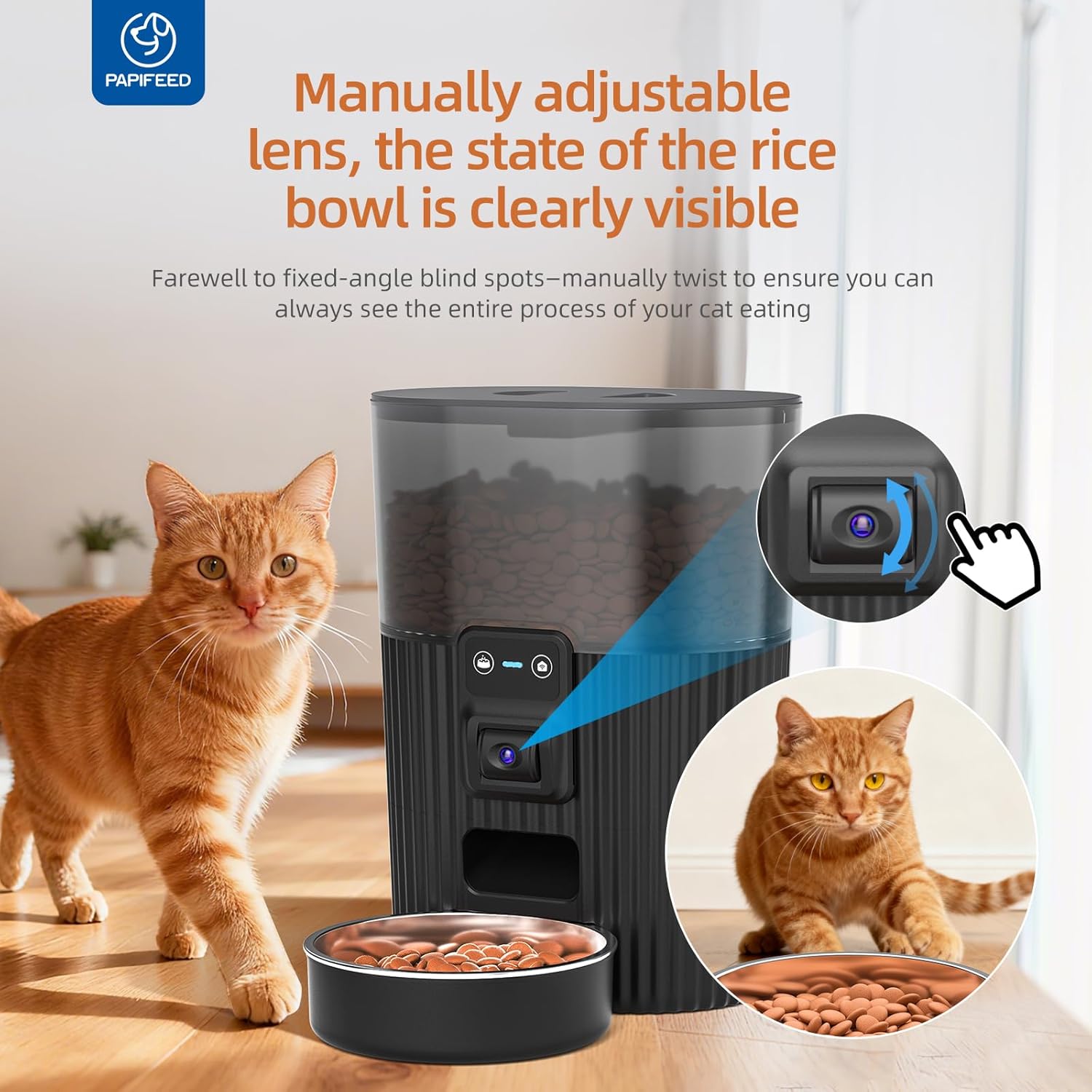
Image: The feeder showing the manually adjustable camera lens for optimal viewing of the food bowl.
4. Slow Feeder & Portion Control
- Utilize the portion control settings (1-6 servings per meal) to manage your pet's food intake and prevent overeating.
- For pets that eat too quickly, scheduling multiple smaller meals throughout the day can promote healthier eating habits.
유지
- 스테인리스 스틸 재질의 이유식 그릇은 분리 가능하며 식기세척기 사용이 가능하여 세척이 편리합니다.
- The food hopper and other removable components can be hand-washed with mild soap and water. Ensure all parts are completely dry before reassembly.
- Do not wash the main base unit of the feeder, as it contains electronic components. Wipe it clean with a damp 옷감.
- The airtight design of the lid helps keep dry food fresh. Regularly check the freshness of the food in the hopper.
- For the water fountain, regularly clean the pump and filter to ensure optimal water quality.

Image: Detachable parts of the feeder, including the stainless steel bowl and food container, being cleaned in a sink.
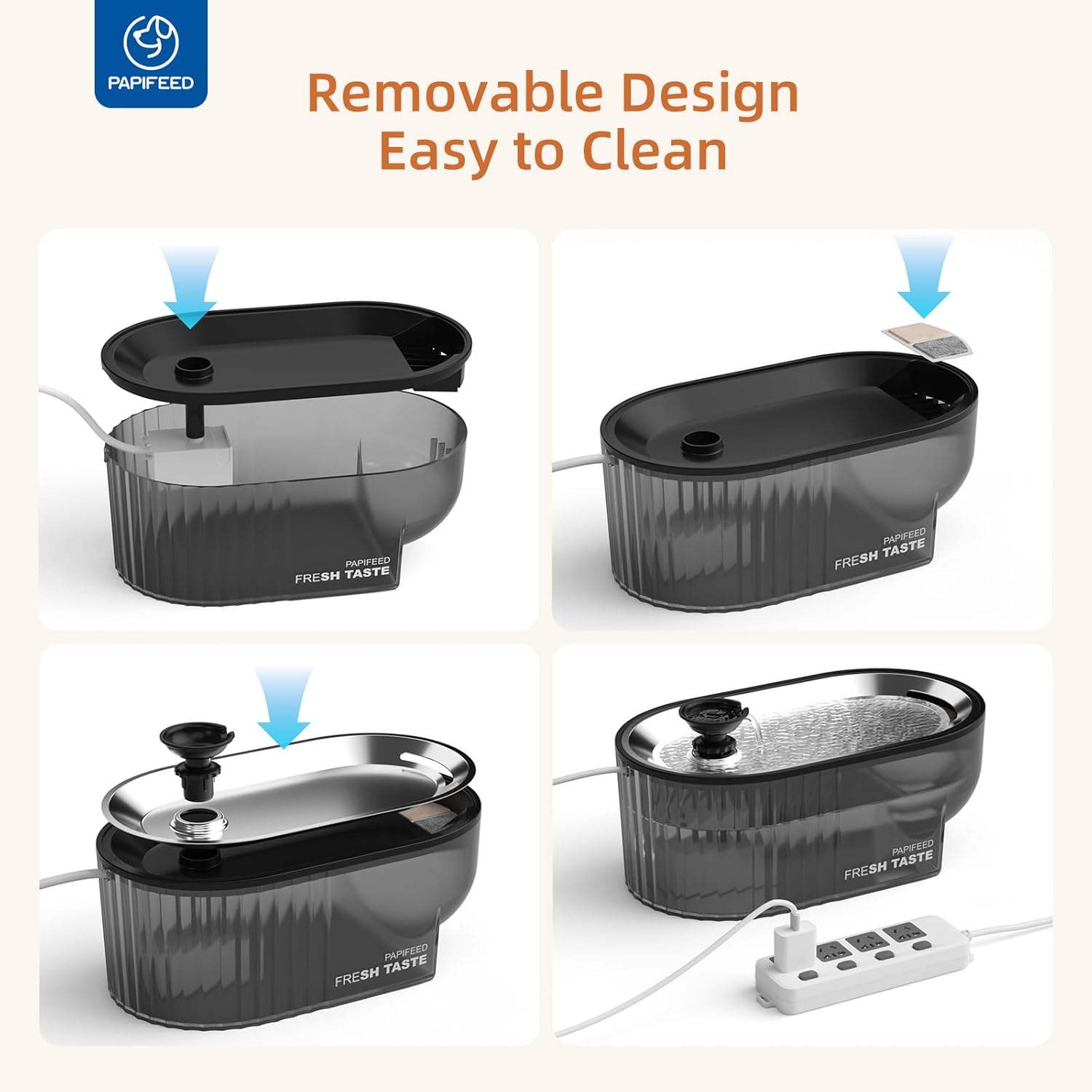
Image: The automatic pet drinking fountain disassembled, showing components for cleaning.
문제 해결
| 문제 | 가능한 원인 | 해결책 |
|---|---|---|
| 피더가 Wi-Fi에 연결되지 않음 | 와이파이 비밀번호가 잘못되었습니다. 5GHz 와이파이 네트워크를 사용하고 있습니다. 신호가 약합니다. | Ensure correct 2.4GHz Wi-Fi password. Move feeder closer to router. Check router settings to ensure 2.4GHz is enabled. |
| 음식이 나오지 않아요 | Food hopper empty; food jammed; power outage. | Refill food hopper. Check for food blockages in the dispenser mechanism. Ensure power adapter is securely plugged in or batteries are functional. |
| Camera image unclear | Insufficient lighting; dirty lens. | Ensure the area around the feeder is well-lit. Gently clean the camera lens. |
| 분수에서 물이 나오지 않습니다. | Water tank empty; pump clogged; power issue. | Refill water tank. Disassemble and clean the pump and filter. Check power connection. |
명세서
- 모델 이름: PPATFD-XRZ
- 피더 용량: 3.5리터 / 15컵
- 분수대 용량: 84 oz / 2.5L
- 카메라 해상도: 480P (Manual Adjustable Angle, No Night Vision)
- 연결성: 2.4G WiFi (Not compatible with 5GHz)
- 전원: DC 5V Adapter or 4 AA Batteries (Battery not included, for emergency backup only)
- Max Meals per Day: 10
- Servings per Meal: 1-6
- 품목 크기(LxWxH): 6.36 x 11.8 x 6.36 인치
- 품목 무게: 4.64파운드
- 표적 종: 고양이 & 개
보증 및 지원
This PAPIFEED product comes with a 1년 제조사 보증.
For support, please refer to the contact information provided in your product packaging or visit the official PAPIFEED web대지.