
소개
This manual provides detailed instructions for the setup, operation, and maintenance of your AWOL VISION ThunderBeat 4.1.2 All-Wireless Home Theater Sound System. Please read this manual thoroughly before using the product to ensure proper functionality and to maximize your audio experience.
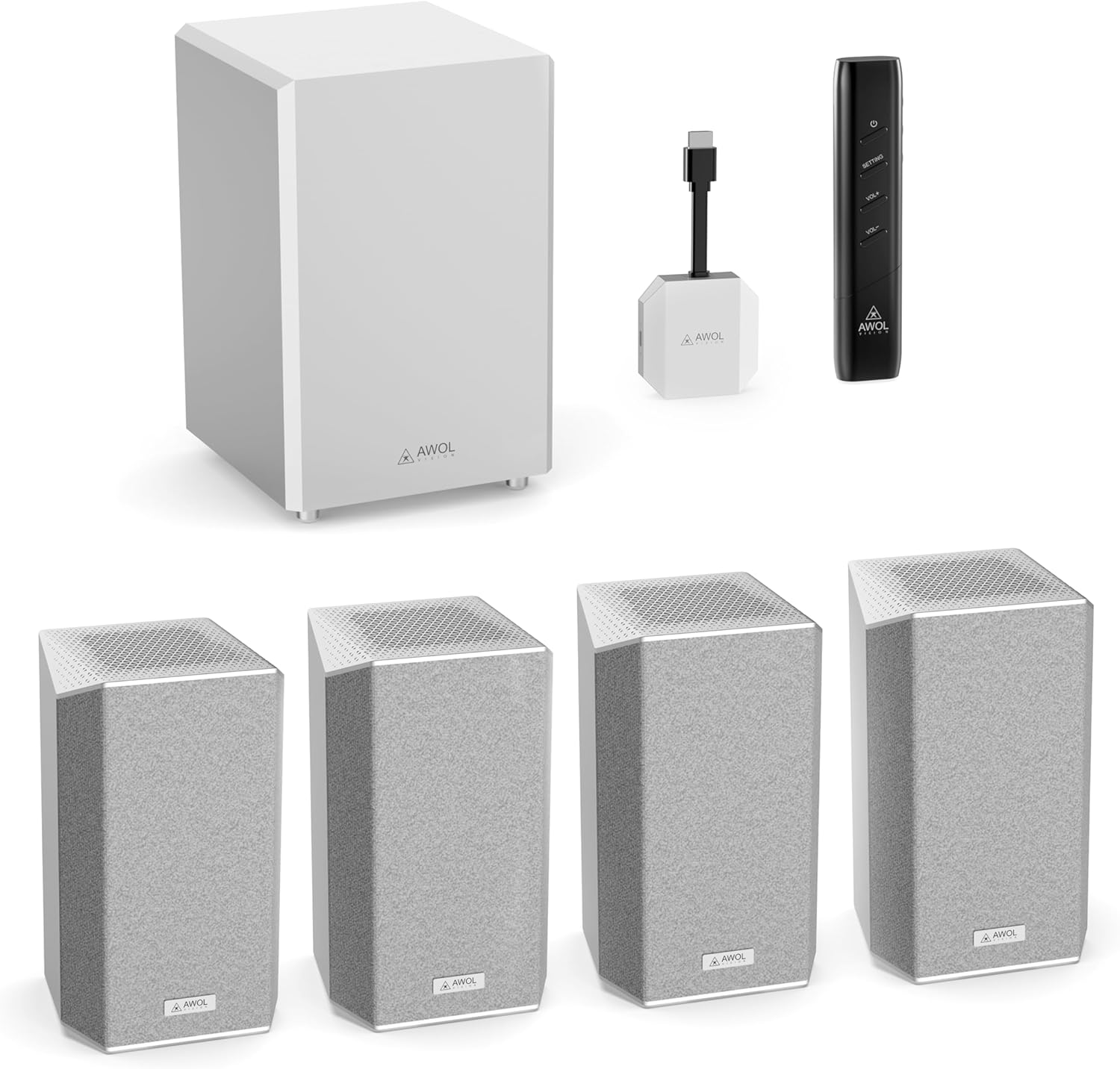
Image: The AWOL VISION ThunderBeat 4.1.2 system, including the subwoofer, four satellite speakers, wireless dongle, and remote control.
상자 안에 무엇이 들어있나요?
모든 구성품을 조심스럽게 꺼내어 다음 항목들이 모두 들어 있는지 확인하십시오.
- 무선 서브우퍼
- 위성 스피커(4개)
- 무선 동글
- 리모컨(AAA 배터리 2개 포함)
- AC 어댑터
- AC 전원 코드
- RCA - 3.5mm 오디오 케이블
- 3.5mm ~ 3.5mm 오디오 케이블
- HDMI 확장 케이블
- USB-C 케이블
- 사용 설명서
- Wall Mount Kit (optional installation)

Image: A visual representation of all items included in the ThunderBeat system packaging.
설정
1. 부품 배치
Optimal placement of your ThunderBeat system components is crucial for an immersive audio experience. Consider the layout of your room and the primary listening area.
- 서브 우퍼 : Place the subwoofer in a location that provides balanced bass response. Experiment with different positions to find the best sound for your room.
- 위성 스피커: Position the four satellite speakers around your listening area. For a 4.1.2 setup, two speakers typically go to the front-left and front-right, and two to the rear-left and rear-right. Ensure upward-firing speakers are unobstructed for Dolby Atmos effects.

Image: A diagram showing flexible speaker placement options to adapt to different room sizes and configurations.
2. 무선 동글 연결하기
The ThunderBeat system utilizes a wireless dongle for simplified connectivity, eliminating the need for extensive cabling.
- Insert the ThunderBeat Dongle into the eARC HDMI port of your AWOL VISION projector or compatible display device.
- 동글이 제대로 연결되었는지 확인하십시오.

이미지: 클로즈업 view of the wireless dongle, highlighting its power and source status indicators, and available input connections including HDMI eARC, AUX, Bluetooth, and DC.
3. 전원 켜기 및 페어링
- Connect the AC adapter and power cord to the subwoofer and each satellite speaker, then plug them into a power outlet.
- Power on your AWOL VISION projector or display device.
- The ThunderBeat system is designed for instant, perfectly synchronized surround sound upon power-up, with automatic pairing between the dongle and speakers.
- Verify the pairing status indicator on the dongle. A solid light typically indicates a successful connection.

Image: A visual representation of the streamlined, all-wireless setup in a home theater environment, showing the dongle connected to a projector.
작동 지침
1. 원격 제어 기능
The included remote control allows you to manage all aspects of your ThunderBeat system.
- 전원 버튼: 시스템을 켜거나 끕니다.
- 볼륨 높이기/낮추기: 전체 시스템 볼륨을 조정합니다.
- 설정 버튼: Accesses advanced audio settings, including individual speaker volume and EQ modes.

Image: The sleek remote control for the AWOL VISION ThunderBeat system, designed for intuitive control of your home theater.
2. Individual Speaker Volume Control
For a truly customized audio experience, you can adjust the volume of each speaker independently.
- 를 누르세요 설정 리모컨의 버튼을 누르세요.
- Navigate through the on-screen menu (if available) or use the remote's directional buttons to select individual speaker channels (Left, Right, Subwoofer, Rear Left, Rear Right, Left Top Front, Right Top Front).
- Adjust the volume level for each selected speaker. The indicator light on the speaker will illuminate during adjustment and turn off after approximately 5 seconds.

Image: A graphical display demonstrating the independent volume adjustment feature for each speaker, including left, right, subwoofer, and surround channels.
3. EQ Setting Modes
Optimize your sound for different content types using the built-in EQ modes.
- 를 누르세요 설정 리모컨의 버튼을 누르세요.
- Select the EQ settings option.
- Choose from available presets such as 콘서트, 소식, 또는 영화, or customize the frequency bands for a personalized sound profile.

Image: A visual representation of the EQ setting mode, offering custom sound control and preset options like Concert, News, and Movie.
유지
To ensure the longevity and optimal performance of your AWOL VISION ThunderBeat system, follow these maintenance guidelines:
- 청소: Use a soft, dry cloth to clean the surfaces of the subwoofer and satellite speakers. Avoid abrasive cleaners, solvents, or chemical sprays.
- 통풍: Ensure that the speakers and subwoofer have adequate ventilation. Do not block any vents or place the units in enclosed spaces that could restrict airflow.
- 환경: Keep the system away from direct sunlight, heat sources, excessive dust, and moisture.
- 케이블 : 정기적으로 모든 케이블 연결부의 고정 상태와 마모 여부를 점검하십시오.
문제 해결
If you encounter issues with your ThunderBeat system, refer to the following common problems and solutions:
| 문제 | 가능한 원인 | 해결책 |
|---|---|---|
| 스피커에서 소리가 나지 않음 | Power not connected; Dongle not properly inserted; Speakers not paired; Incorrect audio source selected. | Check power connections for all components. Ensure the dongle is fully inserted into the eARC port. Verify speaker pairing (indicator lights). Select the correct audio input on your projector/display. |
| 왜곡되거나 불분명한 오디오 | Volume too high; Poor audio source quality; Speaker placement issues. | Reduce volume. Test with a different audio source. Adjust speaker placement to optimize sound. |
| 리모컨이 작동하지 않습니다 | Dead batteries; Obstruction between remote and system; Remote out of range. | Replace AAA batteries in the remote. Ensure a clear line of sight to the system. Operate the remote within its effective range. |
| 서브우퍼에서 저음이 나오지 않습니다. | Subwoofer not powered; Volume too low; Subwoofer settings incorrect. | Check subwoofer power connection. Increase subwoofer volume via remote. Check EQ settings to ensure bass is not reduced. |
If the problem persists after attempting these solutions, please contact AWOL VISION customer support.
명세서
| 특징 | 세부 사항 |
|---|---|
| 모델 번호 | ThunderBeat-4.1.2 |
| 서라운드 사운드 채널 구성 | 4.1.2 (with projector as center channel, effectively 5.1.2) |
| 스피커 최대 출력 전력 | 720와트(총 시스템 출력) |
| 서브우퍼 | Dual 8-inch subwoofers (120W each) |
| 연결 기술 | Wireless (5.2GHz/5.8GHz), Bluetooth, HDMI eARC, AUX |
| 오디오 출력 모드 | Dolby Atmos, Dolby TrueHD, DTS Support |
| 주파수 응답 | 200 KHz (System) |
| 제품 치수 | 전체 크기: 깊이 14.57인치 x 너비 22.44인치 x 높이 22.05인치 |
| 품목 무게 | 37.7파운드 |
| 배터리 | AAA 배터리 2개 (리모컨용, 포함) |
보증 및 지원
AWOL VISION is committed to providing high-quality products and customer satisfaction.
- 제품 지원: Your AWOL VISION ThunderBeat system comes with 2 Years Product Support.
- 연락처 정보: If you require assistance, please contact our support team:
- 전화 / WhatsApp: +1 (888) 891-6866
- 이메일: support@awolvision.com
- 30-Day Price Protection: Refer to AWOL VISION's official policies for details on price protection.