
DinoFire WP102
DinoFire 무선 프레젠테이션 리모컨(에어 마우스 포함) 사용 설명서
모델 : WP102
소개
This manual provides comprehensive instructions for the DinoFire Wireless Presentation Remote with Air Mouse (Model WP102). This device combines the functionality of a traditional presentation clicker with a wireless air mouse, offering enhanced control during presentations. It features a 2.4GHz RF connection, a built-in rechargeable battery, and a bright red light pointer. The remote is designed for ease of use, supporting various operating systems and presentation software.
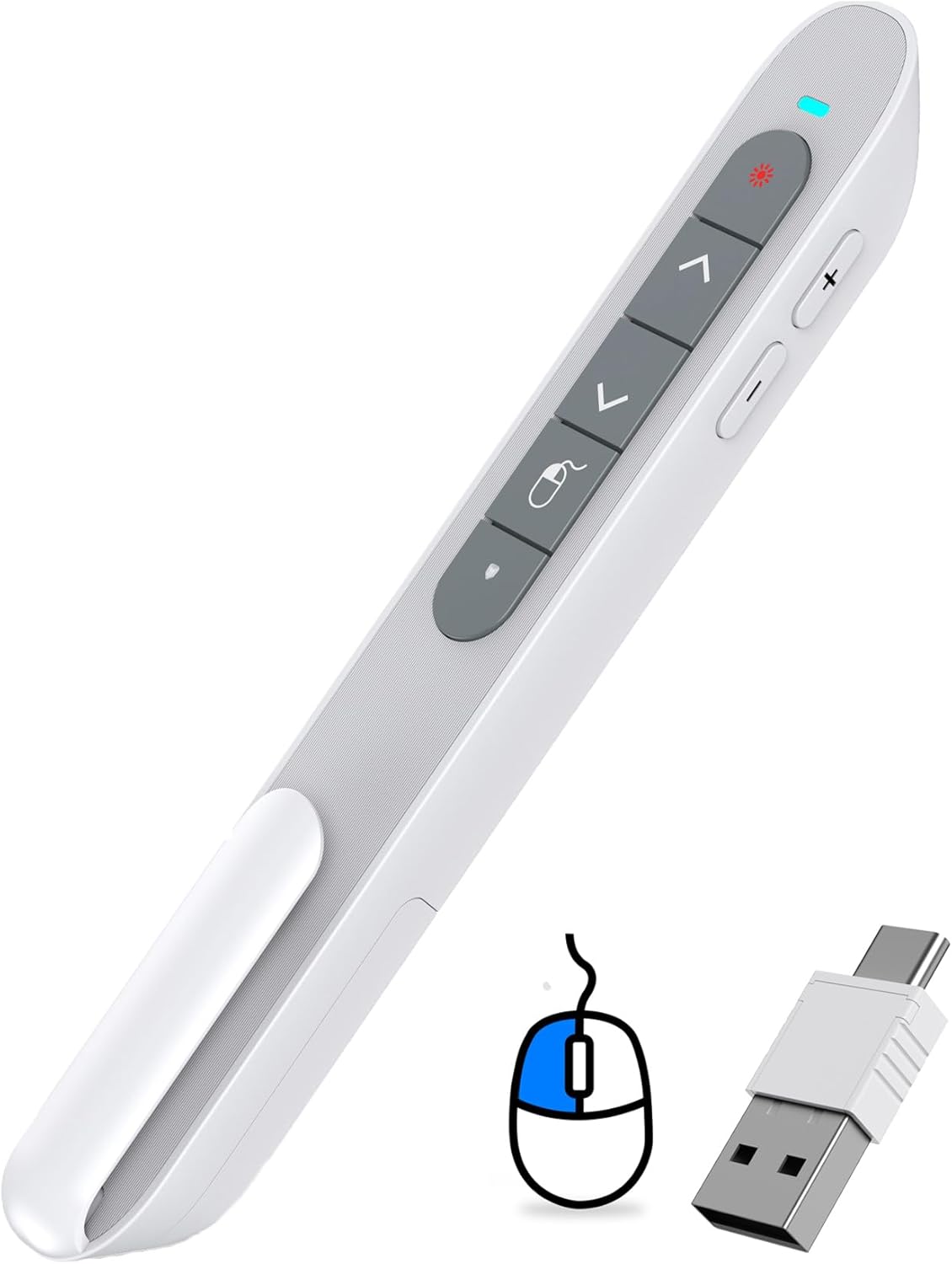
Figure 1: DinoFire Wireless Presentation Remote (Model WP102) with its dual USB receiver.
설치 가이드
- 리모컨 충전: Before first use, ensure the presentation remote is fully charged. Connect the included USB-C cable to the remote's charging port and the other end to a USB power source (e.g., computer USB port, wall adapter). The LED indicator will show charging status. A full charge typically takes 3 hours and provides weeks of use.
- USB 수신기를 찾으세요: The 2-in-1 USB receiver is conveniently stored inside the remote's body. Gently slide open the magnetic storage compartment at the bottom of the remote to retrieve it.

Figure 2: Location of the USB receiver within the remote.
- 수신기를 연결하십시오: Insert the USB receiver into an available USB-A or USB-C port on your computer or laptop. The receiver is designed to be compatible with both port types.
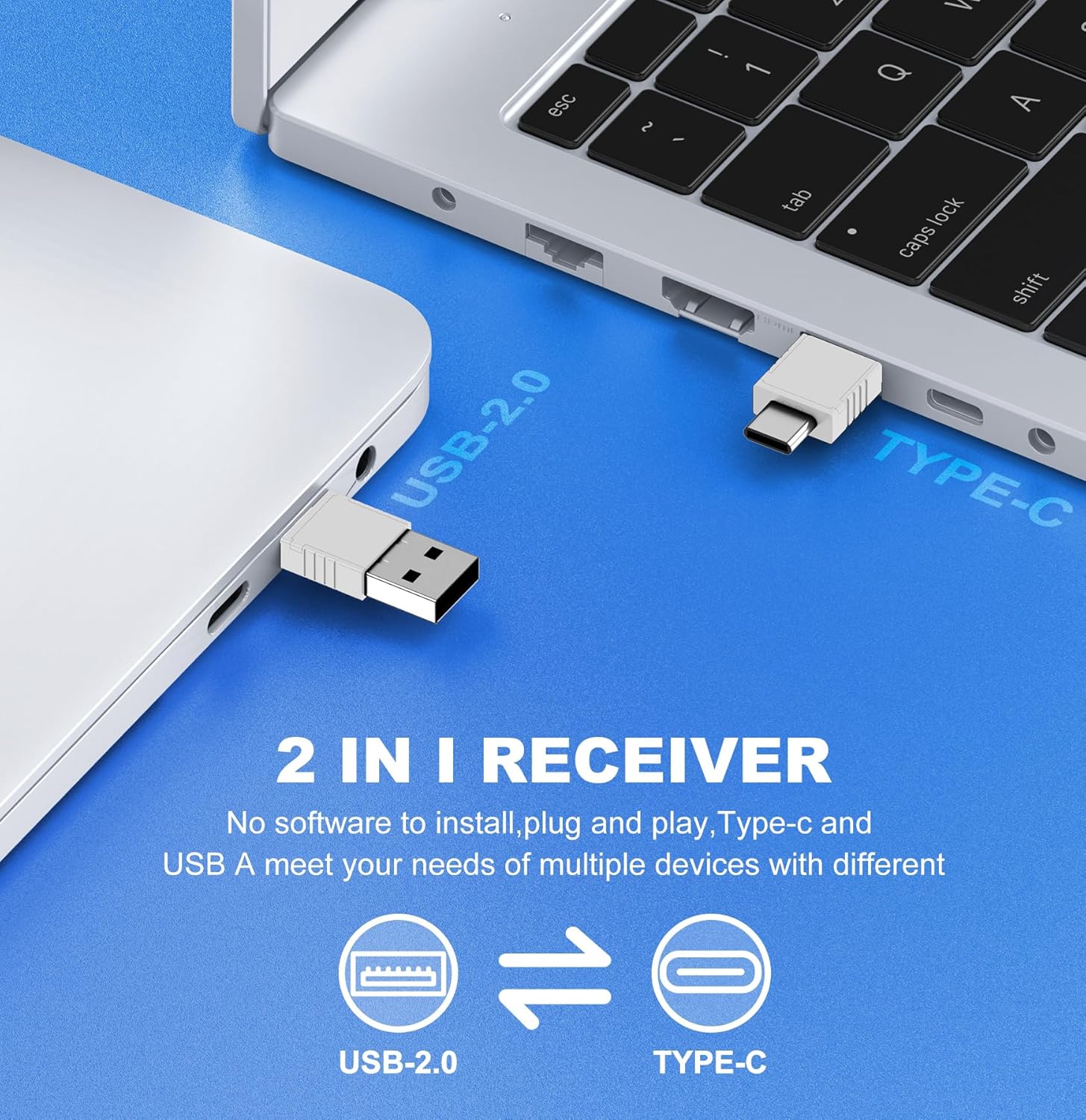
Figure 3: The versatile 2-in-1 USB receiver for USB-A and USB-C ports.
- 리모컨 전원 켜기: Slide the ON/OFF switch on the side of the remote to the "ON" position. The remote is plug-and-play, requiring no additional software installation. Your computer should automatically recognize the device.
작동 지침
The DinoFire Wireless Presentation Remote offers multiple functions to enhance your presentation experience. Familiarize yourself with the button layout and their corresponding actions.

Figure 4: Key functions of the DinoFire Air Mouse Presenter.
버튼 기능:
- Light Control (Red Laser Pointer): Press the button with the red light icon to activate the red laser pointer. This is useful for highlighting specific points on your presentation screen.
- Page Up (Single Press): 를 누르세요 ^ button to move to the previous slide or page.
- Full Screen / Black Screen (Press and Hold): 를 누르고 계세요 ^ button to toggle between full-screen mode and a black screen during a presentation.
- Page Down (Single Press): 를 누르세요 v button to advance to the next slide or page.
- Black Screen (Press and Hold): 를 누르고 계세요 v button to activate a black screen.
- 왼쪽 마우스 버튼: The button with the mouse icon acts as the left mouse click.
- 볼륨 높이기(+): Press the '+' button on the side to increase the system volume.
- 볼륨 낮추기(-): Press the '-' button on the side to decrease the system volume.
- ON/OFF Mouse (Single Press): The button with the mouse icon and a circle (below the left mouse button) toggles the air mouse functionality on and off. This allows you to pause cursor movement when not needed.
에어마우스 기능:
The integrated air mouse allows you to control your computer's cursor by moving the remote in the air. This is particularly useful for interacting with hyperlinks, playing videos, or navigating web pages directly from your presentation. Ensure the "ON/OFF Mouse" button is activated for air mouse control.

Figure 5: Air Mouse functionality for interactive presentations.
호환성:
The DinoFire WP102 is widely compatible with various operating systems and presentation software:
- 시스템: Windows 2003/XP/Vista/7/8/10 or above, Mac OS, Linux, Android.
- 소프트웨어: PowerPoint, Excel, Prezi, iWork (Keynote & Numbers & Pages), Web browsers, and more.
The 2.4GHz RF technology provides a long control range, allowing you freedom of movement up to 100 feet (30 meters) from your computer.
유지
- 충전 중: Recharge the built-in 300mAh battery when the LED indicator shows low power. Use the provided USB-C cable. Avoid overcharging for extended battery life.
- 저장: When not in use, store the USB receiver inside the remote's magnetic compartment to prevent loss. Store the remote in a cool, dry place away from direct sunlight and extreme temperatures.
- 청소: 리모컨을 부드럽고 마른 천으로 닦으십시오. 액체 세제나 연마성 재질은 사용하지 마십시오.
- 배터리 관리 : If the device will not be used for an extended period, charge it periodically (e.g., every 3 months) to maintain battery health.
문제 해결
| 문제 | 가능한 원인 | 해결책 |
|---|---|---|
| Remote not responding / No cursor movement. |
|
|
| Red laser pointer not working. |
|
|
| Buttons not performing expected actions (e.g., page up/down). |
|
|
명세서
- 모델 번호: WP102
- 연결성: RF 2.4GHz 무선
- 수신기 유형: 2-in-1 USB-A / USB-C
- 배터리: 내장형 300mAh 충전식 배터리
- 충전 포트: USB-C
- 제어 범위: 최대 100피트(30미터)
- 레이저 유형: 빨간불
- 치수: 약 6.3 x 1.61 x 1.18cm(16 x 4.1 x 3인치)
- 무게: 약 1.76온스(50그램)
- 호환성: Windows 2003/XP/Vista/7/8/10+, Mac OS, Linux, Android; PowerPoint, Excel, Prezi, Keynote, etc.
- 제조업체: Shenzhen Qixun Space Technology Co., Ltd
보증 정보
Specific warranty details for the DinoFire Wireless Presentation Remote (Model WP102) are typically provided at the point of purchase or within the product packaging. Please refer to the documentation included with your product or contact the seller/manufacturer directly for information regarding warranty coverage, terms, and conditions.
고객 지원
For technical assistance, troubleshooting beyond this manual, or inquiries regarding your DinoFire Wireless Presentation Remote, please contact the seller through the platform where you purchased the product. You may also visit the official DinoFire brand store for additional resources and contact information.
Ask a question about this manual
Ask about setup, troubleshooting, compatibility, parts, safety, or missing instructions. Manuals+ will review the question and use this page’s manual context to help answer it.