
아르조파 Z1C
ARZOPA 16.1인치 Z1C 휴대용 모니터 사용 설명서
Model: Z1C | Brand: ARZOPA
소개
This manual provides essential information for setting up, operating, and maintaining your ARZOPA 16.1-inch Z1C Portable Monitor. Please read it thoroughly before use to ensure optimal performance and longevity of your device.
상자 안에 무엇이 들어있나요?
- ARZOPA 16.1인치 휴대용 모니터 1대
- 1 x USB-C to USB-C 케이블
- 1 x 미니 HDMI-HDMI 케이블
- 1 x 사용자 가이드(이 문서)

Figure 1: Included accessories with the ARZOPA Z1C Portable Monitor.
제품 특징
- 16.1" FHD 1080P Display: Experience clear picture quality with 1920x1080 resolution and 100% sRGB color gamut for vibrant visuals.
- Dual-Orientation & Stable Kickstand: Easily switch between horizontal and vertical display modes. The integrated 80° adjustable kickstand provides stable support on various surfaces.
- 보편적 인 호환성 : Connects instantly to laptops, PCs, Macs, smartphones (with full-function USB-C), Xbox/PS5/Switch consoles, and more via USB-C or HDMI.
- 매우 휴대하기 편리한 디자인: Weighing just 1.7lbs with a 0.3-inch slim profile, the monitor is designed for easy transport in backpacks or briefcases.

Figure 2: The ARZOPA Z1C Portable Monitor showcasin디스플레이 기능을 제공합니다.
설정
1. 포장 풀기 및 초기 검사
Carefully remove all components from the packaging. Inspect the monitor and accessories for any signs of damage. Retain the packaging for future transport or storage.
2. 기기에 연결하기
The ARZOPA Z1C supports multiple connection methods:
- USB-C (Full Function): Use the provided USB-C to USB-C cable to connect the monitor to a compatible laptop, smartphone, or tablet. This single cable can transmit both video signal and power.
- HDMI & USB-A: Use the provided Mini HDMI to HDMI cable for video signal and a USB-A to USB-C cable (not explicitly listed in "What's in the Box" but implied by "Rich Cables Boost Compatibility" image) for power if your device does not support full-function USB-C.

Figure 3: Connection options for the ARZOPA Z1C Portable Monitor.
Ensure your device's USB-C port supports video output (DisplayPort Alternate Mode) and power delivery for single-cable operation. If not, external power via USB-A is required.
Video 1: A user demonstrates connecting the ARZOPA portable monitor to a laptop via USB-C, highlighting its ease of use and slim design.
작동 지침
1. 전원 켜기/끄기
The monitor will typically power on automatically when connected to a powered device. To manually power on/off or access the On-Screen Display (OSD) menu, use the buttons located on the side of the monitor.

그림 4: 이상view 모니터의 포트와 제어 버튼에 대한 정보입니다.
2. 디스플레이 모드
Once connected, your operating system should detect the monitor. You can configure display modes (Duplicate, Extend, Second Screen Only) through your device's display settings.
- Horizontal/Vertical Orientation: The monitor supports both landscape and portrait modes. Adjust the physical orientation and then change the display settings on your connected device accordingly.
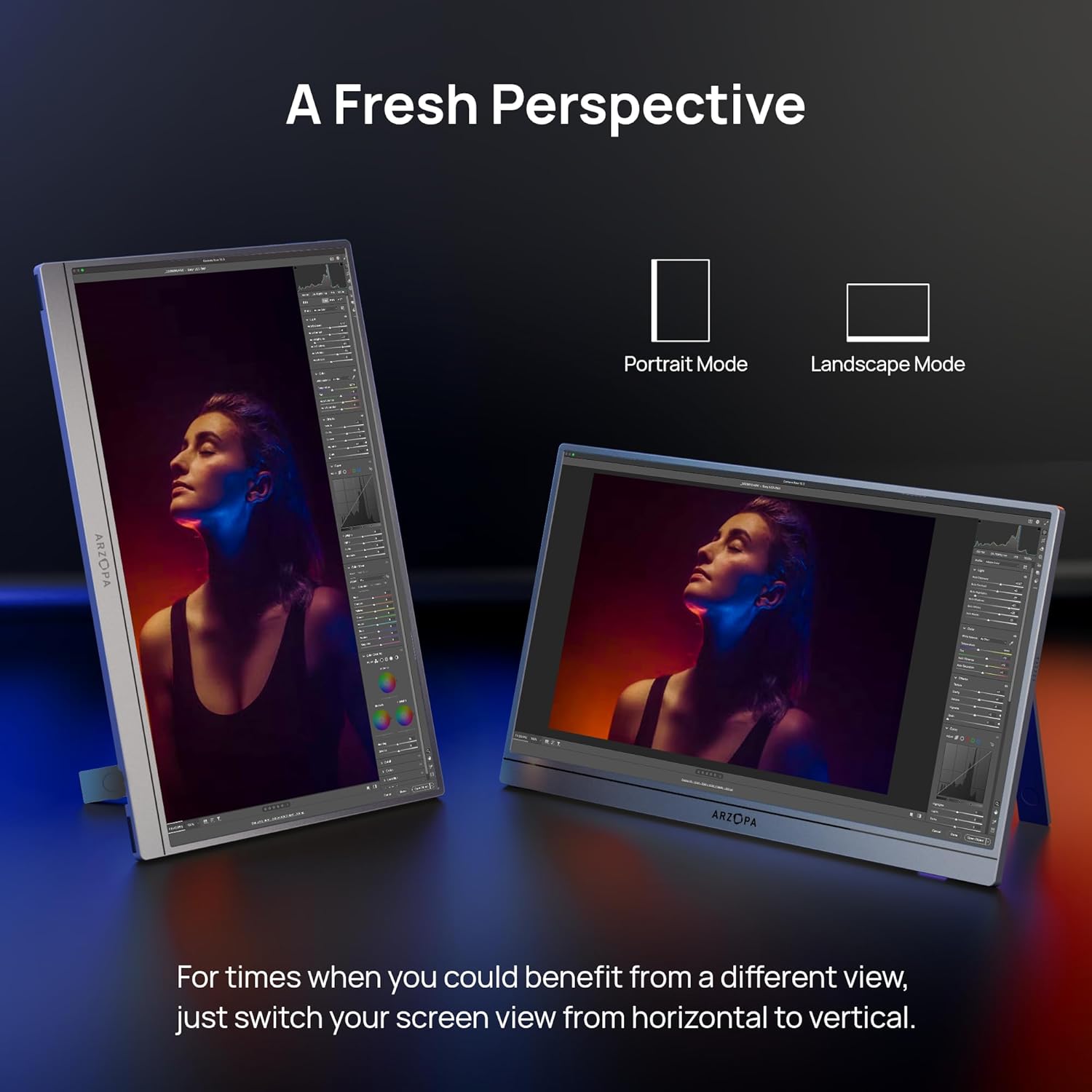
Figure 5: The ARZOPA Z1C monitor supports both portrait and landscape orientations.
3. 화면 디스플레이(OSD) 메뉴
Use the OSD menu button and adjustment controls to fine-tune settings such as brightness, contrast, color temperature, input source, and more.
유지
- 청소: 부드럽고 보풀 없는 천으로 화면과 외부를 살살 닦아주세요. 강한 화학 약품이나 연마성 재질은 사용하지 마세요.
- 저장: When not in use, store the monitor in a cool, dry place, ideally in its original packaging or a protective sleeve to prevent scratches.
- 손질: 화면에 과도한 압력을 가하거나 기기를 떨어뜨리지 마세요.
문제 해결
- 신호 없음:
- Ensure cables are securely connected to both the monitor and the source device.
- Verify the input source selected on the monitor matches the connected port (e.g., USB-C, HDMI).
- 사용 중인 기기의 USB-C 포트가 비디오 출력을 지원하는지 확인하십시오.
- 화면 깜빡임:
- Ensure the monitor is receiving sufficient power. If using a single USB-C cable, try connecting an additional power source to the monitor's second USB-C port or using a dedicated power adapter.
- Reduce screen brightness if flickering persists.
- 소리 없음:
- 모니터의 OSD 메뉴에서 볼륨 설정을 확인하세요.
- Verify your device's audio output is directed to the portable monitor.
명세서
| 화면 크기 | 16.1 인치 |
| 해결 | FHD 1080p(1920 x 1080 픽셀) |
| 종횡비 | 16시 9분 |
| 화면 표면 | 매트 |
| 품목 무게 | 1.7파운드 |
| 제품 치수 | 14.37 x 11.02 x 0.39 인치 |
| 총 USB 포트 | 2(USB-C) |
| 권tage | 220볼트(입력) |
| 제조업체 | 아르조파 |
| 모델 번호 | 지1씨 |
보증 및 지원
ARZOPA offers 24-month after-service support. For any inquiries or issues, please contact the dedicated customer support team. This ensures prompt responses and hassle-free solutions from purchase to long-term use.
추가 보호 플랜을 구매할 수 있습니다.
- 3년 보호 계획
- 4년 보호 계획
- Complete Protect: 하나의 플랜으로 모든 적격 과거 및 미래 구매를 포괄합니다(월별 청구)
Ask a question about this manual
Ask about setup, troubleshooting, compatibility, parts, safety, or missing instructions. Manuals+ will review the question and use this page’s manual context to help answer it.