
OREiN 80/110 CFM
OREiN 3-in-1 욕실 환풍기 (LED 조명 및 습도 센서 포함) 사용 설명서
Model: 80/110 CFM
1. 서론
Thank you for choosing the OREiN 3-in-1 Bathroom Fan. This innovative unit combines a powerful exhaust fan, an energy-efficient LED light with selectable color temperatures, and a smart humidity sensor to provide optimal ventilation and illumination for your bathroom. Designed for quiet operation and easy installation, this fan ensures a fresh and comfortable environment. Please read this manual thoroughly before installation and operation to ensure safe and proper use.
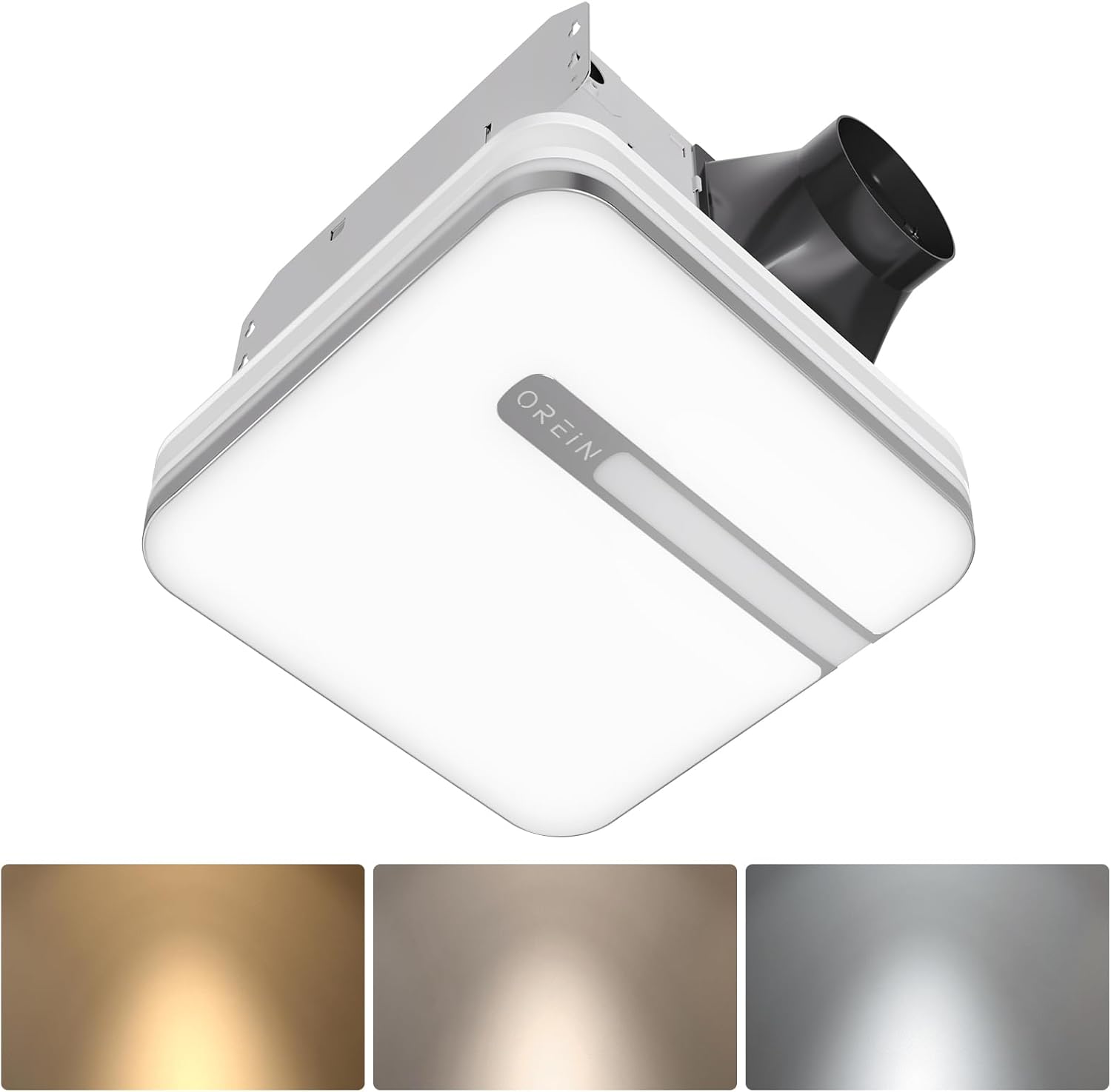
Image 1.1: OREiN 3-in-1 Bathroom Fan with LED Light and Humidity Sensor.
2. 안전 정보
화재, 감전 또는 부상의 위험을 줄이기 위해 본 제품을 설치, 작동 또는 유지 관리할 때는 항상 기본적인 안전 수칙을 준수하십시오.
- 경고: 화재, 감전 또는 부상의 위험을 줄이려면 다음 사항을 준수하세요.
- 이 장치는 제조업체가 의도한 방식으로만 사용하십시오. 질문이 있으면 제조업체에 문의하십시오.
- 장치를 수리하거나 청소하기 전에 서비스 패널에서 전원을 끄고 서비스 분리 수단을 잠궈 실수로 전원이 켜지는 것을 방지하십시오. 서비스 차단 수단을 잠글 수 없는 경우, 다음과 같은 눈에 잘 띄는 경고 장치를 단단히 고정하십시오. tag, 서비스 패널로.
- 설치 작업 및 전기 배선은 내화성 건축 규정 및 표준을 포함하여 모든 해당 규정 및 표준에 따라 자격을 갖춘 사람이 수행해야 합니다.
- 역류를 방지하기 위해 연료 연소 장비의 연도(굴뚝)를 통해 가스를 적절하게 연소하고 배출하려면 충분한 공기가 필요합니다. NFPA(National Fire Protection Association), ASHRAE(American Society for Heating, Refrigeration and Air Conditioning Engineers) 및 지역 규정 당국에서 발행한 것과 같은 난방 장비 제조업체의 지침 및 안전 표준을 따르십시오.
- 벽이나 천장을 절단하거나 구멍을 뚫을 때 전기 배선이나 기타 숨겨진 공공 시설을 손상시키지 마십시오.
- 덕트형 팬은 항상 외부로 환기해야 합니다.
- This unit is suitable for use in a shower or tub enclosure when installed in a GFCI protected branch circuit.
3. 패키지 내용
패키지를 열 때 모든 구성품이 들어 있고 손상되지 않았는지 확인하세요.
- OREiN 3-in-1 Bathroom Fan Unit
- LED 라이트 커버
- Fast-Install Mounting Bracket
- 사용 설명서(본 문서)
- 설치용 하드웨어(나사, 전선 커넥터)
4. 제품 특징
- 스마트 습도 센서: Automatically activates the fan when humidity reaches 60% to prevent moisture buildup and fogged mirrors. A green LED indicator confirms humidity mode is active.
- 조절 가능한 조명 색상: Choose between 3000K (warm white), 4000K (natural white), and 5000K (daylight) to suit your preference.
- 야간 조명 기능: A 2200K nightlight provides soft illumination for safe nighttime navigation.
- 조용한 작동: Operates at ultra-quiet 0.8/1.0 sones for minimal noise disruption.
- Selectable Airflow: Choose between 80 CFM and 110 CFM airflow settings for efficient moisture removal.
- 통합 LED 조명: Delivers 1500lm of bright, energy-efficient illumination.
- 간편한 설치: Designed for simple mounting between ceiling joists with a fast-install bracket.

Image 4.1: Internal design highlighting quiet and energy-efficient components.
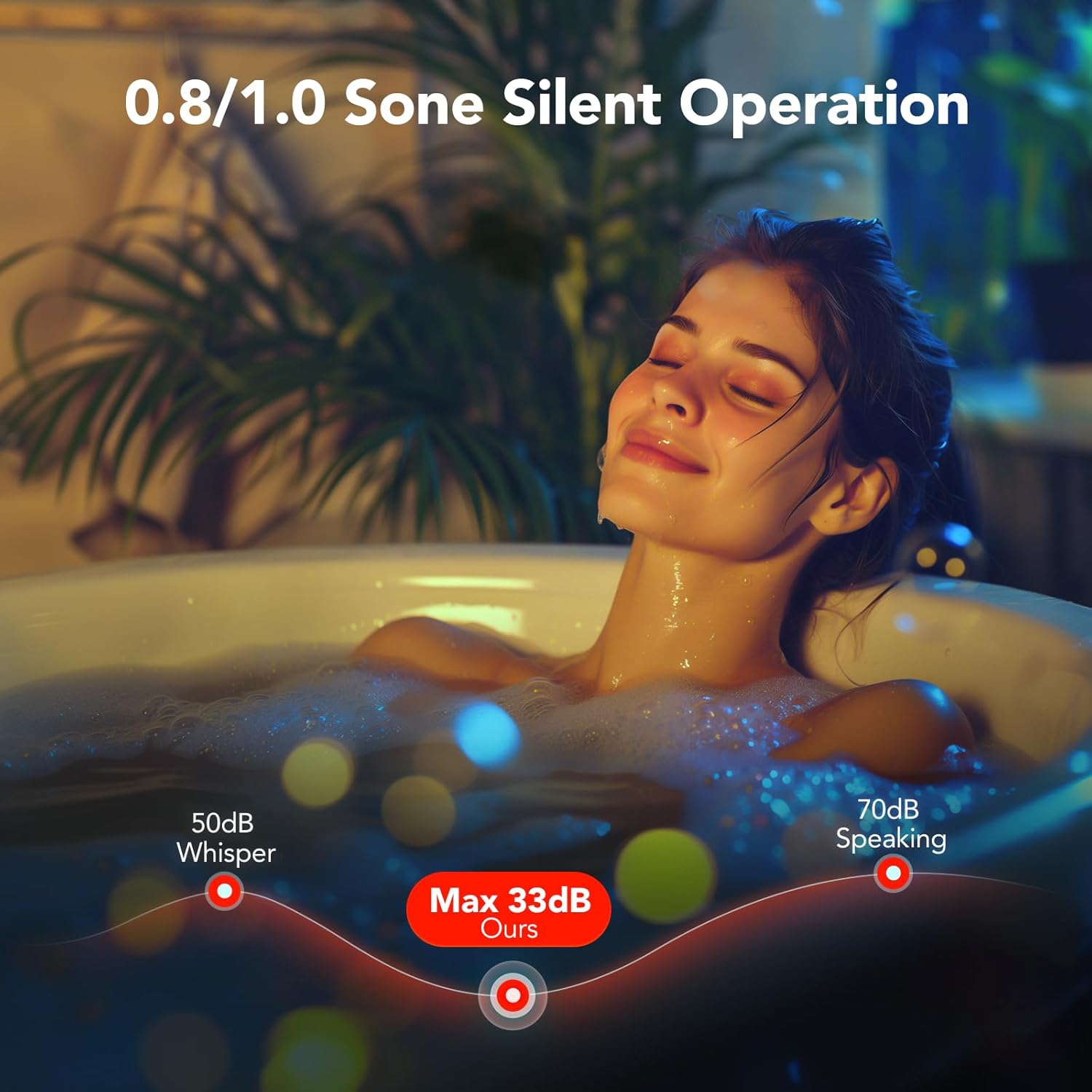
Image 4.2: Visual representation of the fan's quiet operation at low decibel levels.
5. 설정 및 설치
This section provides general guidance for installation. For detailed electrical wiring, consult a qualified electrician.
- 준비: Ensure power is turned off at the circuit breaker before beginning any installation work.
- 개구부 크기: The fan unit requires a ceiling opening of approximately 10.24" x 9.37" (260mm x 238mm). Ensure there are no obstructions like joists in the desired installation area.
- 설치: The fast-install bracket allows for secure mounting between ceiling joists. Position the fan unit and secure the bracket using appropriate screws. The design allows for installation from below the ceiling, eliminating the need for attic access in many cases.
- 덕트: Connect the fan to standard 4-inch ducting and ensure it is vented to the outdoors.
- 전기 연결: Connect the electrical wiring according to local codes and the provided wiring diagram. The light and fan may have independent wiring for separate control.
- Light Cover Installation: Once the fan unit is secured and wired, attach the LED light cover. It typically connects with spring clips for easy removal and maintenance.

Image 5.1: Product dimensions and recommended installation opening size.

Image 5.2: Simplified installation process showing the fan unit being placed into the ceiling opening.
6. 사용 설명서
6.1. Humidity Sensing Mode vs. Manual Mode
The fan offers two operating modes: Manual and Humidity Sensing. You can switch between these modes by cycling the wall switch of the fan to the "OFF" position and then back to the "ON" position.
- Manual Mode (Red LED Indicator): The fan will run continuously when turned on via the wall switch.
- Humidity Sensing Mode (Green LED Indicator): The fan will automatically turn on when the humidity level in the room reaches 60%. It will continue to run until the humidity drops below the threshold, then run for an additional 20 minutes before turning off.
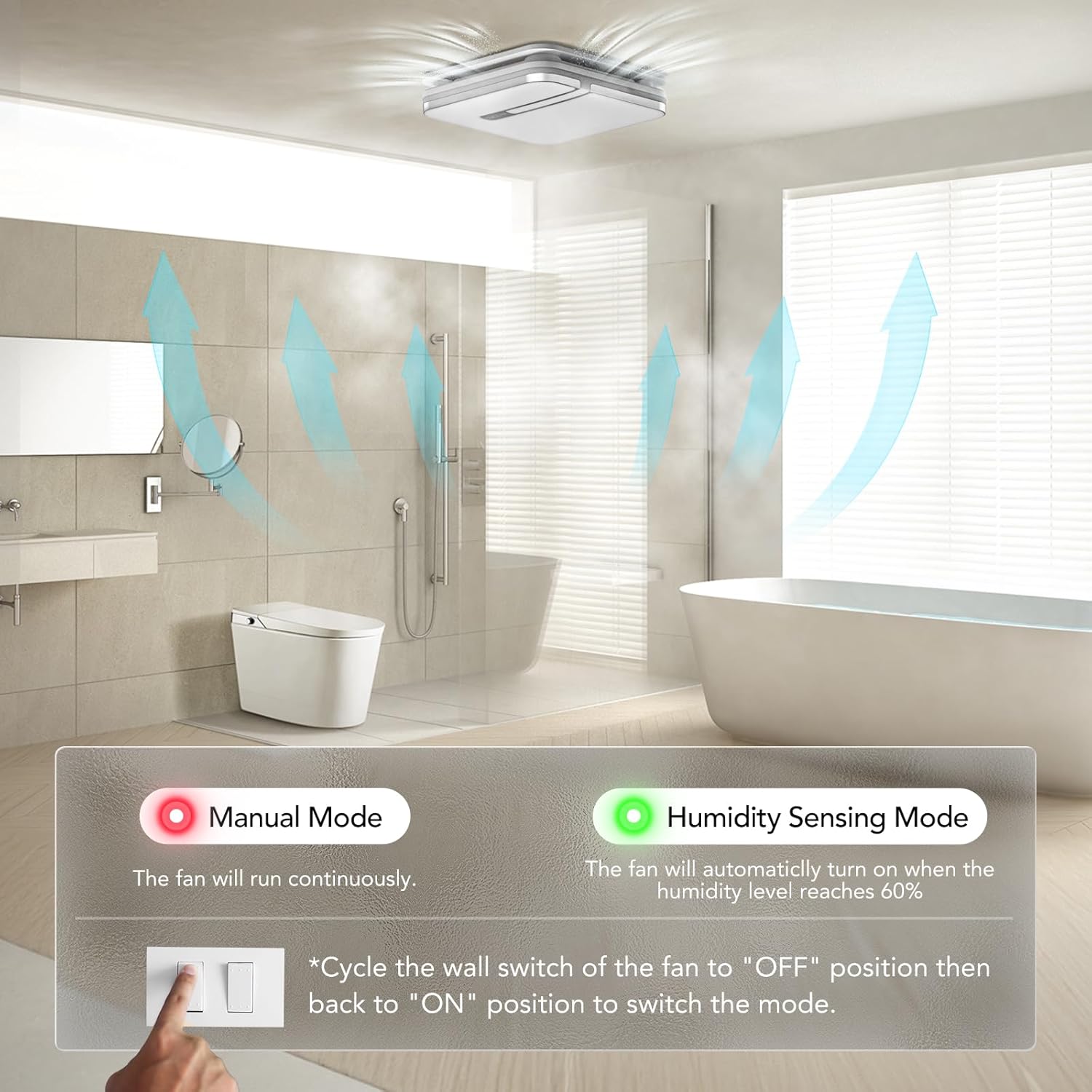
Image 6.1: Switching between Manual and Humidity Sensing Modes.

Image 6.2: How the humidity sensor automatically activates the fan.

Image 6.3: Humidity sensor logic: fan turns on above 60% humidity and runs for 20 minutes after humidity drops.
6.2. Adjusting Light Color Temperature
The LED light offers three color temperature options: 3000K (Warm White), 4000K (Natural White), and 5000K (Daylight). To select the desired color temperature, locate the toggle switch on the back of the lampshade and slide it to your preferred setting.

Image 6.4: Selecting the light color temperature (3000K, 4000K, 5000K).

Image 6.5: Visualizing the different light color temperatures in a bathroom setting.
6.3. Activating Night Light
To activate the 2200K night light mode, quickly cycle the light switch ON-OFF-ON within 2 seconds. This will switch the main light to the softer night light setting.

Image 6.6: The 2200K night light provides subtle illumination.

Image 6.7: Instructions for activating the nightlight mode.
6.4. Selecting CFM Airflow
The fan allows you to select between 80 CFM and 110 CFM airflow settings. This selection is made by sliding a toggle switch located on the fan housing. Choose the appropriate CFM based on your bathroom size and ventilation needs.
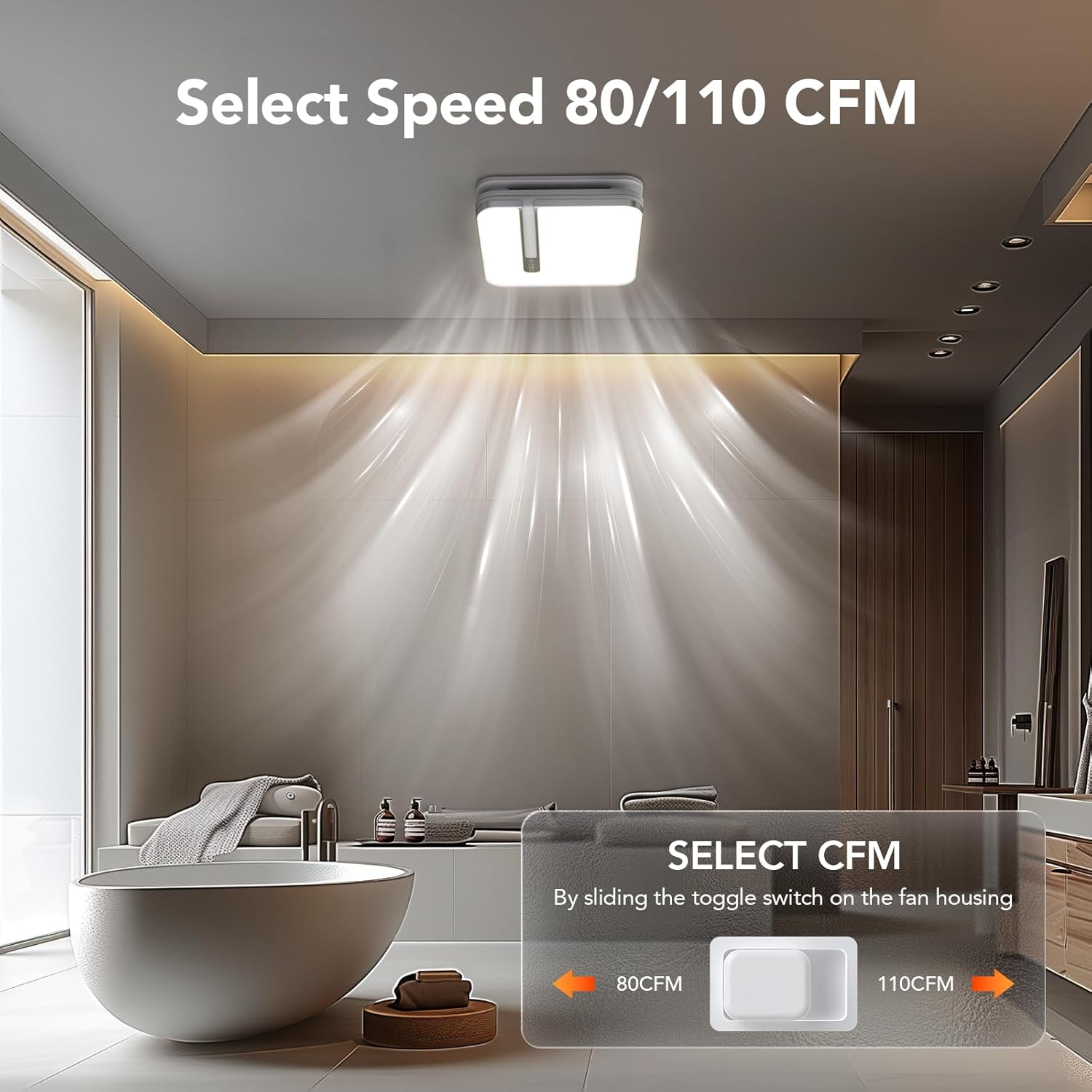
Image 6.8: Location of the CFM selection switch (80 CFM or 110 CFM).
7. 유지관리
Regular maintenance ensures optimal performance and longevity of your OREiN bathroom fan.
- Cleaning the Light Cover: The light cover can be easily removed for cleaning. Gently unclip the cover from the fan housing. Clean with a soft, damp 천과 순한 세제를 사용하여 닦아주세요. 다시 부착하기 전에 완전히 건조되었는지 확인하십시오.
- 팬 블레이드 청소: Periodically, inspect the fan blades for dust and debris buildup. Turn off power at the circuit breaker before attempting to clean the fan blades. Use a soft brush or vacuum cleaner to remove any accumulation.
- 덕팅 검사: Annually inspect the ducting for any blockages or damage that could impede airflow.
8. 문제 해결
If you encounter issues with your OREiN bathroom fan, refer to the following common troubleshooting steps:
| 문제 | 가능한 원인 | 해결책 |
|---|---|---|
| 팬이 켜지지 않습니다. | 장치에 전원이 들어오지 않습니다. | Check circuit breaker. Ensure wall switch is ON. Verify electrical connections. |
| 조명이 켜지지 않습니다. | Loose connection or faulty LED module. | Check the push clip connection for the light. If issue persists, contact support. |
| 팬이 너무 시끄럽습니다. | Obstruction in fan blades or motor. | Turn off power and inspect fan blades for debris. Ensure proper installation and secure mounting. |
| Humidity sensor not activating. | Incorrect mode selected or sensor malfunction. | Cycle the wall switch to ensure Humidity Sensing Mode (green LED) is active. Ensure humidity in the room is above 60%. |
| Poor ventilation/steam not clearing. | Incorrect CFM setting, blocked ducting, or undersized fan for room. | Ensure 110 CFM is selected if needed. Check ducting for blockages. Ensure proper room sealing. |
If the problem persists after trying these solutions, please contact OREiN customer support.
9. 사양
| 특징 | 세부 사항 |
|---|---|
| 상표 | 오레인 |
| 모델 | 80/110CFM |
| 공기 흐름 (CFM) | Selectable 80 / 110 CFM |
| Sones (Noise Level) | 0.8 / 1.0 Sones |
| 광 출력 | 1500루멘 |
| 색온도(CCT) | 3000K / 4000K / 5000K 선택 가능 |
| Night Light CCT | 2200K |
| 전원 | DC |
| 제품 치수 | Approx. 1"D x 1"W x 1"H (Unit), 13.1'' x 13.1'' (Light Cover) |
| 설치 크기 | 10.24인치 x 9.37인치(260mm x 238mm) |
| 덕트 직경 | 4 인치 |
| 장착 유형 | 플러시 마운트 |
| 품목 무게 | 18.06파운드 |
| 한국어: | 734376313753 |
Note: Product dimensions provided as 1"D x 1"W x 1"H are likely placeholders and may not reflect actual physical size. Refer to installation size for accurate cutout dimensions.

이미지 9.1: 이상view of different OREiN fan models and their specifications.
10. 보증 및 지원
OREiN is committed to providing high-quality products and excellent customer service. For any questions, concerns, or support needs regarding your 3-in-1 Bathroom Fan, please contact us through the following channels:
- 아마존 연락처: You can contact us directly through Amazon's messaging system for assistance with your purchase.
- 전화 지원: For 24-hour service, please call: 1 (844) 506-1530
- 온라인: 검색 'OREiN' online to find our official website and additional support resources.
Please retain your proof of purchase for warranty claims. For detailed warranty information, refer to the product packaging or contact customer support.

Image 10.1: OREiN Customer Support is available to assist you.
Ask a question about this manual
Ask about setup, troubleshooting, compatibility, parts, safety, or missing instructions. Manuals+ will review the question and use this page’s manual context to help answer it.