
소개
Thank you for choosing the BOTSLAB W510 4K Wireless Outdoor Security Camera System. This manual provides detailed instructions for setting up, operating, maintaining, and troubleshooting your new security system. Please read this manual thoroughly before use to ensure optimal performance and safety.
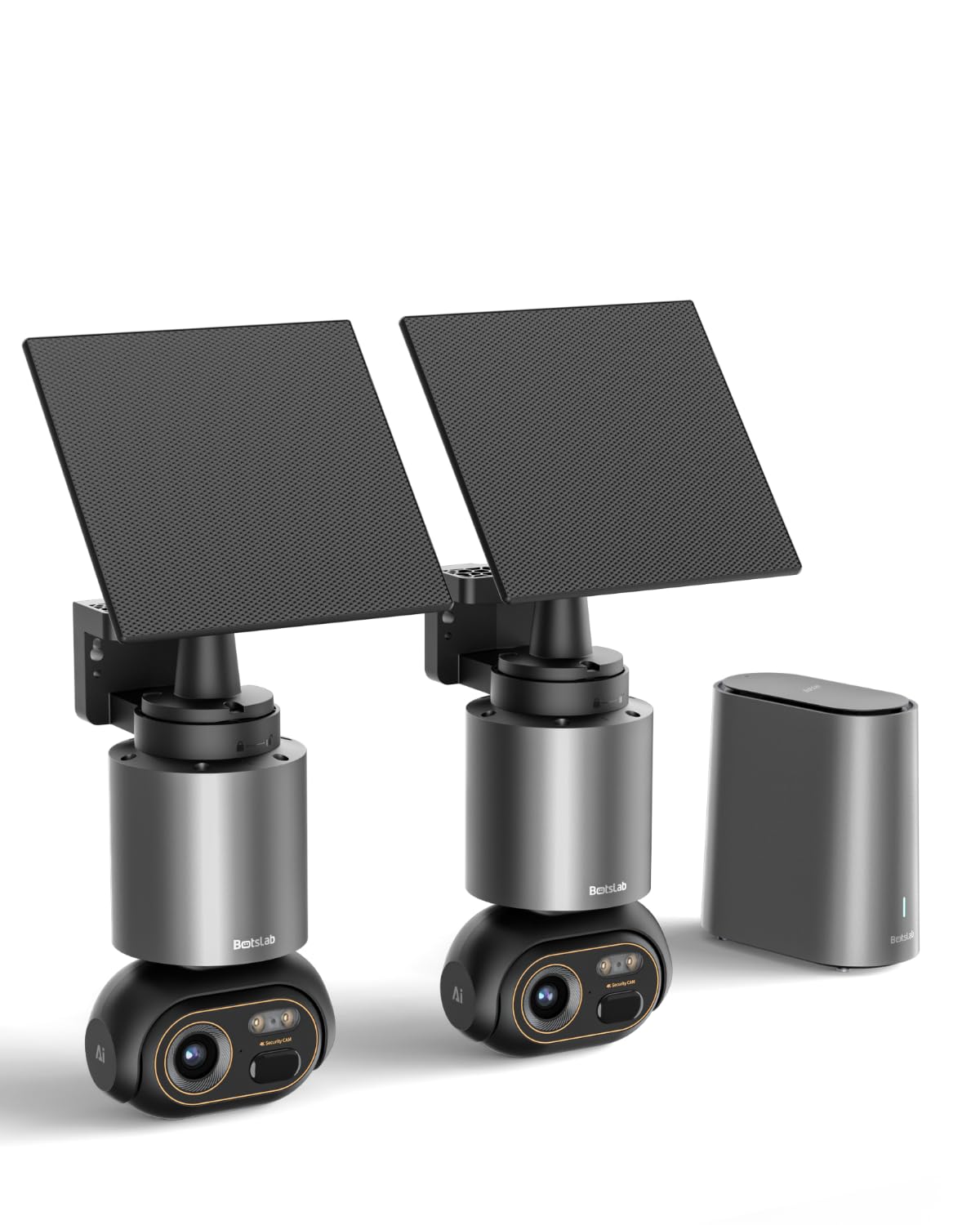
Image: The BOTSLAB W510 4K Wireless Outdoor Security Camera System, featuring two cameras and the H200 HomeBase.
상자 안에 무엇이 들어있나요?
패키지에 모든 구성품이 들어 있는지 확인하세요.
- W510 Camera *2
- Camera Mounting Brackets / Wall Stickers *2
- Wall Mounting Screw Kit *2
- 태양광 패널 *2
- Solar Panel Mounting Bracket / Wall Stickers *2
- Solar Panel Installation Screws (for mounting) *2
- Type-C 충전 케이블 *2
- User Manual (Quick Guide + Certification) *1
- 경고 스티커 *2
- H200 Base Station *1
- Base Station Adapter *1
- Hard Drive Mounting Screw *1
- 이더넷 케이블 *1
- User Guide Card *1

Image: Contents of the BOTSLAB W510 2-camera kit, including cameras, solar panels, HomeBase, and accessories.
설치 지침
1. HomeBase H200 Installation
- 전원 연결: Plug the Base Station Adapter into the H200 HomeBase and a power outlet.
- 네트워크에 연결: Use the provided Ethernet cable to connect the H200 HomeBase to your router. Ensure a stable internet connection.
- Optional Storage Expansion: The H200 HomeBase includes 32GB of internal storage. For expanded storage up to 16TB, install a compatible 2.5-inch hard drive using the provided mounting screw.
2. Camera Mounting and Solar Panel Connection
The W510 cameras are designed for outdoor use and feature integrated solar panels for continuous power. Choose a mounting location that receives amp르 햇빛.
- 위치 선택: Identify a suitable outdoor location for each camera, ensuring a clear view and good Wi-Fi signal from the HomeBase.
- 카메라 장착: Use the camera mounting brackets and screw kit to securely attach the camera to a wall or desired surface.
- 태양광 패널 배치: The solar panel can be attached directly to the camera or detached and mounted separately using its own bracket for optimal sun exposure. Connect the solar panel to the camera using the Type-C charging cable.

Image: Flexible solar panel attachment options for the BOTSLAB W510 camera, allowing direct or detached mounting for optimal sunlight.
3. 앱 설치 및 페어링
- 앱 다운로드 : Download the Botslab app from your smartphone's app store (iOS or Android).
- 계정 생성: 앱을 열고 화면의 지시에 따라 새 계정을 만들거나 로그인하세요.
- 장치 추가: In the app, select 'Add Device' and follow the prompts to scan the QR code on your H200 HomeBase.
- 카메라 페어링: Once the HomeBase is added, follow the app's instructions to pair each W510 camera with the HomeBase. This typically involves pressing a sync button on the camera.
작동 지침
1. 라이브 View 그리고 녹음
- Access the Botslab app to view live 4K Ultra HD video streams from your cameras.
- Record video manually or set up motion-triggered recordings.
- Benefit from vivid color night vision for clear images even in low-light conditions.

Image: The BOTSLAB W510 camera captures details with 4K clarity and offers 360-degree pan and tilt functionality.
2. Pan, Tilt, and Automatic Tracking
- Use the app to remotely control the camera's 360° pan and tilt functions to cover a wide area without blind spots.
- Enable automatic tracking to have the camera follow detected vehicles, pedestrians, or pets within its field of view.

이미지: 항공 view demonstrating the 360-degree coverage provided by the BOTSLAB W510 cameras and HomeBase, ensuring comprehensive protection.
3. Botslab IQ AI Features
The system utilizes Botslab IQ for intelligent monitoring:
- AI 감지: The camera can differentiate between people, vehicles, and pets, reducing false alarms.
- 지능형 경고: Receive descriptive notifications on your smartphone, providing details about detected events without needing to open the app.
- 빠른 검색: Easily find specific events (e.g., people, vehicles, objects) in historical footage within seconds.
- Sound Warnings: The outdoor camera can emit appropriate sound warnings for detected situations (English only).

Image: The BOTSLAB W510 camera's AI detects a person near a car and issues a personalized sound warning.

Image: Instant AI recognition by the BOTSLAB W510 with Base Station, accurately identifying people, domestic animals, and vehicles.
4. 양방향 오디오
Communicate with visitors or deter intruders using the built-in microphone and speaker for two-way audio communication.

Image: Two-way communication feature, allowing clear interaction with family members via the camera.
5. 멀티 카메라 View and Inter-Camera Correlation
The H200 HomeBase supports up to 8 cameras, allowing you to monitor multiple areas simultaneously within the Botslab app. The system automatically correlates event videos across cameras that occurred at the same time.
6. 스마트 음성 제어
Integrate your BOTSLAB W510 system with Amazon Alexa or Google Assistant for convenient voice control of your security cameras.

Image: Intelligent voice control for security, compatible with Alexa and Google Assistant.
유지
- 태양광 패널: Ensure the solar panels are clean and free from obstructions (e.g., leaves, dirt) to maximize charging efficiency. Approximately 30 minutes of direct sunlight per day can provide unlimited power under typical usage.
- 내후성: The cameras are IP66 rated, meaning they are protected against dust and powerful water jets. While robust, avoid submerging the cameras in water or exposing them to extreme conditions beyond their operating temperature range (-20°C to +50°C).
- 렌즈 세척: 카메라 렌즈는 주기적으로 부드러운 천으로 닦아주세요.amp cloth to maintain clear image quality.

Image: The BOTSLAB W510 camera is robust enough to withstand various weather conditions, featuring IP66 rating.
문제 해결
- 전원 없음/충전 중: Ensure solar panels are clean and receiving direct sunlight. Check Type-C cable connection. If indoors, charge directly with the Type-C cable.
- 비디오/오프라인 카메라 없음: Verify the camera is within Wi-Fi range of the H200 HomeBase. Check HomeBase internet connection. Restart the camera and HomeBase.
- 이미지 품질이 좋지 않음: Clean the camera lens. Ensure the camera is set to 4K resolution in the app. Check for obstructions in the camera's view.
- 허위 경보: Adjust AI detection sensitivity settings in the Botslab app. Ensure detection zones are configured correctly to avoid unwanted triggers.
- 양방향 오디오 문제: 앱에서 마이크와 스피커 설정을 확인하세요. 네트워크 연결이 안정적인지 확인하세요.
- HomeBase Fan Noise: If the H200 HomeBase fan becomes unusually loud, ensure it has adequate ventilation and is not obstructed. If the issue persists, contact customer support.
명세서
| 특징 | 설명 |
|---|---|
| 상표 | 봇슬랩 |
| 모델명 | W510 |
| 권장 사용 | 야외 보안 |
| 연결 기술 | 무선(Wi-Fi) |
| 특별 기능 | 4K 8MP HD, Color Night Vision, 360° Pan & Tilt, Integrated Solar Panel, Two-Way Audio, No Monthly Fees, Automatic Tracking |
| 실내/실외 사용 | 집 밖의 |
| 호환 장치 | Smartphone (Amazon Alexa, Google Assistant) |
| 전원 | Battery Powered (Solar Charging) |
| IP 등급 | IP66 |
| 비디오 캡처 형식 | MPEG-4 |
| 품목 치수 | 12 x 10 x 19 센티미터 |
| HomeBase Storage | 32GB Internal, expandable up to 16TB (with 2.5" HDD, not included) |

Image: The H200 Base Station offers 32GB internal storage, expandable up to 16TB with an external hard drive, eliminating monthly fees.
보증 및 지원
BOTSLAB is committed to providing reliable products and excellent customer service.
- 보증: Your BOTSLAB W510 system comes with a two-year warranty.
- 보고: Enjoy free returns for 30 days from the purchase date.
- 기술 지원: 귀하의 제품에 대해서는 평생 기술 지원이 제공됩니다.
- 지원팀에 문의: 문의사항이나 도움이 필요하시면 다음 주소로 연락해 주세요. service@botslab.com. Our support team is available 24/7.

Image: BOTSLAB Support details, including warranty, returns, technical assistance, and contact information.