
소개
This manual provides detailed instructions for the setup, operation, and maintenance of your HANNspree HT240CUA 23.8-inch Multitouch Monitor. Please read this manual thoroughly before using the product to ensure proper functionality and to prevent damage.
패키지 내용
제품 패키지에 아래 나열된 모든 품목이 포함되어 있는지 확인하십시오. 누락되거나 손상된 품목이 있는 경우 판매점에 문의하십시오.
- HANNspree HT240CUA Multitouch Monitor
- 전원 공급 장치
- 전원 케이블(1.5m)
- HDMI 케이블
- USB AC 케이블
- 보증 카드
- 빠른 시작 가이드
제품 끝view
The HANNspree HT240CUA is a 23.8-inch multitouch monitor designed for versatile use in various environments. It features PCAP touch technology with 10 touch points, Full HD resolution, optical bonding, and a durable 7H tempered glass surface.
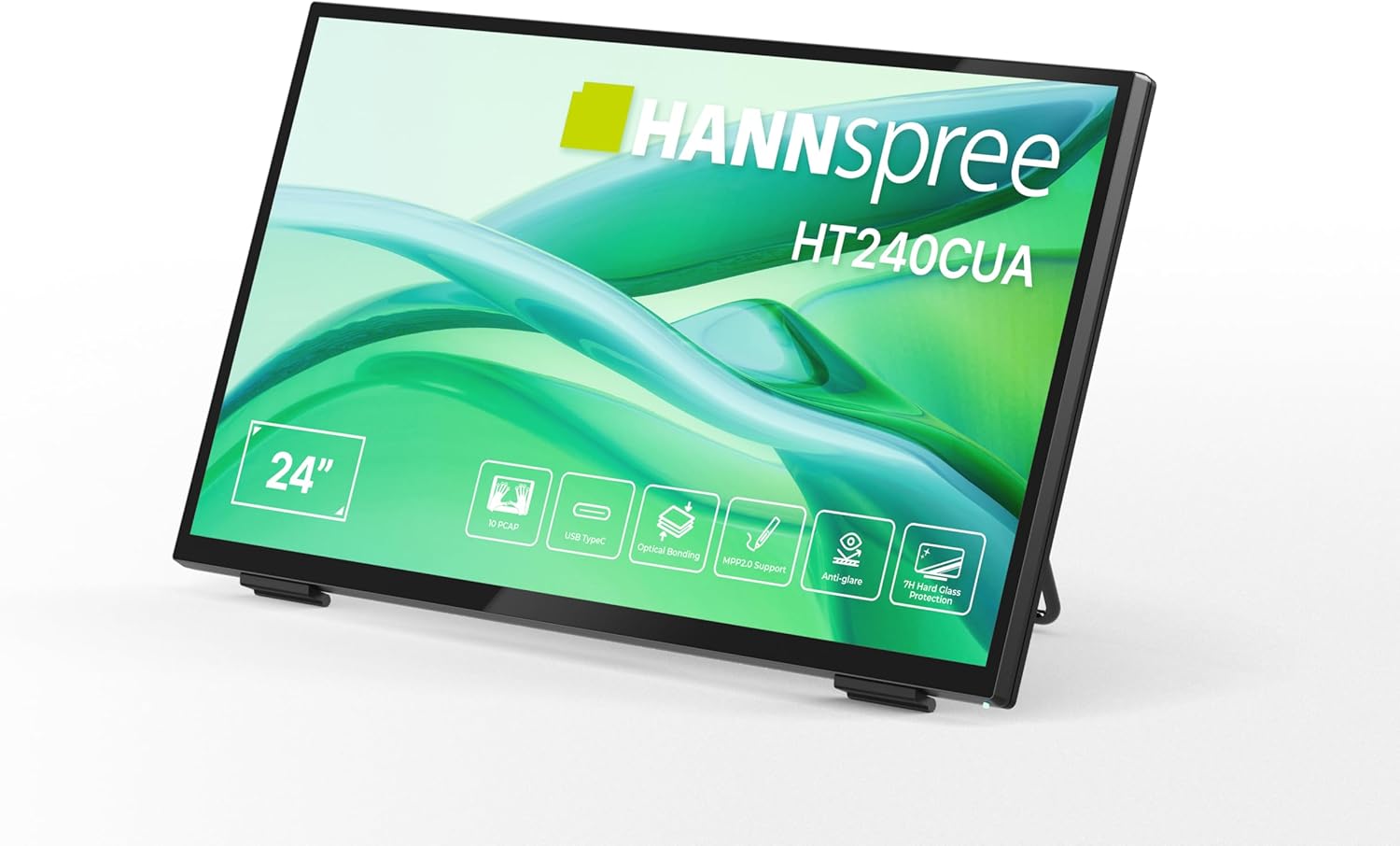
앞쪽 view of the HANNspree HT240CUA monitor, showcasin세련된 디자인과 24인치 디스플레이가 특징입니다.

뒤쪽 view of the HANNspree HT240CUA monitor, highlighting the various input/output ports including USB Type-C, HDMI, and DisplayPort.
설정
- Unpacking the Monitor: 모니터와 모든 부속품을 포장에서 조심스럽게 꺼내십시오. 모니터를 안정적이고 평평한 표면에 놓으십시오.
- 전원 연결:
- 전원 케이블을 전원 공급 장치에 연결합니다.
- Plug the power supply into the DC IN port on the back of the monitor.
- 전원 케이블의 다른 쪽 끝을 접지된 전기 콘센트에 꽂습니다.
- 컴퓨터에 연결:
- USB Type-C 연결: For video, audio, and touch functionality with a single cable, connect the supplied USB A-C cable to the USB Type-C port on the monitor and to a compatible USB Type-C port on your computer.
- HDMI 연결: HDMI 케이블의 한쪽 끝을 모니터의 HDMI 포트에 연결하고 다른 쪽 끝을 컴퓨터의 HDMI 출력 포트에 연결하십시오.
- 디스플레이포트 연결: Connect a DisplayPort cable (not included) to the DP port on the monitor and to the DisplayPort output on your computer.
- VGA 연결: Connect a VGA cable (not included) to the VGA port on the monitor and to the VGA output on your computer.

Diagram illustrating the versatile connectivity options available on the HANNspree HT240CUA monitor, including USB-C, DisplayPort, HDMI, and VGA.
- 스탠드 조정: The monitor features an ergonomically adjustable stand with a tilt angle of 15-70 degrees. Adjust the stand to your preferred view잉 각도.
- VESA 마운팅(선택 사항): The monitor supports VESA mount 100 x 100 mm for alternative mounting solutions, such as wall mounts or mini PC attachments.
작동 지침
전원 켜기/끄기
모니터 측면에 있는 전원 버튼을 눌러 모니터를 켜거나 끄세요.
Using the Multitouch Functionality
The HT240CUA supports 10-point PCAP multitouch. Ensure your operating system is configured for touch input.

Image showing the HANNspree HT240CUA monitor in use with 10-point multitouch functionality, allowing for smooth and precise interactions.
MPP 2.0 Stylus Support
The monitor supports MPP 2.0 compatible styluses (pen not included) for a pen-like writing and drawing experience with precise accuracy and low latency.
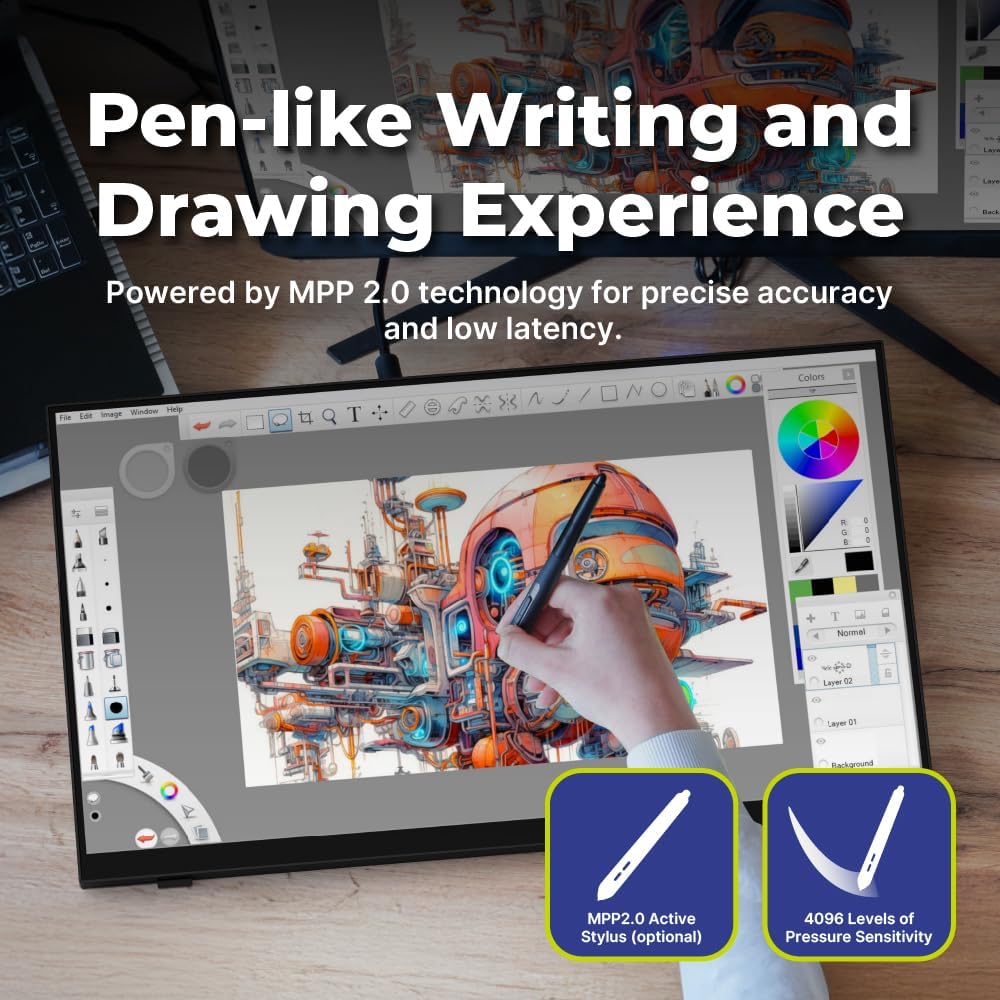
Illustration of the HANNspree HT240CUA monitor's support for MPP 2.0 styluses, enabling a natural writing and drawing experience.
온스크린 디스플레이(OSD) 메뉴
Use the buttons on the side of the monitor to navigate and adjust settings in the OSD menu. Common settings include brightness, contrast, input source selection, and color temperature.
- 메뉴 버튼: OSD 메뉴를 엽니다.
- 위/아래 버튼: 메뉴 옵션을 탐색합니다.
- 입력 버튼: 옵션을 선택하거나 설정을 확인합니다.
- 종료 버튼: 현재 메뉴 또는 OSD를 종료합니다.
유지
모니터 청소
모니터 화면과 c를 청소하려면asing:
- 모니터를 끄고 전원 케이블을 뽑으세요.
- 부드럽고 보풀이 없는 천을 살짝 사용하십시오. damp물이나 비연마성 화면 세척제로 세척하세요.
- 화면을 부드럽게 닦아주세요.asing. 과도한 압력을 가하지 마십시오.
- Do not use alcohol, benzene, thinners, or other harsh chemicals, as these may damage the screen surface or casing.
저장
장기간 모니터를 보관할 경우, 전원을 끄고 플러그를 뽑은 후 직사광선과 극한의 온도를 피해 시원하고 건조한 곳에 보관하세요.
문제 해결
모니터에 문제가 발생하면 다음의 일반적인 문제와 해결 방법을 참조하세요.
전원이 없습니다
- 전원 케이블이 모니터와 콘센트에 제대로 연결되어 있는지 확인하십시오.
- 다른 기기를 콘센트에 꽂아 전원 콘센트가 제대로 작동하는지 확인하십시오.
- 전원 어댑터에 눈에 보이는 손상이 있는지 확인하세요.
화면에 이미지 없음
- Confirm that the monitor is powered on.
- Check the video cable (HDMI, DisplayPort, USB-C, VGA) connections at both the monitor and the computer.
- 모니터의 OSD 메뉴에서 올바른 입력 소스가 선택되었는지 확인하세요.
- 가능하다면 다른 컴퓨터나 비디오 소스를 사용하여 모니터를 테스트해 보세요.
터치 기능이 작동하지 않습니다
- For USB Type-C connections, ensure the cable supports data transfer for touch.
- If using HDMI/DP/VGA, ensure a separate USB cable is connected from the monitor's USB upstream port to your computer for touch data.
- Check your computer's operating system settings for touch screen calibration or driver issues.
- 모니터와 컴퓨터를 모두 재시작하세요.
이미지 품질 문제
- OSD 메뉴를 통해 밝기, 대비, 색상 설정을 조정하세요.
- 컴퓨터의 디스플레이 해상도가 모니터의 기본 해상도(1920 x 1080)로 설정되어 있는지 확인하십시오.
- 화면이나 케이블에 물리적인 손상이 있는지 확인하세요.
명세서
| 특징 | 사양 |
|---|---|
| 화면 크기 | 23.8 인치 |
| 해결 | 1920 x 1080(풀HD) |
| 종횡비 | 16시 9분 |
| 터치 기술 | PCAP, 10-point multitouch |
| 표면 경도 | 7H 강화유리 |
| 명도 | 270칸델라/제곱미터 |
| 연결성 | USB Type-C (Video/Audio/Touch), HDMI, DisplayPort, VGA, USB Hub 3.0 (2x) |
| 스피커 | 통합 |
| 기울기 각도 | 15-70도 |
| VESA 마운트 | 100 x 100mm |
| 스타일러스 지원 | MPP 2.0 (pen not included) |
| 제품 크기(L x W x H) | 21.65 x 13.12 x 1.94 인치 |
| 품목 무게 | 12.39파운드 |
보증 및 지원
For warranty information, please refer to the included Warranty Card in your package. For technical support or service inquiries, please visit the official HANNspree web사이트 또는 고객 서비스 부서에 문의하십시오.
Keep your purchase receipt and product serial number (found on the back of the monitor) readily available when contacting support.


