
1. 서론
Thank you for choosing the WiMiUS P62 Pro 4K Projector. This manual provides essential information for setting up, operating, and maintaining your projector to ensure optimal performance and longevity. Please read this manual thoroughly before use and retain it for future reference.
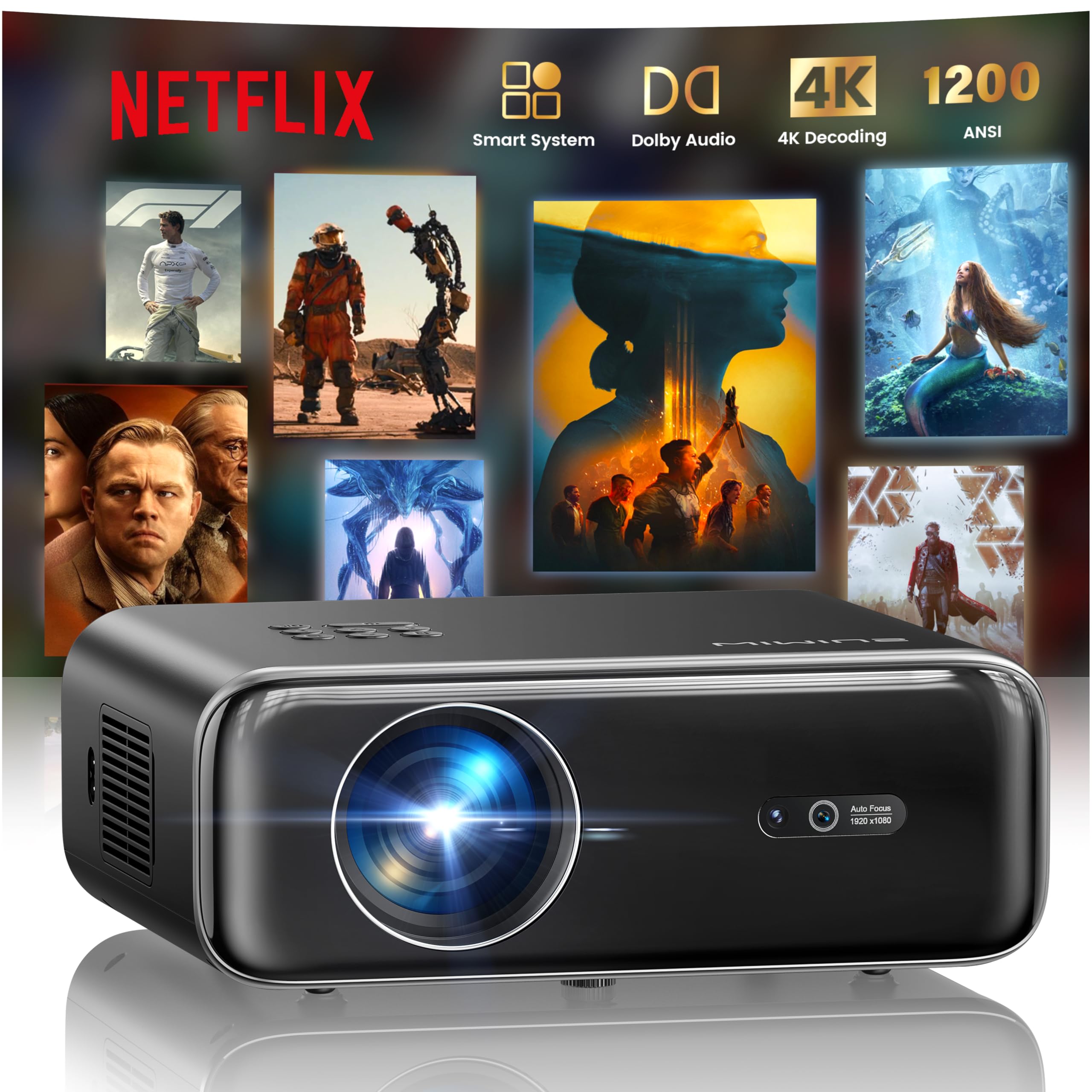
The WiMiUS P62 Pro 4K Projector, a compact and powerful device designed for home entertainment.
2. 상자 안에 무엇이 들어있나요?
Carefully unpack your WiMiUS P62 Pro projector and ensure all items are present:
- WiMiUS P62 Pro Projector (Netflix included)
- 원격 제어
- 렌즈 캡
- 전원 코드
- HDMI 케이블
- 청소 키트
- 빠른 시작 가이드

Contents of the WiMiUS P62 Pro package, including the projector, remote, and essential cables.
3. 제품 오버view 및 주요 특징
The WiMiUS P62 Pro is a versatile 4K-supported projector designed for a superior home cinema experience. Its key features include:
- 고휘도 : 1400 ANSI lumens for clear images even in ambient light.
- 기본 1080P 해상도: Supports 4K Ultra HD input for crisp visuals.
- Smart OS with Official Apps: Pre-installed Netflix, YouTube, Prime Video, Plex, and access to over 20,000 apps.
- AI Intelligent Adjustment: Automatic focus, keystone correction, obstacle avoidance, and screen alignment.
- 돌비 오디오: Integrated dual 36W speakers with Dolby Audio for immersive sound.
- 다양한 연결성: WiFi 6, Bluetooth 5.4 (bidirectional), HDMI (ARC & CEC), USB.
- 휴대성 있는 디자인: Compact dimensions (25.7 x 20 x 10.3 cm) and lightweight (1.8 kg) for easy transport.
- 눈 보호: Utilizes diffuse reflection imaging technology to reduce eye strain.

The WiMiUS P62 Pro offers a revolutionary home cinema experience with integrated streaming apps like Netflix, YouTube, and Prime Video.

Experience exceptional audio quality with integrated Dolby Audio and powerful Hi-Fi speakers.
4. 설정
프로젝터 초기 설정은 다음 단계를 따르세요.
- 놓기: Position the projector on a stable, flat surface or mount it (ceiling or tripod). Ensure adequate ventilation around the device. The projector can be placed between 1 to 6 meters from the projection surface.
- 전원 연결: 프로젝터에 전원 코드를 연결한 다음 전원 콘센트에 꽂으세요.
- 전원 켜기: 프로젝터나 리모컨의 전원 버튼을 눌러 켜세요.
- 자동 조정: The projector features AI-powered auto-focus and auto-keystone correction. It will automatically adjust the image for clarity and shape. It also includes intelligent obstacle avoidance and automatic screen alignment.
- Manual Adjustments (if needed): If further adjustments are required, use the remote control to access settings for focus, keystone, and zoom (50%-100%).

The projector features intelligent screen adaptation 3.0, including auto-focus, auto-keystone correction, and obstacle avoidance.
5. 사용 설명서
5.1 전원 켜기/끄기
- 전원을 켜려면: 프로젝터나 리모컨의 전원 버튼을 누르세요.
- 전원을 끄려면: 전원 버튼을 다시 누르십시오. 종료하라는 메시지가 나타나면 종료를 확인하십시오.
5.2 Navigation and Source Selection
- Use the remote control's directional buttons and OK button to navigate the on-screen menu.
- Select your desired input source (HDMI 1, HDMI 2, USB, or Smart Apps) from the main menu.
5.3 화면 및 사운드 설정
- Access the settings menu to adjust picture parameters such as brightness, contrast, color, and aspect ratio.
- Adjust sound volume and audio modes. The integrated Dolby Audio provides rich sound.

Enjoy an ultimate gaming experience with low latency and a 60Hz refresh rate.

Easily display your work or presentations on a larger screen.
6. 연결성
The WiMiUS P62 Pro offers multiple connectivity options:
- HDMI 포트(x2): Connect devices like laptops, gaming consoles, Blu-ray players. HDMI 2 supports ARC (Audio Return Channel) and CEC (Consumer Electronics Control) for simplified audio setup and control.
- USB 포트(x2): Play media directly from USB drives or connect external devices.
- 와이파이 6: Connect to your home network for internet access and streaming. Supports screen mirroring from iOS, Android, and Windows 10 devices for seamless content sharing.
- Bluetooth 5.4 (Bidirectional): Connect external Bluetooth speakers or headphones for enhanced audio. The projector can also act as an independent Bluetooth speaker when connected to a phone.

The rear panel of the projector features multiple connectivity ports including HDMI and USB.

Synchronize and enjoy with multiple connectivity options for seamless entertainment.
7. 스마트 기능
7.1 Integrated Streaming Applications
The projector comes with officially certified streaming applications pre-installed, providing direct access to a vast library of content:
- 넷플릭스
- 유튜브
- 프라임 비디오
- 플렉스
- And more via the integrated App Store.

Access official integrated apps like Netflix and Plex directly from your projector.

Explore more applications through the integrated App Store.
7.2 AI-Powered Image Adjustment
The projector utilizes advanced AI algorithms for automatic image optimization:
- 자동 초점 : Automatically adjusts the image sharpness.
- 자동 키스톤 보정: 왜곡된 이미지를 완벽한 직사각형으로 보정합니다.
- 지능형 장애물 회피: 경로상의 물체를 감지하고 이를 피하기 위해 투영을 조정합니다.
- 자동 화면 정렬: 투영면에 맞게 이미지를 최적화합니다.

AI-optimized intelligent configuration ensures the best image quality wherever you are.
7.3 Web 탐색
Navigate the internet directly on your projector using the integrated web browser. This allows you to access websites, news, and online content without needing an external computer.

탐색하다 web directly on your projector with the integrated navigation feature.
8. 유지관리
적절한 유지관리는 프로젝터의 수명과 성능을 보장합니다.
- 렌즈 세척: Use the provided cleaning kit or a soft, lint-free cloth to gently clean the projector lens. Avoid abrasive materials or harsh chemicals.
- 통풍: 프로젝터의 통풍구가 막히지 않고 깨끗하게 유지되어 과열을 방지하십시오. 공기 흐름을 막을 수 있는 부드러운 표면에 프로젝터를 놓지 마십시오.
- 먼지 제거: Periodically clean the exterior of the projector with a soft, dry cloth to remove dust.
- 저장: 장기간 사용하지 않을 경우 프로젝터를 서늘하고 건조한 곳에 보관하십시오. 가능하면 원래 포장이나 보호 케이스에 넣어 보관하는 것이 좋습니다.
9. 문제 해결
If you encounter issues with your WiMiUS P62 Pro projector, refer to the following common problems and solutions:
| 문제 | 가능한 원인 | 해결책 |
|---|---|---|
| 이미지가 표시되지 않음 | 전원 케이블이 분리되었거나, 입력 소스가 잘못되었거나, 렌즈 캡이 씌워져 있습니다. | 전원 연결을 확인하고, 올바른 입력 소스를 선택하고, 렌즈 캡을 제거하십시오. |
| 이미지가 흐릿함 | 초점이 안 맞아서 프로젝터 위치를 옮겼습니다. | Allow auto-focus to engage or manually adjust focus using the remote. |
| 이미지가 왜곡됩니다(사다리꼴 모양) | 프로젝터가 화면에 수직이 아닙니다. | Allow auto-keystone correction to engage or manually adjust keystone settings. |
| 소리가 나지 않습니다 | Volume too low, external audio device not connected, incorrect audio output. | Increase volume, check external audio connections, ensure correct audio output is selected. |
| 와이파이/블루투스에 연결할 수 없습니다 | Incorrect password, device out of range, network issue. | Verify password, move devices closer, restart router/projector. |
추가적인 도움이 필요하시면 보증 및 지원 섹션의 연락처 정보를 참조하십시오.
10. 사양
Detailed technical specifications for the WiMiUS P62 Pro Projector:
- 상표: 위미어스
- 모델: P62 프로
- 명도: 1400 ANSI 루멘 (38000 루멘)
- 네이티브 해상도: 1920 x 1080픽셀
- 최대 디스플레이 해상도: 3840 x 2160 (4K Ultra HD Support)
- 대비율: 40000시 1분
- 디스플레이 유형: LCD 또는 LED
- 연결 기술 : Bluetooth 5.4, HDMI, USB, Wi-Fi 6
- 추천 용도: Home Cinema, Gaming, Live TV & Sports, Outdoor, Camp잉
- 특별 기능: AI Auto Focus/Keystone, Obstacle Avoidance, Screen Alignment, Official Apps (Netflix, etc.), Dolby Audio, HDMI ARC/CEC
- 투사 거리: 1~6미터
- 이미지 크기: 40 ~ 300 인치
- 제어 유형: 원격 제어
- 무게: 1.8 킬로그램
- 치수: 25.7 x 20 x 10.3cm
- 비디오 인코딩 : H.264, H.265

The projector boasts 1400 ANSI lumens and a 40000:1 contrast ratio for remarkable brilliance.

즐기다 viewing without harmful blue light, reducing eye fatigue.
11. 보증 및 지원
The WiMiUS P62 Pro Projector comes with a 2-year warranty. For any questions or support needs regarding your projector, please refer to the service information provided in the Quick Start Guide or contact WiMiUS customer support directly. You can often find support contact details on the manufacturer's official web사이트나 구매 플랫폼을 통해서도 구매하실 수 있습니다.