
강력한 SRT427
STRONG 4K UHD Box SRT 427 User Manual
소개
This manual provides comprehensive instructions for the installation, operation, and maintenance of your STRONG 4K UHD Box SRT 427. Please read this manual carefully before using the device to ensure proper functionality and to prevent damage. Keep this manual for future reference.
패키지 내용
설치를 진행하기 전에 패키지에 모든 구성품이 들어 있는지 확인하십시오.
- STRONG 4K UHD Box SRT 427
- 리모콘(배터리는 포함되어 있지 않음)
- 전원 어댑터
- HDMI 케이블
- 빠른 설치 가이드
설정
Follow these steps to set up your STRONG 4K UHD Box SRT 427:
- TV에 연결: Connect one end of the HDMI cable to the HDMI OUT port on the SRT 427 and the other end to an available HDMI IN port on your television.
- 전원에 연결: Plug the power adapter into the DC IN port on the SRT 427, then plug the adapter into a wall outlet.
- 인터넷에 연결(선택 사항): For internet-based features, connect an Ethernet cable to the LAN port on the SRT 427, or configure Wi-Fi settings after initial boot-up.
- 리모컨에 배터리를 넣으세요: Open the battery compartment on the remote control and insert 2x AAA batteries (not included), ensuring correct polarity.
- 전원 켜기: Turn on your TV and select the correct HDMI input source. The SRT 427 should power on automatically. If not, press the power button on the remote control.
- 초기 설정 마법사: 화면의 지시에 따라 언어 선택, 네트워크 구성 및 채널 검색을 포함한 초기 설정을 완료하십시오.
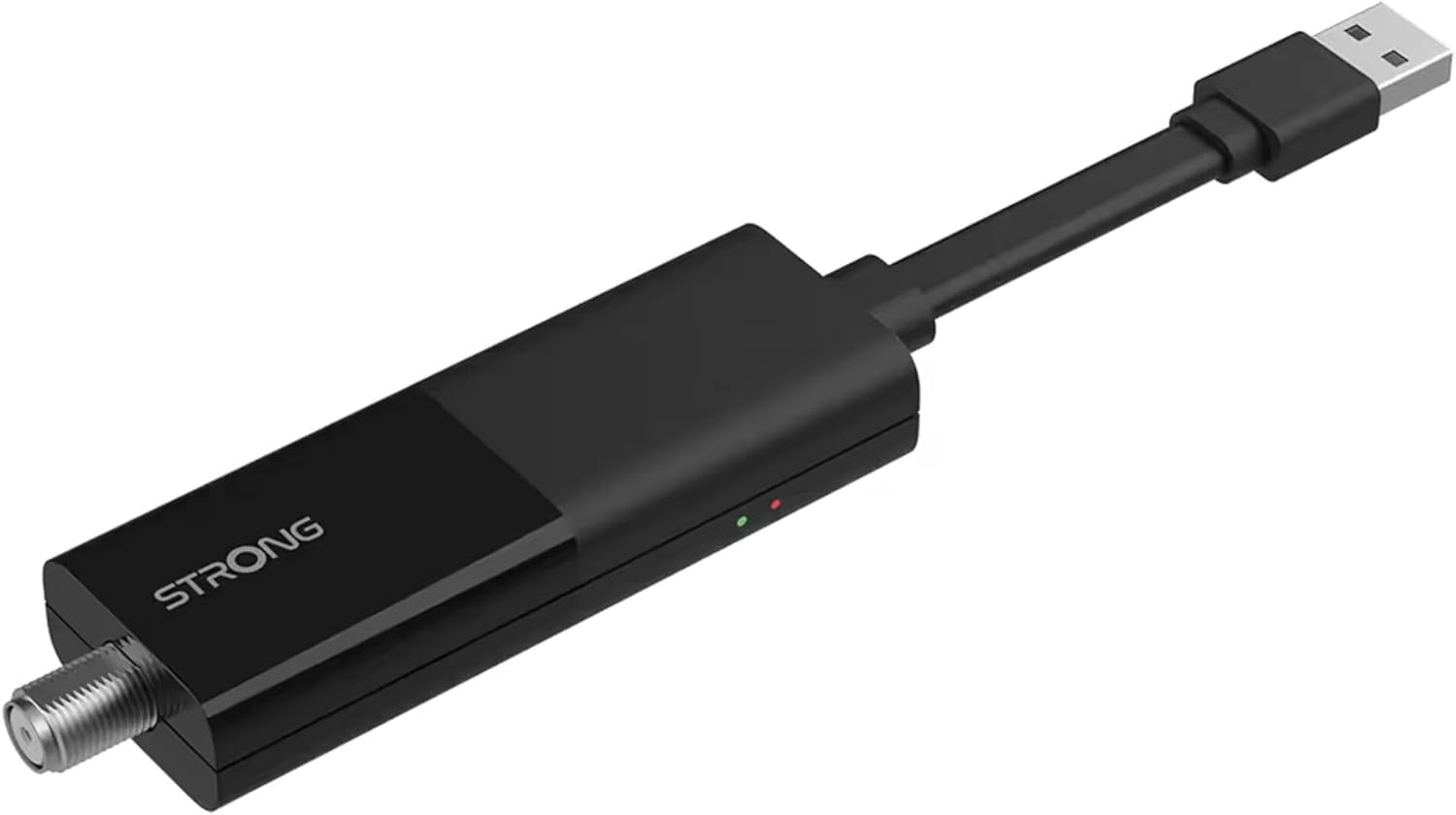
Image: The STRONG 4K UHD Box SRT 427, a compact black USB dongle-style device with a USB connector on one end and an F-type coaxial antenna input on the other, featuring the 'STRONG' logo and small indicator lights.
작동 지침
Once the initial setup is complete, you can begin using your SRT 427. Use the remote control to navigate the user interface.
- 홈 화면: 를 누르세요 집 button to access the main menu, where you can find applications, settings, and media options.
- 항해: 화살표 키(위, 아래, 왼쪽, 오른쪽) to move through menus and options. Press OK 선택을 확인합니다.
- 볼륨 조절: 사용하세요 볼륨+ 그리고 권 음량을 조절하는 버튼입니다.
- 채널 선택: If connected to an antenna, use the CH+ 그리고 CH- buttons to change channels, or enter channel numbers directly using the numeric keypad.
- 설정: Access the settings menu to customize display, audio, network, and system preferences.
- 미디어 재생 : Connect a USB storage device to the USB port to play media files (photos, videos, music) through the built-in media player.
유지
Proper maintenance ensures the longevity and optimal performance of your SRT 427.
- 청소: 청소하기 전에 기기의 전원을 차단하십시오. 부드럽고 마른 천으로 외부를 닦으십시오. 액체 세척제나 연마제를 사용하지 마십시오.
- 통풍: Ensure the device is placed in a well-ventilated area. Do not block ventilation openings.
- 온도: 장치를 극한의 온도, 직사광선 또는 높은 습도에 노출시키지 마십시오.
- 펌웨어 업데이트: Periodically check for firmware updates through the system settings to ensure you have the latest features and bug fixes.
문제 해결
If you encounter issues with your SRT 427, refer to the following common problems and solutions:
| 문제 | 해결책 |
|---|---|
| 전원이 없습니다 | Check if the power adapter is securely connected to the device and the wall outlet. Ensure the outlet is functional. |
| TV에 영상이 나오지 않아요 | Verify the HDMI cable is correctly connected to both the SRT 427 and the TV. Ensure the TV is set to the correct HDMI input source. |
| 소리가 나지 않습니다 | Check the volume level on both the SRT 427 and your TV. Ensure audio settings in the SRT 427 menu are correct. |
| 리모컨이 작동하지 않습니다 | Check and replace the batteries. Ensure there are no obstructions between the remote and the device's IR sensor. |
| Wi-Fi에 연결할 수 없습니다 | Ensure your Wi-Fi router is on and within range. Re-enter the Wi-Fi password in the network settings. Try restarting both the SRT 427 and your router. |
명세서
Technical specifications for the STRONG 4K UHD Box SRT 427:
- 모델 번호: SRT427
- 제품 크기: 5.91 x 7.87 x 5.91 인치
- 품목 무게: 1.76파운드
- 배터리: 1 AAAA batteries required (for remote control, typically)
- 제조업체: 강한
- Language (Default): Italian (may vary by region, user configurable)
- ASIN: B0FDPX7PRQ
- 첫 이용 가능 날짜: 21년 2025월 XNUMX일
보증 및 지원
For warranty information and technical support, please refer to the warranty card included in your product packaging or visit the official Strong web사이트. 직접 기기를 수리하려고 시도하지 마십시오. 보증이 무효화될 수 있습니다.
공식적인 Web대지: www.strong.tv
Ask a question about this manual
Ask about setup, troubleshooting, compatibility, parts, safety, or missing instructions. Manuals+ will review the question and use this page’s manual context to help answer it.