
1. 서론
Thank you for choosing the URPIZY Smart Thermostat. This manual provides detailed instructions for the installation, operation, and maintenance of your new smart thermostat. Please read this manual thoroughly before installation and use to ensure proper function and safety. Keep this manual for future reference.
2. 제품 오버view
The URPIZY Smart Thermostat is a digital heating controller designed for warm water, gas heating, and boiler systems. It features a modern touchscreen interface, programmable settings, and smart home integration for enhanced comfort and energy efficiency.
주요 특징:
- 음성 제어 호환성: Seamlessly integrates with popular voice platforms such as Alexa and HomeKit for convenient hands-free operation.
- 원격 접속: Control your heating system from anywhere using the Tuya Smart app on your smartphone.
- 프로그래밍 가능한 일정: Supports weekly programming (5+2, 6+1, or 7 days) with up to 6 time-modes daily to optimize heating according to your schedule.
- 강화된 안전성: Equipped with a dedicated protection clamp to ensure safe operation and protect your home's electrical installation.
- 에너지 효율성: Designed to help reduce heating costs by optimizing energy consumption.
- 우아한 디자인: Features a sleek, modern design with a responsive touchscreen and intuitive buttons.
구성 요소:
The thermostat unit consists of a display panel with a touchscreen and three physical buttons (Mode, Up, Down) for navigation and settings adjustment.


3. 설정
3.1 설치
This thermostat is designed for 3A systems, suitable for boilers, wall heaters, and kettles. For electrical safety and optimal performance, installation should be performed by a qualified electrician or heating engineer.
- 전원 차단: Ensure the main power supply to your heating system is turned off before beginning installation.
- 배선: Connect the thermostat according to the wiring diagram provided with your heating system and the thermostat's specific terminals. Pay close attention to live, neutral, and load connections. The integrated protection clamp enhances safety during wiring.
- 설치: Securely mount the thermostat to a standard electrical box on the wall, ensuring it is level and stable.
- 전원 복원: 설치가 완료되고 모든 연결이 안전한 경우 난방 시스템에 전원을 복구하세요.

3.2 앱 연동 (투야 스마트)
To utilize the smart features and remote control, connect your thermostat to the Tuya Smart app:
- 다운로드 투야 스마트 스마트폰 앱스토어(iOS 또는 Android)에서 앱을 다운로드하세요.
- Tuya Smart 계정에 등록하거나 로그인하세요.
- On the thermostat, follow the instructions to enter pairing mode (usually by pressing and holding a specific button or combination). The WiFi icon on the display will typically flash.
- In the Tuya Smart app, tap 'Add Device' and select 'Thermostat' or 'Heater'.
- Follow the on-screen prompts in the app to connect the thermostat to your home's 2.4GHz Wi-Fi network.
- Once connected, the WiFi icon on the thermostat display will become solid.
4. 사용 설명서
4.1 기본 작업
The thermostat can be operated directly via its touchscreen and physical buttons:
- 전원 켜기/끄기: Press the 'M' button to toggle the thermostat's power state.
- 온도 조절: Use the 'Up' (^) and 'Down' (v) buttons to manually adjust the desired set temperature.
- 모드 선택: Press the 'M' button to cycle through different operating modes (e.g., Manual, Auto/Program, Away).

4.2 프로그래밍 일정
The thermostat supports weekly programming to automatically adjust temperatures based on your daily routine. You can set up to 6 time periods per day.
- Access the programming menu via the 'M' button or the Tuya Smart app.
- Select your desired programming mode (e.g., 5+2 days for weekdays/weekend, 6+1 days, or 7 individual days).
- For each day and time period, set the start time and the desired temperature.
- Save your settings. The thermostat will then operate according to this schedule in 'Auto' or 'Program' mode.

4.3 음성 제어
Once connected to your smart home ecosystem (Alexa, HomeKit), you can control your thermostat using voice commands.
- Ensure your smart speaker (e.g., Amazon Echo, Google Home) is linked to your Tuya Smart account.
- 다음과 같은 명령을 사용하세요.
- "알렉사, 온도조절기를 켜줘."
- "오, 구글, 온도 조절기를 22도로 맞춰줘."
- "알렉사, 거실 온도는 몇 도야?"

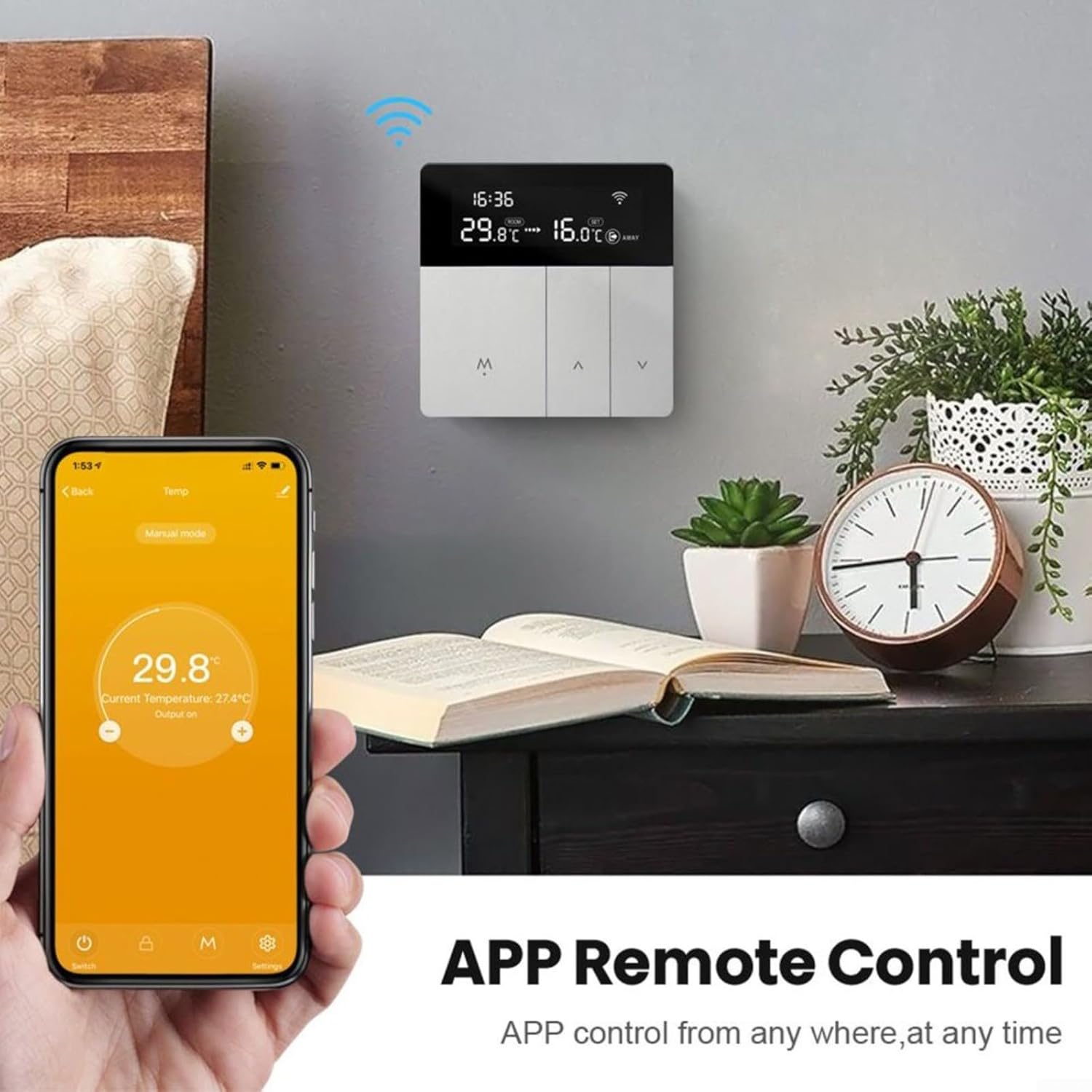
4.4 앱을 통한 원격 제어
The Tuya Smart app allows you to monitor and control your thermostat from any location with an internet connection.
- 스마트폰에서 Tuya Smart 앱을 엽니다.
- Select your URPIZY Smart Thermostat from the device list.
- 당신은 할 수 있습니다 view the current room temperature, adjust the set temperature, change operating modes, and modify programming schedules.
5. 유지관리
The URPIZY Smart Thermostat requires minimal maintenance to ensure long-term performance.
- 청소: 화면을 부드럽게 닦아주세요.asing with a soft, dry cloth. Avoid using abrasive cleaners, solvents, or chemical sprays, as these can damage the surface and internal components.
- 펌웨어 업데이트: Periodically check the Tuya Smart app for any available firmware updates for your thermostat. Updates can improve performance, add features, and enhance security.
6. 문제 해결
If you encounter issues with your URPIZY Smart Thermostat, refer to the following common problems and solutions:
| 문제 | 가능한 원인 | 해결책 |
|---|---|---|
| 온도 조절 장치가 켜지지 않습니다 | 전원 공급 없음; 배선 오류 | Check circuit breaker. Verify wiring connections (consult an electrician if unsure). |
| 난방/냉방 기능 없음 | Incorrect mode; low set temperature; heating system issue | Ensure thermostat is in heating mode. Increase set temperature above room temperature. Check your boiler/heating system. |
| 와이파이 연결 끊김 | Router issue; incorrect password; out of range | Restart your router. Re-enter WiFi password in the Tuya Smart app. Ensure thermostat is within WiFi range. |
| 부정확한 온도 측정 | Thermostat exposed to direct sunlight or drafts | 온도 조절기가 직사광선이 비치는 곳이나 열원/바람이 부는 곳 근처에 있지 않도록 하십시오. |
문제가 지속되면 고객 지원팀에 문의하세요.
7. 사양
| 사양 | 세부 사항 |
|---|---|
| 상표 | 우르피지 |
| 모델 번호 | X01197L664Z3377FROEKO8 |
| 치수 | 12 x 10 x 8cm |
| 무게 | 220g |
| 재료 | ABS+PC |
| 색상 | Silver-grey |
| 호환성 | 3A for boilers, wall heaters, and kettles |
| 연결성 | 와이파이(2.4GHz) |
| 음성 제어 | Alexa, HomeKit |
| 앱 제어 | 투야 스마트 앱 |
8. 안전 정보
Your URPIZY Smart Thermostat is designed with safety in mind, including a protection clamp for secure electrical connections. However, it is crucial to follow general electrical safety guidelines:
- 설치 또는 유지 관리 전에 항상 전원을 차단하십시오.
- Ensure all wiring is correctly connected and insulated.
- Do not attempt to repair the device yourself. Refer to qualified personnel.
- 기기를 물과 과도한 습기로부터 멀리하세요.
- 이 장치는 실내에서만 사용하도록 설계되었습니다.
9. 보증 및 지원
For warranty information and technical support, please refer to the documentation provided at the time of purchase or contact your retailer. You may also visit the URPIZY official web추가 지원은 사이트를 참조하세요.