
1. 서론
This manual provides detailed instructions for the proper use and maintenance of your OnePlus Buds 4 Wireless Earbuds. Please read this manual thoroughly before using the product to ensure optimal performance and longevity.
패키지 내용
패키지에 모든 품목이 들어 있는지 확인하세요.
- 원플러스 버즈 4 이어버드 (좌우 세트)
- 충전 케이스
- USB-C 충전 케이블
- Multiple Ear Tip Sizes (S, M, L)
- 사용 설명서 (본 문서)

Image: Contents of the OnePlus Buds 4 retail package, showing the earbuds, charging case, USB-C cable, and various ear tip sizes.
2. 설정
2.1 초기 충전
Before first use, fully charge the OnePlus Buds 4 and their charging case. Connect the provided USB-C charging cable to the charging port on the case and a power source. The indicator light on the case will show charging status.
- A full charge provides extended playback time.
- 충전 케이스에는 530mAh 용량의 배터리가 내장되어 있습니다.

Image: OnePlus Buds 4 earbuds in their open charging case, highlighting the extended battery life capability.
2.2 장치와의 페어링
- 이어버드가 충전 케이스에 들어 있고 뚜껑이 열려 있는지 확인하세요.
- 충전 케이스의 기능 버튼을 표시등이 흰색으로 깜빡일 때까지 길게 누르세요. 표시등이 흰색으로 깜빡이면 페어링 모드에 진입한 것입니다.
- On your device (smartphone, tablet, etc.), go to Bluetooth settings and select "OnePlus Buds 4" from the list of available devices.
- Once connected, the indicator light will turn solid white or off.
The OnePlus Buds 4 utilize Bluetooth 5.4 for stable connectivity and support Fast Pair for quick setup with compatible Android devices.

Image: OnePlus Buds 4 earbuds and charging case with a Bluetooth signal icon, illustrating stable connectivity via Bluetooth 5.4.
2.3 이어버드 착용하기
Choose the ear tips that provide the best seal and comfort for your ears. A proper fit is crucial for optimal sound quality and effective Active Noise Cancellation.
- 이어폰을 귀의 귀에 조심스럽게 넣으세요.
- 안정감 있고 편안해질 때까지 살짝 돌려주세요.
3. 사용 설명서
3.1 터치 컨트롤
The OnePlus Buds 4 feature intuitive touch controls on the stem of each earbud.
| 행동 | 기능 |
|---|---|
| 싱글 탭 | 음악 재생/일시 정지, 전화 받기/종료 |
| 더블 탭 | 다음 트랙, 통화 거부 |
| 트리플 탭 | 이전 트랙 |
| (왼쪽/오른쪽)을 길게 누르세요 | 노이즈 제어 모드(ANC/투명 모드)를 전환하세요. |
| Swipe Up/Down (Stem) | 볼륨 조절 |

Image: Close-up of OnePlus Buds 4 earbuds showing the area for volume swipe control on the stem.
3.2 능동 소음 제거(ANC) 및 투명 모드
The earbuds feature advanced Active Noise Cancellation to reduce ambient noise and a Transparency Mode to allow you to hear your surroundings.
- 능동적 소음 제거: Reduces external sounds for an immersive listening experience.
- 투명 모드: Amplifies ambient sounds, allowing you to stay aware of your environment without removing the earbuds.
- 적응 모드: Intelligently switches between ANC and Transparency modes based on your environment.
Switch between these modes by pressing and holding the touch area on either earbud.

Image: A person wearing OnePlus Buds 4 earbuds outdoors, illustrating the effect of Active Noise Cancellation.
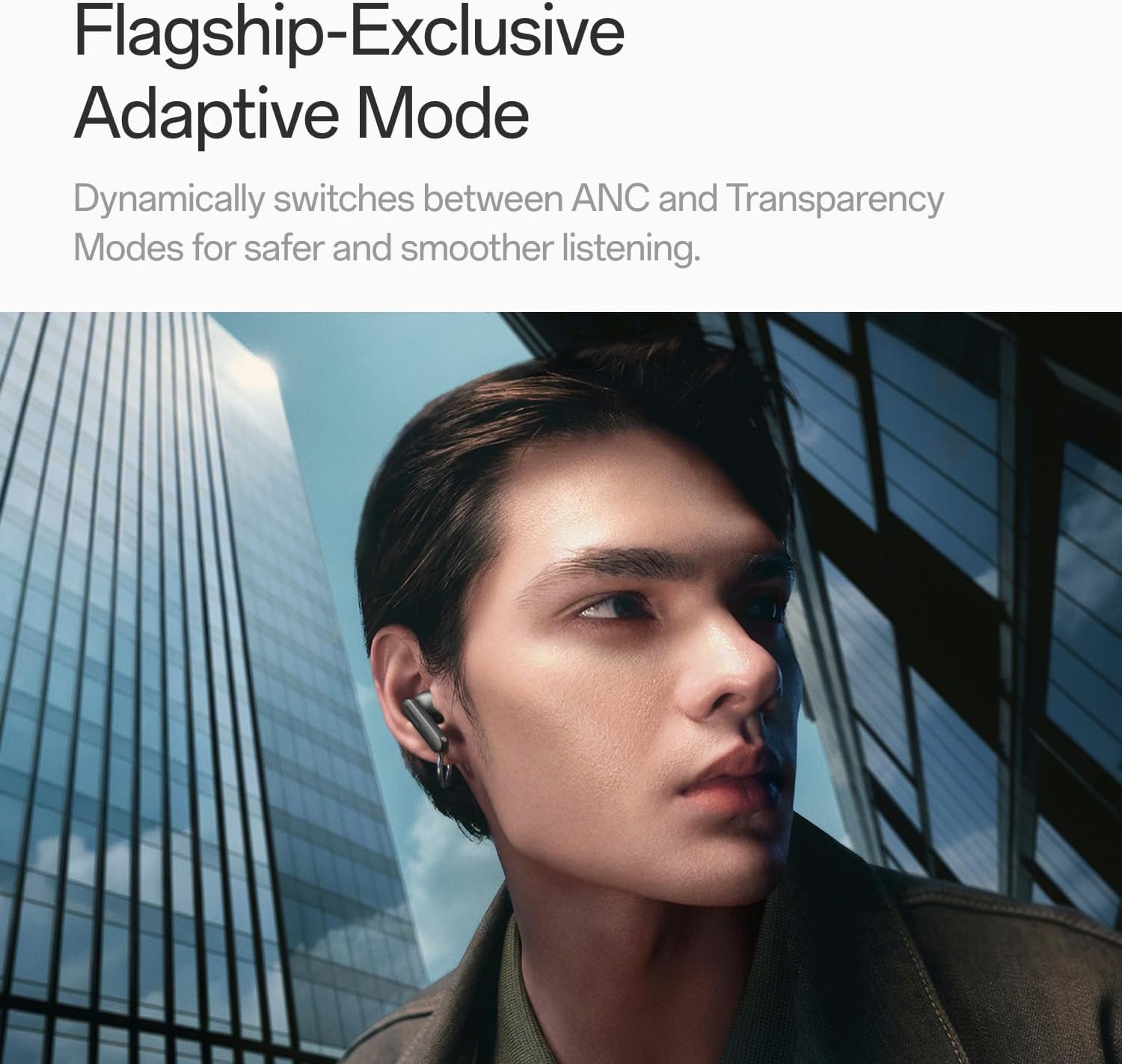
Image: A person wearing OnePlus Buds 4 earbuds in a city setting, highlighting the Adaptive Mode feature.
3.3 오디오 기능
The OnePlus Buds 4 deliver high-quality audio with advanced technologies.
- 11mm 오디오 드라이버: Provide balanced, true-to-life acoustics.
- Hi-Res Audio & LHDC 5.0: For detailed, studio-grade sound reproduction.
- 몰입형 3D 공간 오디오: Creates a richer, surrounding sound experience.

Image: OnePlus Buds 4 earbuds with Hi-Res Audio and LHDC 5.0 branding, emphasizing advanced audio capabilities.

Image: OnePlus Buds 4 earbuds depicted with a visual effect suggesting immersive 3D Spatial Audio.

이미지: 폭발된 view diagram of a OnePlus Buds 4 earbud, highlighting its internal sound components and drivers.
3.4 통화 기능
The earbuds are equipped with features to enhance call clarity.
- 3개의 마이크를 사용한 AI 통화 소음 제거: Filters out noise and wind for clear calls in various environments.
- 3x Voice Cancellation: Reduces vocal distractions in noisy settings like cafes or trains.

Image: A person lying down with OnePlus Buds 4 earbuds, representing the effect of voice cancellation for undisturbed listening.
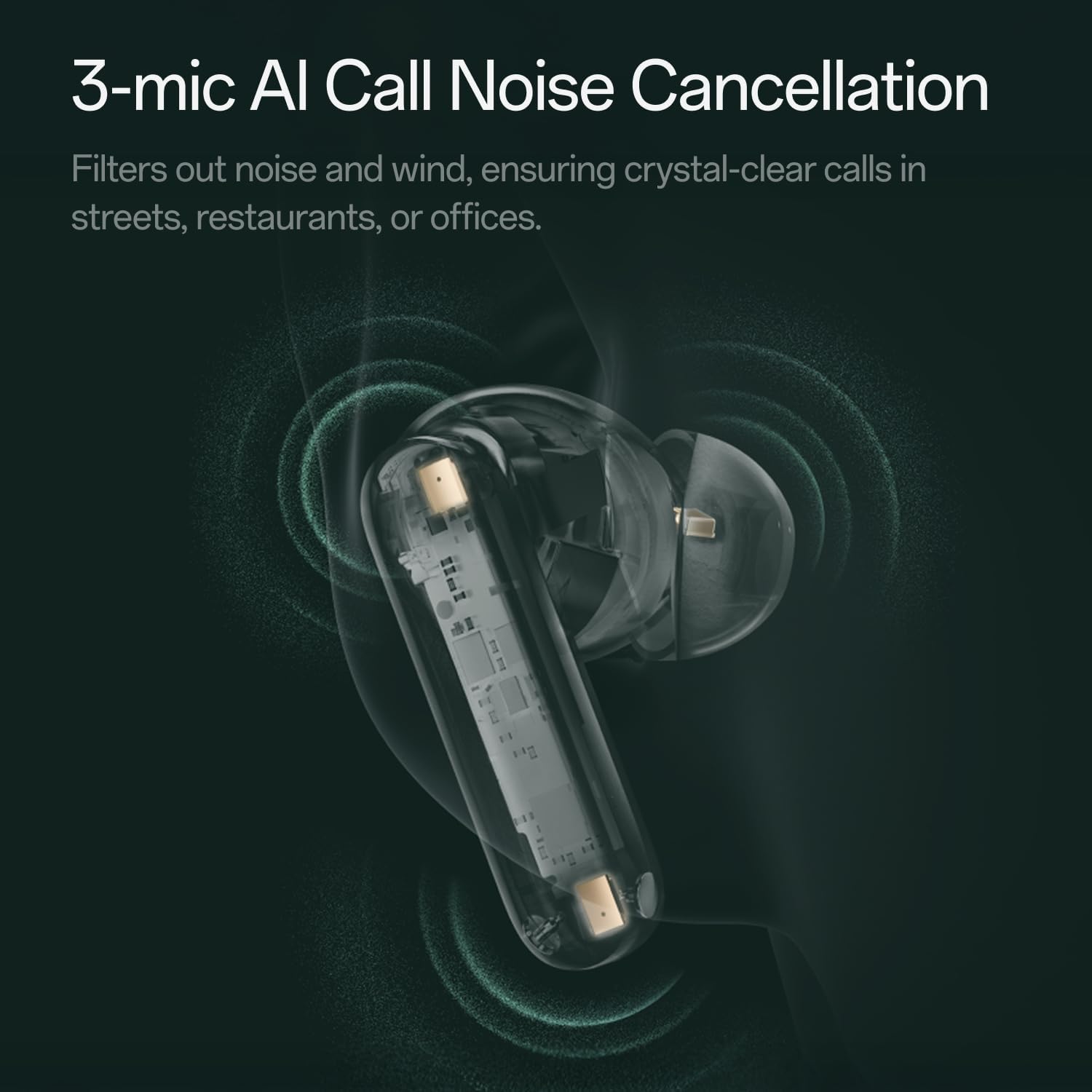
이미지: 투명한 view of a OnePlus Buds 4 earbud, highlighting the 3-mic system for AI Call Noise Cancellation.
3.5 AI 번역
With a compatible OnePlus phone, the earbuds can facilitate real-time conversations in multiple languages.

Image: OnePlus Buds 4 earbuds alongside a smartphone screen demonstrating AI translation functionality.
4. 유지관리
4.1 청소
- 부드럽고 마른 보푸라기 없는 천으로 이어버드와 충전 케이스를 정기적으로 청소하세요.
- 이어팁을 제거하고 필요에 따라 물과 순한 비누로 세척한 후 완전히 건조시킨 다음 다시 부착하십시오.
- 연마재나 독한 화학 물질을 사용하지 마십시오.
4.2 방수성
The OnePlus Buds 4 are water resistant. This means they can withstand splashes and sweat, making them suitable for workouts. However, they are not waterproof and should not be submerged in water.
4.3 보관
사용하지 않을 때는 이어버드를 충전 케이스에 보관하여 보호하고 충전 상태를 유지하세요.
5. 문제 해결
OnePlus Buds 4 사용 중 문제가 발생하면 다음의 일반적인 해결 방법을 참조하세요.
5.1 페어링 문제
- Ensure the earbuds are charged and in pairing mode (flashing white light).
- 기기의 Bluetooth를 껐다가 켜세요.
- Bluetooth 설정에서 해당 기기를 삭제하고 다시 페어링을 시도해 보세요.
- 이어버드를 재설정해 보세요(자세한 재설정 방법은 전체 사용 설명서를 참조하세요).
5.2 사운드 문제
- Check the earbud fit and try different ear tip sizes.
- Clean the ear tips and speaker meshes to remove any debris.
- Ensure the volume on both your device and earbuds is adjusted correctly.
5.3 충전 문제
- 충전 케이블이 케이스와 전원에 제대로 연결되어 있는지 확인하십시오.
- 이어버드의 충전 접점과 케이스 내부가 깨끗하고 방해물이 없는지 확인하세요.
- 다른 USB-C 케이블이나 전원 어댑터를 사용해 보세요.
6. 사양
| 특징 | 세부 사항 |
|---|---|
| 모델명 | 원플러스 버즈 4 |
| 모델 번호 | E513A |
| 상표 | 원플러스 |
| 색상 | Zen Green |
| 귀 위치 | 귀에 |
| 폼 팩터 | 귀에 |
| 소음 제어 | 능동 소음 제거 |
| 오디오 드라이버 크기 | 11 밀리미터 |
| 오디오 드라이버 유형 | 동적 드라이버 |
| 주파수 응답 | 40Hz |
| 감광도 | 100데시벨 |
| 임피던스 | 18옴 |
| 연결 기술 | 블루투스 |
| 무선 통신 기술 | 블루투스 |
| 블루투스 버전 | 5.4 |
| 블루투스 범위 | 33 피트 |
| 제어 방법 | 만지다 |
| 컨트롤러 유형 | 터치 컨트롤 |
| 충전 케이스 용량 | 530mAh |
| 방수 레벨 | 방수 |
| 품목 무게 | 0.15킬로그램(5.3온스) |
| 포함된 구성 요소 | Cable, Charging Case, Eartip, User Manual |
7. 보증 및 지원
7.1 제조업체 보증
The OnePlus Buds 4 are backed by a one-year manufacturer warranty. This warranty covers defects in materials and workmanship under normal use. For specific terms and conditions, please refer to the warranty card included in your product packaging or visit the official OnePlus support web대지.
7.2 고객 지원
For further assistance, technical support, or warranty claims, please contact OnePlus customer service through their official web사이트 또는 제품 설명서에 제공된 연락처 정보를 참조하세요.
Official OnePlus Store: 아마존의 OnePlus 스토어