
OnePlus OnePlus Watch 3
원플러스 워치 3 43mm 실버 스틸 사용 설명서
스마트워치 완벽 가이드
1. 서론
This user manual provides essential information for the safe and efficient operation of your OnePlus Watch 3 43mm Silver Steel. Please read this manual thoroughly before using the device to ensure proper functionality and to prevent damage. Keep this manual for future reference.
2. 상자 안에 무엇이 들어있나요?
패키지에 모든 품목이 들어 있는지 확인하세요.
- OnePlus Watch 3 (43mm Silver Steel)
- 시계 스트랩
- 충전 케이블
- 빠른 시작 가이드

Image: OnePlus Watch 3 43mm Silver Steel, front view 스트랩 포함.
3. 제품 오버view
3.1 설계 및 구성 요소
The OnePlus Watch 3 features a 43mm round display encased in polished stainless steel. The crown and side button provide tactile control, complementing the touchscreen interface. The device is designed for comfortable wear with a fluoroelastomer band.
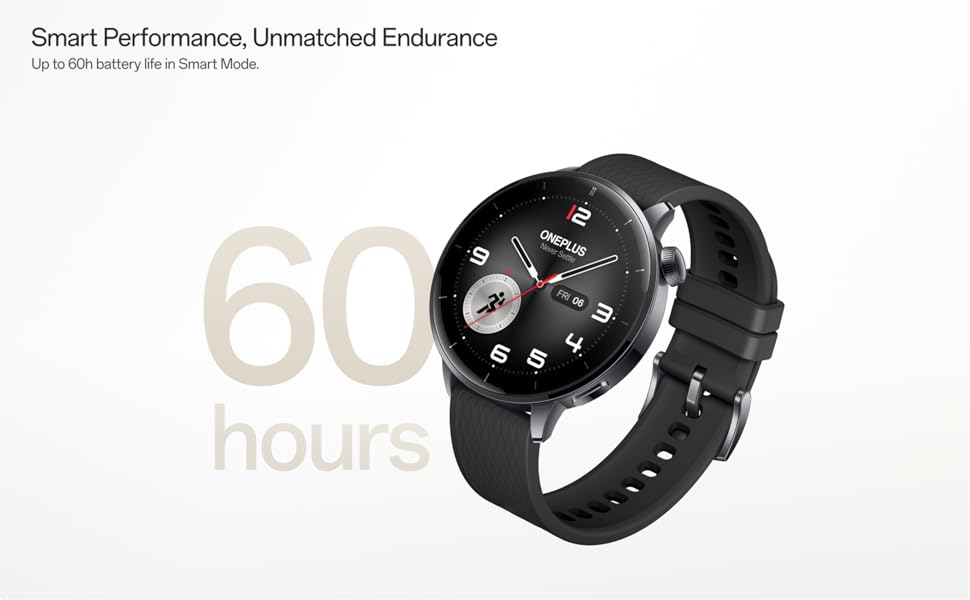
Image: OnePlus Watch 3 43mm Silver Steel, highlighting its refined design and polished stainless steel case.
3.2 주요 특징
- 표시하다: 1.32-inch round AMOLED touchscreen.
- 운영 체제: WearOS.
- 저장: 32GB 내부 저장소.
- 연결성: Bluetooth, Multi-GNSS (Beidou, GPS, Galileo, GLONASS, QZSS).
- 방수 기능: IP68 등급.
- 배터리: 345mAh Lithium-Ion, offering up to 60 hours in Smart Mode.
4. 설정
4.1 초기 충전
Before first use, fully charge your OnePlus Watch 3. Connect the charging cable to the watch's charging port and a compatible USB power adapter. The watch display will indicate charging status.
4.2 전원 켜기/끄기
- 전원 켜기: Press and hold the side button (crown) until the OnePlus logo appears.
- 전원 끄기 : 측면 버튼을 길게 누른 다음 화면에 나타나는 옵션에서 '전원 끄기'를 선택하세요.
4.3 스마트폰과 페어링
- Ensure your smartphone has Bluetooth enabled and is connected to the internet.
- Download and install the Wear OS by Google app from your phone's app store.
- Open the Wear OS app and follow the on-screen instructions to pair your OnePlus Watch 3.
- 모든 기능을 사용하려면 필요한 권한을 모두 수락하십시오.
5. 시계 작동
5.1 탐색
- 터치스크린: 위, 아래, 왼쪽, 오른쪽으로 스와이프하여 메뉴와 알림을 탐색하세요. 항목을 선택하려면 탭하세요.
- 왕관: Rotate the crown to scroll through lists or adjust settings. Press the crown to return to the watch face or access the app drawer.
- 측면 버튼: Customizable for quick access to a specific app or function.
5.2 시계 화면 사용자 정의
To change your watch face, long-press on the current watch face and swipe left or right to browse available options. Tap to select. Additional watch faces can be downloaded via the Wear OS app or Google Play Store on your watch.
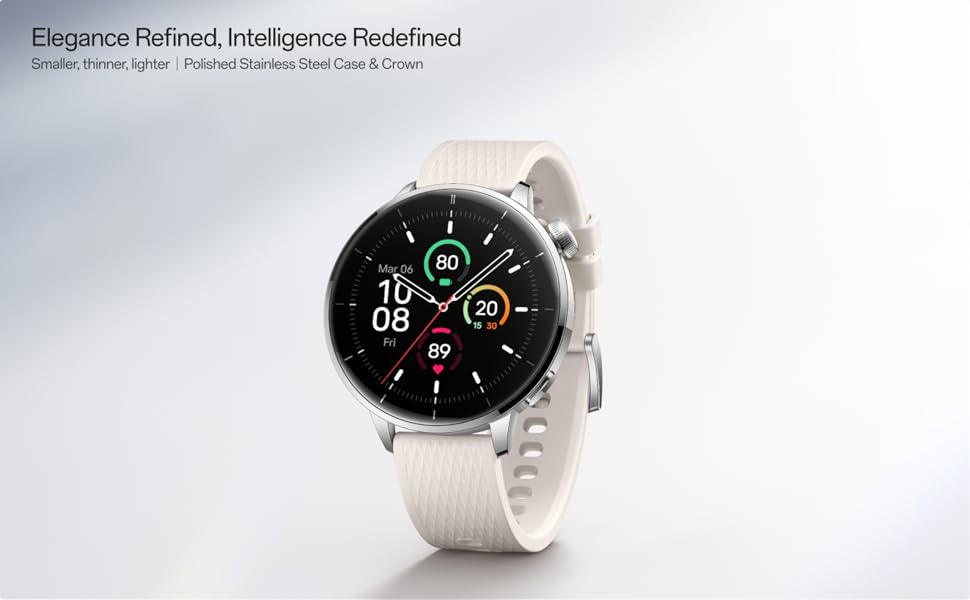
Image: Two OnePlus Watch 3 devices showing different watch faces, illustrating customization options.
6. 건강 모니터링
The OnePlus Watch 3 offers comprehensive health tracking features:
- 심박수 모니터링 : 하루 종일 심박수를 지속적으로 추적합니다.
- 혈중 산소(SpO2) 측정: On-demand and continuous blood oxygen level monitoring.
- 수면 추적: 모니터 수면 stages, duration, and detects potential sleep breathing risks.
- 사이클 추적: For tracking menstrual cycles.
- 스트레스 모니터링: 심박수 변동성을 분석하여 스트레스 수준을 추정합니다.

Image: The OnePlus Watch 3 and a smartphone screen showing various health metrics like daily activity, heart rate, and sleep data.
7. 피트니스 추적
The watch supports 11 professional fitness modes and provides fat burning evaluation. Utilize the built-in Multi-GNSS for accurate outdoor activity tracking.
- 활동 추적: 걸음 수, 거리, 소모 칼로리, 활동 시간을 기록합니다.
- 운동 모드: Select from various modes like running, cycling, swimming, and more for tailored tracking.
- GPS 추적 : Integrated GPS for precise route mapping during outdoor workouts.

Image: A person wearing the OnePlus Watch 3 during a cycling activity, demonstrating its use for fitness tracking.
8. 스마트 기능
Running on WearOS, the OnePlus Watch 3 integrates seamlessly with your digital life:
- 알림: Receive calls, messages, and app alerts directly on your wrist.
- 구글 플레이 앱: 구글 플레이 스토어에서 다양한 애플리케이션을 이용해 보세요.
- Google 지갑: 비접촉식 결제를 하세요.
- 음악 제어: 연결된 스마트폰에서 음악 재생을 제어하세요.
- 음성 어시스턴트 : Utilize Google Assistant for hands-free commands.

Image: The OnePlus Watch 3 screen showing multiple app icons, representing its WearOS ecosystem and access to Google Play apps.
9. 배터리 관리
The OnePlus Watch 3 is equipped with a 345mAh battery, providing up to 60 hours of use in Smart Mode. Battery life can vary based on usage and settings.
- 충전 중: Use the provided charging cable. A full charge takes approximately 30 minutes.
- 배터리 세이버 모드: Enable this mode to extend battery life by limiting certain features.
- Tips for Extending Battery Life: 화면 밝기를 줄이고, 상시 표시 기능을 끄고, 백그라운드 앱 새로 고침을 제한하고, 불필요한 알림을 끄세요.
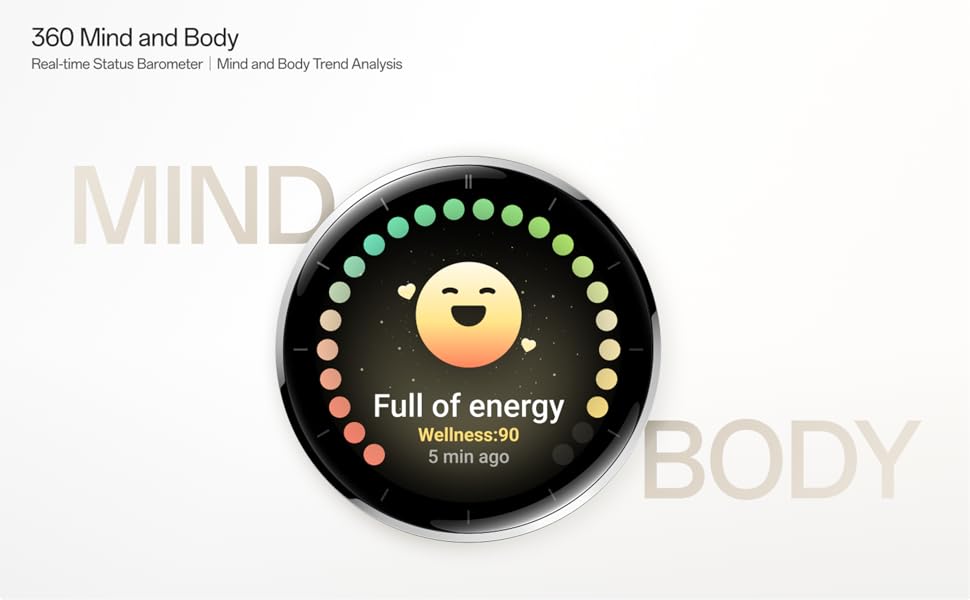
Image: The OnePlus Watch 3 with a large '60 hours' text, emphasizing its extended battery life in Smart Mode.
10. 유지관리
10.1 청소
피부 자극을 예방하고 시계 기능을 유지하려면 시계와 시계줄을 정기적으로 청소하십시오.
- 부드럽고 보푸라기가 없는 천으로 시계 화면과 본체를 닦으세요.
- 스트랩은 순한 비누와 물로 세척한 후 깨끗이 헹구고 완전히 말린 다음 착용하십시오.
- 가혹한 화학물질이나 연마재의 사용은 피하세요.
10.2 방수성
The OnePlus Watch 3 has an IP68 water resistance rating. This means it is protected against dust and can withstand immersion in water up to 1.5 meters for 30 minutes. It is suitable for everyday use and activities like hand washing or light rain. Avoid using it for diving, high-pressure water activities, or in hot water/steam.
11. 문제 해결
If you encounter issues with your OnePlus Watch 3, try the following steps:
- 시계가 켜지지 않음: 시계가 완전히 충전되었는지 확인하세요.
- 페어링 문제: Check if Bluetooth is enabled on your phone and watch. Restart both devices and try pairing again.
- 부정확한 판독: 시계를 손목에 꼭 맞게 착용하세요. 너무 조이거나 느슨하지 않도록 하세요. 시계 뒷면의 센서를 청소하세요.
- 앱 충돌/성능 저하: Restart the watch. If the issue persists, consider resetting the watch to factory settings (this will erase all data).
- 배터리가 빨리 소모됨: Review 배터리 관리 요령은 9절을 참조하세요.
For further assistance, refer to the official OnePlus support web사이트를 방문하거나 고객 서비스에 문의하세요.
12. 사양
| 특징 | 사양 |
|---|---|
| 모델 번호 | OnePlus Watch 3 |
| 디스플레이 크기 | 1.32인치 |
| 디스플레이 유형 | 아몰레드 |
| 운영 체제 | 웨어OS |
| 메모리 저장 용량 | 32GB (XNUMX기가바이트) |
| 연결성 | 블루투스 |
| GPS | 베이두, GPS, 갈릴레오, GLONASS, QZSS |
| 배터리 용량 | 345mAh 리튬 이온 |
| 방수성 | IP68 |
| 품목 무게 | 9.9온스(0.28킬로그램) |
| 패키지 크기 | 4.72 x 4.69 x 2.56 인치 |
13. 보증 및 지원
For warranty information, please refer to the warranty card included with your product or visit the official OnePlus website. For technical support, software updates, and frequently asked questions, please visit the OnePlus support page:
Ask a question about this manual
Ask about setup, troubleshooting, compatibility, parts, safety, or missing instructions. Manuals+ will review the question and use this page’s manual context to help answer it.