
1. 서론
This manual provides essential information for the proper setup, operation, and maintenance of your Kalobee H9 Smart Watch. Please read these instructions carefully before using your device to ensure optimal performance and longevity.
The Kalobee H9 Smart Watch features a 49mm clear case design with an orange and black band, offering a blend of style and functionality. It includes a digital display with chronograph-style complications and wireless charging capability.
2. 패키지 내용
패키지에 모든 품목이 들어 있는지 확인하세요.
- Kalobee H9 Smart Watch Unit
- 충전 케이블
- 사용 설명서 (본 문서)
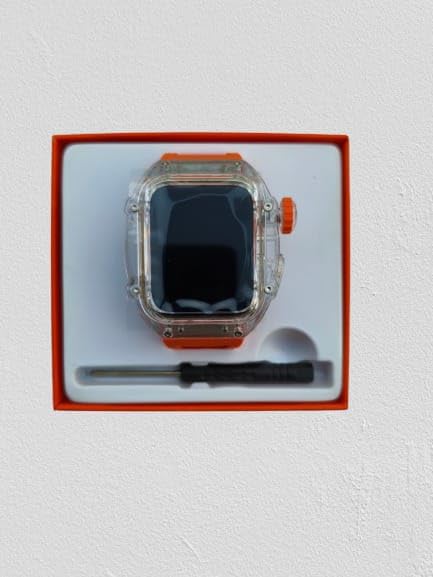
Image: The Kalobee H9 Smart Watch, charging cable, and a small tool are neatly arranged within its retail packaging.
3. 제품 오버view
Familiarize yourself with the components of your Kalobee H9 Smart Watch:

Image: An exploded diagram illustrating the main components of the Kalobee H9 Smart Watch, including the face cover, non-slip crown, function key, middle frame, rear cover, and liquid silicone strap.
- Face Cover: The transparent protective layer over the display.
- Non-slip Crown: A rotating and pressable button for navigation and selection.
- 기능 키: An additional button for specific functions.
- Middle Frame: The central housing of the watch.
- 뒷면 커버: The back panel of the watch, typically housing sensors and charging contacts.
- 액체 실리콘 스트랩: The comfortable and durable watch band.
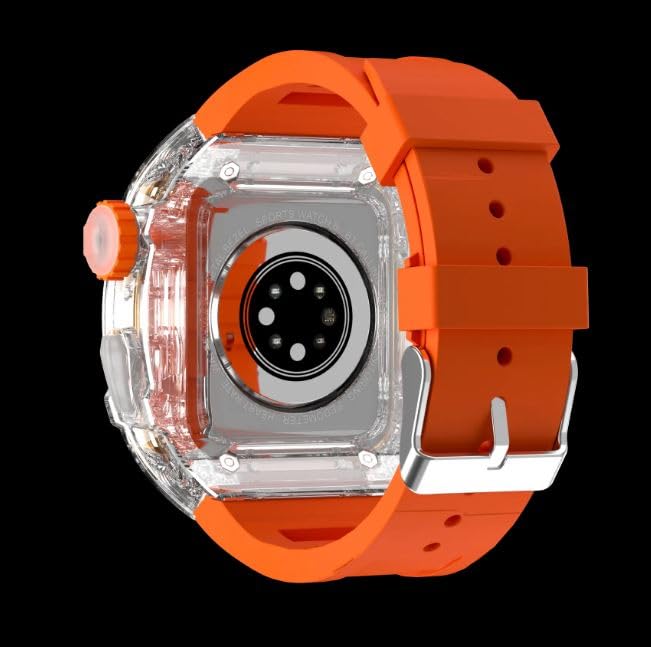
이미지: 후면 view of the Kalobee H9 Smart Watch, highlighting the sensor array and wireless charging area on the back panel.
4. 설정
4.1 스마트워치 충전하기
The Kalobee H9 Smart Watch supports wireless charging. Before initial use, fully charge the device.
- Connect the provided charging cable to a compatible USB power adapter (not included).
- Place the rear cover of the watch onto the wireless charging pad. Ensure the watch is centered on the pad for proper contact.
- The watch display will indicate charging status. Allow sufficient time for a full charge.
4.2 전원 켜기/끄기
- 전원을 켜려면: Press and hold the Non-slip Crown until the Kalobee logo appears on the screen.
- 전원을 끄려면: Press and hold the Non-slip Crown, then select the 'Power Off' option on the screen.
4.3 스마트폰과 페어링
To access all smart features, pair your H9 Smart Watch with a compatible smartphone via Bluetooth.
- 스마트폰의 Bluetooth가 활성화되어 있는지 확인하세요.
- On your H9 Smart Watch, navigate to the Bluetooth settings (refer to Section 5.1 for navigation).
- On your smartphone, open the dedicated Kalobee companion app (if available) or go to Bluetooth settings to search for devices.
- Select 'Kalobee H9' from the list of available devices on your smartphone.
- 시계와 스마트폰 모두에서 페어링 요청을 확인하세요.
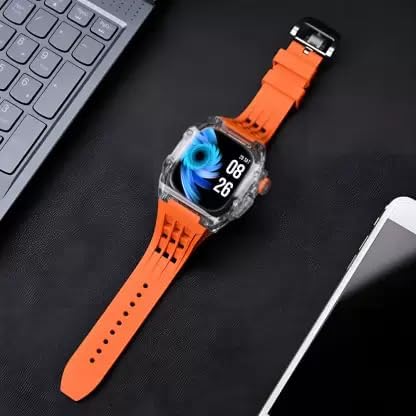
Image: The Kalobee H9 Smart Watch displayed on a desk alongside a smartphone and laptop, illustrating its connectivity with other devices.
5. 사용 설명서
5.1 기본 탐색
The H9 Smart Watch features both touchscreen and physical button controls:
- 터치스크린: 왼쪽, 오른쪽, 위, 아래로 스와이프하여 메뉴와 화면을 탐색하세요. 탭하여 항목을 선택하세요.
- Non-slip Crown: 돌려서 목록을 스크롤하거나 설정을 조정하세요. 눌러서 홈 화면으로 돌아가거나 선택 사항을 확인하세요.
- 기능 키: Typically used for quick access to a specific feature or as a back button. Refer to the on-screen prompts for its exact function in different contexts.
5.2 주요 특징
The Kalobee H9 Smart Watch offers several features to enhance your daily activities:
- 활동 추적기: 걸음 수, 이동 거리, 소모 칼로리를 모니터링합니다.
- 알람 시계: 시계에서 바로 알람을 설정하세요.
- 매일 운동 기억: Records and stores your workout data.
- 디지털 디스플레이: Provides clear time, date, and other information.
- 알림: 연결된 스마트폰에서 걸려오는 전화, 메시지, 앱 알림을 받아보세요.
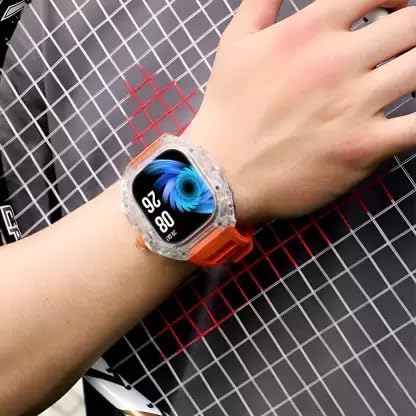
Image: The Kalobee H9 Smart Watch worn on a wrist, displaying the current time and date on its digital interface.
6. 유지관리
To ensure the longevity and proper functioning of your Kalobee H9 Smart Watch, follow these maintenance guidelines:
- 청소: 부드럽고 마른 천으로 시계와 스트랩을 정기적으로 닦으세요. 잘 지워지지 않는 오염에는 약간 묽은 천을 사용하세요.amp 천과 순한 비누로 닦아낸 후 완전히 말리세요. 강한 화학 물질이나 연마재는 사용하지 마세요.
- 방수 기능: While the watch features a robust construction, avoid prolonged submersion in water or exposure to high-pressure water jets. Dry the watch thoroughly if it gets wet.
- 충전 중: 제공된 충전 케이블만 사용하십시오. 충전 접점이 습기나 부식성 물질에 노출되지 않도록 하십시오.
- 온도: Do not expose the watch to extreme temperatures (hot or cold) or direct sunlight for extended periods.
- 저장: 장기간 사용하지 않을 경우 시계를 서늘하고 건조한 곳에 보관하십시오.
7. 문제 해결
If you encounter issues with your Kalobee H9 Smart Watch, refer to the following common problems and solutions:
| 문제 | 가능한 원인 | 해결책 |
|---|---|---|
| 시계 전원이 켜지지 않습니다 | 배터리 부족; 기기 오작동 | Charge the watch fully. If the issue persists, contact customer support. |
| 스마트폰과 페어링이 안되네요 | Bluetooth off; watch not in pairing mode; interference | 두 기기 모두 블루투스가 활성화되어 있는지 확인하십시오. 두 기기를 모두 재시작한 후 다시 페어링을 시도하십시오. |
| 알림이 수신되지 않았습니다. | Not paired; app permissions; notification settings | Verify successful pairing. Check notification permissions in your smartphone's settings for the companion app. Ensure notifications are enabled on the watch. |
| 부정확한 활동 추적 | 부적절한 마모; 소프트웨어 오류 | Ensure the watch is worn snugly on your wrist. Restart the watch. |
8. 사양
Detailed technical specifications for the Kalobee H9 Smart Watch:
- 상표: Generic (Manufactured by Kalobee)
- 모델: H9
- 품목 모델 번호: H9
- 패키지 크기: 15 x 8 x 3.5cm
- 품목 무게: 85g
- 메모리 저장 용량: 32메가바이트
- 운영 체제: 독점 OS
- 호환 장치: 스마트폰
- 특별 기능: Activity Tracker, Alarm Clock, Daily Workout Memory, Digital Display, Notifications
- 장착 하드웨어: Charging Cable, Smart Watch, User Manual
- 스탠딩 스크린 디스플레이 크기: 49 밀리미터
- 디스플레이 유형: 디지털
- 배터리 용량: 10000 Amp 시간
- 무선 유형: 블루투스
- 커넥터 유형: 블루투스, 무선
- 장치 인터페이스 - 기본: 버튼, 터치스크린
- 원산지: 중국
9. 보증 및 지원
보증 정보 및 고객 지원에 대한 문의는 구매 시 제공된 설명서를 참조하시거나 판매점에 문의해 주세요. 보증 청구를 위해 구매 증빙 자료를 보관해 주세요.
추가적인 도움이 필요하시면 제조사 공식 웹사이트를 방문하셔도 됩니다. web사이트 또는 고객 서비스 부서에 문의하십시오.


