
소개
This manual provides comprehensive instructions for the LOKMAT APPLLP 2 MAX 4G Smart Watch. Please read this manual carefully before using your device to ensure proper operation and to maximize its features.

Image: LOKMAT APPLLP 2 MAX 4G Smart Watch, showcasin정사각형 디스플레이와 검은색 스트랩이 특징입니다.
상자 안에 무엇이 들어있나요?
패키지에 모든 품목이 들어 있는지 확인하세요.
- 스마트워치
- 시계 밴드
- 충전 케이블
- 사용 설명서 (본 문서)

Image: The product packaging box, displaying model number, IMEI, and other manufacturing details.
설정
1. 장치 충전
Before first use, fully charge your LOKMAT APPLLP 2 MAX Smart Watch.
- Connect the provided Type-C charging cable to the watch's charging port.
- 케이블의 다른 쪽 끝을 호환되는 USB 전원 어댑터(포함되지 않음)나 컴퓨터의 USB 포트에 연결합니다.
- 시계 화면에 충전 상태가 표시됩니다. 완전 충전에는 일반적으로 약 2~3시간이 소요됩니다.
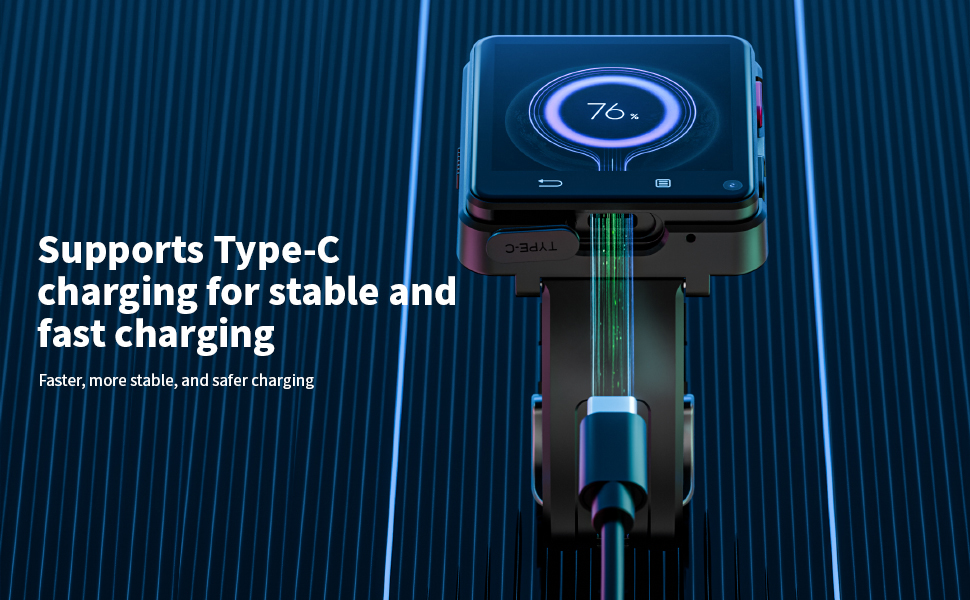
Image: The smartwatch connected to a Type-C charging cable, showing the charging process.
2. SIM 카드 설치
The LOKMAT APPLLP 2 MAX supports a Nano SIM card for standalone calling and network connectivity.
- 시계 측면에 있는 SIM 카드 슬롯을 찾으세요.
- Carefully insert a Nano SIM card into the slot, ensuring correct orientation.
- SIM 카드가 제자리에 딸깍 소리가 날 때까지 살짝 밀어 넣으세요.
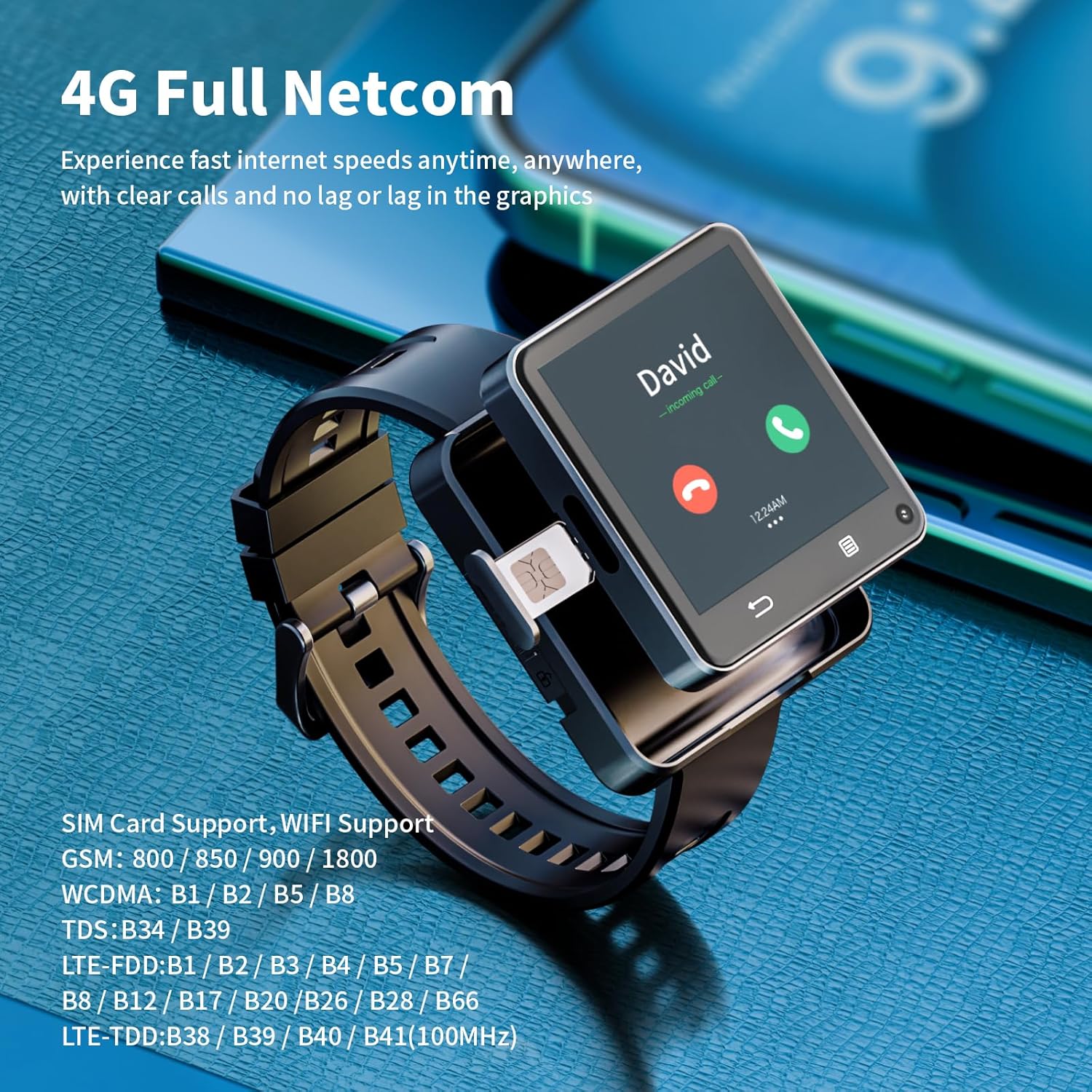
Image: A close-up of the smartwatch, highlighting the SIM card tray and its insertion point.
3. 전원 켜기/끄기
- 전원 켜기: 화면이 켜질 때까지 전원 버튼(보통 측면에 있음)을 길게 누르세요.
- 전원 끄기 : Press and hold the power button, then select "Power Off" from the options on the screen.
4. 초기 설정 및 연결
Upon first power-on, follow the on-screen prompts to complete the initial setup, including language selection, time zone, and Wi-Fi connection.
- 와이파이: Navigate to Settings > Network & Internet > Wi-Fi to connect to a wireless network.
- 블루투스: Navigate to Settings > Connected devices > Bluetooth to pair with Bluetooth accessories like headphones.
작동 지침
1. 기본 탐색
- 터치스크린: Swipe, tap, and long-press gestures are used for navigation.
- 버튼: The side buttons typically control power, screen on/off, and can be customized for other functions.
2. 전화 걸기 및 메시지 보내기
With a Nano SIM card installed, your watch can function as a standalone phone.
- 전화: Open the "Phone" app, dial a number, or select a contact to make a call.
- 메시지: Use the "Messages" app to send and receive SMS.
3. 카메라 기능
The watch features dual 500W HD cameras (front and side).
- Open the "Camera" app to take photos or record videos.
- Switch between front and side cameras as needed for different perspectives.

Image: The smartwatch displaying a video call, highlighting its dual camera capabilities.
4. 앱 설치 및 사용
Running on Android 11, the watch allows for app downloads.
- Access the pre-installed app store or a compatible Android app market to download and install applications.
- Popular social, entertainment, and utility apps can be installed.

Image: The smartwatch screen showing a grid of application icons, including Spotify, Line, Snapchat, TikTok, iTunes, Instagram, Facebook, YouTube, and Twitter.
5. GPS and Positioning
The watch integrates multiple positioning systems (GPS / BeiDou / GLONASS / AGPS / LBS / WIFI) for accurate location tracking.
- Utilize navigation apps for directions during outdoor activities or daily commutes.
유지
1. 배터리 관리
- 배터리 수명을 연장하려면 극한의 온도를 피하세요.
- Charge the 1200mAh battery regularly and avoid letting it fully discharge frequently.
- 제공된 충전 케이블만 사용하세요.
2. 청소
- 부드럽고 보푸라기가 없는 천으로 시계 화면과 본체를 닦으세요.
- 가혹한 화학물질이나 연마재의 사용은 피하세요.
- 충전하기 전에 충전 포트가 건조한지 확인하십시오.
3. 소프트웨어 업데이트
Periodically check for software updates in the watch's settings to ensure optimal performance and access to new features.
문제 해결
- 시계 전원이 켜지지 않음: 배터리가 충전되어 있는지 확인하세요. 충전기에 연결하고 몇 분 정도 기다린 후 다시 전원을 켜보세요.
- 네트워크 연결 없음: Verify the Nano SIM card is correctly inserted and activated. Check network settings.
- 앱이 충돌하거나 성능이 느립니다. Close background applications. Restart the watch. Ensure sufficient storage space is available.
- GPS 부정확성: 당신이 깨끗한 열린 공간에 있는지 확인하십시오 view 하늘의.
- 충전 문제: Check the charging cable and port for damage. Try a different USB power source.
명세서
| 특징 | 세부 사항 |
|---|---|
| 모델 번호 | APPLLP 2 MAX |
| 프로세서 | MTK6761 |
| 운영 체제 | 안드로이드 11 |
| 숫양 | 4GB |
| 내부 저장소 | 64GB |
| 화면 크기 | 2.64 인치 |
| 화면 해상도 | 490*490 |
| 배터리 용량 | 1200mAh 리튬 폴리머 |
| 카메라 | Dual 500W HD (Front + Side) |
| 연결성 | 4G LTE, Wi-Fi (2.4GHz/5GHz), Bluetooth 4.2, GPS (GPS / BeiDou / GLONASS / AGPS / LBS) |
| 충전 포트 | C타입 |
| 품목 무게 | 0.55파운드(약 8.8온스) |
| 패키지 크기 | 4.13 x 4.13 x 3.11 인치 |
보증 및 지원
For warranty information and customer support, please refer to the documentation provided with your purchase or contact LOKMAT customer service.
온라인 지원: Visit the official LOKMAT webFAQ, 소프트웨어 다운로드, 연락처 정보를 제공하는 사이트입니다.