
요우윅 DP08
YOWHICK 4K Projector (Model DP08) Instruction Manual
Your guide to setting up and operating your YOWHICK projector.
1. 서론
This manual provides detailed instructions for the setup, operation, and maintenance of your YOWHICK 4K Projector (Model DP08). Please read this manual thoroughly before using the product to ensure proper function and to maximize your viewing 경험. 나중에 참조할 수 있도록 이 설명서를 보관하십시오.
2. 상자 안에 무엇이 들어있나요?
상자를 풀 때 모든 구성품이 들어 있는지 확인하세요.
- 프로젝터 x 1
- HDMI 케이블 x 1
- AV 케이블 x 1
- 전원 케이블 x 1
- 리모콘(배터리 미포함) x 1
- Lens Cap x 1
- 사용 설명서 x 1
3. 제품 오버view 및 기능
The YOWHICK 4K Projector is designed for versatile home theater and outdoor use, offering a range of features for an enhanced view경험.
주요 특징:
- Netflix Compatibility: Officially certified for Netflix and HDCP 2.2 compliant, supporting 4K HDR playback. Includes pre-loaded Netflix, Prime Video, and YouTube.
- Dolby Audio & Bluetooth 5.3: Integrated Dolby Audio for surround sound. Dual-purpose Bluetooth 5.3 for external speakers or built-in HiFi speakers.
- 4K Support & High Brightness: Native 1080p resolution with 4K input support. Features a 7-layer anti-reflective lens for clarity and reduced eye strain.
- Electric Focus & AI Auto Keystone: Automatic focus and keystone correction for instant image clarity. Projects 40-450 inch screens from 3.6-29 ft, with 15° auto-correction.
- WiFi 6 Connectivity: Dual-band WiFi 6 (2.4G/5G) for stable streaming, gaming, and screen mirroring.
- 여러 포트 : HDMI, USB, VGA, AV, and Audio ports for wide compatibility with various devices (iOS/Android, TV sticks, USB drives, PCs, PS5).
- 사용자 친화적인 디자인: Supports desktop, tripod, or ceiling mounting. Includes an auto-shutoff timer.

Figure 3.1: YOWHICK 4K Projector with remote, showcasing built-in streaming apps like Netflix, YouTube, and Prime Video on a large projected screen.

Figure 3.2: Internal lens system and resolution comparison, highlighting the projector's native 1080p resolution.

Figure 3.3: Projector highlighting Dolby Audio and AI Audio Balance features for enhanced sound.
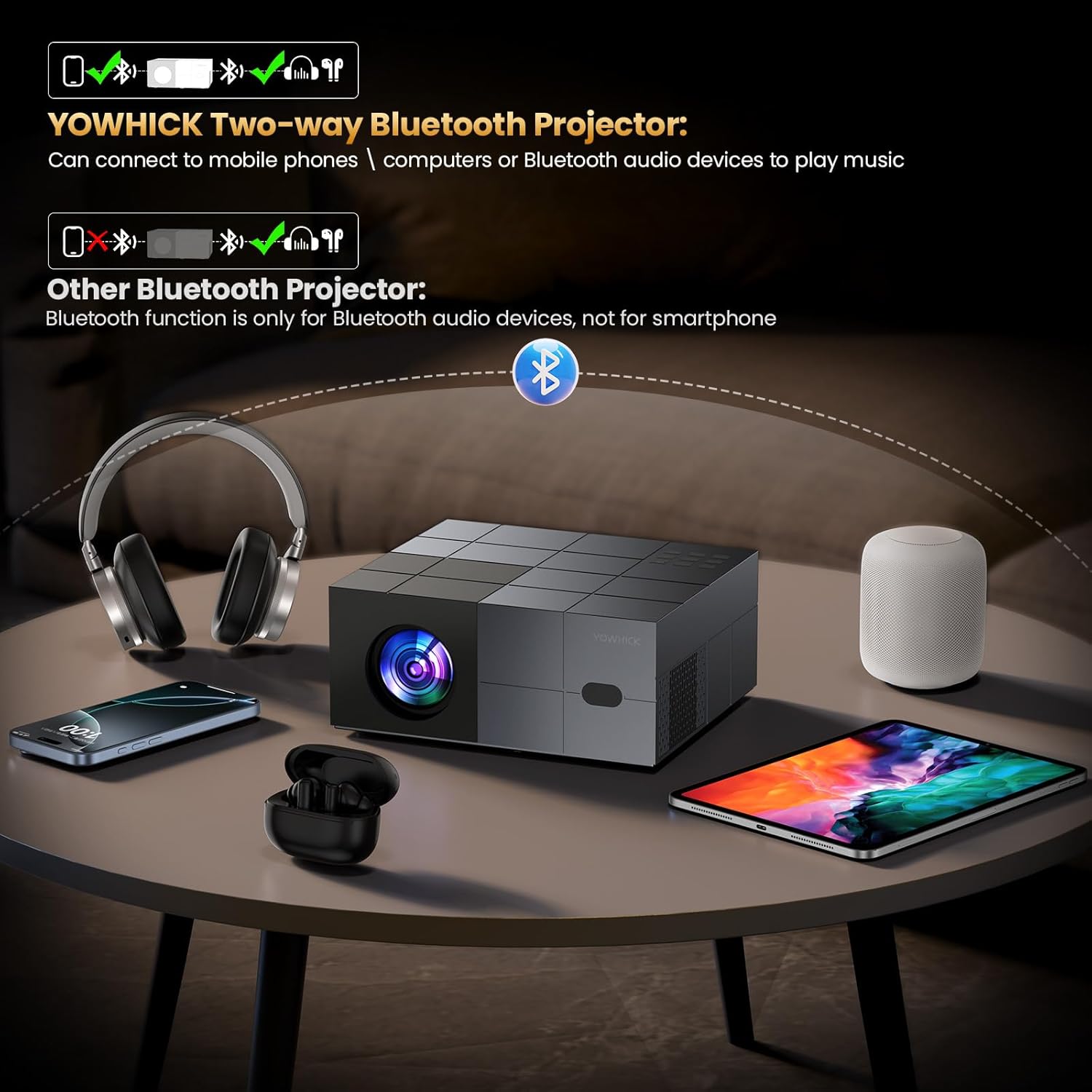
Figure 3.4: Explanation of the projector's two-way Bluetooth functionality, allowing connection to various audio devices.

Figure 3.5: The projector in an outdoor setting, demonstrating its use for large-screen entertainment.
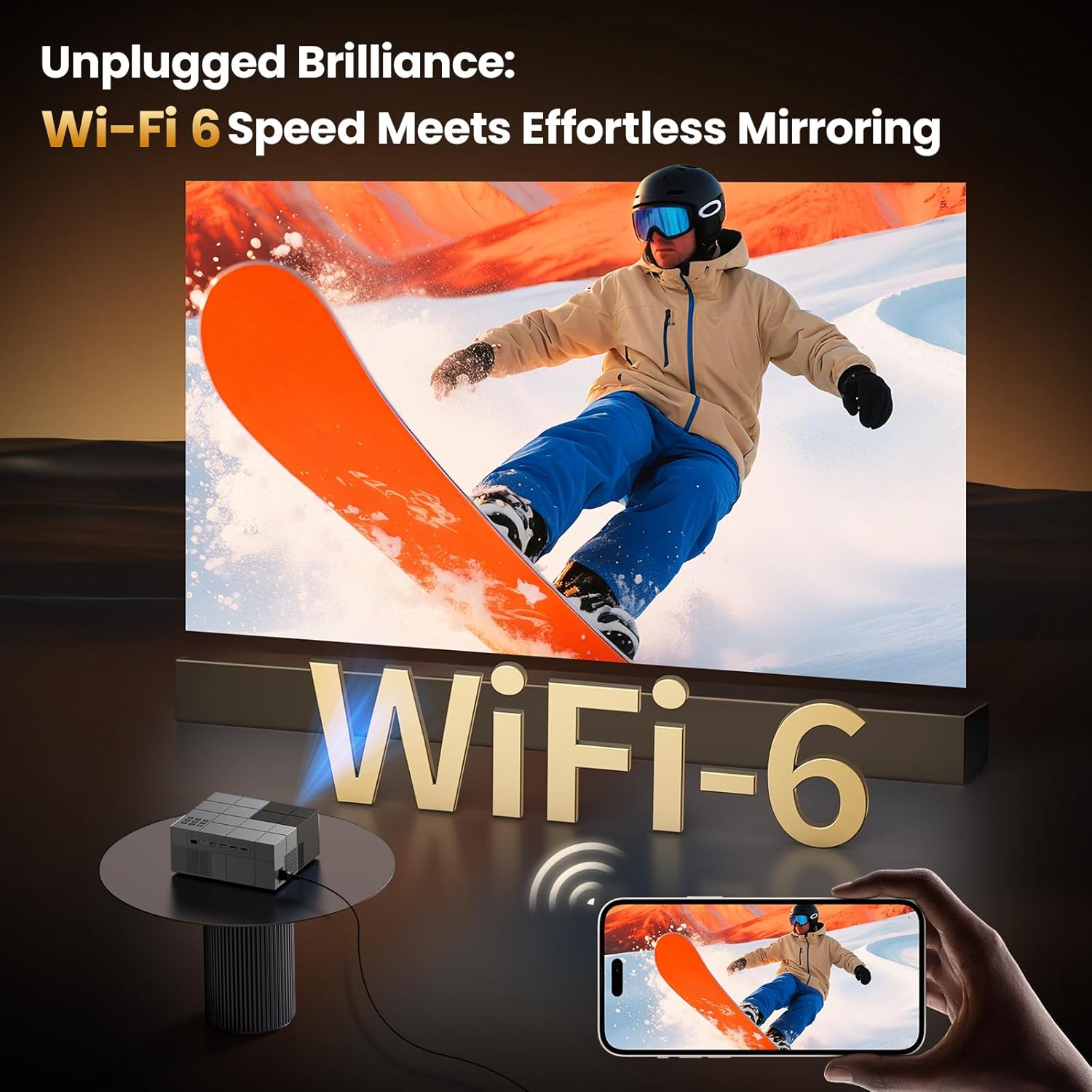
Figure 3.6: Projector showcasing WiFi 6 capabilities for seamless screen mirroring from mobile devices.
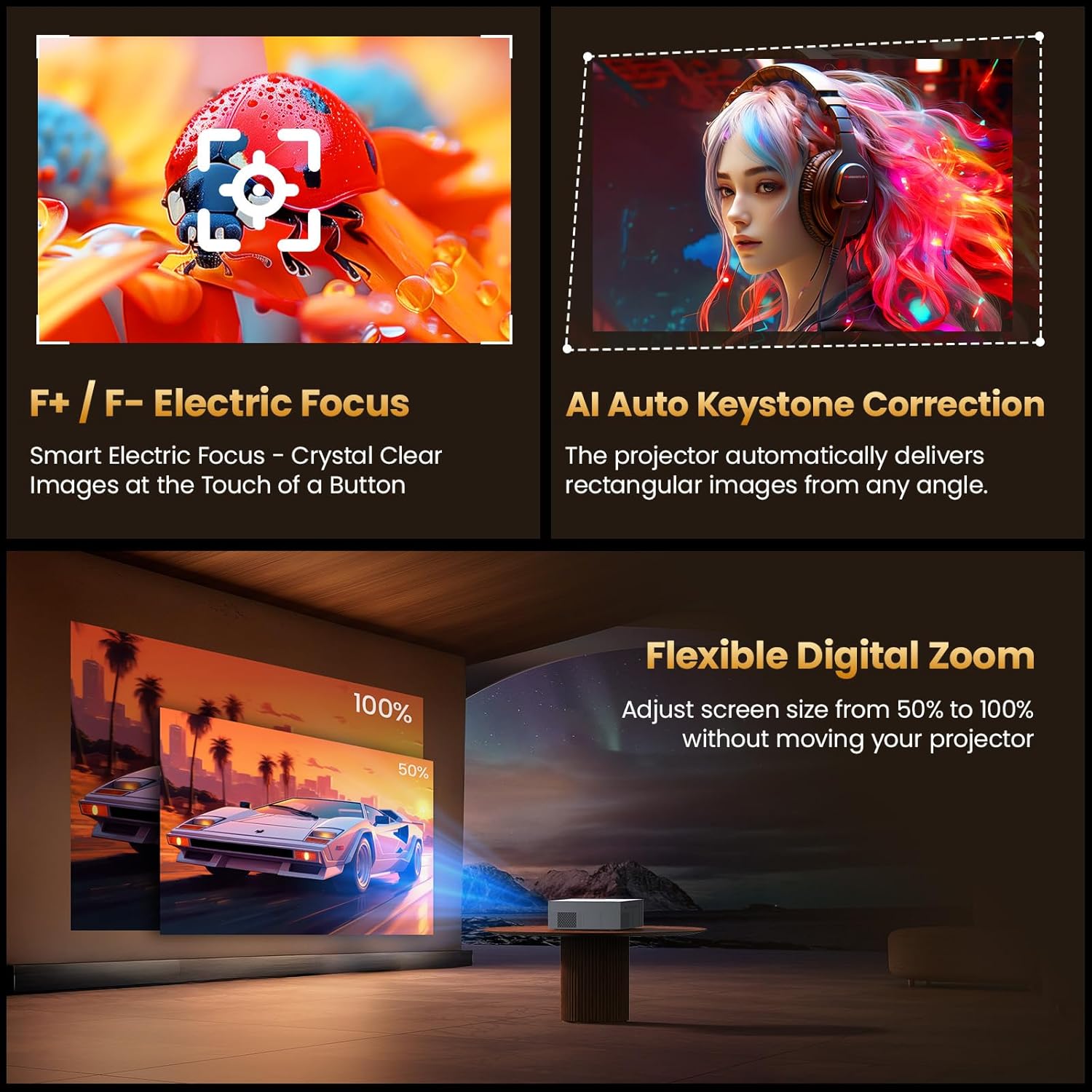
Figure 3.7: Visual representation of Electric Focus, AI Auto Keystone, and Digital Zoom functions.
4. 설정
4.1 배치
Position the projector on a stable, flat surface. Ensure adequate ventilation around the unit. The projector can be placed on a desktop, mounted on a tripod, or installed on the ceiling. For optimal image quality, project onto a smooth, light-colored wall or a dedicated projector screen.
- 던지는 거리: The projector can project a screen size from 40 inches to 450 inches, with a throw distance ranging from 3.6 feet to 29 feet. Adjust the distance to achieve your desired screen size.
- 설치: If using a tripod or ceiling mount, ensure it is securely fastened and can support the projector's weight (2.08 kg).
4.2 전원 연결
- 제공된 전원 케이블을 프로젝터의 전원 입력 포트에 연결하십시오.
- 전원 케이블의 다른 쪽 끝을 적절한 콘센트에 꽂으십시오.
- 프로젝터의 전원 표시등이 켜집니다.
4.3 초기 전원 켜기
프로젝터 또는 리모컨의 전원 버튼을 눌러 기기를 켜세요. 프로젝터에 시작 화면이 표시됩니다.
5. 사용 설명서
5.1 리모컨
The included remote control is used to navigate the projector's menu and control playback. Insert two AAA batteries (not included) into the remote control before use.
5.2 메뉴 탐색
Use the arrow keys on the remote to navigate through the on-screen menus. Press the "OK" button to confirm selections. The "Back" button returns to the previous menu or screen.
5.3 소스 선택
To select an input source (HDMI, USB, AV), press the "Source" button on the remote control and choose the desired input from the menu.
5.4 Smart Features (Built-in Apps)
The projector comes with pre-installed streaming applications like Netflix, Prime Video, and YouTube. Ensure the projector is connected to a Wi-Fi network to access these services.
- From the home screen, select the desired application icon.
- 로그인하라는 메시지가 표시되면 계정 자격 증명을 입력하여 로그인하십시오.
- Begin streaming content.
Video 5.1: Demonstration of the YOWHICK Smart Projector's WiFi 6 and Bluetooth 5.3 features, showing its smart capabilities.
6. 연결성
6.1 Wi-Fi Connection (WiFi 6)
Connect the projector to your wireless network for internet access and screen mirroring.
- 이동하다 설정 > 네트워크 및 인터넷.
- 목록에서 Wi-Fi 네트워크를 선택합니다.
- 비밀번호를 입력하고 확인합니다.
6.2 블루투스 연결 (블루투스 5.3)
Pair the projector with external Bluetooth speakers or headphones for enhanced audio.
- 이동하다 설정 > 블루투스.
- Ensure Bluetooth is enabled on both the projector and your audio device.
- Select your device from the available list to pair.
6.3 유선 연결
The projector supports various wired inputs:
- HDMI : Connect devices like laptops, gaming consoles (PS5), TV sticks, or Blu-ray players using an HDMI cable.
- USB: 미디어를 재생하려면 USB 드라이브를 삽입하세요. file직접적으로.
- 유명인 : Use the AV cable for older devices with composite video and stereo audio outputs.
- 3.5mm 오디오 : 3.5mm 오디오 잭을 통해 외부 스피커 또는 헤드폰을 연결하세요.
7. Image and Audio Settings
7.1 전기 초점
The projector features electric focus for quick image clarity. Use the F+/F- buttons on the remote control to adjust the focus until the image is sharp.
7.2 AI Auto Keystone Correction
The projector automatically corrects image distortion (trapezoidal effect) to ensure a rectangular display. This feature activates automatically upon startup or movement. Manual adjustment options may be available in the settings menu under 그림 > 요지.
비디오 7.1: 짧은 사전view demonstrating the projector's picture quality and streaming capabilities.
비디오 7.2: 짧은 사전view highlighting the projector's zoom, focus, and picture quality features.
7.3 디지털 줌
Adjust the screen size from 50% to 100% without moving the projector. This setting can be found in the 그림 메뉴.
7.4 오디오 설정
Adjust volume using the +/- buttons on the remote. Access advanced audio settings, including Dolby Audio options, through the 소리 menu in settings.
8. 문제 해결
8.1 전원 없음
- 전원 케이블이 프로젝터와 전원 콘센트에 단단히 연결되어 있는지 확인하세요.
- 전원 콘센트가 작동하는지 확인하세요.
- Check the power indicator light on the projector.
8.2 이미지가 없거나 흐릿하게 표시됨
- 입력 소스 확인: 올바른 입력 소스(HDMI, USB, AV)가 선택되었는지 확인하십시오.
- 초점 조정: Use the F+/F- buttons on the remote to adjust the electric focus.
- 키스톤 보정: Allow AI Auto Keystone to correct the image, or manually adjust in settings if needed.
- 케이블 연결: 모든 비디오 케이블이 단단히 연결되어 있는지 확인하십시오.
- 해결: Verify the input device's resolution is compatible with the projector (native 1080p, supports 4K input).
8.3 소리가 나지 않습니다
- 볼륨 레벨: 프로젝터와 연결된 소스 기기의 볼륨을 모두 높이세요.
- 음소거 기능: 프로젝터나 소스 기기의 음소거 여부를 확인하십시오.
- 오디오 출력: Ensure the correct audio output is selected (internal speakers, Bluetooth, 3.5mm audio out).
- 블루투스 연결 : 블루투스를 사용하는 경우, 기기가 제대로 페어링되고 연결되었는지 확인하십시오.
8.4 Wi-Fi/Bluetooth Connection Issues
- 다시 시작: Restart both the projector and your router/Bluetooth device.
- 거리: 프로젝터가 Wi-Fi 라우터 또는 블루투스 장치의 범위 내에 있는지 확인하십시오.
- 간섭: 다른 무선 장치의 간섭을 최소화하세요.
- 네트워크 설정: Wi-Fi 비밀번호를 다시 입력하거나 Bluetooth 장치를 다시 페어링하세요.
9. 사양
| 상표 | 요윅 |
| 모델 | DP08 (Derived) |
| 네이티브 해상도 | 1920 x 1080 (4K 입력 지원) |
| 디스플레이 유형 | 액정표시장치 |
| 연결 기술 | HDMI, USB (x2), AV, 3.5mm Audio, WiFi 6, Bluetooth 5.3 |
| 특별 기능 | Netflix Compatible, Dolby Audio, Electric Focus, AI Auto Keystone, 450" Max Screen, 50-100% Zoom |
| 최대 이미지 크기 | 450 인치 |
| 최소 이미지 크기 | 40 인치 |
| Throw Distance Range | 3.6 - 29피트 |
| 광원 작동 수명 | 150,000시간 |
| 품목 무게 | 2.08 킬로그램 |
| 품목 치수(L x W x H) | 13인치 x 9인치 x 5.6인치 |
10. 보증 및 지원
Your YOWHICK projector comes with a 2년 제조업체 보증. For any product inquiries, technical assistance, or warranty claims, please contact YOWHICK customer support. YOWHICK is committed to providing professional and considerate support.
- 보증 기간: 2년
- 지원하다: Lifetime support is available.
- 연락하다: Refer to the contact information provided in the product packaging or on the official YOWHICK website for 24/7 assistance.
Ask a question about this manual
Ask about setup, troubleshooting, compatibility, parts, safety, or missing instructions. Manuals+ will review the question and use this page’s manual context to help answer it.