
Micool BT-X LINE
Micool BT-X LINE Open-Ear Headphones User Manual
Model: BT-X LINE
1. 제품 오버view
The Micool BT-X LINE Open-Ear Headphones are designed for comfort and high-quality audio, featuring a unique clip-on ear hook design. These wireless earbuds utilize Bluetooth 6.0 for stable connectivity and offer extended playtime, making them ideal for various activities including sports, gym, and daily commutes. The open-ear design allows for situational awareness while enjoying your audio.

Figure 1: Micool BT-X LINE Open-Ear Headphones and Charging Case.
This image shows the velvet purple Micool BT-X LINE open-ear headphones resting inside their matching charging case. The case is open, revealing both earbuds, which are designed with a sleek, metallic finish and the "BT-X LINE" branding visible on each. A small LED indicator light is visible on the front of the charging case.
2. 패키지 내용
패키지에 모든 품목이 들어 있는지 확인하세요.
- Micool BT-X LINE Open-Ear Headphones (Left and Right)
- 무선 충전 케이스
- USB-C 충전 케이블
- 사용 설명서 (본 문서)
3. 설정 가이드
3.1. 헤드폰 및 케이스 충전
Before first use, it is recommended to fully charge both the headphones and the charging case.
- 케이스 충전: Connect the provided USB-C cable to the charging port on the case and the other end to a USB power adapter (not included). The LED indicator on the case will show charging status.
- 이어버드 충전: Place the earbuds into their respective slots in the charging case. Ensure they are properly seated. The earbuds will begin charging automatically. The case's LED indicator will confirm charging.
A full charge provides up to 8 hours of music playtime for the earbuds, with the charging case extending total playtime to up to 36 hours.

Figure 2: Compact Charging Case for On-the-Go Power.
This image shows a hand placing the sleek, velvet purple Micool BT-X LINE charging case into a pocket, emphasizing its compact and portable design. The case is open, revealing the earbuds inside, ready for charging or use.
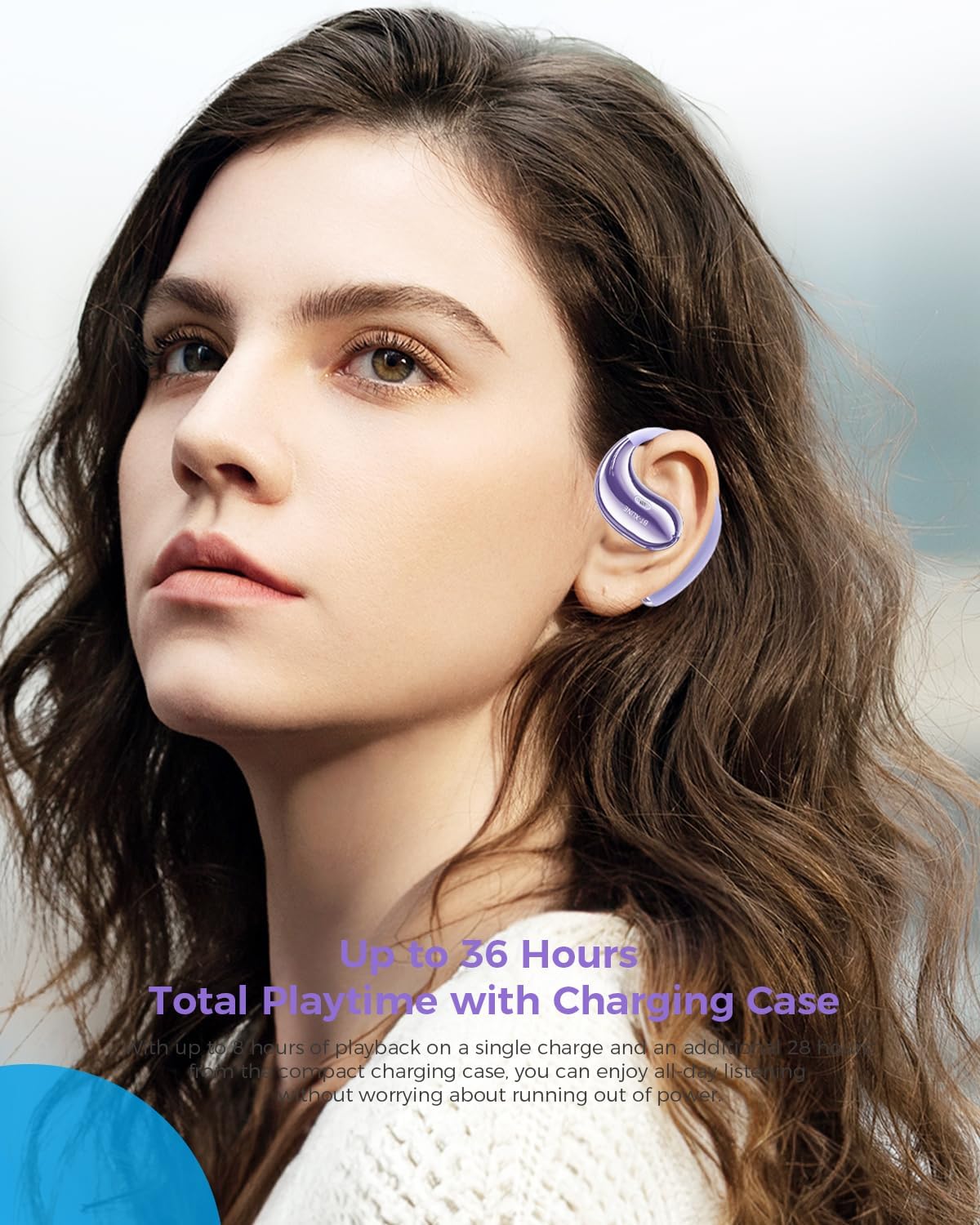
Figure 3: Extended Playtime and Comfortable Wear.
This image features a woman wearing the Micool BT-X LINE open-ear headphones, highlighting their comfortable and secure fit. The text overlay indicates "Up to 36 Hours Total Playtime with Charging Case," emphasizing the long battery life suitable for extended use.
3.2. 전원 켜기/끄기
- 전원 켜기: 이어버드는 충전 케이스에서 꺼내면 자동으로 전원이 켜집니다.
- 전원 끄기 : 이어버드를 충전 케이스에 다시 넣으면 자동으로 전원이 꺼지고 충전이 시작됩니다.
3.3. 블루투스 페어링
The Micool BT-X LINE headphones feature one-step auto-pairing for seamless connection using Bluetooth 6.0 technology.
- 최초 페어링:
- 충전 케이스를 여세요. 이어버드가 자동으로 켜지고 페어링 모드로 진입합니다.
- 기기(스마트폰, 태블릿, 노트북)에서 Bluetooth를 활성화하고 사용 가능한 기기를 검색하세요.
- Select "BT-X LINE" from the list of found devices.
- 연결되면 음성으로 확인음이 들립니다.
- 재접속: After the initial pairing, the earbuds will automatically reconnect to the last paired device when removed from the charging case, provided Bluetooth is enabled on your device.

Figure 4: One-Step Pairing Feature.
This image displays the Micool BT-X LINE earbuds inside their open charging case, with text highlighting the "ONE-STEP PAIRING" feature. It visually reinforces the ease of connection by simply opening the case.

Figure 5: Next-Gen Bluetooth 6.0 and Extended Battery Life.
이 이미지는 위에서 아래로의 이미지를 제공합니다. view of the Micool BT-X LINE earbuds and their charging case, emphasizing the advanced Bluetooth 6.0 technology for stable connections and the impressive battery life of up to 36 hours.
4. 사용 설명서
4.1. 헤드폰 착용
The BT-X LINE headphones feature an open-ear design with soft silicone memory ear hooks for a secure and comfortable fit. Gently place the earbud over your ear, ensuring the ear hook rests comfortably behind your ear. Adjust for optimal comfort and sound.

Figure 6: Ergonomic Design for All-Day Comfort.
이 이미지는 자세한 내용을 제공합니다. view of the Micool BT-X LINE earbud positioned on an ear model, illustrating its ergonomic design and how the clip-on ear hook ensures a secure and comfortable fit for extended wear.

Figure 7: Comfort Comparison.
This image compares the Micool BT-X LINE's open-ear design to traditional earbuds that can cause discomfort (heavy, painful, stuffy). It visually demonstrates how the BT-X LINE offers a lightweight, ergonomically designed fit that stays secure without blocking the ear canal.

Figure 8: Memory Wire Ear Hook with Soft Silicone.
This close-up image focuses on the Micool BT-X LINE earbud, specifically showcasing the flexible memory wire ear hook covered in soft silicone. This design ensures an adjustable, secure, and sweat-resistant fit for various ear sizes and activities.
4.2. 터치 컨트롤
The earbuds feature intuitive touch controls for managing audio playback and calls. The touch sensitive area is located on the outer surface of each earbud.
| 행동 | 기능 |
|---|---|
| 싱글 탭(L/R) | 음악 재생/일시 정지, 전화 받기/종료 |
| 더블 탭(오른쪽) | 다음 트랙 |
| 더블 탭(왼쪽) | 이전 트랙 |
| 트리플 탭(오른쪽) | 볼륨을 높이다 |
| 트리플 탭(왼쪽) | 볼륨 낮추기 |
| 길게 누르기(2초)(L/R) | 통화 거부, 음성 지원 활성화 |

Figure 9: Touch Controls for Easy Operation.
This image shows a woman engaged in an activity (drinking water) while wearing the Micool BT-X LINE headphones, with the charging case visible. The accompanying text highlights the convenience of touch controls for managing music, calls, and volume without needing to access the phone.
5. 유지관리 및 관리
- 청소: 이어버드와 충전 케이스는 부드럽고 마른 천으로 부드럽게 닦으세요. 강한 화학 물질이나 연마재는 사용하지 마세요.
- 방수 기능: The headphones are water-resistant. Avoid submerging them in water or exposing them to excessive moisture for prolonged periods. Dry them thoroughly if they get wet.
- 저장: 사용하지 않을 때는 먼지와 손상으로부터 보호하기 위해 충전 케이스에 보관하세요. 서늘하고 건조한 곳에 보관하세요.
- 배터리 관리 : To prolong battery life, avoid fully discharging the battery frequently. Charge regularly, even if not used for a long time.
6. 문제 해결
If you encounter any issues with your Micool BT-X LINE headphones, please refer to the following common solutions:
| 문제 | 가능한 해결책 |
|---|---|
| 헤드폰이 페어링되지 않음 |
|
| 하나의 이어 버드에서 소리가 나지 않음 |
|
| 충전 케이스가 충전되지 않음 |
|
| 음질이 좋지 않음 |
|
7. 사양
Detailed technical specifications for the Micool BT-X LINE Open-Ear Headphones:
| 특징 | 세부 사항 |
|---|---|
| 모델명 | BT-X LINE |
| 연결 기술 | 무선 전화 |
| 무선 통신 기술 | 블루투스 6.0 |
| 귀 위치 | 오픈 이어 |
| 폼 팩터 | 귀에 |
| 소음 제어 | Active Noise Cancellation (for calls via dual-mic) |
| 드라이버 크기 | 14.2mm 다이나믹 드라이버 |
| 플레이타임(이어버드) | 최대 8시간 |
| 총 재생 시간(케이스 포함) | 최대 36시간 |
| 충전 포트 | USB-C |
| 재료 | 아크릴로니트릴 부타디엔 스티렌(ABS) |
| 방수 레벨 | 방수 |
| 품목 무게 | 5.6온스(전체 패키지) |
| 색상 | Velvet Purple |
| 한국어: | 783429666100 |
8. 보증 및 지원
Micool products are designed and manufactured to the highest quality standards. For information regarding warranty coverage, technical support, or service inquiries, please refer to the warranty card included in your package or visit the official Micool website. You may also contact Micool customer support directly for assistance.
제조업체: 미쿨
Ask a question about this manual
Ask about setup, troubleshooting, compatibility, parts, safety, or missing instructions. Manuals+ will review the question and use this page’s manual context to help answer it.