
1. 서론
Thank you for choosing the Ctronics CTIPC-980 4K 8MP PTZ Outdoor WiFi Security Camera. This manual provides detailed instructions for the installation, operation, and maintenance of your new security camera. Please read this manual thoroughly before use to ensure proper functionality and safety.
The CTIPC-980 camera offers advanced surveillance features including 4K Ultra HD resolution, intelligent human, vehicle, and animal detection, dual-band WiFi connectivity, and comprehensive 360° panoramic coverage. Its robust IP66 weatherproof design ensures reliable performance in various outdoor conditions.
2. 패키지 내용
Please check the package contents upon receipt. If any items are missing or damaged, contact Ctronics customer support.
- Ctronics CTIPC-980 4K 8MP PTZ Outdoor WiFi Security Camera
- 전원 어댑터
- 장착 나사 키트
- 방수 키트
- 사용자 설명서

Image: The Ctronics CTIPC-980 camera with its included accessories, such as the power adapter and mounting kit.
3. 제품 특징
- 4K 울트라 HD 해상도: Captures clear and detailed images at 3840x2160P (8 Megapixels) with a 3.6mm Starlight lens.
- 고급 야간 투시경: Offers three modes:
- IR 나이트 비전 : Black and white images using infrared LEDs.
- 컬러 나이트 비전: Full-color images in low light conditions using the built-in spotlight.
- 스마트 나이트 비전: Automatically switches from IR to color night vision upon detection of motion.
- 지능형 감지: Accurately identifies humans, vehicles, and animals, reducing false alarms by up to 95%.
- 능동적 억제: Built-in siren and spotlights activate automatically upon detection to deter intruders.
- 듀얼 밴드 와이파이 연결: Supports both 2.4GHz and 5GHz WiFi for stable and faster network connection.
- 360° 파노라마 촬영: Pan 355° horizontally and Tilt 90° vertically for comprehensive area monitoring.
- 양방향 오디오 : Communicate directly through the camera using the integrated microphone and speaker.
- 유연한 스토리지 옵션: Supports local storage via a MicroSD card (up to 256GB), Ctronics Cloud storage, and FTP.
- 폭넓은 호환성: Accessible via the Ctronics Pro app on iOS and Android devices, and HiP2P client on Windows and Mac.
- IP66 방수: Designed to withstand harsh outdoor weather conditions.

Image: The camera's intelligent detection feature identifying a child, a dog, and a car in a driveway, with a notification showing "Human Recognition Warning".

Image: Comparison of IR night vision (black and white), color night vision (full color with spotlight), and smart night vision (activates spotlight on motion) from the Ctronics camera.
4. 설정
4.1 물리적 설치
- 위치를 선택하세요: 탁 트인 적절한 야외 장소를 선택하세요 view of the area you wish to monitor. Ensure it is within range of your WiFi network and has access to a power outlet.
- 설치: Use the provided mounting screw kit to securely attach the camera to a wall or ceiling. The camera supports both wall and ceiling installation.
- 전원 연결: Connect the camera to the power adapter and plug it into a power outlet. Ensure the power cable is routed safely and protected from the elements using the waterproof kit.
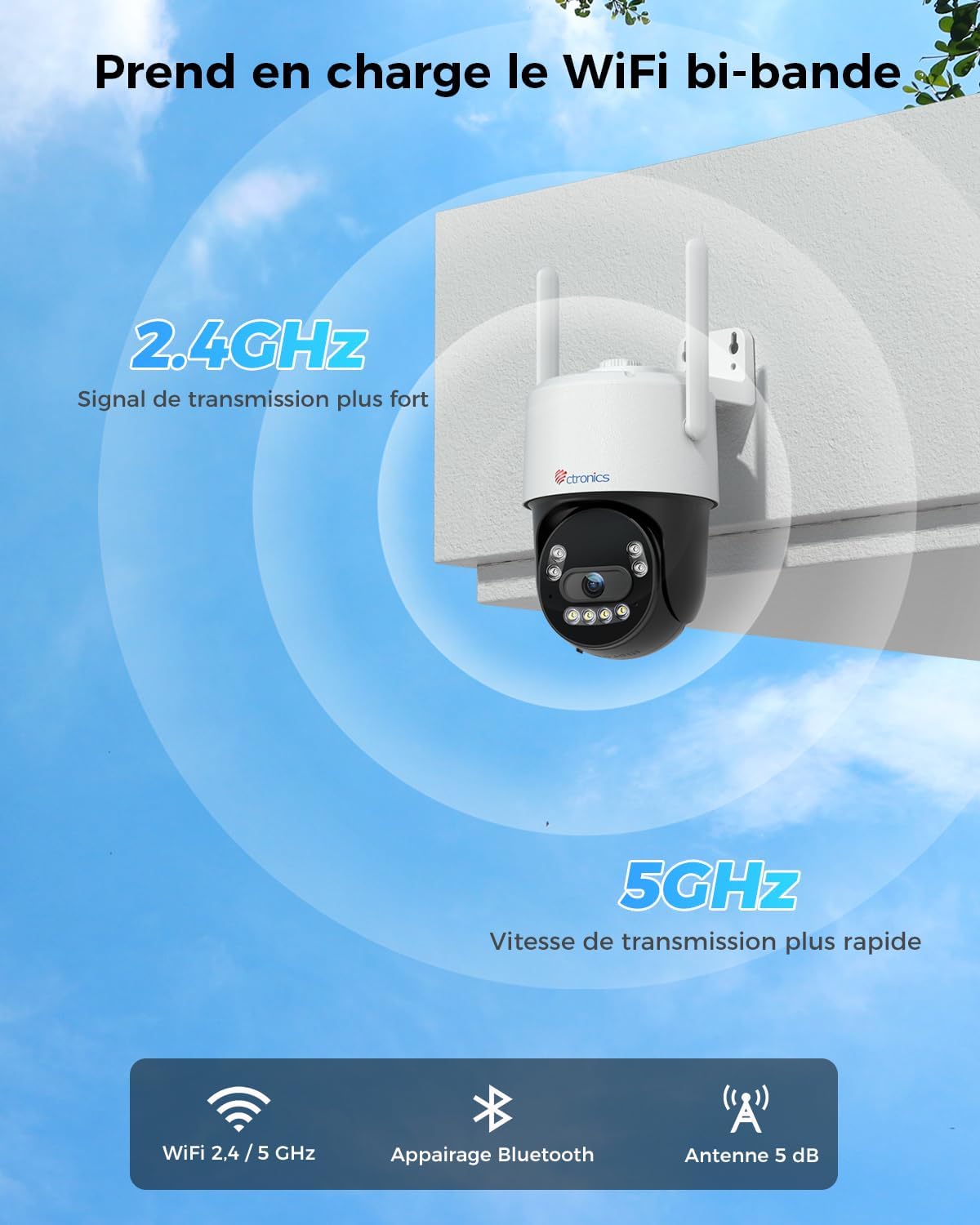
Image: The Ctronics camera securely mounted on an exterior wall of a building, demonstrating a typical installation scenario.
4.2 App Installation and Network Connection
- 앱 다운로드: 검색 "Ctronics Pro" in your mobile device's app store (iOS or Android) and download the application.
- 계정 생성: Open the Ctronics Pro app and follow the on-screen instructions to create a new user account.
- 카메라 추가:
- 카메라의 전원을 켭니다.
- 앱에서 "+" 아이콘을 탭하여 새로운 기기를 추가하세요.
- Select your camera model or scan the QR code on the camera.
- Follow the in-app instructions for Bluetooth pairing for quick setup.
- Connect the camera to your WiFi network. The CTIPC-980 supports both 2.4GHz and 5GHz bands. Choose the appropriate network and enter the password.
- 연결이 완료되면 카메라가 장치 목록에 나타납니다.

Image: The Ctronics camera illustrating its dual-band WiFi capability, showing stronger 2.4GHz signal and faster 5GHz speed.
5. 사용 설명서
5.1 라이브 View
Open the Ctronics Pro app and tap on your camera from the device list to access the live video feed. You can view 인터넷 연결만 있으면 어디서든 실시간으로 영상을 시청할 수 있습니다.
5.2 PTZ 제어
라이브에서 view screen, use the directional controls to pan (rotate horizontally up to 355°) and tilt (rotate vertically up to 90°) the camera lens to adjust your view잉 각도.
5.3 양방향 오디오
Tap the microphone icon in the app to speak through the camera's built-in speaker. Tap the speaker icon to listen to audio from the camera's surroundings. This allows for real-time communication with visitors or to deter unwanted guests.

Image: A person using the Ctronics Pro app on a smartphone to communicate via the camera, showing a live feed of a child and a car with speech bubbles indicating two-way conversation.
5.4 녹음 및 재생
The camera can record continuously or based on motion detection. Recorded footage can be accessed and played back through the Ctronics Pro app. Navigate to the playback section to view historical recordings.
5.5 야간 투시 모드
You can configure the night vision mode in the camera settings:
- 적외선(IR) 모드: 완전한 어둠 속에서도 선명한 흑백 이미지를 제공합니다.
- 풀 컬러 모드: Utilizes the built-in spotlight to capture color images at night.
- 스마트 모드 : The camera operates in IR mode and automatically switches to full-color mode with the spotlight activated when motion is detected.
5.6 스마트 감지 및 알림
Enable intelligent detection for humans, vehicles, or animals in the app settings. When an event is detected, the camera can:
- 모바일 기기로 푸시 알림을 보내세요.
- Activate the built-in siren.
- Turn on the integrated spotlights.

Image: An intruder being deterred by the camera's activated siren and spotlight, with a notification showing "Human Recognition Warning".
5.7 저장 옵션
The CTIPC-980 offers multiple storage solutions for your recordings:
- MicroSD 카드: Insert a MicroSD card (up to 256GB, not included) into the designated slot for local 24/7 recording. The oldest footage will be overwritten when the card is full.
- Ctronics Cloud Storage: Subscribe to Ctronics Cloud service for secure off-site storage. A free trial may be available.
- FTP: Configure FTP settings in the app to upload recordings to your own FTP server.

Image: The Ctronics camera with a MicroSD card being inserted, illustrating the various storage options including TF card, cloud storage, and FTP support.
6. 유지관리
- 청소: 카메라 렌즈와 하우징을 부드러운 천으로 정기적으로 닦아주세요.amp 선명한 화질을 위해 천을 사용하십시오. 강한 화학 약품은 사용하지 마십시오.
- 펌웨어 업데이트: Check the Ctronics Pro app periodically for available firmware updates. Keeping your camera's firmware up-to-date ensures optimal performance and security.
- 전원 주기: 카메라에 문제가 발생하면 전원 어댑터를 뽑았다가 다시 꽂아 전원을 껐다 켜보세요.
7. 문제 해결
| 문제 | 가능한 원인 | 해결책 |
|---|---|---|
| 카메라 오프라인 | No power, WiFi disconnected, poor signal. | Check power connection. Restart camera and router. Ensure camera is within WiFi range. Reconfigure WiFi in the app. |
| 화질이 나쁘다 | 렌즈 오염, 저조도, 네트워크 대역폭. | Clean the lens. Ensure adequate lighting or proper night vision mode. Check internet speed. |
| 허위 경보 | Sensitivity too high, environmental factors (e.g., moving branches). | Adjust detection sensitivity in the app. Define specific detection zones to exclude irrelevant areas. |
| 5GHz WiFi에 연결할 수 없습니다 | Incorrect WiFi password, router settings, distance. | Verify WiFi password. Ensure your router supports 5GHz and it's enabled. Move camera closer to the router. Try 2.4GHz if 5GHz connection remains unstable. |
| 오디오 없음 | Microphone/speaker disabled, app volume low. | Check audio settings in the app. Ensure your phone's volume is up. |
8. 사양
| 특징 | 세부 사항 |
|---|---|
| 모델 번호 | CTIPC-980 |
| 상표 | 트로닉스 |
| 해결 | 4K Ultra HD (3840x2160P), 8 Megapixels |
| 렌즈 | 3.6mm Starlight Lens |
| 팬/틸트 범위 | 팬: 355°, 틸트: 90° |
| 나이트 비전 | IR, Color, Smart (with 4 IR LEDs) |
| WiFi 연결 | 2.4GHz/5GHz 듀얼 밴드 |
| 오디오 | 양방향 오디오(내장 마이크 및 스피커) |
| 저장 옵션 | MicroSD Card (up to 256GB), Cloud Storage, FTP |
| 발각 | 사람, 차량, 동물 감지 |
| 비바람에 견디는 등급 | IP66 |
| 전원 입력 | 12볼트, 12와트 |
| 치수(길이 x 너비 x 높이) | 10 x 5 x 10cm (대략) |
| 운영 체제 | iOS, 안드로이드, 윈도우, 맥 |

Image: Displays the Ctronics camera's compatibility with iOS, Android, Windows, and Mac operating systems, showing the app interface on a laptop, desktop monitor, tablet, and smartphone.
9. 보증 및 지원
Ctronics 제품에는 표준 보증이 제공됩니다. 자세한 보증 정보는 제품 패키지에 포함된 보증 카드를 참조하거나 Ctronics 공식 웹사이트를 방문하십시오. website. If you encounter any issues or have questions regarding your CTIPC-980 camera, please contact Ctronics customer support through their official web사이트나 앱에 제공된 연락처 정보를 참조하세요.
공식적인 Web대지: www.ctronics.com