
소개
This manual provides comprehensive instructions for the SAFFUN 2.4 GHz Wireless GameCube Switch2 Pro Controller. It covers product features, setup, operation, maintenance, and troubleshooting to ensure optimal performance and user experience. Please read this manual thoroughly before using the product.
패키지 내용
아래 나열된 모든 품목이 패키지에 포함되어 있는지 확인하세요.
- Wireless Controller (2 units)
- GameCube Receiver (2 units)
- USB Receiver (2 units)
- 충전 케이블 (2개입)
- 사용자 설명서

Image: Contents of the SAFFUN 2.4 GHz Wireless GameCube Switch2 Pro Controller package, including two controllers and their receivers.
제품 끝view
The SAFFUN Wireless GameCube Switch2 Pro Controller is designed to provide a familiar GameCube layout with modern wireless capabilities and multi-platform compatibility. Key features include:
- GameCube Layout: Retains the original GameCube button and stick configuration.
- 2.4GHz 무선: Offers a reliable connection up to 10 meters (33 feet).
- Built-in Rumble: Provides immersive vibration feedback.
- 충전식 배터리: Integrated 500mAh lithium battery for extended usage.
- Precision Analog Sticks: Features Japanese imported 3D analog sticks and ALPS buttons for accuracy.
- 다중 플랫폼 지원: Compatible with NGC GameCube Console, Nintendo Switch, PC, and Steam Deck.
- Player Indicator & Low Battery LED: Visual indicators for status.
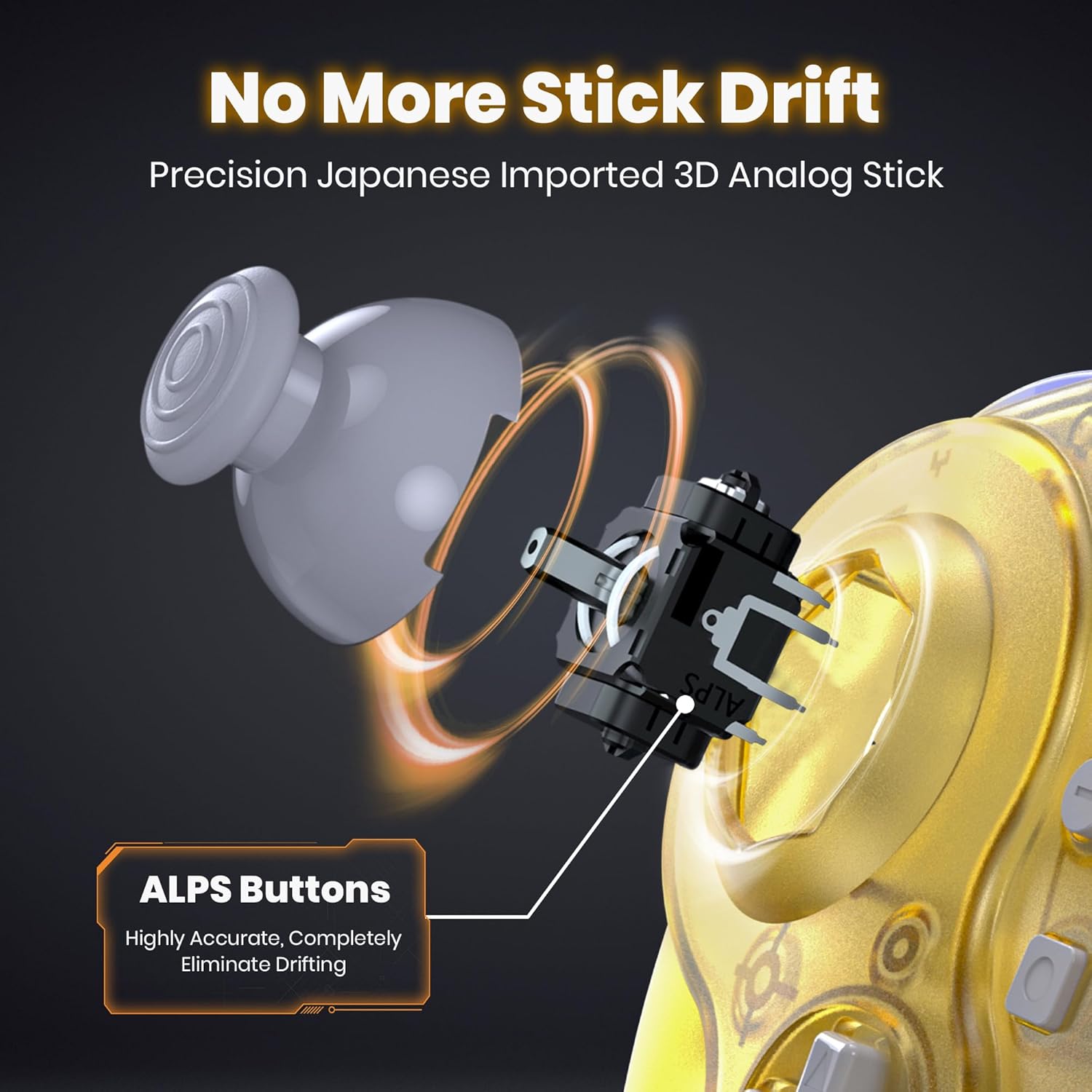
이미지: 내부 view of the controller's analog stick mechanism, emphasizing precision components.

이미지: 다중 views of the clear yellow controller, showcasin디자인이 그렇습니다.
설정
1. 컨트롤러 충전
The controller is equipped with a built-in rechargeable lithium battery. Before first use, or when the low battery LED indicates, charge the controller using the provided USB charging cable.
- Connect the small end of the charging cable to the controller's charging port.
- Connect the large end of the charging cable to a USB power source (e.g., computer USB port, USB wall adapter).
- Ensure the controller's ON/OFF switch is in the "ON" position for charging to initiate.
- The charging indicator LED will illuminate during charging and turn off when fully charged.
- 완전 충전에는 약 2시간 30분이 소요되며, 최대 10시간 동안 사용할 수 있습니다.

Image: Battery specifications and charging details for the controller.
2. Connecting to Consoles/Devices
The controller supports multiple platforms using two types of receivers:
- GameCube Receiver: For NGC GameCube Console.
- USB 수신기: For Nintendo Switch, PC, Steam Deck, iOS Mac, and Raspberry Pi.
2.1. Connecting to NGC GameCube Console
- Insert the GameCube Receiver into a controller port on your NGC GameCube Console.
- Ensure the controller's ON/OFF switch is in the "ON" position.
- Press the SYNC button on the GameCube Receiver and the SYNC button on the controller simultaneously. The indicator lights on both devices will flash and then become solid when connected.
2.2. Connecting to Nintendo Switch, PC, Steam Deck
- Insert the USB Receiver into an available USB port on your Nintendo Switch dock, PC, or Steam Deck.
- Ensure the controller's ON/OFF switch is in the "ON" position.
- Press the SYNC button on the USB Receiver and the SYNC button on the controller simultaneously. The indicator lights on both devices will flash and then become solid when connected.
- For Nintendo Switch, ensure "Pro Controller Wired Communication" is enabled in the system settings if connecting via the dock.

Image: Multi-platform compatibility of the controller, including Nintendo Switch, GameCube, Steam Deck, and PC.
작동 지침
1. 전원 켜기/끄기
- 전원을 켜려면 ON/OFF 스위치를 "ON" 위치로 밀어주세요.
- 전원을 끄려면 ON/OFF 스위치를 "OFF" 위치로 밀어주세요.
2. Player Indicator and Low Battery Warning
- The controller features an LED player indicator to show which player number it is assigned to.
- A flashing LED will indicate a low battery level. Recharge the controller promptly when this occurs.
3. Rumble Feature
The controller includes built-in vibration motors to enhance your gaming experience with tactile feedback. This feature is automatically active when supported by the game.

Image: Visual representation of the controller's built-in vibration motor functionality.
4. 인체공학적 디자인
The controller is ergonomically designed to fit comfortably in your hands, providing a secure grip during extended gaming sessions.

Image: A user holding the clear yellow controller, highlighting its ergonomic design.

Image: A user holding the clear red controller, highlighting its ergonomic design.
유지
- Keep the controller and receivers dry. Avoid exposure to humidity or liquids.
- 부드럽고 마른 천으로 컨트롤러를 닦으세요. 강한 화학 물질이나 연마재를 사용하지 마세요.
- 컨트롤러는 직사광선과 극한의 온도를 피해 서늘하고 건조한 곳에 보관하세요.
- 컨트롤러를 떨어뜨리거나 강한 충격을 주지 마십시오.
문제 해결
| 문제 | 가능한 원인 | 해결책 |
|---|---|---|
| 컨트롤러의 전원이 켜지지 않습니다. | 배터리가 소진되었습니다. | Charge the controller for at least 2.5 hours. Ensure the ON/OFF switch is in the "ON" position during charging. |
| Controller does not connect to console/PC. | Not paired correctly; receiver not properly inserted; out of range. | Ensure the correct receiver is used and fully inserted. Re-attempt pairing by pressing SYNC buttons on both controller and receiver. Ensure controller is within 10 meters of the receiver. |
| 입력 지연 또는 연결 끊김. | Interference; low battery; too far from receiver. | Move closer to the receiver. Ensure no other 2.4 GHz devices are causing interference. Charge the controller. |
| Rumble feature not working. | Game does not support rumble; rumble disabled in game settings. | Verify that the game supports vibration feedback. Check in-game settings to ensure rumble is enabled. |
| Controller charges but does not turn on. | ON/OFF 스위치가 "OFF" 위치에 있습니다. | ON/OFF 스위치를 "ON" 위치로 밉니다. |
명세서
- 모델: 2.4 GHz Wireless GameCube Switch2 Pro Controller
- 연결성: 2.4GHz 무선
- 무선 범위: 최대 10미터(33피트)
- 배터리: 500mAh 리튬 폴리머(포함)
- 충전 시간: 약 2.5시간
- 사용 시간: 최대 10시간
- 호환성: NGC GameCube Console, Nintendo Switch, PC, Steam Deck, iOS Mac, Raspberry Pi
- 제품 크기: 8 x 6 x 0.72 인치
- 품목 무게: 1.37파운드
- 제조업체: 사푼
- ASIN: B0FD2FQB6N
보증 및 지원
SAFFUN products are designed for reliability and performance. For any issues or questions regarding your SAFFUN 2.4 GHz Wireless GameCube Switch2 Pro Controller, please refer to the following:
- 보증: 보증 청구를 위해 구매 증빙 자료를 보관해 주십시오. 구체적인 보증 조건은 지역 및 판매점에 따라 다를 수 있습니다.
- 고객 지원: For technical assistance or support, please contact the retailer where the product was purchased or visit the official SAFFUN support web사이트(가능한 경우).